Nike Shoe Bot Proxy Setup: Proxy Lists, Line Format and Latency Check

Nike Shoe Bot, usually shortened to NSB, does not route traffic through any servers of its own: you build a named proxy list on the Proxies tab, put one address per line as ip:port:username:password, run the built-in Latency Check and save the list with Submit. Tasks then pick a list, so every request a task makes goes out through those addresses.
Below you will find what NSB actually is (the name is misleading), where its proxy screen lives, how to prepare and test a list, which proxy types make sense and which store rules and laws stay in force no matter what you connect through. Advice on beating queues, purchase caps or retailer bot detection is deliberately left out.
Residential proxies
Residential and static proxies with login authorisation for desktop tools
What Nike Shoe Bot Is
NSB is one of the oldest desktop checkout bots in the sneaker resale scene, with builds for Windows and macOS sold under an annual licence. Despite the name, reviews published by proxy vendors report that Nike's own web store and the SNKRS app are not among its supported targets; the program has been aimed mainly at Adidas, Foot Locker family sites and a large number of Shopify-based boutiques. Supported sites change with updates, so check the current list with the developer before buying anything.
Like other all-in-one tools, NSB automates the form-filling part of an online purchase. Our explainer on shopping bots covers how this category of software works and why retailers push back against it.
Why the Bot Needs Proxies at All
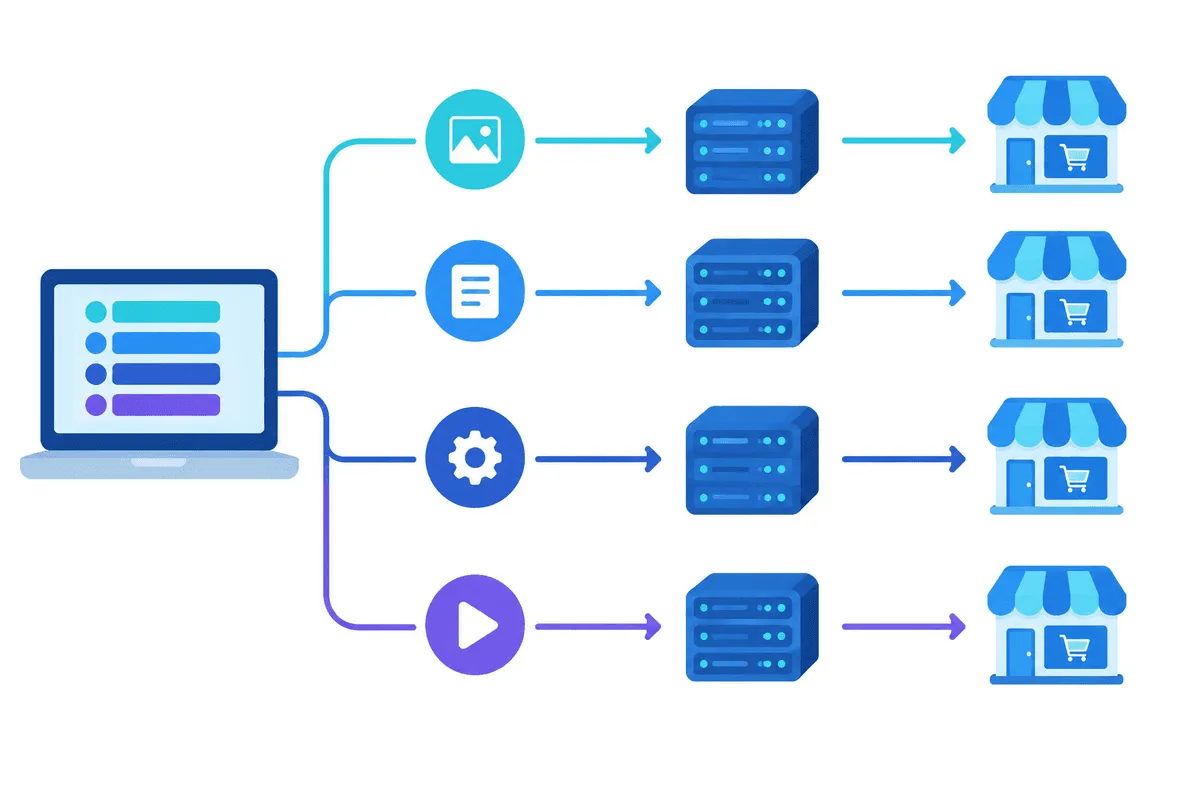
Every task NSB starts sends requests from your computer's connection. When dozens of tasks share one home IP, the store sees a single address making an unusual number of requests in a short time and may slow it down, show challenges or refuse it. Proxy lists spread tasks across several outgoing addresses and let you pick a region that matches the store's regional site, so prices, currency and stock reflect what a local buyer sees.
Proxies change nothing else. Store accounts, shipping addresses and payment cards still identify the buyer, and retailers compare all of them.
Preparing the List
- Gather credentials. Copy host, port, login and password from your provider's panel. Login-based authorisation is easier to carry between machines than an IP allowlist.
- Rearrange the string if needed. Vendor guides for NSB describe the order as address, port, user, password separated by colons. A provider export like
user:pass@host:porthas to be reshuffled first. - Keep one type per list. Mixing rotating and static addresses in one list makes test results meaningless.
198.51.100.24:7800:nsb-eu-01:Vt6rKp3q
198.51.100.25:7800:nsb-eu-01:Vt6rKp3q
198.51.100.26:7800:nsb-eu-01:Vt6rKp3q
For allowlisted plans, ip:port alone is enough, because the provider recognises your own IP and asks for no password.
Adding Proxies in NSB Step by Step
Button names below follow public walkthroughs; the developer renames items from time to time, so look for the nearest equivalent in your build.
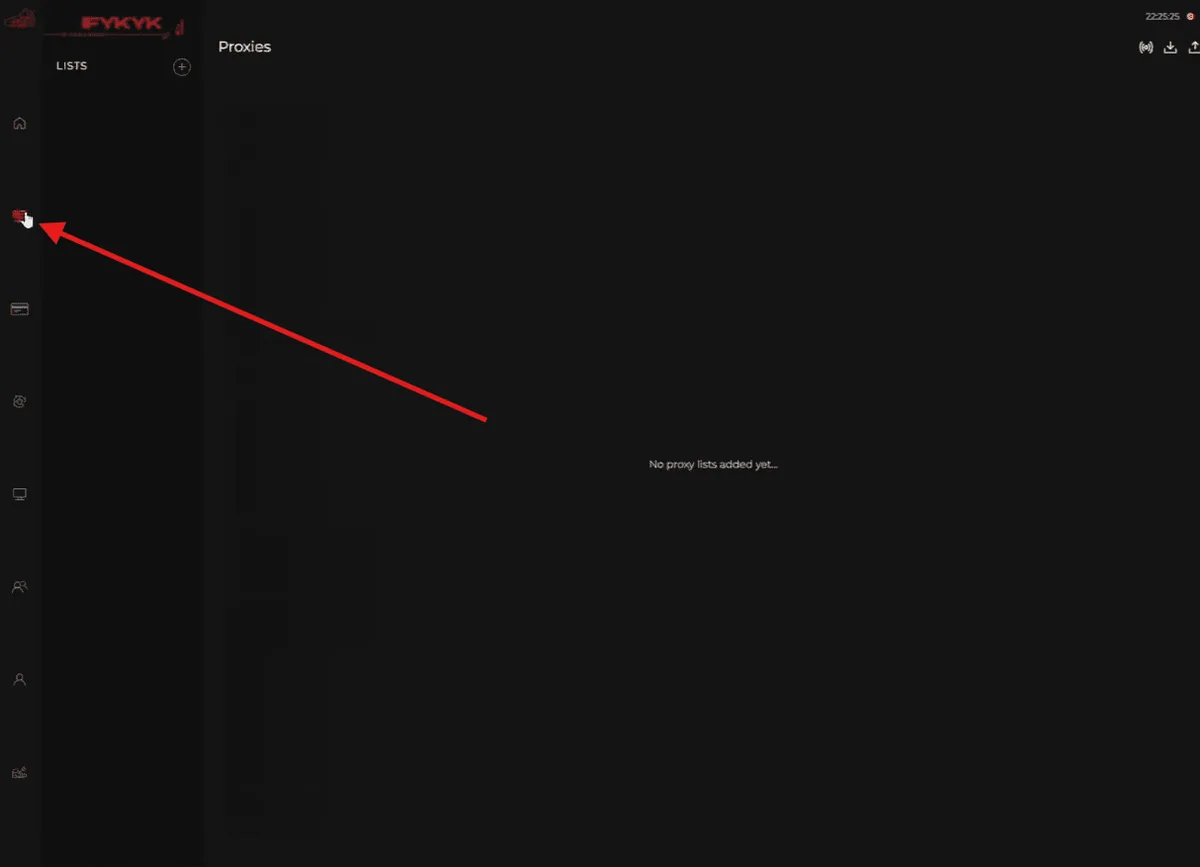
Step 1. Open the Proxies Tab
Launch NSB, sign in with your licence and choose Proxies in the main menu.
Step 2. Create a Proxy List
Press Add Proxy List in the upper left corner and type a name. Naming lists by region and type, such as UK-static-check or US-resi-main, saves guessing when you attach them to tasks later. You can keep several lists side by side.
Step 3. Paste the Lines
Put the prepared lines into the text field, one per row, with no spaces and no blank lines at the end.
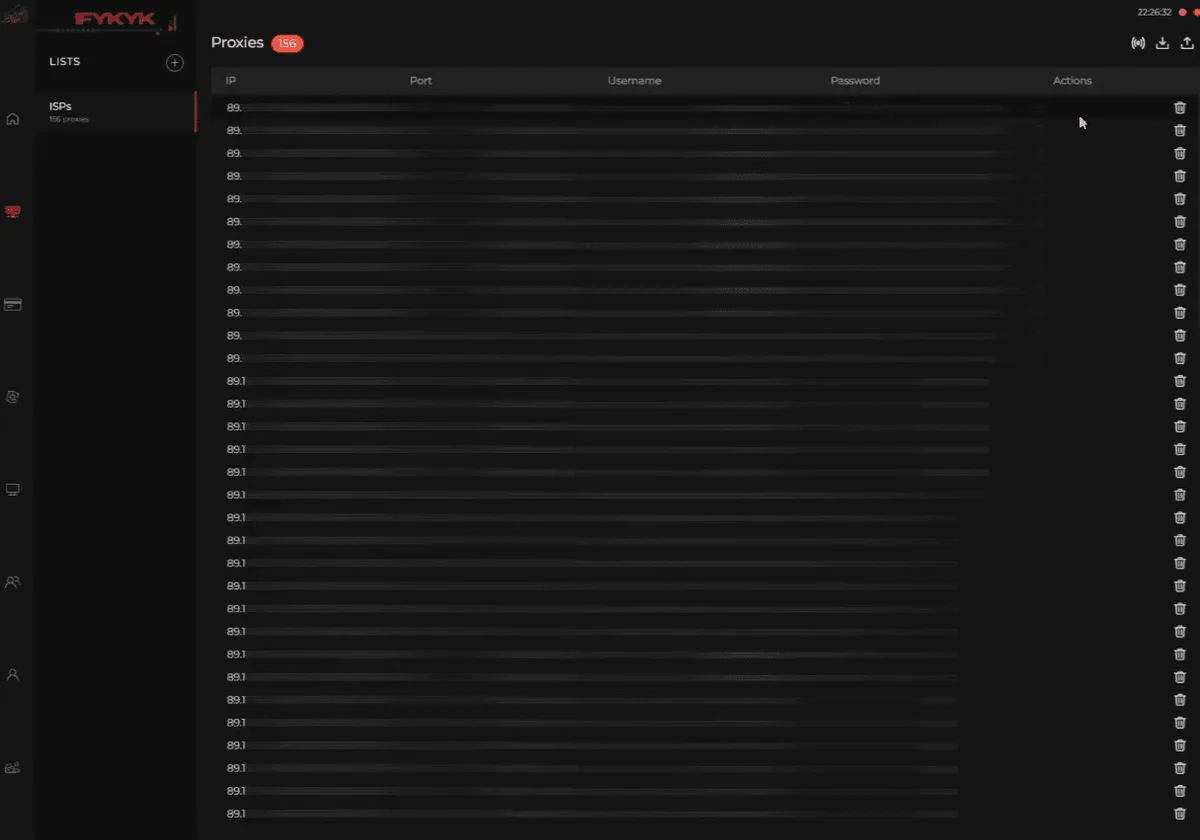
Step 4. Run the Latency Check
Click Latency Check. Each line gets a mark: Good for proxies that answered, Bad for those that did not or took too long. Drop the bad lines before saving instead of letting tasks stumble on them.
Step 5. Save and Assign
Press Submit to store the list, then open a task and select the list in its proxy field. Editing the list later updates every task that uses it.
Reading Test Results
- Every line is Bad. The format or the password is wrong in most cases. Paste one line into our proxy checker; if it works there, the issue is in how the list was entered.
- A handful are Bad. Single addresses may be offline or slow at that moment. Repeat the check a few minutes later before deleting them.
- Good but slow. Latency grows with distance. An address on another continent from the store adds delay to every request.
- Good in the check, failing in tasks. The check is a light ping; a real session involves many more requests, and the store is free to treat it differently.
Which Proxy Type to Choose
NSB treats every line the same; what differs is how the store sees the address.
| Type | What the store sees | Practical note |
|---|---|---|
| Datacenter | A server in a hosting network | Fast and cheap, but easily recognised as non-household |
| Static ISP | One fixed address that does not change during the plan | Same address for the whole session, low latency |
| Rotating residential | Household addresses that change by rule | Wide geography, sticky sessions hold an address for a while |
If a store ties its session cookie to an IP, a changing address may log you out halfway through; our guide to rotating proxies explains rotation rules and sticky sessions. Long sessions on one address fit static proxies better, while a residential proxy plan suits regional checks across many cities. Whatever the type, test a small batch first and compare.
Store Rules and the Law
Proxies change where a request comes from, nothing more. They do not turn automated purchasing into something a store allows. Retailers may cancel orders placed by bots, limit items per household or address and close accounts, and many state this directly in their terms. Automated ticket buying is restricted by law in several countries, for example the BOTS Act in the United States, and lawmakers in various places have discussed similar rules for consumer goods. Read the store's terms and the rules where you live, and never use someone else's card or account.
If you work with limited-release products as a seller, our page on sneaker proxies covers lawful tasks such as watching stock and price changes across regions. Another desktop bot with similar settings is described in our Stellar AIO guide.
Nike Shoe Bot FAQ
What proxy format does Nike Shoe Bot accept?
One proxy per line as address, port, login and password joined by colons. Plans that authorise by allowlisted IP need only the address and the port.
Does Nike Shoe Bot work on the Nike website?
Vendor reviews say no: despite the name, the Nike store and the SNKRS app are not among its supported sites. Check the current list with the developer, because supported stores change between versions.
What does Bad mean in the Latency Check?
The proxy did not answer or answered too slowly during the check. Recheck it later, then remove it from the list if it still fails.
Can one proxy list serve several tasks?
Yes. A task only points to a list, so several tasks can share it, and any change to the list reaches all of them.
Do proxies make checkout bots allowed?
No. They only change the outgoing address, while store terms and local laws still apply and orders placed by bots may be cancelled.