Proxies for WeChat and Zalo: Setup and Regional Access

WeChat and Zalo can both run through a proxy, but neither app makes it obvious: the mobile versions follow the phone's network rather than an in-app field, and on desktop you often need a system or per-app proxy client. A proxy is worth it when a workplace, campus or hotel network blocks the messenger, when a business team needs a stable connection for its official account, or when you want to keep your home IP private on public Wi-Fi.
This guide explains how the two messengers tie accounts to phone numbers and locations, why abrupt IP changes trigger security checks, which proxy type fits, and how to configure WeChat and Zalo on Windows, macOS, Android and iPhone without putting a real account at risk.
SOCKS5 proxies
Static SOCKS5 addresses with login and password for messengers on desktop and mobile
WeChat and Zalo at a Glance
| Zalo | ||
|---|---|---|
| Developer | Tencent, China (the mainland version is called Weixin) | VNG, Vietnam |
| Main audience | China and the Chinese-speaking diaspora, business with Chinese partners | Vietnam and Vietnamese-speaking communities |
| Registration | Phone number with SMS code; some new accounts need extra verification by an existing user | Phone number with an SMS code |
| Desktop login | Confirmed from the phone by scanning a QR code | QR code from the phone, or phone number and password with confirmation |
| Business tools | Official Accounts, Mini Programs, WeChat Work (WeCom) | Zalo Official Account, Zalo Mini App |
Both services treat the phone and the mobile app as the main identity. A desktop session is an extension of the mobile one, which matters when you route only one device through a proxy.
When a Proxy Makes Sense
- A network blocks the messenger. Offices, universities and some hotels filter chat apps. A proxy outside that network restores the connection; check your organisation's policy first.
- Business teams with official accounts. Agencies and export teams managing a WeChat Official Account or a Zalo Official Account benefit from a fixed, predictable IP for the admin panel, so logins do not look like they come from a new place every day.
- Testing mini programs and landing pages. Developers check how pages and mini apps load from the region where customers are.
- Privacy on public Wi-Fi. The proxy hides your home or office address from the networks you pass through.
What a proxy should not be used for: registering accounts in bulk, running account farms, buying or selling accounts, sending unsolicited messages or getting around a suspension. Both services prohibit these practices in their terms, and the phone number remains the anchor of every account, so an IP change does not make a restricted account a new one.
Account Checks and Why Stable IPs Matter
Messengers watch for signs of a hijacked account. A login from a new device, a new country or an address associated with heavy automated traffic can trigger an SMS code, a confirmation on the phone or, on WeChat, a request for help from an existing contact. Repeated jumps between countries within a day look worse than one consistent foreign address.
So the rule is the same as for other messengers we cover, such as Telegram and WhatsApp: choose one address in the country where you actually live or travel, and keep using it.
Which Proxy Type Fits
| Need | Recommended | Why |
|---|---|---|
| Everyday use, business account | Static SOCKS5 on an ISP or datacenter address | Same IP for weeks, works with per-app clients |
| Access from a filtering network | Static SOCKS5 or HTTPS | Encrypted messenger traffic inside a tunnel that the network permits |
| Checking how pages load in a region | Residential with country targeting | Home-network address in the target market |
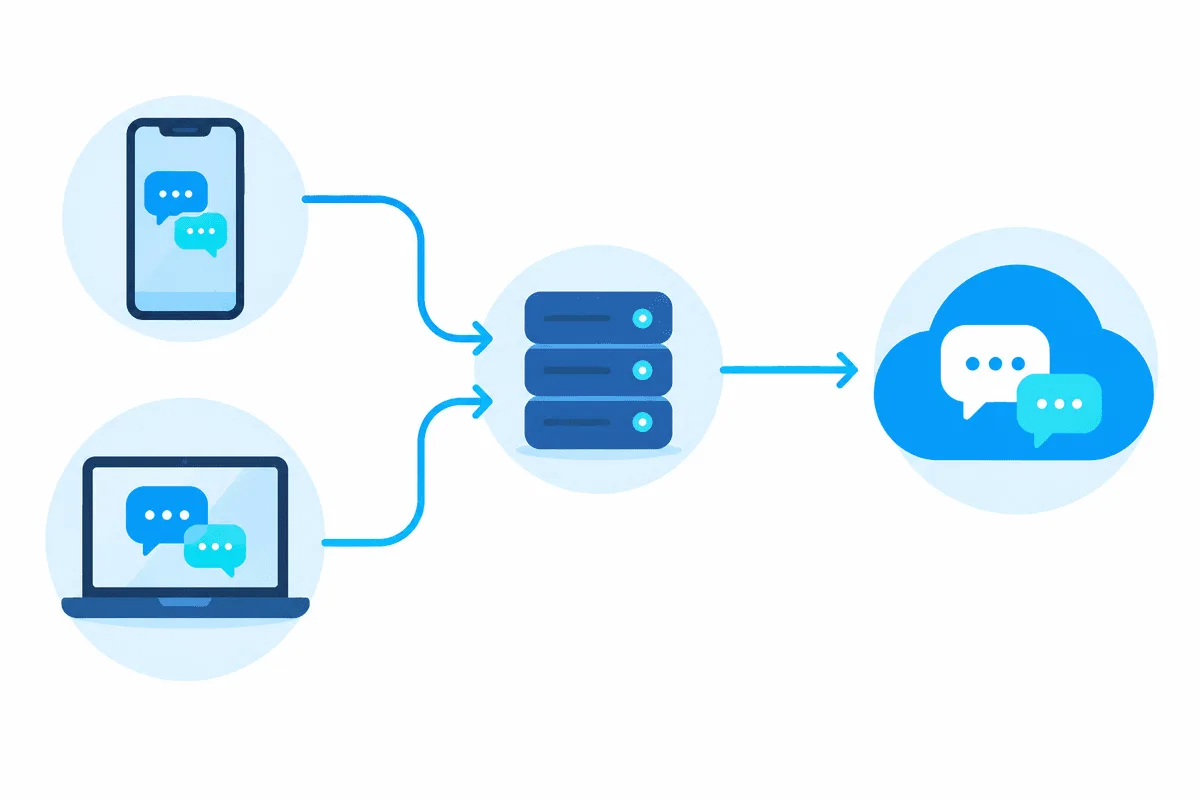
SOCKS5 is the more universal choice because it forwards any TCP connection, which is how both apps maintain their chat sessions. Voice and video calls often rely on UDP, so they may fall back to relayed mode or fail through setups that forward only TCP; test calls separately. The basics of the protocol are in our explainer on SOCKS5 proxies, and our SOCKS5 proxies come with login and password authentication for use in per-app clients.
Setting Up WeChat and Zalo on a Computer
Step 1. Check the app's own settings
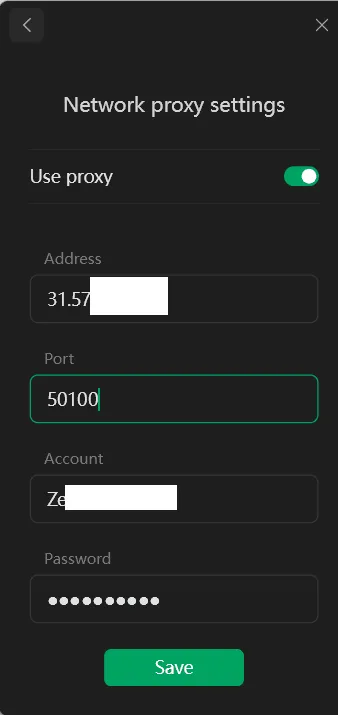
Some builds of WeChat for Windows and macOS include a network proxy option in the settings reachable from the login window. If yours does, select the protocol, enter the host, port, login and password, for example 203.0.113.41:1080 and user-7f3k, and save before scanning the QR code. Zalo PC does not have a widely documented proxy field, so plan on Step 2 for it.
Step 2. Use a per-app proxy client if there is no field
- Install a per-application proxy client on Windows or macOS.
- Add a SOCKS5 server with your credentials and run the client's connection test.
- Create a rule for the messenger process (for example
WeChat.exeorZalo.exeon Windows) and leave other programs on the direct connection. - Restart the messenger so all its connections start through the proxy.
The Windows system proxy is an alternative, but it applies only to HTTP-style traffic and only to apps that respect it, so it is less reliable for messengers.
Step 3. Log in and confirm on the phone
Scan the QR code or confirm the session on your phone. If a security check appears, complete it once; it should not repeat while the address stays the same.
Setting Up on Android and iPhone
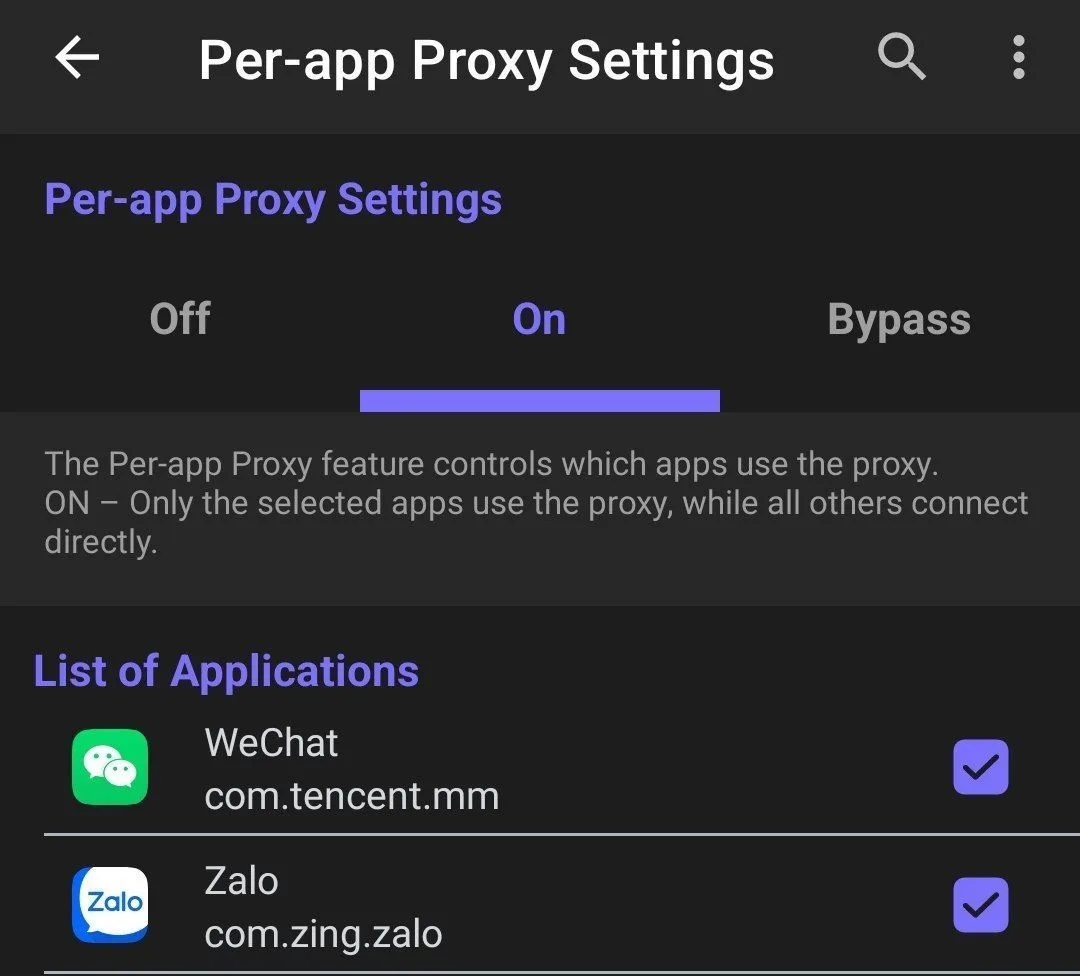
The Wi-Fi proxy setting on a phone is an HTTP proxy that many apps ignore for their own protocols. Messengers therefore work more predictably through a client that creates a local VPN profile and forwards the selected apps through SOCKS5:
- On Android, use a client with per-app selection; our guide to proxies on Android compares the options.
- On iPhone, a VPN-mode proxy app handles this; see proxies on iPhone for the setup.
Route only WeChat or Zalo through the proxy, keep SMS and banking apps on the direct connection, and do not switch exits between countries during a session.

Checking and Troubleshooting
- Messages load, calls fail. Calls need UDP or relay servers; try the call over the direct connection to confirm the cause.
- Endless QR code refresh on desktop. The desktop and phone may be getting different routes; make sure the desktop app's traffic actually goes through the proxy and the clock is correct.
- SMS or contact verification every login. The exit changes or sits in an unexpected country. Switch to a static address in your real location.
- Connection drops after a few minutes. The proxy closes idle connections or the IP rotates. Use a static IP with long-lived sessions.
- Nothing connects. Check host, port and credentials in a browser first, then whether the rule matches the exact process name.
WeChat and Zalo Proxies FAQ
Does WeChat have built-in proxy settings?
Some desktop versions offer a network proxy option in the login window settings. The mobile app relies on the phone's network, so a per-app or VPN-mode proxy client is the dependable option there.
Can I use Zalo outside Vietnam?
Yes, Zalo works internationally with a phone number that can receive its SMS code. A proxy is not required for normal use abroad; it helps only when a local network blocks the app.
Why does WeChat ask a friend to verify my account?
WeChat sometimes asks an existing user to confirm a new account or an unusual login as a security measure. Stable devices and a consistent IP make these checks less frequent.
Which proxy is best for WeChat and Zalo?
A static SOCKS5 proxy in the country where you actually are. It keeps one address for weeks and works with per-app clients on desktop and mobile.
Will a proxy make voice calls work in WeChat or Zalo?
Not necessarily, because calls usually rely on UDP. If messages work but calls fail through the proxy, keep the calls on the direct connection.