PanAIO Proxy Setup: Proxy Groups, List Format and Checking

PanAIO does not include proxies: you create a proxy group in the PROXY section of the left menu with ADD GROUP, open it, click ADD PROXY and paste your list one entry per line as ip:port:login:password (or just ip:port for IP-authorized plans), then run CHECK ALL to see which lines respond and how fast. Each task then refers to a group in its Proxy field.
Below you will find a short description of the program, what to prepare, the setup itself, a way to structure groups that keeps them readable, how to interpret the check results, and the store rules and laws that apply regardless of any proxy. Tactics for queues, raffles, purchase limits or retailer anti-bot systems are deliberately left out.
Residential proxies
Residential proxies with sticky sessions and login authorization
What PanAIO Is
PanAIO is an all-in-one checkout bot: a desktop program that automates browsing and ordering steps on a long list of online stores, many of them European fashion and sneaker retailers, along with some collectibles shops. Third-party guides describe it as a Windows application, distributed and licensed through the developer's Discord server, with the licence tied to a Discord account and renewed on a subscription basis. Licence terms have changed over the years, so check them with the developer instead of trusting older reviews.
Like other tools of this kind, PanAIO sends every request from the network it runs on. That is why it has a separate section for proxy lists and why each task asks which group to use. If you want the bigger picture of how such bots work and why retailers push back, read our overview of shopping bots.
What to Prepare
- The store's terms. Most major retailers forbid automated purchasing. Orders can be cancelled and accounts closed when a store detects it, and in some regions there are laws on top of that (see the last section).
- A proxy list in the right shape. PanAIO reads one proxy per line, with fields separated by colons.
- A decision on authorization. Login-and-password lists can move between computers or a remote Windows server; an IP allowlist works only from the address you registered.
Typical lines look like this:
198.51.100.24:9200:node-buyer01:Tx4vRk8q
198.51.100.25:9200:node-buyer01:Tx4vRk8q
198.51.100.26:9200
The first two use credentials, the third relies on an allowlisted IP. If your provider gives strings like login:pass@host:port, reorder them before pasting: a wrong field order makes every line in the group fail the check.
Adding Proxies to PanAIO
Menu labels below come from public setup guides. The developer updates the interface regularly, so if a button has a slightly different name in your build, look for the nearest equivalent.
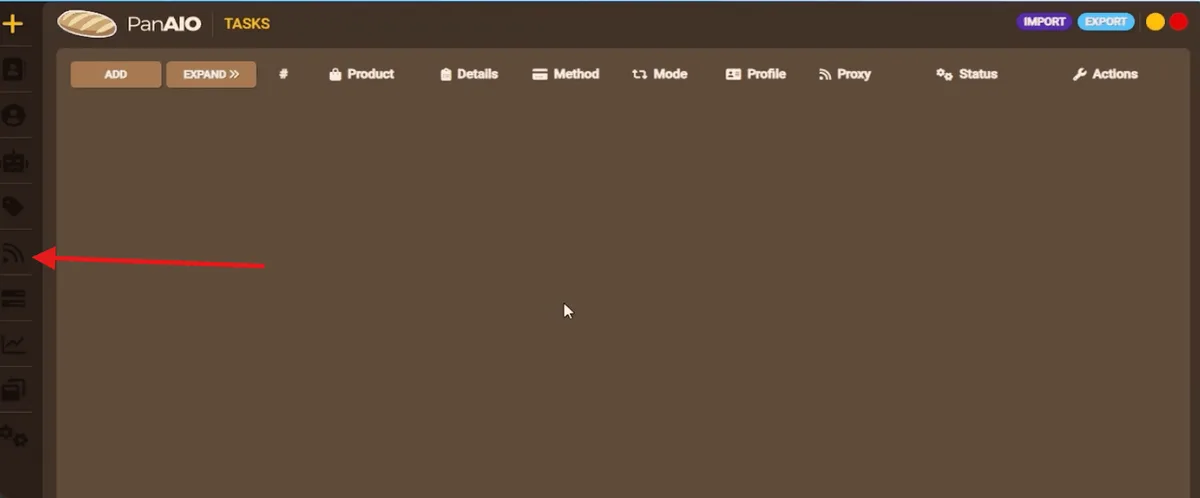
Step 1. Open the Proxy Section
In the menu on the left side of the main window, click PROXY. The list of proxy groups opens; on a fresh install it is empty.
Step 2. Create a Group
Click ADD GROUP, type a name and confirm with the green circle button. Use names that describe the purpose rather than the supplier, for example de-resi-main, fr-static-sample or uk-resi-check. You will see these names in every task, so short and clear beats clever.
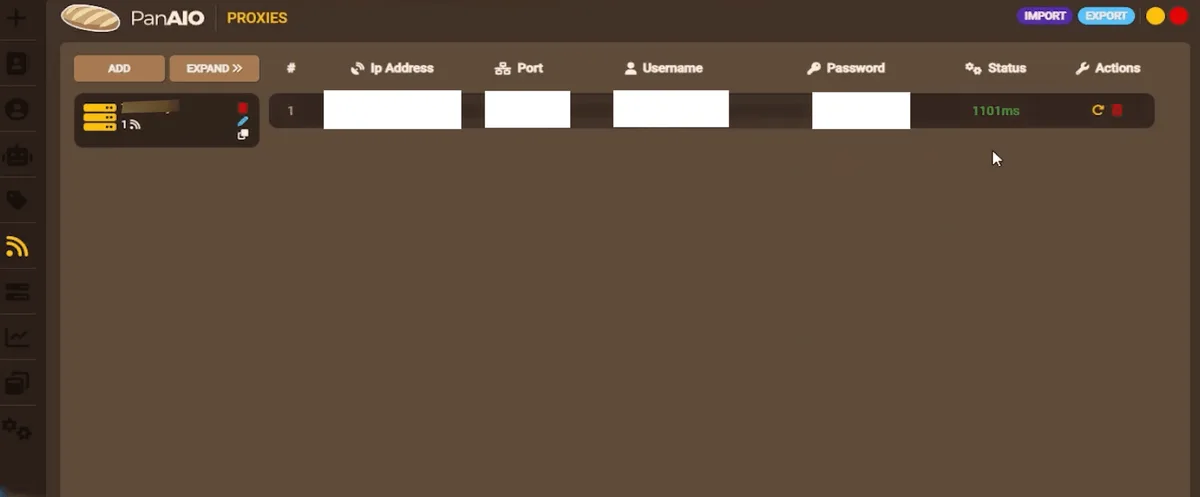
Step 3. Paste the List
Select the new group and click ADD PROXY (some guides show it as ADD PROXIES). Paste the lines from your provider, or the contents of a text file in the same format, and save with the green circle. The counter next to the group should now equal the number of lines you pasted. If it is smaller, some lines were rejected; look for spaces, empty lines or a missing field.
Step 4. Assign the Group in Tasks
Open a task group, create or edit a task and pick your proxy group in the Proxy field. All tasks that point to that group draw addresses from it, so replacing a list in the group updates every task at once without editing them one by one.
Structuring Proxy Groups
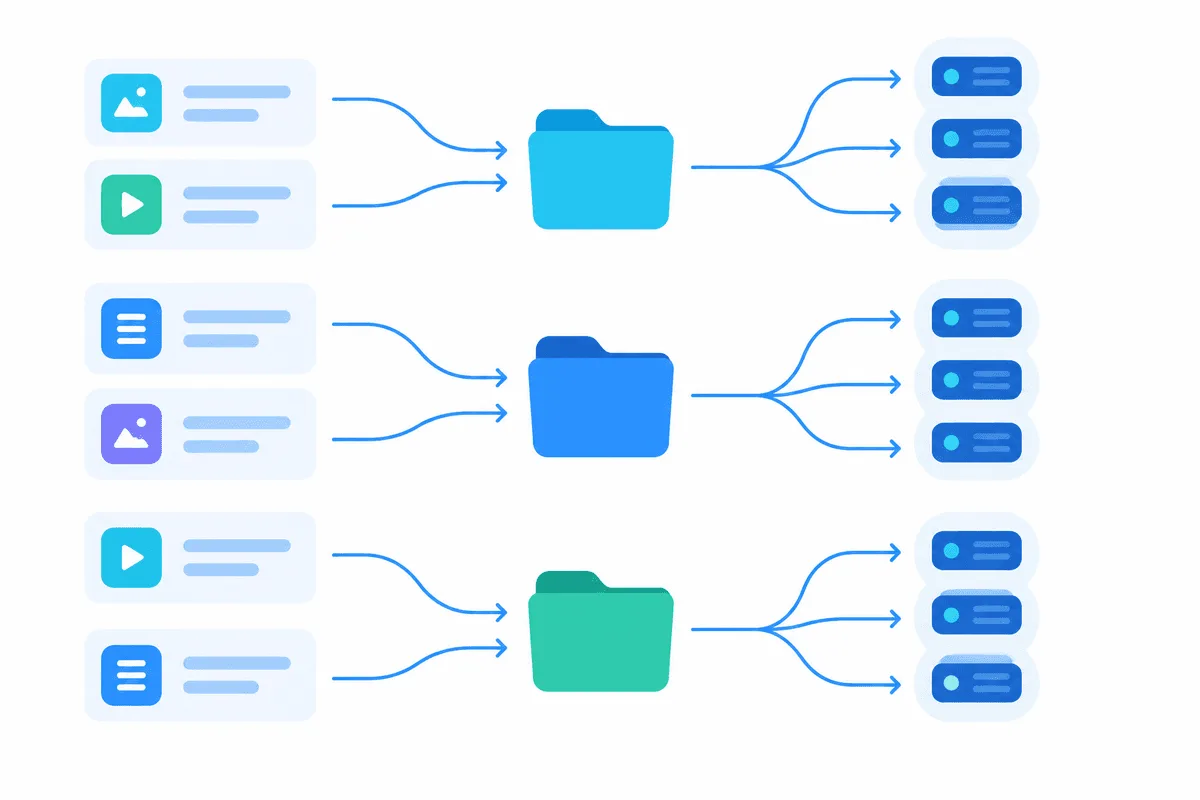
PanAIO treats every group as a plain list. The structure is up to you, and a little order up front makes problems much easier to locate later.
| Split groups by | Example names | What it gives you |
|---|---|---|
| Store region | de-…, fr-…, uk-… | Pages load in the local language and currency, with less latency |
| Proxy type | …-resi-…, …-static-… | Check results stay comparable inside one group |
| Purpose | …-main, …-sample | A small sample group lets you verify a new list without touching working tasks |
| Authorization | …-login, …-ipauth | Failures caused by a changed home IP are obvious at once |
A few habits help:
- Do not mix credential lines and allowlisted lines in one group.
- Keep a small sample group for every new purchase of proxies and check it first.
- Delete groups you no longer use; long dropdown lists in task settings invite mistakes.
Checking Proxies in PanAIO
Select a group and use CHECK ALL in the proxy check menu at the bottom of the window. Each line gets a status and a response time. The same panel offers buttons to remove lines that failed, remove slow ones or clear the whole group.
How to read the outcome:
- Every line fails. Nearly always a format problem or wrong credentials. Take one line and test it in our proxy checker; if it works there, the issue is in the pasted list, not in the proxies.
- A handful of lines fail. Individual addresses may be offline for a moment. Check again a few minutes later before deleting them.
- All lines pass but with high times. The proxies are far from the store's servers. A proxy in the same country as the regional site usually responds faster.
- Lines pass the check but tasks report errors. Third-party guides note that the built-in check confirms that a proxy is alive and how fast it answers, not how a particular store treats it. Store-side refusals are the store's decision and a signal to stop, not a parameter to tune.
Keep in mind that a check sends requests through each proxy. On plans billed by traffic, checking a large group many times a day uses some of your balance.

Which Proxy Type Fits
PanAIO handles all proxies the same way; the difference lies in what the store sees on the other end. Datacenter addresses are fast and cheap but clearly belong to hosting companies. Residential addresses come from household connections; our explainer on residential proxies describes how they differ. For sessions that must keep one address from start to finish, residential proxies with sticky sessions keep the same IP for a set time, so a store that binds its session cookie to an address does not drop you halfway. Setup guides show plain lines without a protocol prefix, the usual form for HTTP ports, so confirm the protocol with your provider; our comparison of SOCKS5 and HTTP explains the difference.
For a parallel walkthrough in another bot of this class, see our guide to Stellar AIO proxy setup.
Store Rules and Legal Caveats
A proxy only changes where a request appears to come from. It does not make automated purchasing allowed where a store prohibits it, and it does not change per-customer limits. Retailers routinely cancel bot orders, restrict quantities per household and close accounts. Some countries regulate automated buying by law, for example the BOTS Act in the United States for event tickets and the rules on ticket resale bots in the United Kingdom, and broader proposals covering consumer goods have been discussed. Read the terms of each store and the rules where you live, and never use other people's accounts or payment details.
If you run a resale business, our page on sneaker proxies also covers lawful monitoring tasks such as tracking stock levels and regional prices.
PanAIO FAQ
What proxy format does PanAIO accept?
One proxy per line as ip:port:login:password, separated by colons. For plans with IP authorization, ip:port is enough.
Does PanAIO come with built-in proxies?
No. You add your own lists to proxy groups in the PROXY section and then choose a group in each task.
Why does every proxy fail CHECK ALL?
Most often the fields are in the wrong order or the credentials are wrong. Test a single line in an external checker to see whether the proxy itself works.
Can several tasks share one proxy group?
Yes. Tasks only refer to the group, so any number of them can use it, and updating the list updates them all.
Do proxies make checkout bots allowed?
No. Proxies only change the outgoing address. Store terms and local laws apply in full, and retailers may cancel orders placed by bots.