Proxies for Viber: How to Choose One and Set It Up

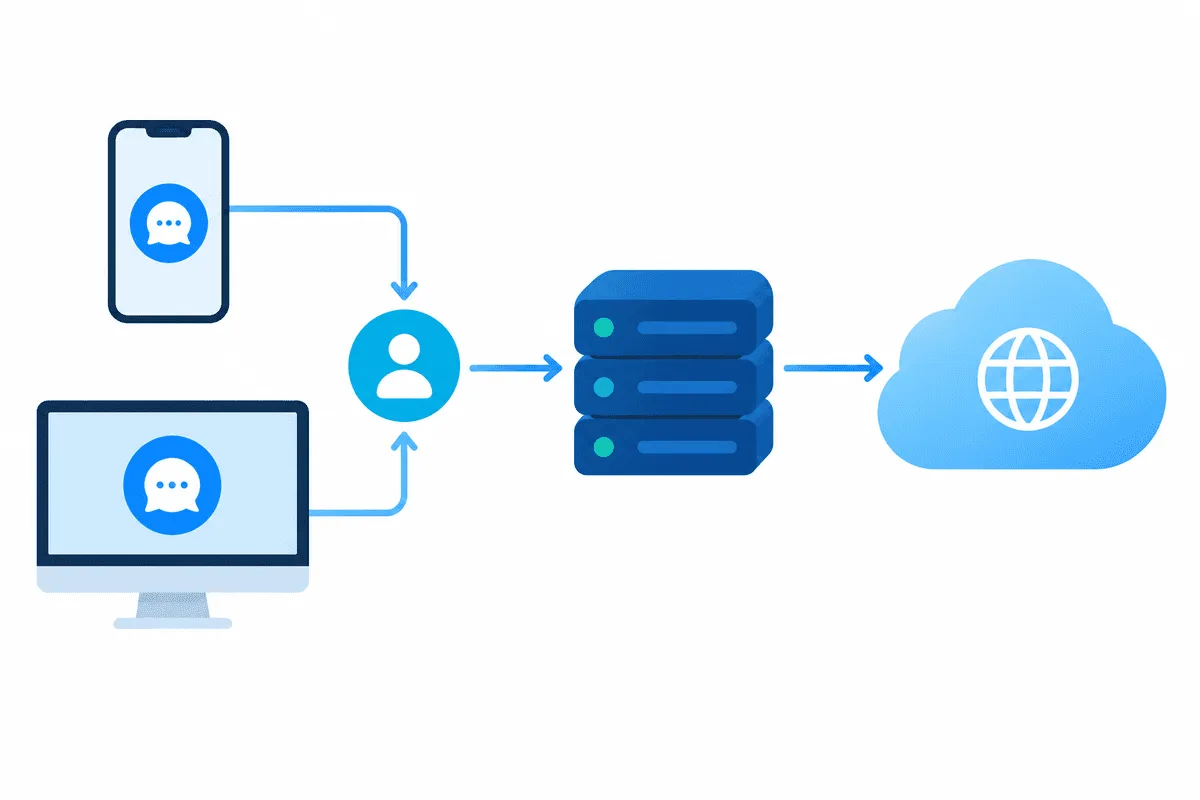
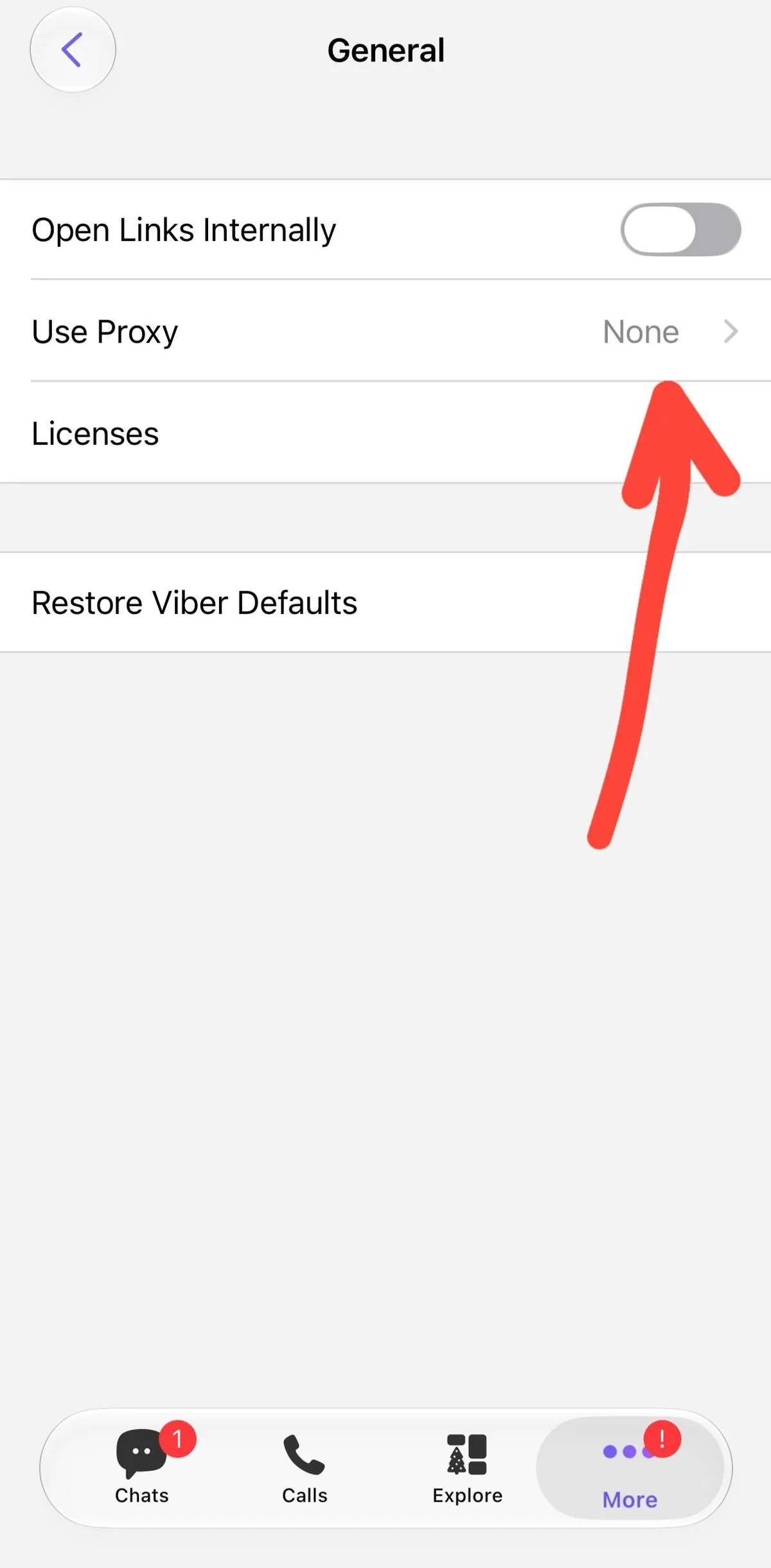
Recent Viber builds carry a gateway menu of their own. On a handset you reach it by tapping More, opening Settings, then General, where the Use proxy entry lives; the computer client hides a comparable switch among its preferences. Choose a protocol (nearly always SOCKS5), paste the server, port, account name and secret, relaunch, and the messenger tunnels through that machine. OS-level routing stays useful for outdated builds or when every app on the phone should share one address.
Plenty of older write-ups insist Viber cannot work behind a gateway, and others drop a lone screenshot without explaining protocols. Below: how the native option behaves on Android, iOS and the computer client, which protocols it understands, what happens to calls, and what a business profile needs to keep running smoothly.
SOCKS5 proxies for Viber
Static SOCKS5 addresses with a login and password for the Viber proxy menu
Situations Where a Gateway Helps
- Filtered connections. Corporate firewalls and certain public hotspots cut Viber's servers off. Rakuten's own help centre pitches the gateway option as a remedy for exactly such connectivity trouble. Rely on it only where network policy and local law permit.
- Business profiles answered from several offices. A support desk replying to customers through the computer client in different cities gains from one predictable exit for that profile.
- Trips abroad. Keeping an address from your home country while travelling cuts surprise re-verification and keeps calls on a familiar path.
No gateway will register numbers you do not own, enable mass promotional sends or lift Viber's limits. Large commercial campaigns run through Rakuten's official business messaging partners.
Protocols the Viber Menu Understands
| Menu option | Fields it asks for | Best suited to |
|---|---|---|
| SOCKS5 | Gateway, port, account name, secret | Typical rented proxy |
| Shadowsocks | Gateway, port, secret, cipher | Self-hosted box where plain SOCKS5 gets filtered |
| Extra items (SSH, obfuscated variants) | Vary per type | Show up in some builds; useful only alongside matching self-hosted servers |
HTTP is absent from the list, so an HTTP-only gateway cannot be used natively. Official documentation names SOCKS5 and Shadowsocks; additional entries differ across builds and platforms.
SOCKS5 covers most needs. Our SOCKS5 proxies include credentials that drop straight into Viber's form. Unsure about the protocol? See our explainer on what a SOCKS5 proxy is.
Which Address Type to Rent
Viber binds each profile to a phone number and notices abrupt location jumps. Three habits keep things calm:
- Static over rotating. A shifting IP makes the profile appear to teleport between cities, inviting re-verification.
- Match the SIM's country. An exit in the nation where the number was issued resembles a normal subscriber.
- Carrier or household ranges for business use. Datacenter exits handle messaging, yet operator and home addresses (our mobile proxies are coming soon) look most like a regular handset and suit profiles you cannot afford to lose.
Handset Setup
Step 1. Install the Latest Build
The gateway option arrived only in recent releases. Grab updates via Google Play or the App Store beforehand.
Step 2. Reach the Gateway Entry
From the bottom bar tap More, continue into Settings, open General and look for Use proxy. Some builds park it in an adjacent section, so type proxy into the settings search if it is not visible.
Step 3. Enter the Server
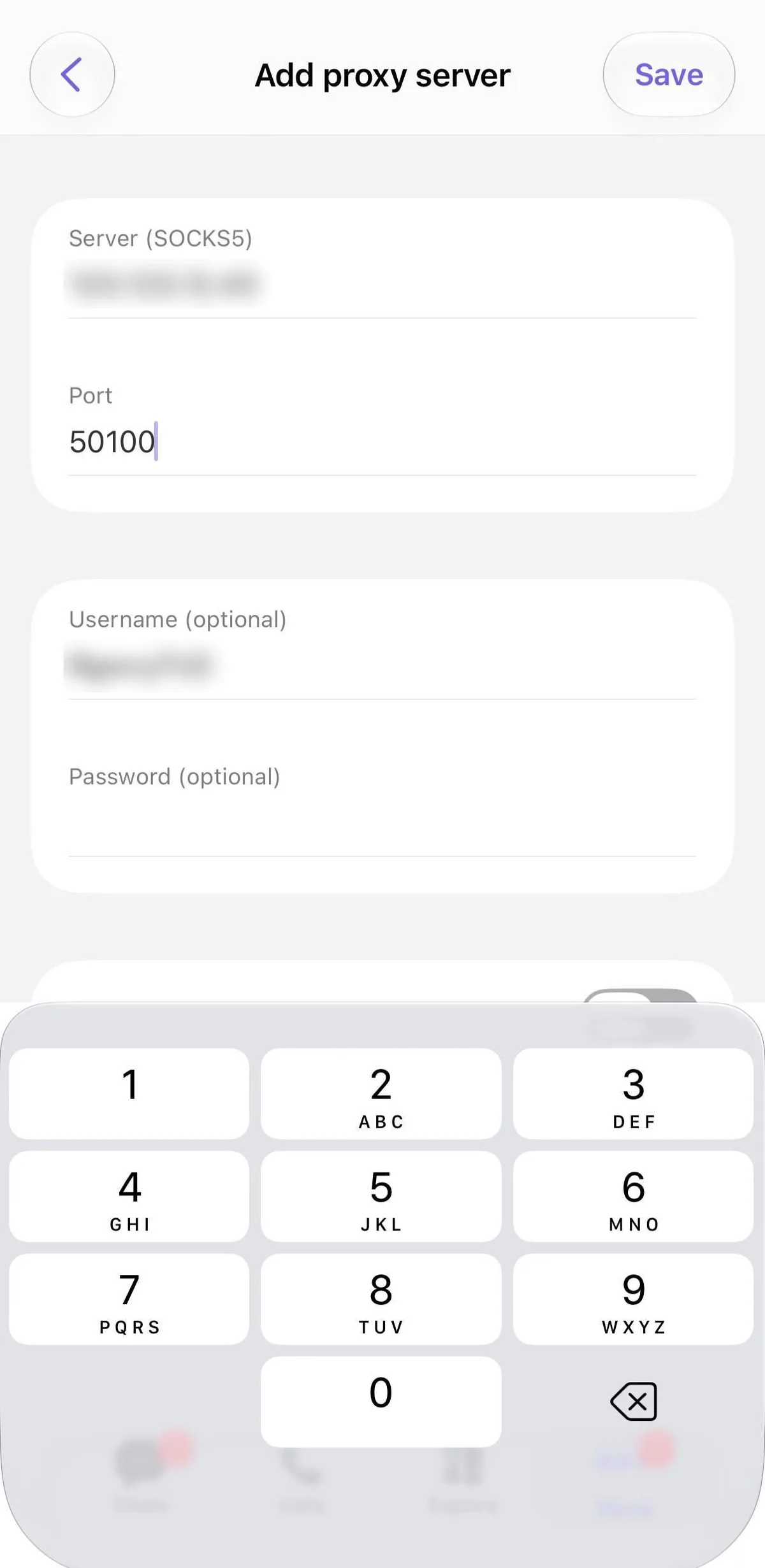
Enable the toggle and set the type to SOCKS5. Then supply:
- gateway, e.g.
203.0.113.77; - port number, e.g.
1080; - the credential pair issued by your provider.
Confirm, then quit Viber completely; on its next start it will connect through the gateway.
Computer Client Setup
Viber on Windows and macOS is a secondary device: you activate it by scanning a QR code from the handset, and the mobile profile must remain active. To route it:
- Launch the client and enter preferences through your avatar or the main menu.
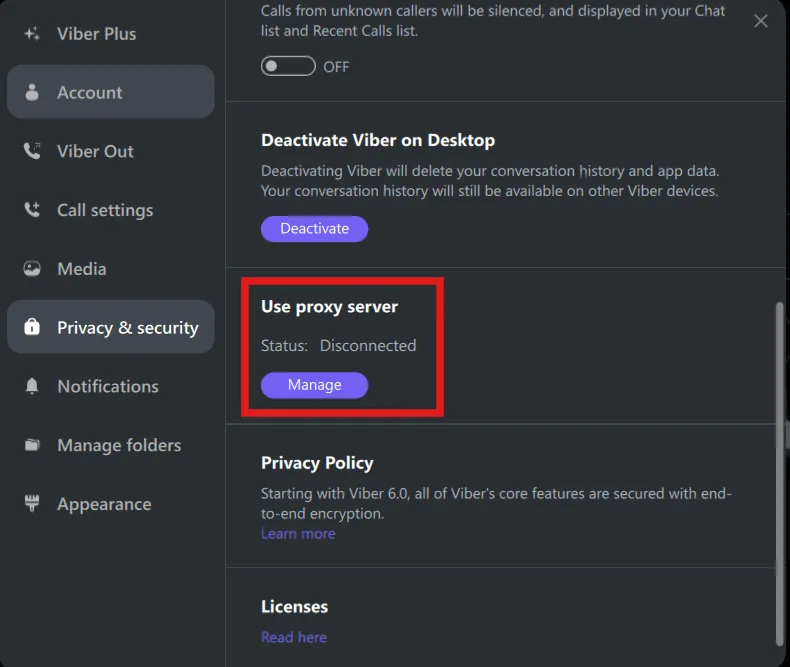
- Locate the gateway option (recent builds keep it within the privacy section) and press Manage.
- Choose SOCKS5, fill in gateway, port and credentials, and accept.
- Enable the toggle, then restart the client.
Labels drift from build to build; should yours lack the option, fall back on OS-level routing described next.
OS-Level Routing as Plan B
When the native entry is missing, or several apps must share one exit:
- Android: a tunnelling utility like Super Proxy pushes chosen apps through SOCKS5 with credentials; see our Android proxy guide.
- iPhone: Shadowrocket, or the per-hotspot gateway field, which handles HTTP only.
- Windows and macOS: system preferences or Proxifier with a rule targeting Viber.
Calls Behind a Gateway
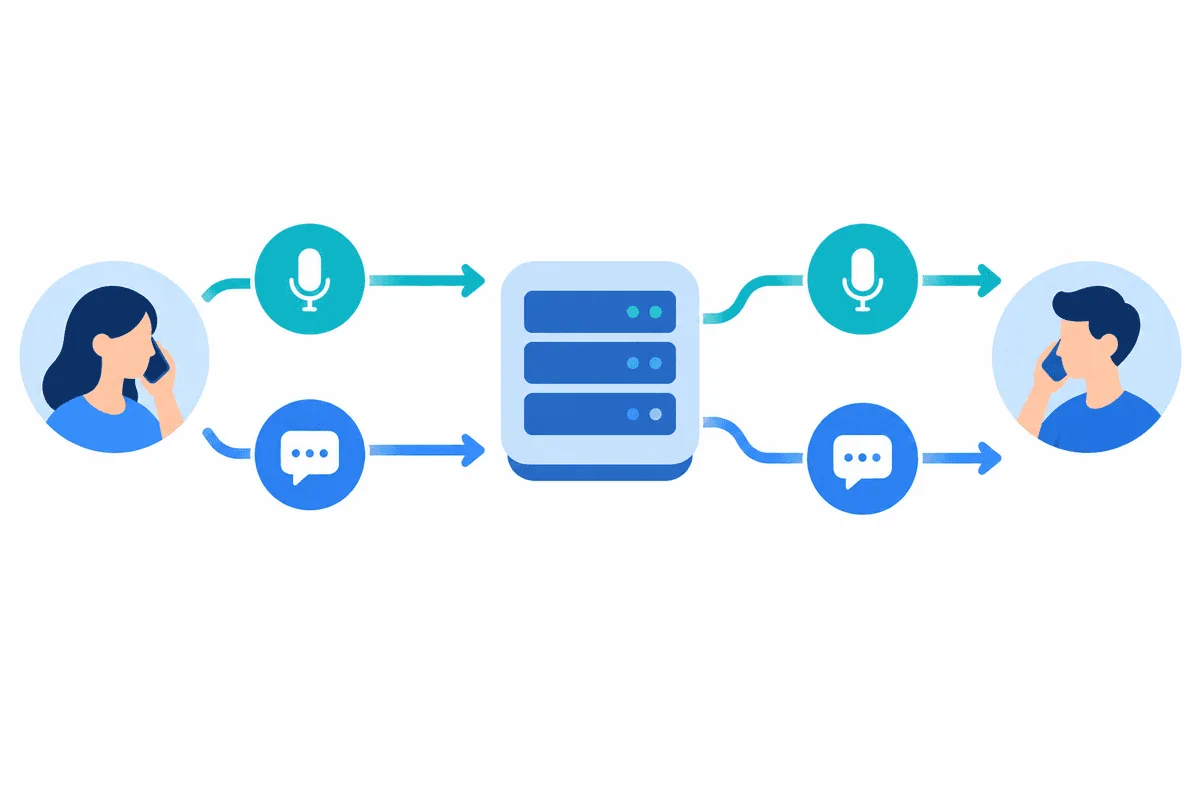
Voice and video calls in Viber depend on UDP. Text arriving while calls never connect, or collapse after a few seconds, signals a server that does not relay datagrams. Ask your provider about UDP over SOCKS5, or exclude calls from the tunnel. Self-hosted Shadowsocks boxes normally pass UDP once it is enabled server-side.
Keeping a Business Profile Stable
- Pin one exit to each profile and never switch countries between sessions.
- Pair the computer client with the handset while both use gateways in the same region.
- Leave the SIM inside a working phone, since activation codes and security checks still come by SMS or voice call.
- Give staff separate profiles so one person signing out does not end everyone's session.
Agencies running messengers for clients can dig deeper in our article on managing multiple accounts for business. For a messenger with an even more detailed gateway menu, compare with proxies in Telegram.
Fixing Typical Failures
- Endless connecting after saving. Wrong port or protocol, or the gateway expects an IP whitelist. Compare against your provider panel.
- Gateway stored yet IP unchanged. Viber kept running in the background. Kill it fully and relaunch.
- Text fine, calls dead. Only TCP crosses the route; revisit the calls section.
- Activation code missing. Codes travel over the cellular network, never through the gateway. Inspect signal and number format.
Viber Proxy FAQ
Is a proxy option built into Viber?
It is. Current handset and computer builds include a Use proxy entry accepting SOCKS5 or Shadowsocks servers along with credentials.
Will an HTTP proxy work with Viber?
Not through the native menu, which offers no HTTP choice. Route the app at OS level instead, or move to SOCKS5.
What stops Viber calls from working through my gateway?
Calls need UDP. When the server or client relays TCP only, chats get through while calls fail.
Can Rakuten ban a profile because of a gateway?
A gateway by itself is not grounds for a ban. Restrictions follow spam, mass sends and terms violations, while frequent IP changes merely add verification prompts.
What suits a Viber business profile best?
A static SOCKS5 exit on a carrier or household address in the number's home country, so that every session arrives along one familiar route.