Stellar AIO Proxy Setup: Proxy Groups, Format and Testing


Stellar AIO, a checkout automation program for Windows and macOS, has no relays of its own. Your addresses go into a named group under the Proxies tab, written as ip:port:username:password with a single address on each line; after saving, a built-in check runs them against a store you select. Each task then refers to the whole group rather than to separate addresses.
This article explains what Stellar AIO is, where its proxy settings live, how groups are organised, how to read the test results and what rules and laws to keep in mind. It does not cover tactics for queues, purchase limits or retailer detection; those are the store's rules, and the last section explains why they matter.
Residential proxies
Residential proxies with sticky sessions and login authorisation
What Stellar AIO Is
AIO stands for all-in-one: a single program that automates the checkout steps on many online stores instead of one. Stellar has been around for years and is familiar to people who resell sneakers and collectibles. It is sold through its own site under a licence, and third-party guides mention a short trial period; the terms change, so check them with the developer rather than relying on old reviews.
The program itself runs on your computer. Every request it sends to a store leaves from the network it is connected to, which is why its interface has a full section for proxies. If you want the broader picture of why retailers worry about such software and how it works in general terms, read our explainer on shopping bots.
Before You Start
- Read the store's terms. Most large retailers forbid automated purchasing and may cancel orders or close accounts that use it.
- Prepare the list. Copy the host, port, login and password from your provider's panel. Login-and-password authorisation is easier to move between computers than an IP allowlist.
- Pick the format. Stellar expects one proxy per line. Third-party guides give the order as address, port, login, password separated by colons.
203.0.113.71:10001:user-7f3k:Qw9pLm2x
203.0.113.72:10001:user-7f3k:Qw9pLm2x
203.0.113.73:10001:user-7f3k:Qw9pLm2x
If your provider hands out a string like user:pass@host:port, rearrange it before pasting; a wrong order is the most common reason for a whole group failing the test. For IP-authorised plans, the shorter ip:port form is enough.
Creating a Proxy Group
Labels below come from public setup guides; the developer occasionally renames items, so look for the closest match in your build.
Step 1. Open the Proxies Tab
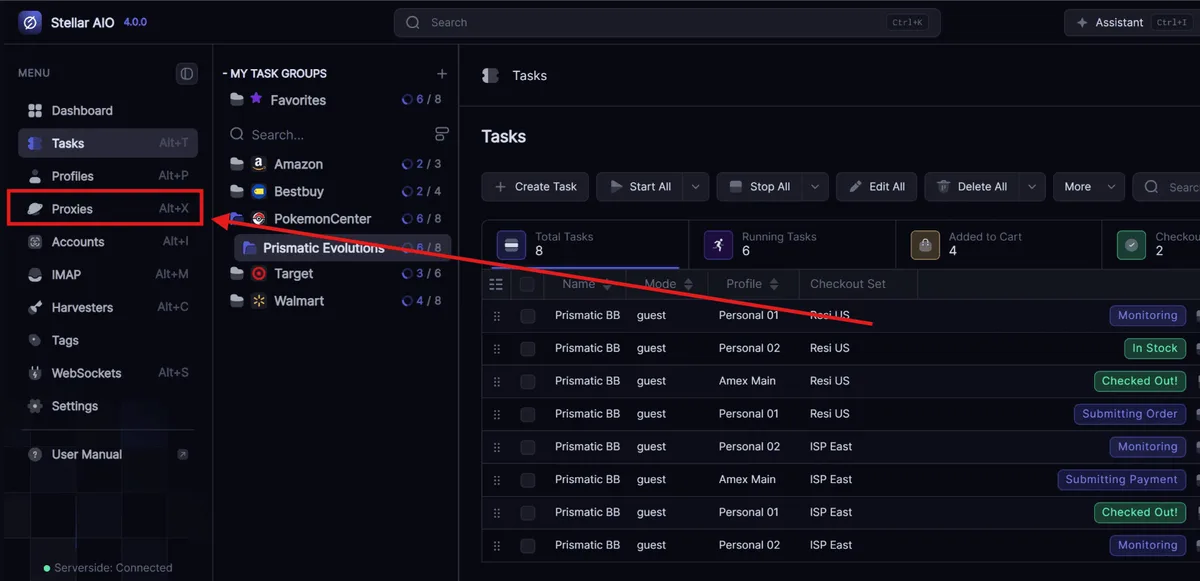
In the vertical menu on the left side of the main window, click Proxies. The list of existing groups opens.
Step 2. Create the Group
Click New Proxy Group, type a name and confirm with Add. Choose names that describe what the group is for, for example EU-static-test or US-residential-main, so you can tell them apart in task settings later.
Step 3. Paste the Proxies
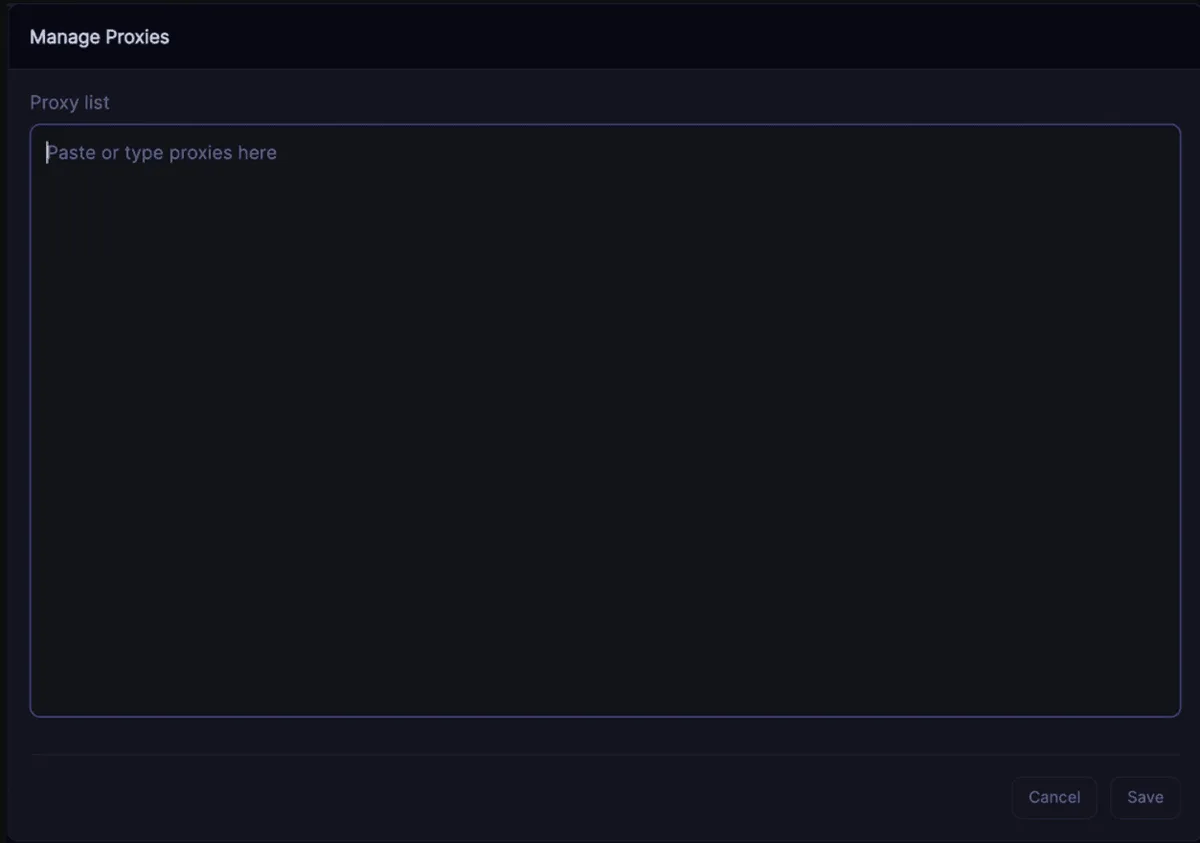
Select the new group in the Proxy Groups list and click Manage Proxies. Paste your lines into the text field and press Save. The counter next to the group name should match the number of lines you pasted.
Step 4. Link the Group to Tasks
Inside the task editor, pick the group from the proxy field. All tasks that reference it take their addresses from that single list, which means one edit to the group reaches every one of them.

How to Organise Groups
Groups are simply named lists, yet a clear structure saves hours of guessing later:
| Group idea | What goes in | Why it helps |
|---|---|---|
| By region | Addresses in the same country as the store's regional site | Store pages load in the right language and currency |
| By proxy type | Static and rotating addresses in separate groups | Test results become comparable within a group |
| Test and main | A small sample for checks, the full list for real use | You can verify a new purchase without touching working tasks |
| By provider | One group per supplier | Easy to see which source has problems |
Avoid mixing protocols or authorisation methods in one group. If half the lines use a login pair and half rely on an allowlist, failures become hard to interpret.
Testing Proxies in Stellar AIO
Back on the Proxies tab, highlight a group, choose a store from the site dropdown and press Test. Public walkthroughs describe the outcome as a millisecond figure beside each working line and the word Failed beside lines that got no reply.
How to read the result:
- All lines failed. Check the format first, then the credentials. Paste one line into our online proxy checker; if it works there, the problem is in how the list was pasted.
- Some lines failed. Individual addresses may be dead or refused by that store. Retest a few minutes later before deleting them.
- Everything passes but is slow. Distance matters: a proxy on another continent adds latency to every request. Keep addresses close to the store's servers.
- Passes in the test, fails in a task. A test request is lighter than a real session; the store may treat the full flow differently. That is the store's decision, not a setting to fight.
Some guides mention that failed lines can be removed in bulk after a test; whether your build does it automatically or asks first depends on the version.
Which Proxies to Use
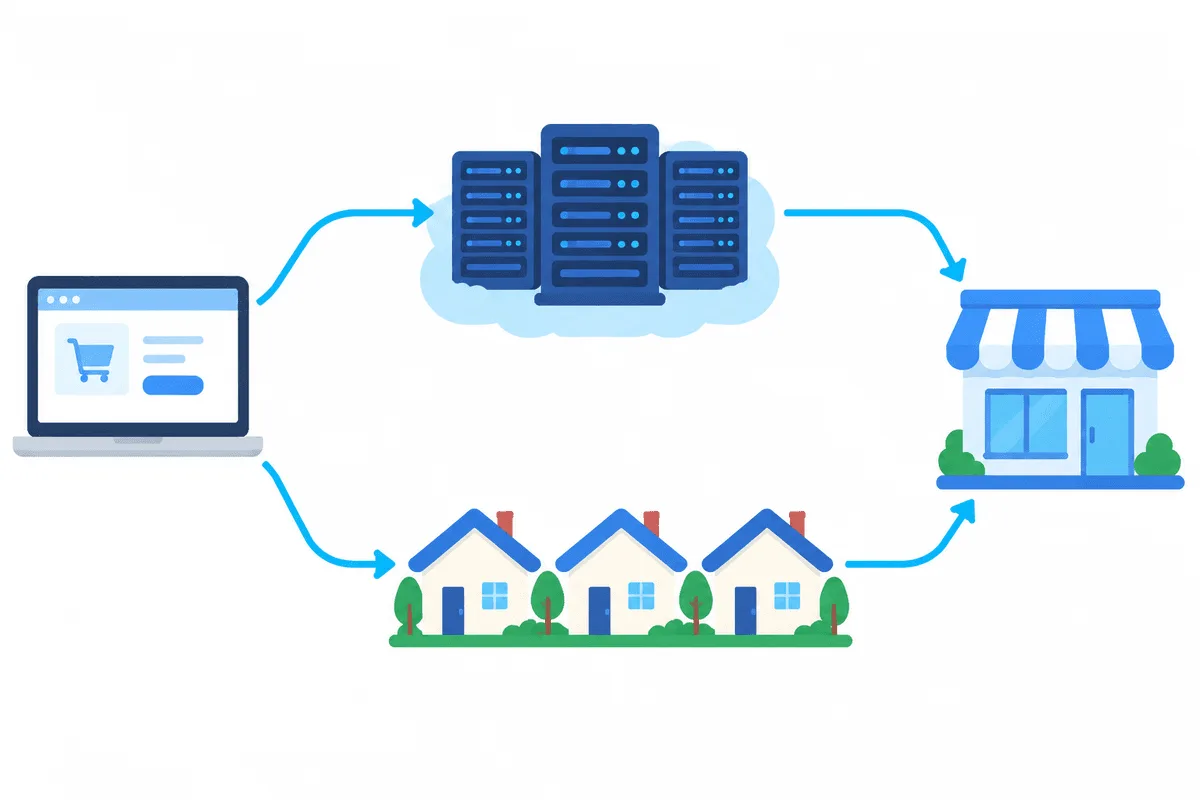
Stellar treats all addresses alike, so the choice depends on what the store sees. Datacenter addresses are fast but easy for a site to recognise as servers. Residential addresses come from ordinary household connections; our article on what residential proxies are explains the difference in detail. A residential proxy plan with sticky sessions keeps one address for a whole session, so a site that ties its session cookie to an IP does not sign you out halfway. For the trade-offs of changing addresses, see our guide to rotating proxies.
Store Rules and Legal Caveats
Proxies change the address a request comes from, nothing more. They do not make automated buying permitted where a store forbids it, and retailers may cancel orders placed by bots, limit quantities per household or address and close accounts. In some countries automated ticket buying is restricted by law, for example the BOTS Act in the United States, and proposals to extend similar rules to consumer goods have been discussed in several places. Before using any checkout tool, read the store's terms and the rules that apply where you live, and never use other people's payment details or accounts.
If you sell limited items yourself, our page on sneaker proxies also covers legitimate monitoring tasks such as tracking stock and prices across regions.
Stellar AIO FAQ
What proxy format does Stellar AIO use?
Each line holds a single proxy written as address, port, login and password joined by colons. If your plan relies on an allowlisted IP, address and port alone are enough.
Does Stellar AIO come with proxies?
No. You add your own list to a proxy group and then select that group in task settings.
Why does every proxy in my group show Failed?
Usually the line order is wrong or the credentials are incorrect. Test a single line in an external checker to see whether the proxy itself works.
Can I use one proxy group for several stores?
Yes, but separate groups by region work better because addresses close to the store load pages faster and show the right local version.
Are proxies enough to make checkout bots allowed?
No. Proxies only change the outgoing address. Store terms and local laws still apply, and many retailers cancel orders placed by bots.