Prism AIO Proxy Setup: Proxy Lists, Site Selection and Testing


To add proxies in Prism AIO, open Proxy List in the left sidebar, type a name for the list, paste your entries into the Proxies field one per line in the ip:port:login:password pattern and click Save. The saved list shows up as its own card, where Select site chooses the store to check against, Test measures each entry and Delete removes the list.
This guide explains what Prism AIO is in 2026, how to prepare and structure proxy lists, how to interpret test results and how to choose between residential and static addresses. It also lists the retailer rules and laws that a proxy does not change. Tactics for queues, purchase limits or anti-bot systems are not part of it.
Static proxies
Fixed IP addresses for repeatable tests and stable sessions
What Prism AIO Is
Prism AIO is a checkout automation program from Prism Technologies, aimed at limited sneaker releases. According to its official site, the current version supports the Footsites group, Dick's Sporting Goods, JD Sports and Finish Line, and Hibbett. Builds are offered for both Windows and macOS, and the program runs locally on your machine.
Older reviews from 2022 describe a different model: a one-off price with renewals every three months, frequent sell-outs and a long list of Shopify stores. The site now shows a monthly subscription, with an extra charge for each additional device running at the same time, and states that the app stops working when the subscription lapses. Check the current terms on the developer's site rather than relying on third-party reviews.
The program has no built-in addresses. Every request it sends goes out from your own network unless you give it proxies.
Before You Start
- Store terms. Retailers in Prism's site list generally forbid automated purchasing and may cancel orders or close accounts.
- Credentials from the provider. Address, port, login, password. Login authorisation is simplest when you run the program on more than one computer.
- Format. Prism expects four colon-separated parts per line:
192.0.2.140:9100:prism-lab:Vb7cXe2k
192.0.2.141:9100:prism-lab:Vb7cXe2k
192.0.2.142:9100:prism-lab:Vb7cXe2k
If your provider uses the login:password@host:port form, convert it first. Entries authorised by IP only need ip:port, and the computer running Prism must then be allowlisted by the provider.
Adding Proxies in Prism AIO
Button names come from public walkthroughs and may shift between versions.
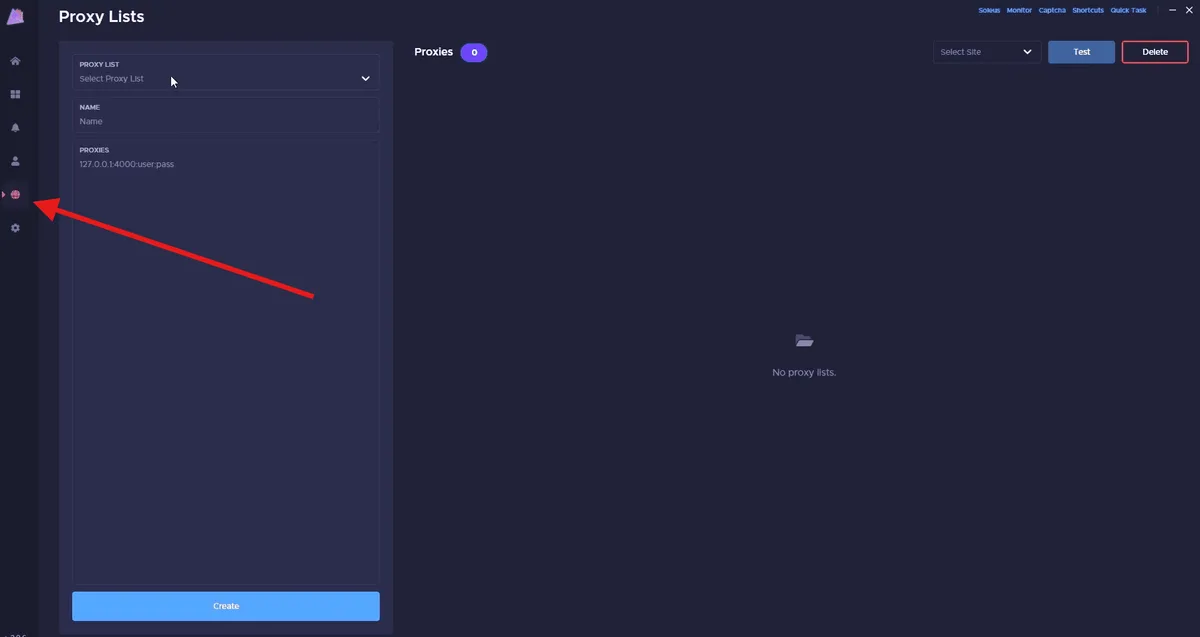
Step 1. Open Proxy List
In the left sidebar, click Proxy List. Any lists you saved earlier appear as cards.
Step 2. Name the List
Enter a name in the Name field. A name that encodes region and purpose, such as us-east-res or test-static-5, makes task setup quicker later.
Step 3. Paste the Entries
Paste your lines into the Proxies field. Keep one proxy per line, with no spaces, quotes or http:// prefixes.
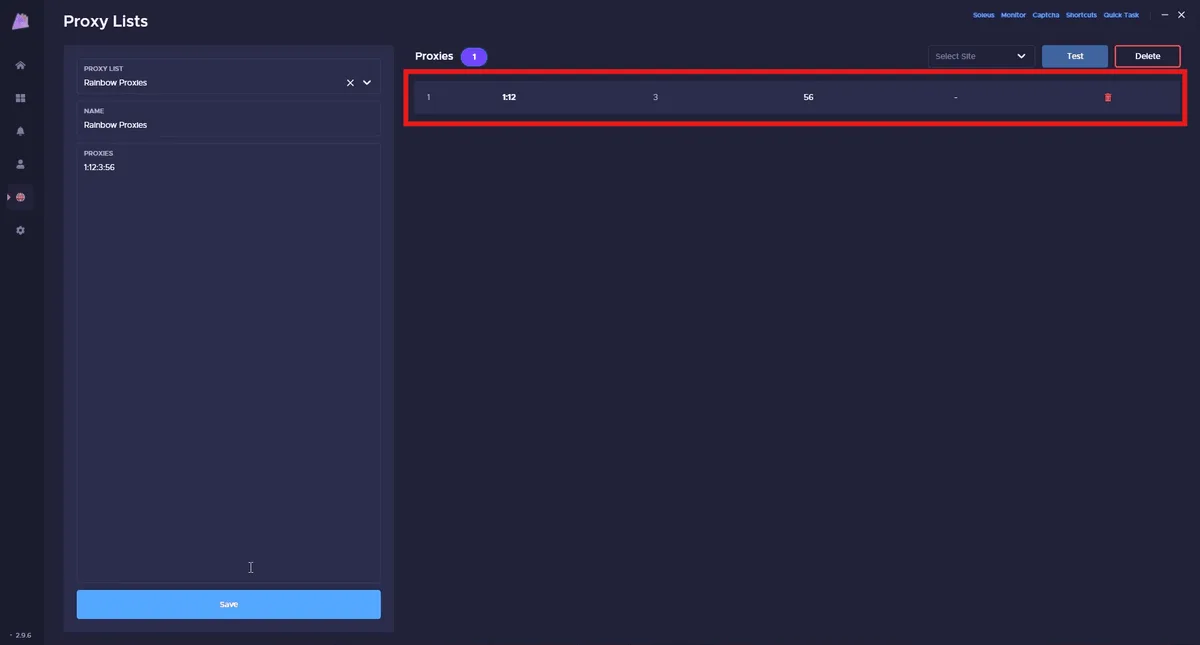
Step 4. Save
Click Save. A new card appears with the addresses from your list.
Structuring Lists for Tasks
Prism lets you group tasks by profile, shoe model and size and collects statistics per group. Proxy lists are worth structuring in the same spirit, so that a failing list points to a clear cause:
| List | Content | Benefit |
|---|---|---|
| Regional | Addresses in the country of the store you open | Correct currency, language and shorter latency |
| By proxy type | Residential and static addresses never mixed | Test results stay comparable |
| Small test list | Five to ten new addresses | A new purchase is checked before it touches working tasks |
| By provider | One supplier per list | Easy to see whose addresses cause errors |

Testing Proxies in Prism AIO
On the list card, choose the store under Select site and click Test. Public walkthroughs only say that the button checks the connection; tools of this kind usually report a response time for each working entry and an error for each one that did not reply.
What different outcomes usually mean:
- The whole list fails. Almost always a format or credential problem. Paste a single line into our proxy checker to confirm the proxy itself works.
- Scattered failures. Individual addresses are down or not accepted by the selected store. Retest after a few minutes.
- Passing but slow. The exits are geographically distant from the store's servers; pick a closer region.
- Test passes, task errors. The check is a light request, while a real session goes through the store's full protection. Treat errors there as the retailer's decision.
Retest after any change to the list and before linking it to new tasks.
Residential or Static Proxies
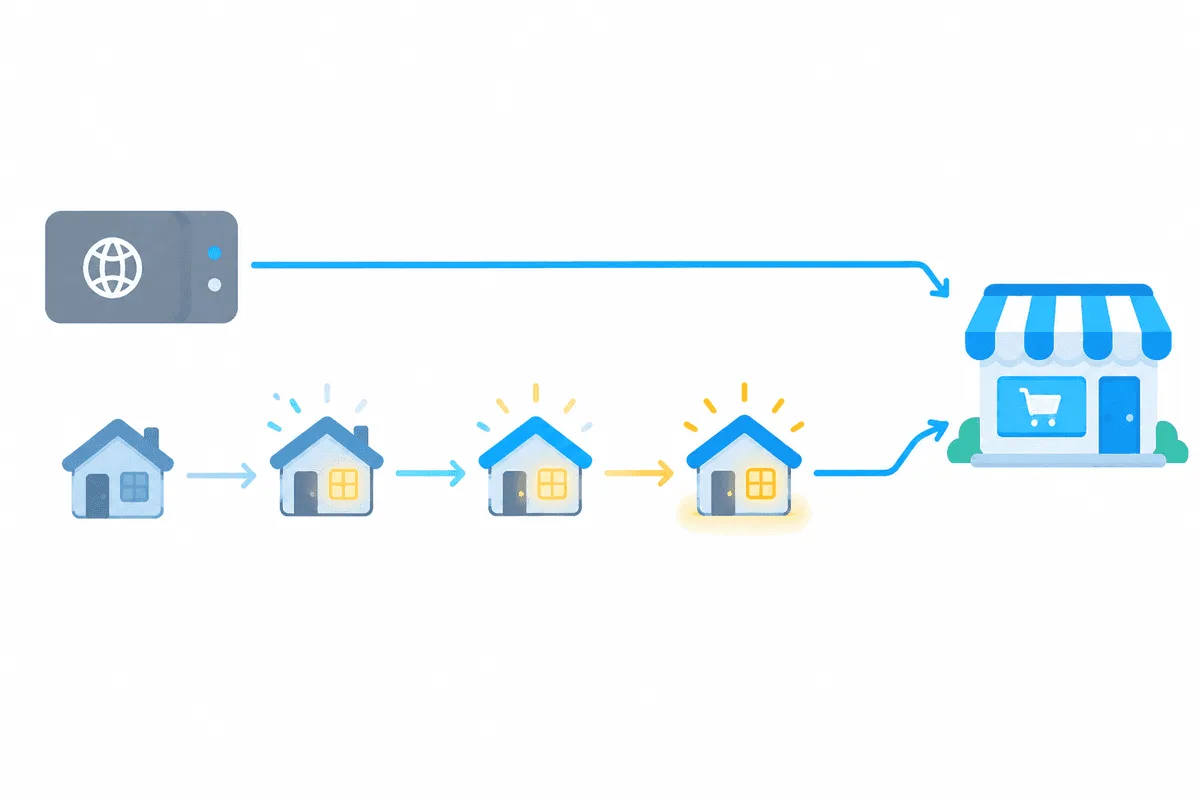
Prism handles all addresses alike, so the difference lies in how the store sees them. Residential exits belong to household connections and are explained in our article on residential proxies. Static addresses stay the same for the whole rental.
| Residential | Static (ISP or datacenter) | |
|---|---|---|
| IP changes | Per request or after a sticky period | Never during the rental |
| Good for | Sessions that should look like home connections | Repeatable tests, monitoring, allowlisted access |
| Watch out for | Choose sticky mode for multi-step sessions | Server ranges are easy for sites to recognise |
When you need addresses that do not change between test runs, static proxies keep the same IP for the whole rental. For multi-step sessions on residential exits, our comparison of sticky and rotating proxies explains how long a session should hold one address.
Store Rules and Legal Limits
Proxies change the source address and nothing more. Retailers such as those in Prism's site list publish terms that ban automated purchases and reserve the right to cancel orders and limit quantities. In the United States, the BOTS Act already covers automated ticket buying, and lawmakers in several countries have discussed similar limits for other goods. Read the store terms and local rules, and use only your own accounts and payment methods.
Monitoring stock and prices for your own shop or research is a separate, legitimate task; our page on sneaker proxies covers it. If you compare tools, our guide to Stellar AIO proxy setup shows how another bot organises proxy groups.
Prism AIO FAQ
What proxy format does Prism AIO use?
One proxy per line with address, port, login and password separated by colons. For IP-authorised plans, address and port are enough.
Where is the proxy section in Prism AIO?
In the left sidebar under Proxy List. You name the list, paste the entries into the Proxies field and save it.
How do I test proxies in Prism AIO?
Open the saved list card, choose a store under Select site and click Test. Entries that connect pass the check, and broken ones are flagged so you can replace them.
Does Prism AIO run on Mac?
Yes. The official site offers builds for macOS and Windows.
Do proxies make Prism AIO compliant with store rules?
No. Proxies only change the outgoing address; retailer terms and local laws still apply, and stores can cancel bot orders.