0DETECT Review and Proxy Setup: Profiles, Proxy List and Bulk Import

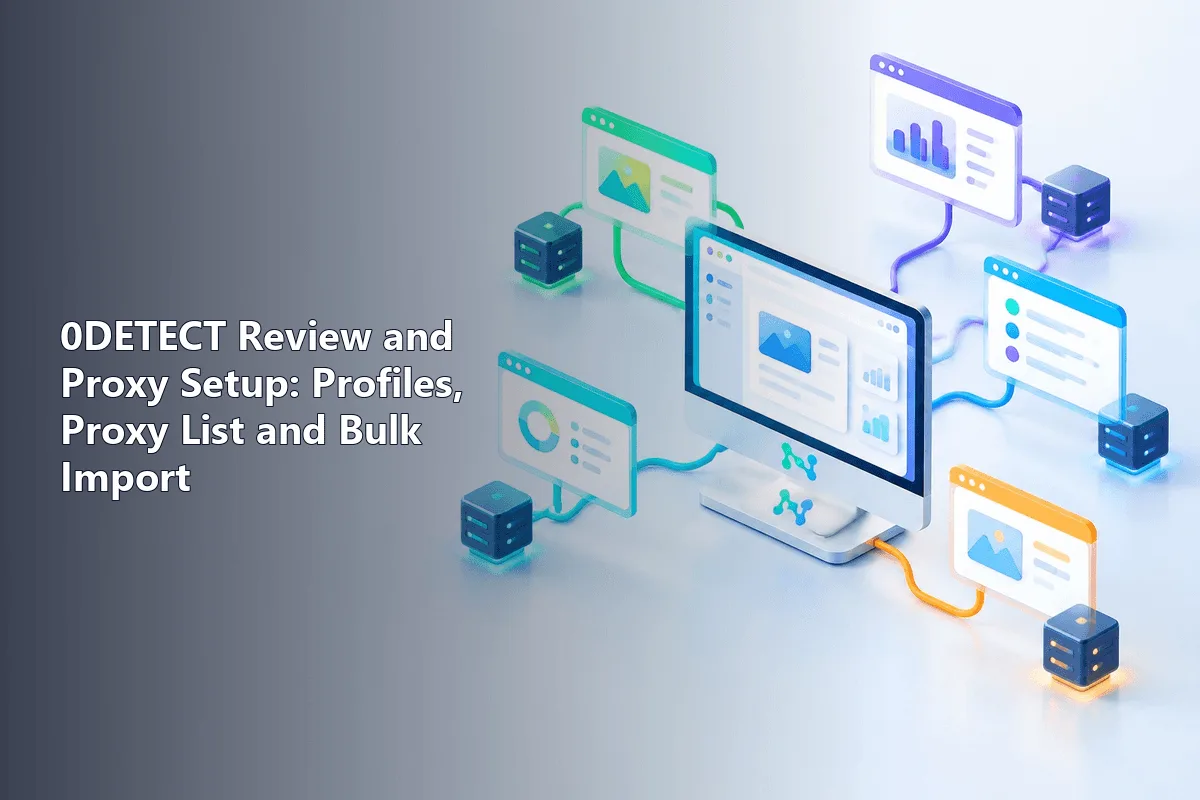
0DETECT is a desktop multi-profile browser for Windows and Mac machines in which every account sits inside a sealed container carrying a separate fingerprint, separate cookie jar, separate extension set and separate network route. Hooking a proxy up works in either of two ways. You can store the server once on the Proxy page and later pull it from a drop-down on the profile's Connection tab, or you click No Proxy beside a profile and pick Chain to Profile for a single-use address. Whichever path you take, hit Proxy Test and look at the reported exit before signing in to anything.
What follows is a provider-agnostic take on the product: what each subscription tier unlocks, which capabilities matter when proxies are involved, and where the vendor's documentation goes quiet. After that come hands-on steps valid for any supplier, the bulk import syntax, a verification routine and a troubleshooting table.
Proxies for 0DETECT profiles
Residential proxies with HTTP and SOCKS5 so every 0DETECT profile gets its own IP
0DETECT at a Glance
The developer targets affiliate marketers, e-commerce sellers, scraping crews and agencies juggling accounts on behalf of several clients. A profile imitates a standalone computer. Its General tab governs the user agent string, browser build, screen size and scaling, installed fonts, device name, locale, clock offset and reported position on the map, whereas the Hardware tab deals with CPU core count, memory, graphics and sound adapters, plus WebGL, Canvas, Client Rects and media devices.
Things worth noticing in the official docs:
- A proxy manager that understands rotation links. Any stored proxy may hold a URL that swaps its IP, so carrier or rotating exits get refreshed without leaving the app.
- Migration from competing tools. A separate chapter covers pulling profiles out of AdsPower, GoLogin, Dolphin, Multilogin, Octo and similar products.
- A cookie robot that warms a blank profile by browsing sites on its own, alongside JSON or TXT cookie upload.
- Vault options defining what survives between sessions: cookies, stored passwords, extensions, local storage, history and bookmarks.
- Team sharing, a REST interface and an MCP server for scripted control on upper tiers.
Billing opens with a three-day trial at no cost and then climbs through Lite, Starter, Personal, Team and Professional, with a negotiated option on top. Entry tiers serve one person only; seats for colleagues, profile handover and programmatic access unlock from Team upward. Every plan also limits how many entries the saved proxy list may hold, a detail people tend to overlook. Card and crypto payments are accepted. Since quotas shift from time to time, look at the live pricing table before committing.
Shortcomings: several screens get only a sentence or two of explanation, the site never names the underlying browser core, and Linux users are left out. Hardware demands stay low: a 64-bit Windows 10 or newer, or macOS 11 Big Sur onward on Intel or Apple Silicon.
Before You Start
Gather these beforehand:
- Connection data from your supplier: protocol, host, port, username, secret. 0DETECT speaks the mainstream schemes HTTP, HTTPS and SOCKS5, and the marketing site lists SOCKS4 and SSH tunnels too.
- A map of accounts to addresses. Giving each profile an exit nobody else shares stops platforms from tying accounts together.
- A fitting IP category. Shop and social accounts expected to last for months usually run on residential proxies in sticky mode; fixed addresses come in handy when a sign-in has to originate from one IP day after day.
Adding a Proxy to the Saved List
Keeping exits in the saved list pays off once you reuse them or plan to shuffle them between profiles later.
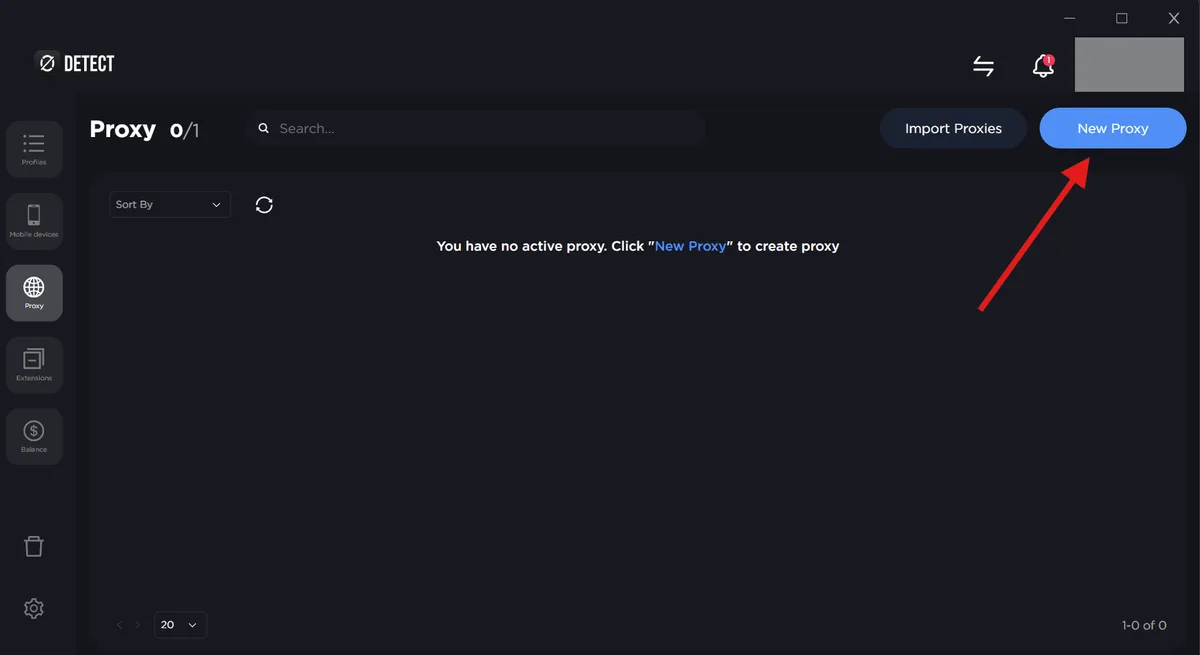
Step 1. Open the Proxy Page
Click Proxy in the sidebar. Everything stored earlier is listed here, and any record can be attached to a profile without typing the details again.
Step 2. Create the Entry
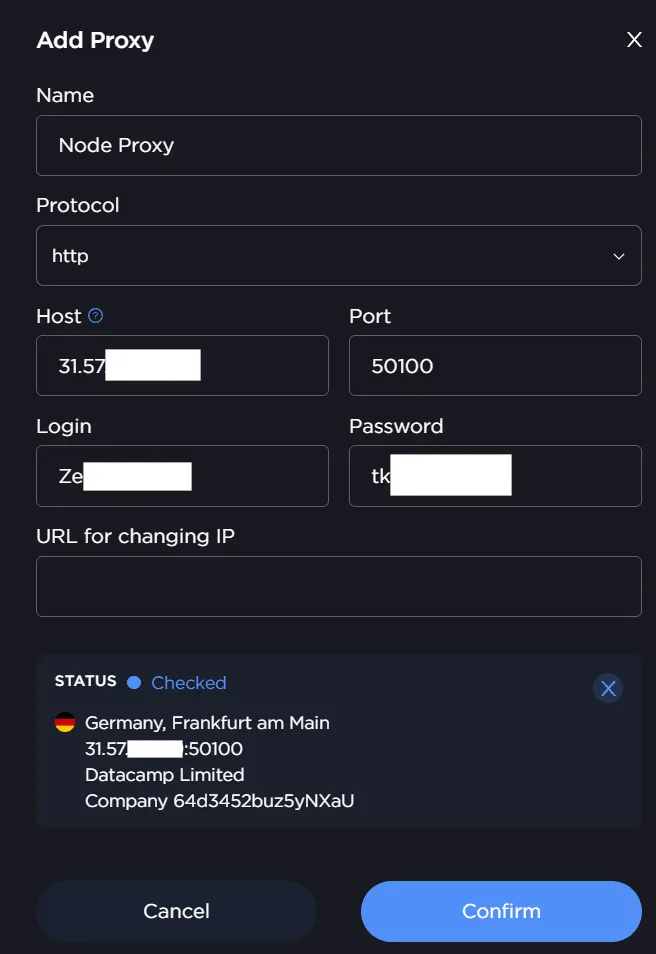
Press New Proxy in the upper right. Set the protocol, then the host, port and credentials, and label the record with something you will recognise in the drop-down, for instance de-res-01. When your supplier hands out a link that rotates the IP, drop it into the change-IP box.
Step 3. Run the Check
Hit Proxy Test. A healthy record answers with its public IP and location, while a failure here nearly always traces back to a mistyped port, scheme or secret. Correct it immediately, before the profile has touched any real website.
Binding a Proxy to a Profile
Option A: From the Profile Editor
- Go to Profiles and press Create Profile, or open an existing entry for editing.
- On Main, type a label, select the OS to imitate and attach tags if accounts are grouped by client or project.
- Move over to Connection and select one of the stored proxies from the list.
- Leave the DNS block on Real so lookups travel through the proxy instead of the home router.
- Save.
On every launch the profile reads its public IP and aligns locale, clock and map position with that region. Manual overrides are possible, yet an IP that disagrees with the system clock is among the first inconsistencies anti-fraud systems spot.
Option B: Chain to Profile
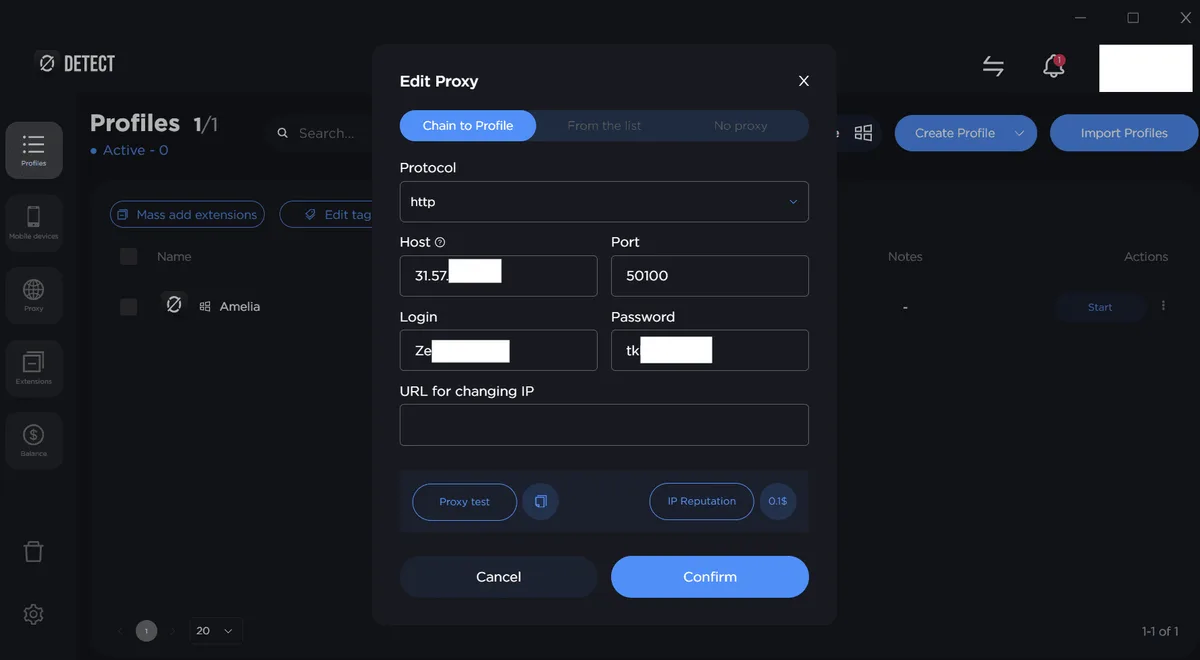
For a throwaway address that should stay out of the shared list, open the profile overview, click the No Proxy cell to the right of the entry and select Chain to Profile. Complete the small form; the proxy is now stored inside that one profile and nowhere else.
Importing Many Proxies at Once
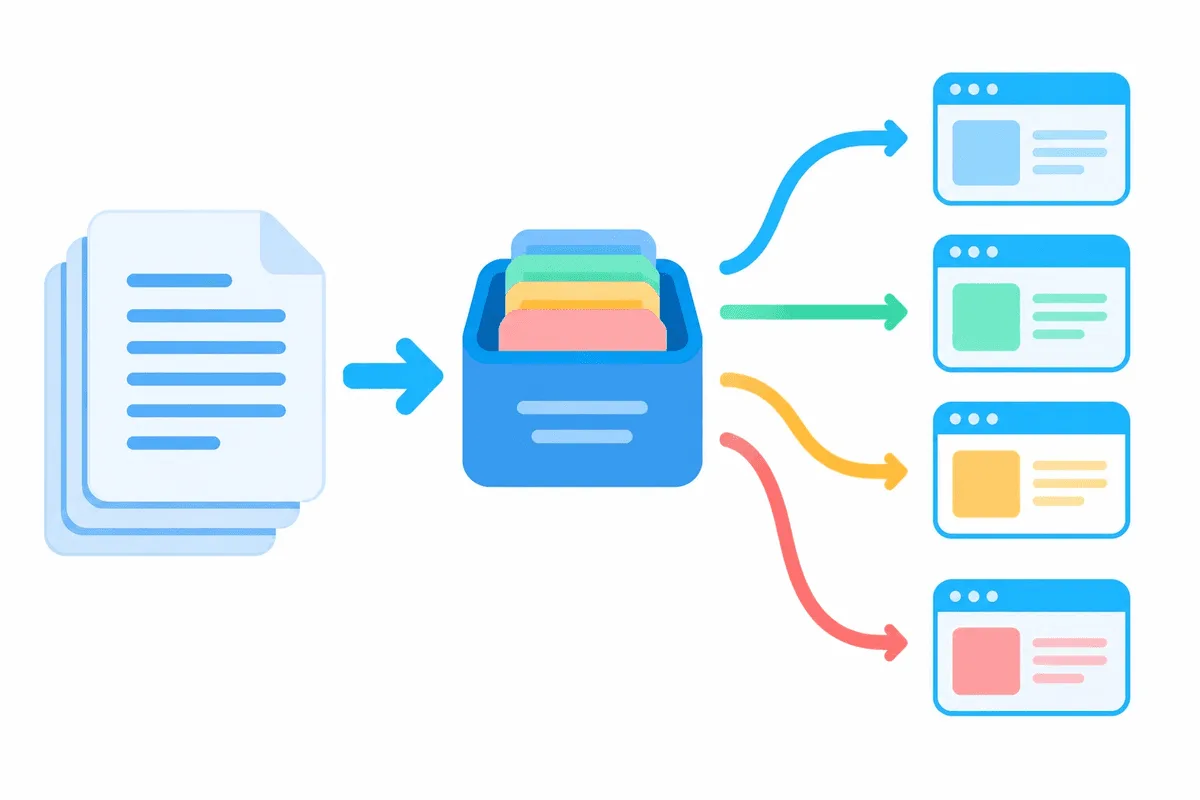
Bigger batches arrive through Import Proxies on the Proxy page. Point the dialog at a text file and supply a prefix, which 0DETECT prepends to the name of every record it creates. The documentation accepts four line layouts:
socks5://gw.example.net:20001:client7:Qx9vLm2:https://example.net/rotate?id=7
http://gw.example.net:20002:client7:Qx9vLm2
gw.example.net:20003:client7:Qx9vLm2
gw.example.net:20004
Layout one appends a rotation URL; the last two carry no scheme at all, so after importing, look at which protocol the app has assumed for them. Combining layouts in a single file is permitted, though a consistent file is far easier to debug. Once loaded, test the batch and discard whatever stays silent.
Verifying the Exit
Start the profile and load an IP lookup service within it. Match four readings against your order: address, country, city, clock zone. Next, open a WebRTC leak page; it should display the proxy, never the address your ISP gave you at home. When something does not add up, test that server separately through our proxy checker, which tells a dead proxy apart from a misconfigured profile.
With rotating exits, trigger the rotation URL once and reload the lookup page to confirm a fresh address appeared. How such pools hand out IPs is covered in our explainer on rotating proxies.
Common Problems
| Symptom | Probable cause | Remedy |
|---|---|---|
| Proxy Test fails instantly | Port or protocol mismatch | Copy the scheme from the supplier panel; an HTTP port stays mute to SOCKS5 |
| Authentication refused | Typo or trailing space in username or secret | Retype both values manually |
| Test succeeds, sites stay blank | Allowlist on the supplier side or depleted traffic | Review the allowlist and remaining balance in the supplier account |
| Websites still see your home country | WebRTC or DNS bypassing the proxy | Switch DNS to Real and repeat the leak test |
| Imported records lack a protocol | The file used the bare host:port layout | Edit those records or import again with socks5:// or http:// in front |
Account trouble usually grows out of routine rather than software: one IP spread across profiles, a region clashing with the fingerprint, free lists from forums. Our write-up on mistakes when using proxies with an antidetect browser dissects each of them.
Which Proxies Fit 0DETECT
- Sticky residential exits for marketplace, ad cabinet and social accounts meant to stay alive long term.
- Fixed addresses whenever a sign-in has to come from the same IP for weeks.
- Datacenter IPs for QA, testing and jobs where throughput outranks reputation.
Sealed profiles exist to keep legitimate work for separate brands or clients from overlapping, so respect the terms of each platform you sign in to. Walkthroughs for other programs live in our hub of antidetect browser proxy guides.
0DETECT FAQ
Is 0DETECT free?
Only for three days: a trial is offered, and a paid plan follows. Tiers vary by profile count, saved proxy slots and seats for colleagues, so compare them on the vendor's pricing page.
Which proxy protocols does 0DETECT support?
The docs mention HTTP, HTTPS and SOCKS5, while the product site adds SOCKS4 and SSH tunnels. Pick whichever scheme your supplier assigned to that port.
What is the difference between a saved proxy and Chain to Profile?
A saved record lives on the Proxy page and can be reused by many profiles. Chain to Profile keeps the address inside a single profile, which suits one-off exits.
Can I import proxies from a file?
Yes. Import Proxies reads a text file whose lines look like host:port:login:pass, optionally starting with a protocol and ending with a rotation URL, and it prepends a name prefix to every record.
Does 0DETECT run on Linux?
Official requirements cover just 64-bit Windows 10 or later and macOS 11 onward. On Linux you would need a virtual machine running one of those systems.