Human Emulator Proxy Setup: enable_proxy, Per-Copy Addresses and an IP Check


In Human Emulator a proxy is switched on from the script itself: one call to enable_proxy on the browser object takes a string such as host:port or, in recent builds, host:port;login;password, and every page the built-in browser loads afterwards leaves through that server. Each running copy of the program keeps its own setting, so parallel copies can exit through different addresses.
Most write-ups stop at pasting that single line. This guide goes further: it explains the arguments the method actually accepts, shows a reusable script that reads a list and gives every copy its own address, and adds a verification step that halts the job when the exit IP is wrong instead of quietly running on your home connection. All of it assumes legitimate automation, such as regression checks on your own site, price or availability monitoring of public pages and repetitive office routines.
Static proxies for automation
Static proxies with a login and password that keep one IP for Human Emulator scripts
What You Need Before Starting
- Human Emulator Studio installed on Windows. The proxy methods below are described in the official reference for the 7.x line; login and password inside the proxy string arrived in 7.0.7, according to the documentation.
- Proxy details from your provider: host, port, username, password and the protocol of that port (HTTP or SOCKS5).
- A plain text file with addresses if more than one copy will run. One line per proxy is the simplest layout.
For automation that revisits the same pages day after day, fixed addresses behave more predictably than a pool that changes every minute. Our static proxies keep one IP for the whole rental period and accept a username and password, which matches the string format Human Emulator expects.
How enable_proxy Works
The reference describes the method like this:
enable_proxy($connection, $proxy, $recreate = true);$connectionsurvives from older releases. Current documentation tells you to pass an empty string; older examples and third-party guides show"all connections", and both forms appear in the official samples.$proxyis the address. Without authorization it ishost:port; with authorization the parts are separated by semicolons,host:port;login;password. For a SOCKS server the reference example prefixes the address withsocks://.$recreate(available since 6.0.44) rebuilds the browser right away when left attrue. Set it tofalseonly if you plan to recreate the browser yourself later in the script.
The method returns true when the proxy was applied and false otherwise, so the result is worth checking rather than ignoring. Two companions complete the set: get_current_proxy reports what is active now, and disable_proxy returns the browser to a direct connection.
Some older tutorials put the credentials after an @ sign. That syntax is not the one the current reference shows, so if your build rejects the semicolon form, check the version number before trying alternatives.
Step-by-Step: Proxy for a Single Copy
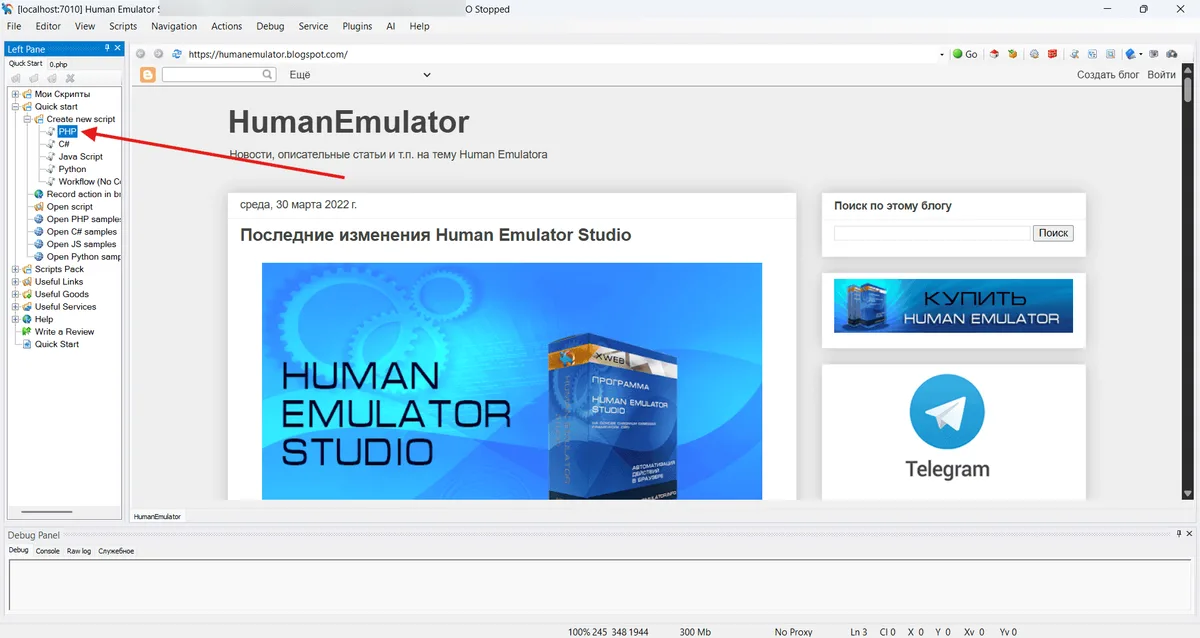
Step 1. Create a New Script
Open Human Emulator, choose to create a new script and keep the header the program inserts (the lines that connect the script to the running copy). PHP is used below; the same methods exist for Python, C# and JS.
Step 2. Apply the Proxy Before the First Page Load
// values are placeholders, take real ones from your provider panel
$exitNode = "203.0.113.24:8000;user-7f3k;s3cretPass";

$applied = $browser->enable_proxy("", $exitNode);
if (!$applied) {
    echo "Proxy was not applied, stopping\n";
    $app->quit();
}
The order matters: anything the browser opened before this call used the previous route.
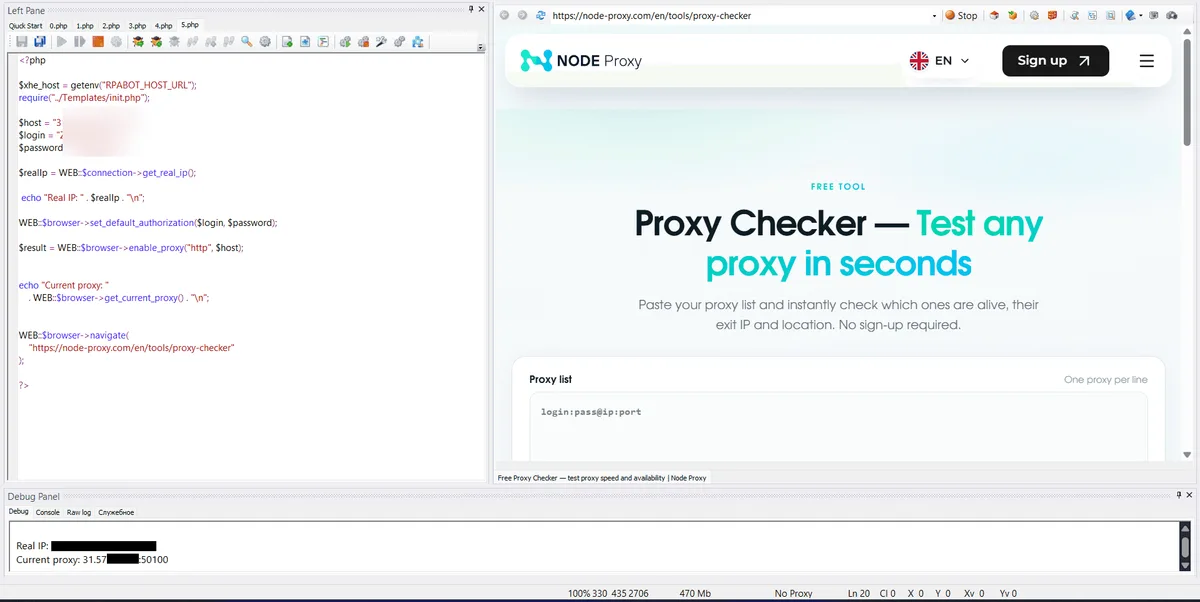
Step 3. Confirm the Exit Address
$seenIp = $connection->get_real_ip();
echo "Active proxy: " . $browser->get_current_proxy() . "\n";
echo "Exit IP: " . $seenIp . "\n";
$browser->navigate("https://node-proxy.com/en/tools/proxy-checker");
get_real_ip asks an external service for the address the outside world sees. If the value equals your own office or home IP, the route was not applied. A visual double check on our free proxy checker page also shows the country of the exit.
Step 4. Switch Off When Finished
Call $browser->disable_proxy(""); at the end if later scripts in the same copy must run without a relay. Otherwise the setting stays with that copy.
One Address per Copy: Running Several Copies in Parallel
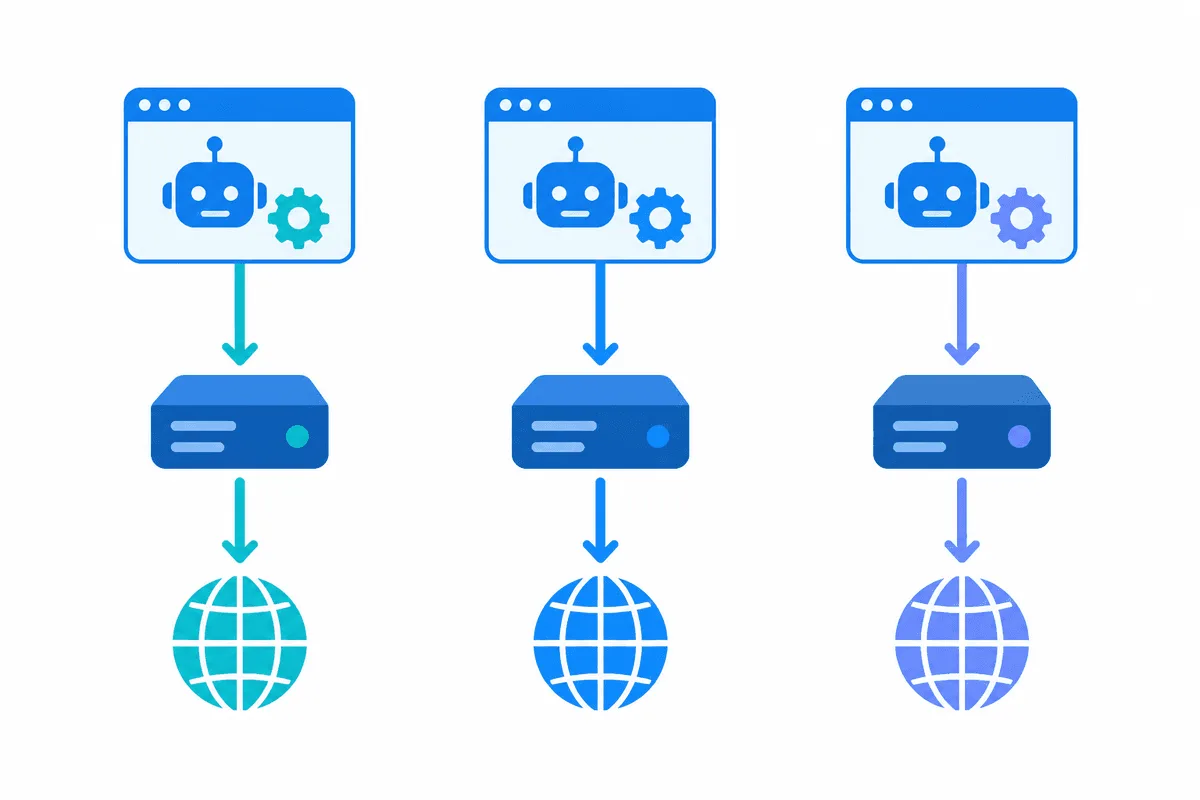
The reference states that the proxy is set only for the current copy of the browser and that each copy can have its own. That is the basis for parallel work: copy one gets the first line of the list, copy two the second, and so on. Mixing addresses between copies breaks session consistency for any site that remembers where a visitor came from.
A compact pattern:
// relays.txt: one line per proxy, host:port;login;password
$pool = file("C:\\he-data\\relays.txt", FILE_IGNORE_NEW_LINES | FILE_SKIP_EMPTY_LINES);
$copyIndex = (int)getenv("HE_COPY_NO");   // your own way to number copies
$slot = $pool[$copyIndex % count($pool)];

if (!$browser->enable_proxy("", $slot)) {
    file_put_contents("C:\\he-data\\failed.log", $slot . PHP_EOL, FILE_APPEND);
    $app->quit();
}
How you number copies is up to you: an environment variable, a command-line argument or the port the copy listens on. The important rule is determinism, so a restarted copy picks the same line again. When the job needs a fresh IP for every pass, a rotating gateway is simpler than juggling a long list, because the provider changes the exit while the string stays the same; our article on rotating proxies explains how such gateways behave.
For bigger lists Human Emulator also ships helper objects: proxycheker loads addresses and finds working ones, and proxyswitcher (from 7.0.4) hands out the next item and can refresh the list from a file or URL. Their exact method signatures differ between versions, so read the reference page for your build before relying on them.
Picking the Protocol
Human Emulator accepts both HTTP-style addresses and SOCKS ones with the socks:// prefix. HTTP is the safer default for browser automation; SOCKS5 suits setups where the same relay also serves other tools on the machine. Whether authorization works the same way over SOCKS in your build is worth testing on one copy first. If the difference between the two is new to you, see our comparison of SOCKS5 and HTTP.
Errors and Fixes
| Symptom | Likely cause | What to do |
|---|---|---|
enable_proxy returns false | Malformed string or unsupported format in your version | Use host:port;login;password, no spaces, no scheme for HTTP |
| Exit IP equals your own | Proxy applied after pages were opened, or $recreate set to false | Move the call to the top, keep $recreate at true |
| Browser asks for credentials | Build older than 7.0.7 ignores login in the string | Update the program or whitelist your IP with the provider |
| Pages time out on every copy | Port belongs to another protocol | Confirm whether the port is HTTP or SOCKS5 |
| Two copies show one IP | Index logic hands out the same line | Log the slot each copy took and fix the numbering |
Responsible Use
Human Emulator imitates real input, which makes it handy for testing forms on your own projects or collecting public data at a polite pace. Proxies do not change the rules of the sites you visit: respect their terms, robots directives and rate limits, and do not use the tool to register bulk accounts or post spam. A related tool with a similar proxy model is ZennoPoster; our ZennoPoster proxy guide covers its per-thread settings.
Human Emulator Proxy FAQ
Where is the proxy set in Human Emulator?
The documented way is the script: call enable_proxy on the browser object with an empty first argument and a host:port string before the first navigation. The setting applies only to the copy that executed the call.
How do I add a login and password?
Since version 7.0.7 the credentials go into the same string, separated by semicolons: host:port;login;password. Older builds need IP whitelisting on the provider side instead.
Does Human Emulator support SOCKS5?
The reference shows a SOCKS address written with the socks:// prefix. Test authorization over SOCKS on one copy before scaling, because support details can depend on the version.
Can each copy use a different IP?
Yes. The proxy belongs to the current copy, so give every copy its own line from a list and keep that mapping fixed between restarts.
How do I check that the proxy works?
Print $connection->get_real_ip() right after enabling the proxy and compare it with your own address, then open an IP checking page in the built-in browser for a visual confirmation.