MetaTrader 4 Proxy Setup: Server Tab, Proxy Types and Connection Test

MetaTrader 4 ships with a relay option of its own, so no system-wide utility is required to push the terminal through an intermediary. The short version: open the settings window, tick the relay checkbox on the Server page, open the relay dialog, type host and port, select HTTP, SOCKS4 or SOCKS5, add the credentials if your plan uses them and hit Test before confirming. From then on the terminal reaches the broker's trade server via that intermediary.
Most published walkthroughs end right there. This guide also explains which of the three protocol options to choose, how to read the result of the built-in test, how to roll the same settings out to several terminals with a start-up file, what to check in the Journal when the connection drops and which broker-side points are worth keeping in mind. It is a technical setup note only: nothing here is trading advice or a comment on any strategy.
Static proxies
Static SOCKS5 and HTTP proxies with a fixed IP for a steady terminal connection
When a Proxy in MT4 Makes Sense
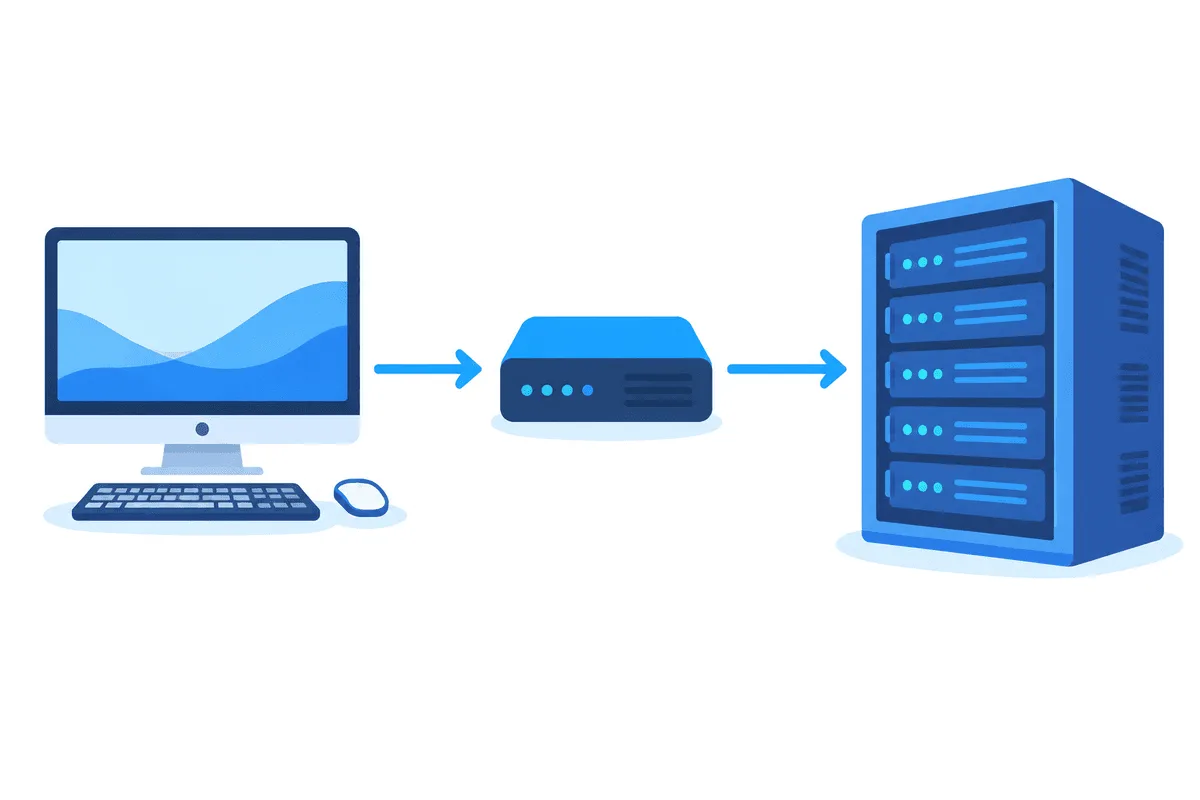
Putting an intermediary between MT4 and the broker fixes a few specific networking headaches. Newcomers to the concept can start with our primer on how a proxy server works.
- A restrictive office or campus network. Corporate firewalls often block the non-standard ports that some brokers use. If the company already runs an outbound proxy, MT4 must be told about it, otherwise the terminal shows no connection at all.
- A flaky route from your ISP. Occasionally the path from a home provider to a broker's data centre is slow or drops packets. A relay hosted closer to that data centre can give a steadier route.
- A fixed address for your own records. Some traders want every session to come from one predictable IP, for example when their broker account has an address allowlist or when they keep their own access log.
- Travel. Hotel and airport Wi-Fi tends to filter traffic aggressively, and a known server you control gives a cleaner path.
Your broker still knows exactly whose account it is. KYC data, the country of registration and the client agreement are untouched by any relay, so when in doubt about connecting via third-party servers, the broker's own terms are the place to look.
What to Prepare
- The MT4 build from your broker, installed and logged in at least once so you know the account works on a direct connection.
- The relay details: host, port, protocol, and, when access is protected, a username and password. A long-lived, unchanging address suits a trading terminal better than one that rotates every few minutes; our static proxies are issued for exactly that kind of steady use.
- Your broker's server name, shown in the login dialog, in case you need to re-enter it after changing network settings.
Which Proxy Type to Pick in the Drop-Down
The MetaQuotes help lists three options for the proxy server type: HTTP, SOCKS5 and SOCKS4.
| Option in the list | Auth support | Where it suits MT4 | Watch out for |
|---|---|---|---|
| SOCKS5 | Username and password accepted | Default pick for a paid relay service | Enter the port labelled SOCKS5 in your panel, not the HTTP one |
| HTTP | Username and password accepted | Office gateways and HTTP-only plans | CONNECT must be allowed toward the broker's port, and brokers do not always use 443 |
| SOCKS4 | Absent from the protocol | Legacy in-house gateways | Lacks passwords, and the relay cannot look up hostnames for you |
For the majority of setups SOCKS5 wins: any TCP stream passes through, and logins are supported. The handshake details are laid out in our SOCKS5 proxy explainer. Reach for HTTP only when nothing else gets out of your network. Our SOCKS5 proxies come with credentials that fit straight into the MT4 dialog.
Step-by-Step Setup in MetaTrader 4
Step 1. Open the Settings Window
Use the Tools menu at the top and choose Options; the keyboard shortcut Ctrl+O does the same. Some builds and translations label the entry Settings, yet it opens one and the same window.
Step 2. Go to the Server Tab and Enable the Proxy
That tab mixes relay controls with the broker connection data, so touch only what you need. Put a tick in Enable proxy server; as soon as you do, the Proxy... button beside it stops being greyed out.
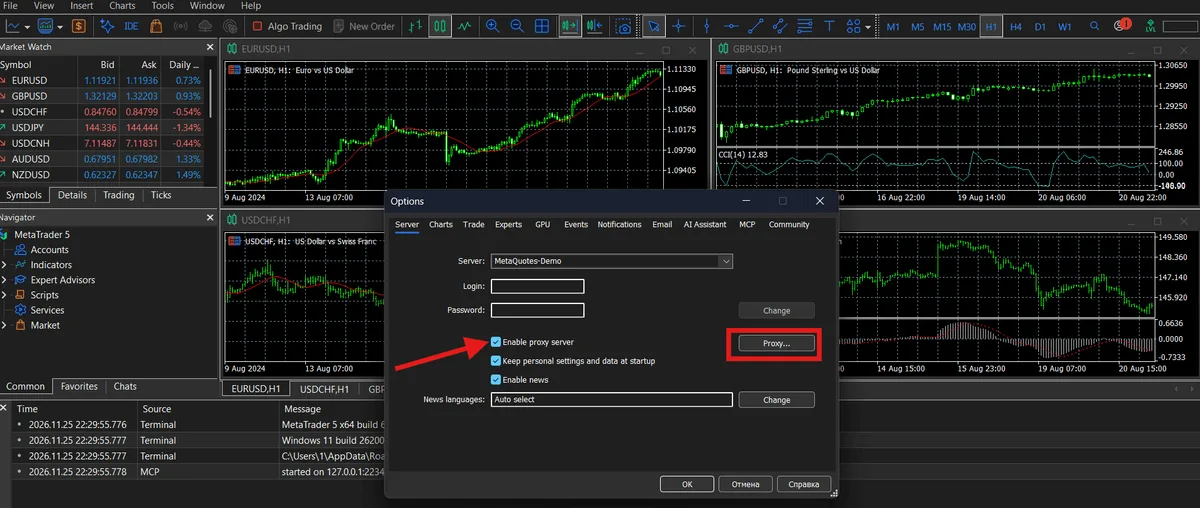
Do not edit anything else there: MetaQuotes notes that a wrong value on this page may cut the terminal off completely.
Step 3. Fill In the Proxy Window
Clicking Proxy... brings up a compact window with these fields:
- Server – type the address and port together, separated by a colon, for example
203.0.113.25:1080. A hostname is fine too. - Type – a drop-down beside the address with SOCKS5, SOCKS4 and HTTP. Choose the one your provider assigned to that particular port number.
- Login and Password – needed solely for credential-based access. With an IP allowlist instead, leave both boxes blank, as the help file requires.
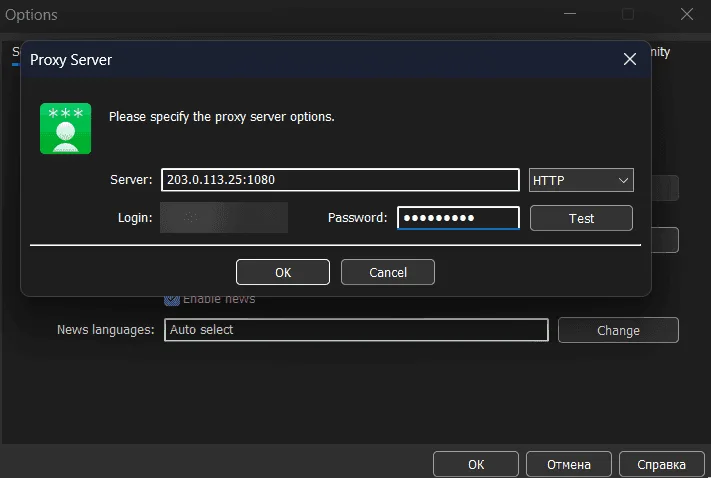
Step 4. Press Test, Then OK
Hit Test. A positive reply tells you MT4 managed to reach the relay using what you typed. An error points to a bad value somewhere, typically the port, the protocol or the login, so fix it before moving on. Confirm with OK twice, in the small dialog and then in Options, but only after a successful Test.
Step 5. Reconnect to the Broker
Normally MT4 re-establishes the session by itself a few seconds later. Should that not happen, sign in once more via File > Login to Trade Account with your usual server. While the link is up, the bottom-right area of the MT4 window displays live traffic figures next to a green connection bar.
Rolling Out the Same Settings With a Start-Up File
Repeating the dialog on every PC or portable copy quickly becomes a chore. MT4 can read a configuration file on start, and the documented keys of that file cover the relay too. Here is a short sample with made-up values:
; mt4-relay.ini
ProxyEnable=true
ProxyServer=203.0.113.25:1080
ProxyType=SOCKS5
ProxyLogin=trader-n4q
ProxyPassword=Zx81kLmq
Pass the file name as an argument, like terminal.exe mt4-relay.ini. A bare name makes MT4 search its data directory, while an absolute path lets the file live anywhere. Missing keys simply keep the values already stored on the Server page. Since the password is readable in plain text, keep the file away from shared folders.
Confirming the Trading Session Goes via the Proxy
Passing Test only means the intermediary answers. To be sure the broker connection itself takes that path, look at these signs:
- Open the Terminal panel (Ctrl+T) and switch to the Journal tab. After a reconnect you should see a fresh line about the connection to your broker's server, with no errors.
- Watch the status bar. Ping values to the trade server tend to grow a little through a relay; a jump of hundreds of milliseconds suggests the relay is far from the broker's data centre.
- If your proxy provider shows active sessions or traffic per port, its panel should register traffic from your terminal right after login.
- For the relay itself, our proxy checker tells you whether it responds and which exit address it reports.
The option applies to MT4's connections only. Browsers and other software on that PC go out as before, and the documentation does not say whether auxiliary services inside the terminal, such as news, the Market or updates, use the same path.
Latency and Where the Relay Should Live

An extra node always costs some time. Someone placing orders by hand will hardly notice a few milliseconds, but they accumulate when execution speed is part of the routine. A few guidelines:
- Pick a relay in the same region as your broker's trade servers. Many brokers mention the data centre city in their documentation.
- Avoid rotating exits for a terminal. A new IP in the middle of a session forces a reconnect.
- If the only goal is a stable round-the-clock connection, a hosted virtual server near the broker can be a better tool than a proxy, because the terminal itself then runs next to the trade server.
Common Problems
Test fails immediately. Most often a mistyped address or the wrong protocol, for instance SOCKS5 selected while the port speaks HTTP. Go through the values against your provider's panel.
Test is fine, yet the account never connects. The intermediary may refuse the destination port of your broker; HTTP relays are frequently limited to 443. Switch to the SOCKS5 port or ask support to allow that destination.
Invalid account right after enabling the relay. The relay is fine; the account number or server entry is not. Enter them again through File > Login to Trade Account.
Connection drops every few minutes. Look for an exit that changes on a timer or a relay with an idle timeout. A static address with no rotation fixes both.
Credentials keep being rejected. Some providers expect the login in a special format (with a country or session suffix). Copy it exactly from the panel, and remove leading or trailing spaces.
The same dialog in MetaTrader 5. MT5 keeps the proxy option in the same place, Tools > Options > Server, and its help notes that HTTP mode additionally supports NTLM authentication for corporate gateways.
MetaTrader 4 proxy FAQ
Where are the proxy settings in MetaTrader 4?
Press Ctrl+O or use Tools > Options, switch to Server, enable the proxy checkbox and click Proxy. That small window is where host, port, protocol and any username go.
Which proxy type works best for MT4?
In most cases go with SOCKS5: it relays arbitrary TCP sessions and handles credentials. Fall back to HTTP if that is all your network lets through and the relay can tunnel to the port your broker listens on.
Does MT4 support proxy authentication?
It does: the relay window offers Login and Password boxes that work with SOCKS5 and HTTP. Keep them blank when access is granted through an IP allowlist.
Will a proxy slow down my trading terminal?
A slight increase in ping is normal because packets make an additional stop. Picking an intermediary close to the broker's servers keeps that increase modest.
Can I use rotating proxies with MetaTrader 4?
Better not. Each change of exit address in the middle of a session forces MT4 to reconnect, which is why a fixed IP suits a trading platform.
Is it allowed to connect to a broker through a proxy?
Read your broker's client agreement and the rules where you live; they decide this, not the terminal. The relay alters the path packets take and nothing about the identity or residence tied to your account.