Proxifier: How to Set Up a Proxy for Any Windows or macOS App

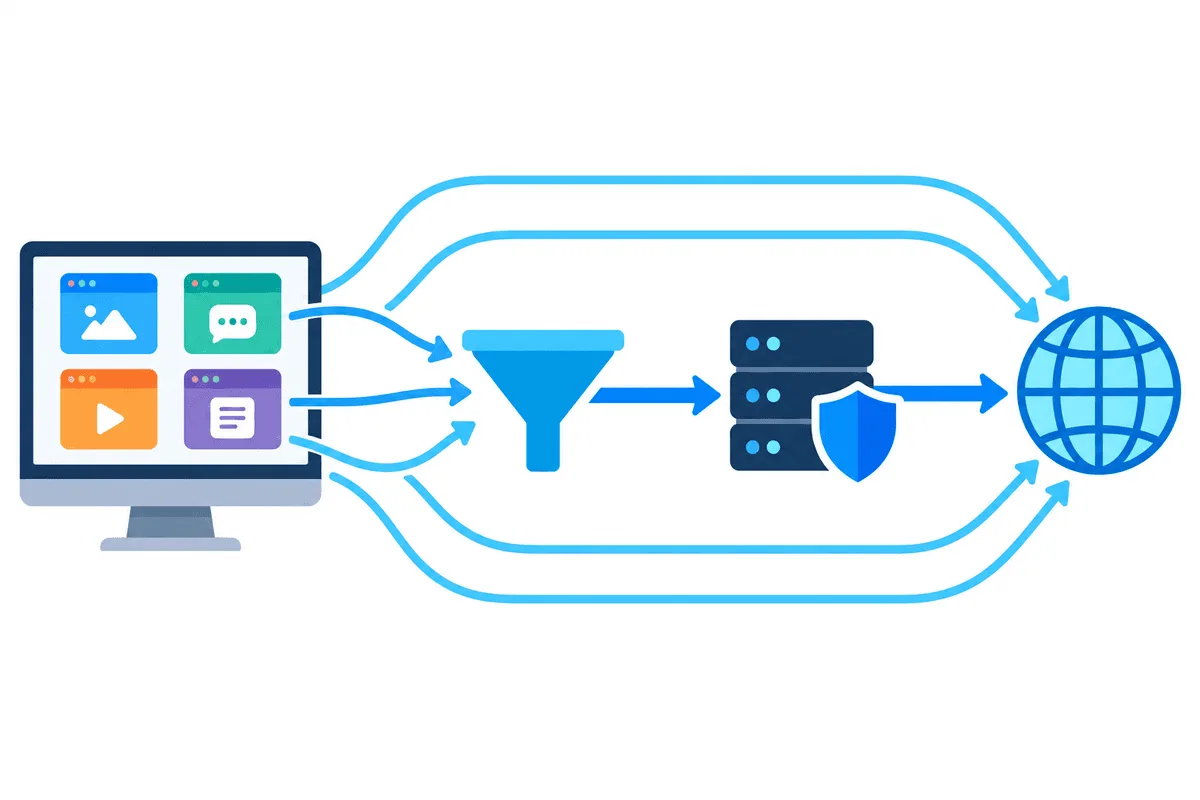
Proxifier drags software that lacks its own proxy field through a SOCKS5 or HTTPS server. You register the server once, write a rule naming the programs that should use it, and Proxifier catches their outgoing connections below the application layer. Games, messengers, trading terminals and console tools all end up exiting via the proxy, and nobody touches their settings.
What follows is the full path from installer to a verified new IP: registering a server with a login, choosing between protocols, per-program rules, DNS over the proxy, chains for failover, and the log messages people stumble over most. Menu labels follow the current Windows build; the Mac edition gets its own short section.
SOCKS5 proxies for Proxifier
Static SOCKS5 and HTTP proxies with a login and password that work in Proxifier
What You Need Before Starting
- Your server data. Host, port, login, password and the protocol bound to that port. Proxifier speaks SOCKS5, SOCKS4 and HTTPS, the last one meaning HTTP with CONNECT; a pure HTTP mode exists too, though it is hidden by default.
- A fitting proxy. Desktop software that signs in to the same account daily is happiest on an address that never changes, which is why SOCKS5 proxies with a static IP are a frequent pick.
- A genuine installer. Proxifier is commercial, with a 31-day trial. Fetch it from proxifier.com and nowhere else; cracked builds of a tool that watches every socket are a gift to malware authors.
- Admin rights. On Windows the installer registers a network driver, and on a Mac you will approve a system extension.
Installing Proxifier
As of this writing, Windows users get version 4.14 and Mac users 3.15, the release that brought macOS 26 compatibility. Windows comes in two editions:
- Standard Edition — a classic installer, needs admin rights, and catches everything: windowed programs, console utilities and services.
- Portable Edition — lives in a folder or on a USB stick with nothing installed, but it only sees programs with a visible window; services and command-line tools slip past it.
A program launched before its rule existed may hold on to old sockets, so relaunch it once you finish.
On a Mac, move the app to Applications, open it and approve the system extension when asked; macOS sends you to the privacy and security area of System Settings for that. Skip the approval and the Mac build sees no traffic at all. An Android edition also sits on Google Play, although some desktop features are still missing there.
Step-by-Step Setup on Windows
Step 1. Register the Server
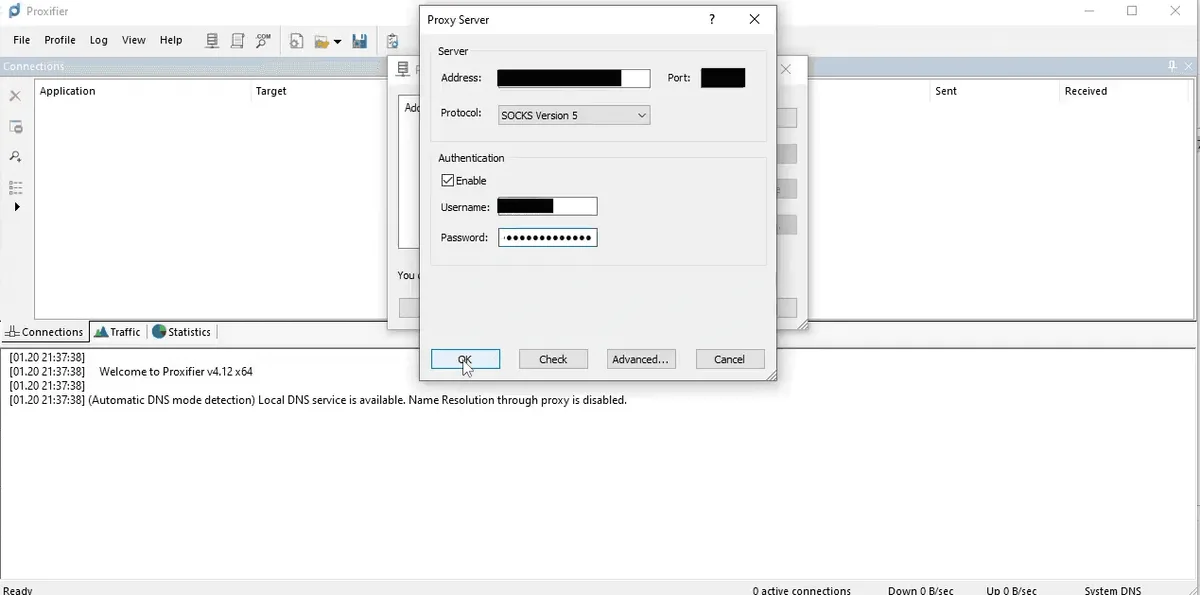
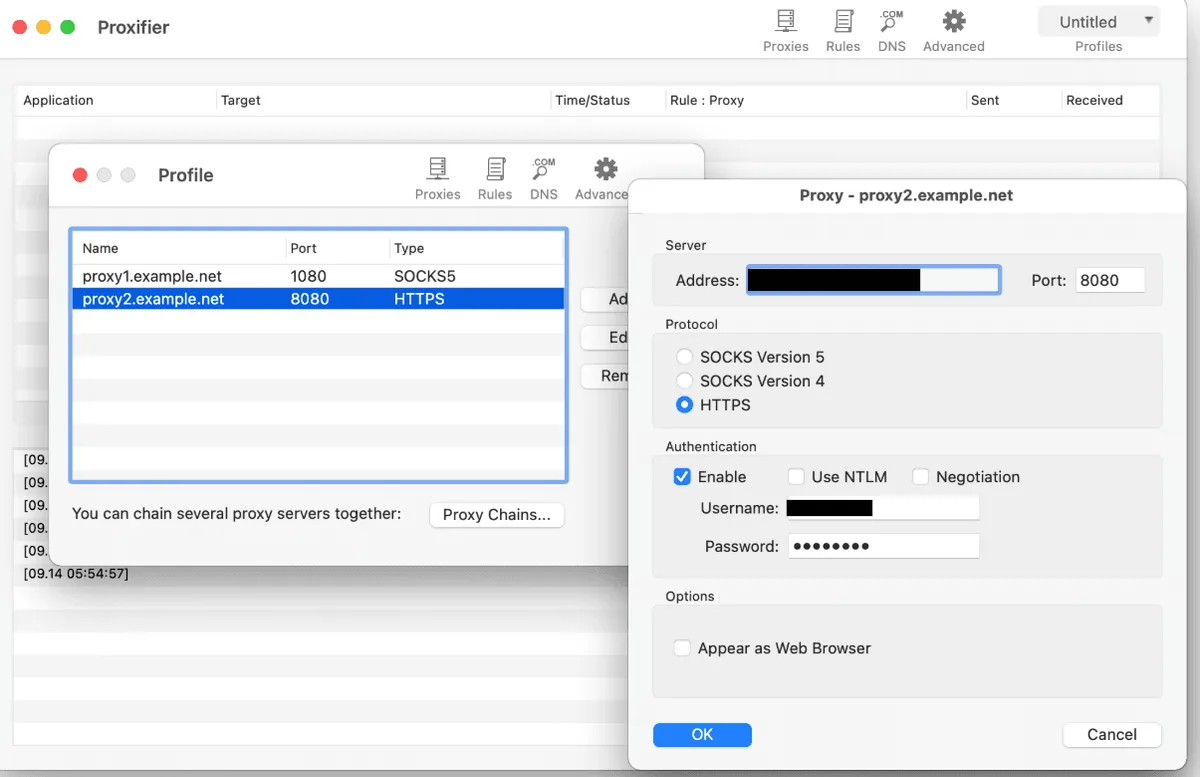
Go to Profile → Proxy Servers… and click Add…. The dialog wants four things:
- Address — host from the dashboard, numeric or a domain.
- Port — matching the protocol you are about to pick.
- Protocol — SOCKS version 5 for a SOCKS5 port, HTTPS for an HTTP port. In Proxifier's vocabulary an HTTP proxy capable of CONNECT is an HTTPS proxy, so nearly every provider's HTTP port belongs under this label.
- Authentication — tick Enable, then fill in the login pair.
Step 2. Let Proxifier Test It
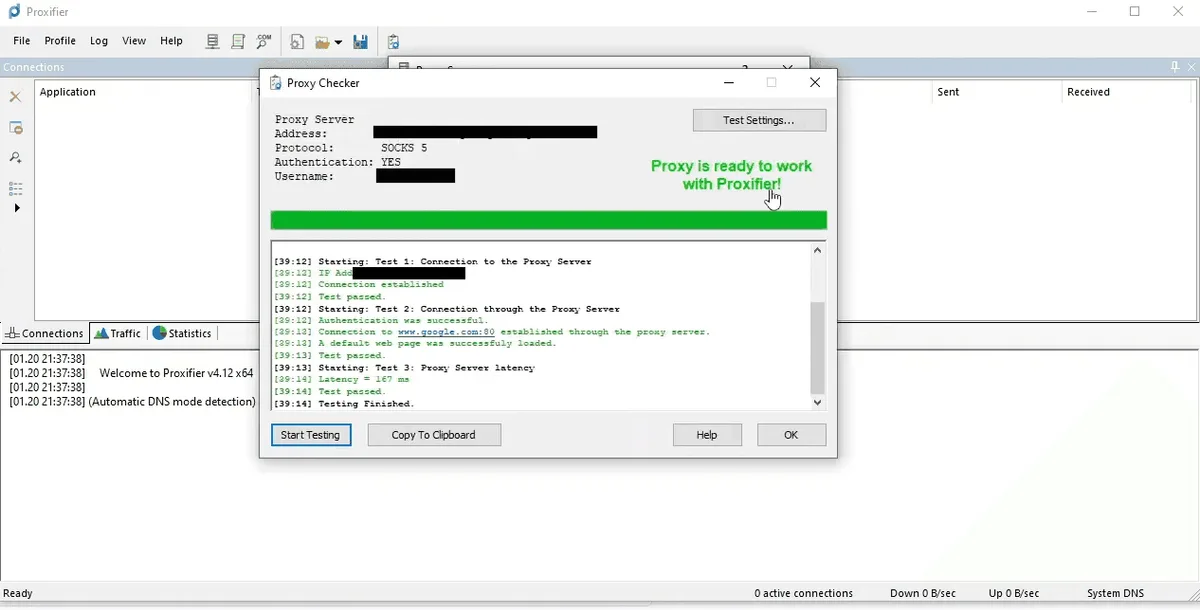
Check, right in that dialog, launches the built-in checker: it dials the server, signs in and pulls a test page through it. Green lines mean protocol and credentials are fine.
Click OK, and Proxifier will likely ask whether this server should become the default. Say No when only chosen programs ought to use it, Yes when the entire machine should.
Step 3. Build the Rules
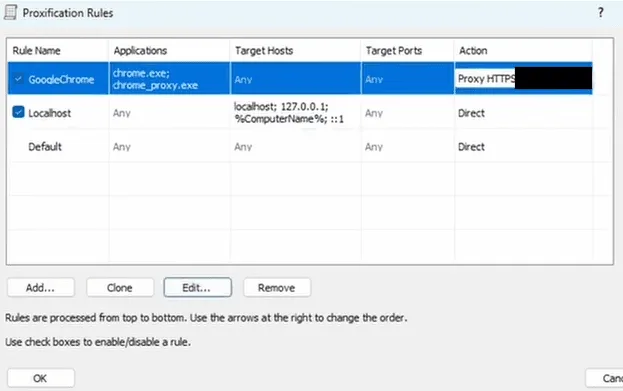
Profile → Proxification Rules… already holds two entries. Localhost leaves loopback traffic alone; Default catches whatever slipped past every other rule. Proxifier walks the list downward and stops at the earliest rule that fits, so order matters.
Sending a single program via the proxy:
- Click Add… and name the rule.
- In Applications use Browse to point at the program's .exe. Separate several files with semicolons; wildcards such as
game*.exework too. - Leave Target hosts and Target ports blank for any destination, or restrict them to particular domains, address ranges or port numbers.
- Under Action, choose the server from step 1.
- Double-check that Default still says Direct, so the rest of Windows stays untouched.
For a machine-wide proxy, skip all that and set the Default rule's action to your server.
Step 4. Push DNS Through the Proxy
Profile → Name Resolution… controls who turns hostnames into addresses. Out of the box, Detect DNS settings automatically tries the local resolver first and falls back to the proxy when that fails. Switch to Resolve hostnames through proxy, and proxified programs stop consulting your ISP's resolver altogether; lookups then happen on the remote side and match the exit country.
A quirk worth knowing: with remote resolution, hostnames get stand-in local addresses from the 127.8.x.x range, so IP-based rules never see them. Write domain names in Target hosts while this mode is active.
Step 5. Unhide Plain HTTP When Needed
Servers lacking CONNECT support do not appear in the protocol dropdown. To reveal them, enable HTTP proxy support in Profile → Advanced → HTTP Proxy Servers…. Reach for this only when your seller hands you a bare HTTP port: such a server carries web requests and nothing else.
Proxifier on macOS
Logic on the Mac mirrors Windows, only the layout shifts. Proxy list, rules and DNS options open from toolbar buttons, and the server sheet asks for identical data: address, port, protocol and credentials. Register the server, run its check, then add a rule listing your app with the proxy as the action.
Proxy Chains
Chains group servers together. Inside the Proxy Servers window choose Proxy Chains, click Create, drag servers in and set a mode via Type:
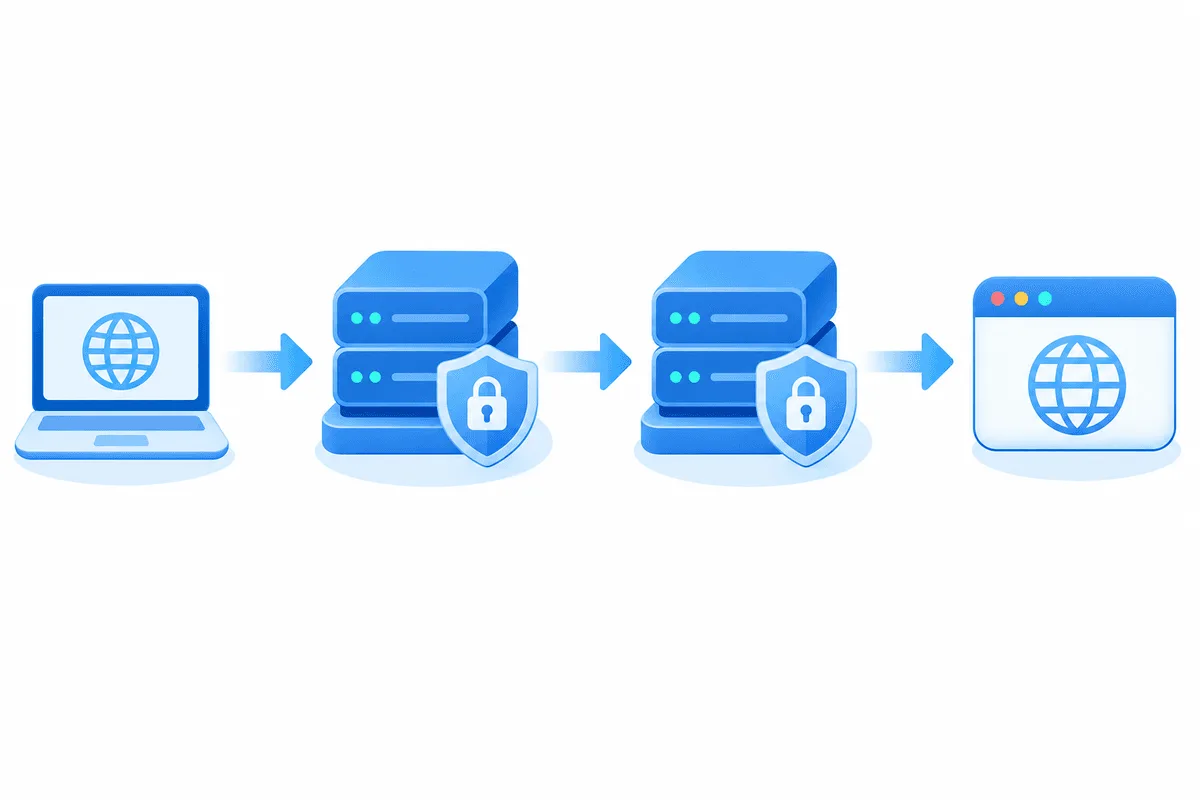
- Simple Chain — every hop in sequence; each extra server costs latency, and one broken link kills the chain.
- Redundancy — the first server works until it stops answering, then Proxifier falls over to the next.
- Load Balancing — new connections are spread among the members.
Afterwards, pick the chain as a rule's action. For daily use Redundancy pays off most, since a program stays online even if one proxy dies.
Checking That It Works
- Connections pane. Launch the target program and watch the main window: every row lists the app, its destination and which rule or server handled it. A row showing Direct means your rule never matched. Failures are printed in the Output pane underneath.
- Visible IP. Open an IP lookup page in a proxified browser or run
curl ifconfig.mefrom a proxified console, then compare the result with your order. - The server by itself. If the address refuses to change, feed the same host and port into our online proxy checker to see whether the server responds at all.
Common Errors and Fixes
Authentication failed. A wrong login pair, or Enable under Authentication was never ticked. Type both values manually, since copying from a web dashboard tends to grab a trailing space.
The proxy server cannot establish connection. Proxifier got in, but the server declined to reach the target. Usual suspects: SOCKS version 5 aimed at an HTTP port, an expired rental, or a destination port your seller blocks. Point a test at a different site to see which it is.
The program keeps its real IP. A rule higher up grabbed it first, or the app was already open when you created the rule. Drag the rule upward and relaunch the app.
Infinite loop connection detected. You proxified something that is itself a proxy client, a VPN app or a traffic-scanning antivirus. Give its executable a rule with the Direct action, so Proxifier stops feeding its traffic back into itself.
Games or voice calls break. Such apps lean on UDP, while Proxifier tunnels TCP only; newer Windows builds can log and block UDP yet not forward it. Use a client that relays UDP over SOCKS5, and see our explainer on UDP over a proxy for the limits.
Alternatives and Which Proxy to Choose
When rules have to target individual programs on Windows or macOS, Proxifier is hard to beat. For a plain system-wide tunnel with free software, Throne or V2RayN do the job on Windows without a license. As for protocols, SOCKS5 is the sturdier default for anything besides a browser; our SOCKS5 and HTTP comparison explains the reasons. Scraping and other address-hopping jobs pair Proxifier rules with residential proxies, while static ones suit long-lived sessions.
Proxifier FAQ
Is Proxifier free?
No. It is a paid program with a 31-day trial that starts at first launch. Once the trial runs out, a registration key is required.
Does Proxifier send UDP traffic through the proxy?
No, only TCP is tunneled. Newer versions can log or block UDP to prevent leaks, yet UDP-dependent games and calls need another client.
Can Proxifier work with a proxy that requires a login and password?
Yes. Tick Enable in the Authentication area of the Proxy Server dialog and type the login pair; SOCKS5 and HTTPS servers both accept it.
Why is there no HTTP option in the protocol list?
Plain HTTP is hidden on purpose. Most HTTP ports understand CONNECT and work once added as HTTPS; a bare HTTP server becomes available after you switch on support under Profile, Advanced, HTTP Proxy Servers.
How do I proxy only one program?
Make a rule whose Applications field holds that program's executable and whose action is your server, keep Default on Direct, then relaunch the program.
Does Proxifier route DNS through the proxy?
It can. Select Resolve hostnames through proxy under Name Resolution, and proxified programs will resolve names on the remote side.