How to Scrape E-commerce Sites and Marketplaces: Methods, Proxies and Rotation


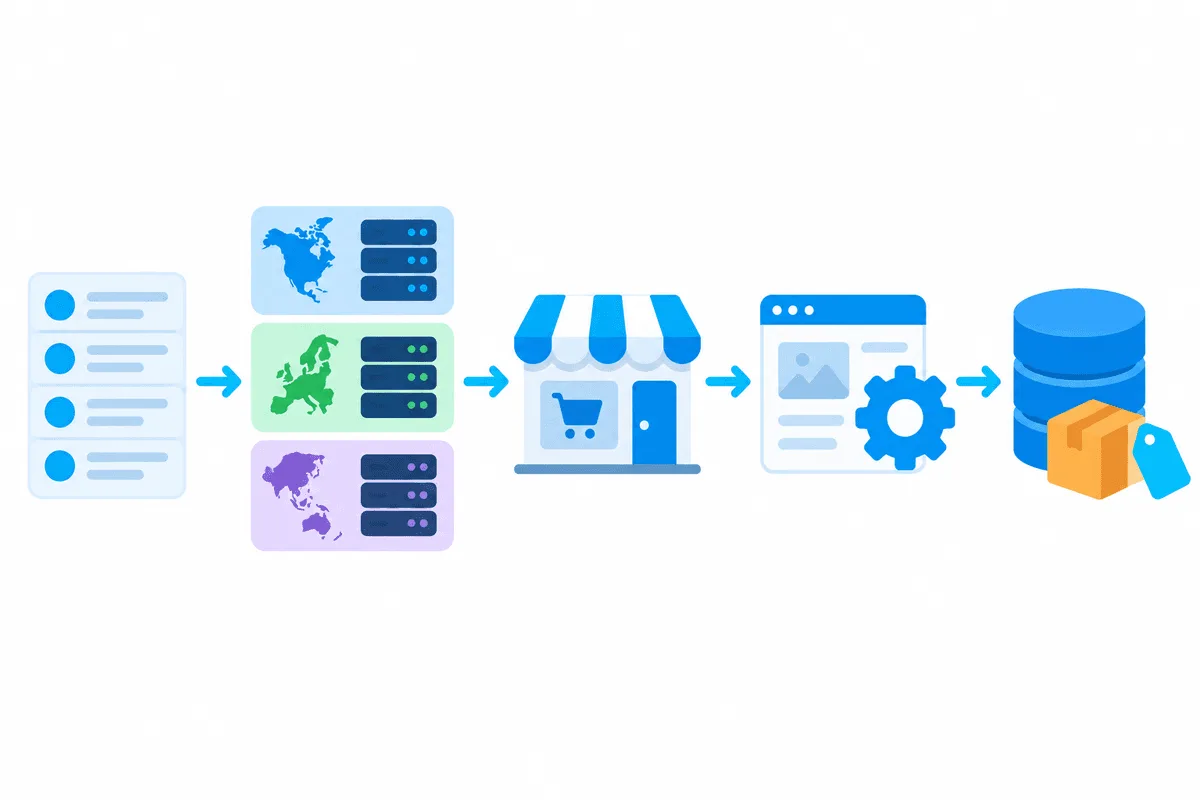
Scraping an online store means collecting public catalog data, such as product names, prices, stock status and ratings, automatically instead of copying it by hand. A dependable sequence starts with whatever official API or data feed the platform offers, then read the JSON that the storefront itself loads, and only fall back to parsing HTML or driving a headless browser when nothing lighter works. Proxies come in when you need regional prices or steady volume without overloading one address.
Generic Python tutorials usually stop at downloading one page with Requests and BeautifulSoup. Marketplaces are a different animal: prices change with the delivery region, one card hides dozens of variants and sellers, and anti-bot systems watch request patterns closely. Below you will find a method map, the marketplace-specific traps, a working Python skeleton with retries and CSV export, and a rotation schedule for typical jobs.
Rotating proxies
Rotating residential IPs with country and city targeting for price and catalog monitoring
What You May Collect and How to Stay Polite
Price monitoring and assortment analysis rely on data any visitor can see without logging in: titles, prices, discounts, availability, category positions, rating averages and review counts. Leave alone whatever requires signing in, any personal details of shoppers or review authors, and the idea of reposting product texts or photos, since those belong to their authors.
Three habits keep relations with the shop owner calm:
- go through the site terms and the
robots.txtfile before writing code, and leave forbidden sections and requested delays alone; - keep traffic thin and stretched over the day, and pause the job the moment error codes start piling up;
- store fetched pages locally so the same card is never downloaded twice in one run.
If you are new to the topic, start with our overview of how web scraping works and come back for the store-specific part.
Step Zero: Look for an Official API or Feed
Many platforms publish data through official channels, and they are always the safer and more stable source:
- Seller APIs of Wildberries, Ozon, Amazon, eBay and others give merchants full access to their own listings, orders and prices.
- Affiliate and partner APIs return public catalog data such as titles, prices and links for partners of the programme. eBay offers its Browse API, AliExpress runs an affiliate API on its open platform, and Amazon has its own programme for associates.
- Product feeds in XML or CSV formats are often available directly from brands and retailers that want to appear in price comparison services.
Access rules, quotas and field lists change, so read the current documentation of each platform. When an API covers your fields, scraping is unnecessary.
How Store Pages Deliver Data
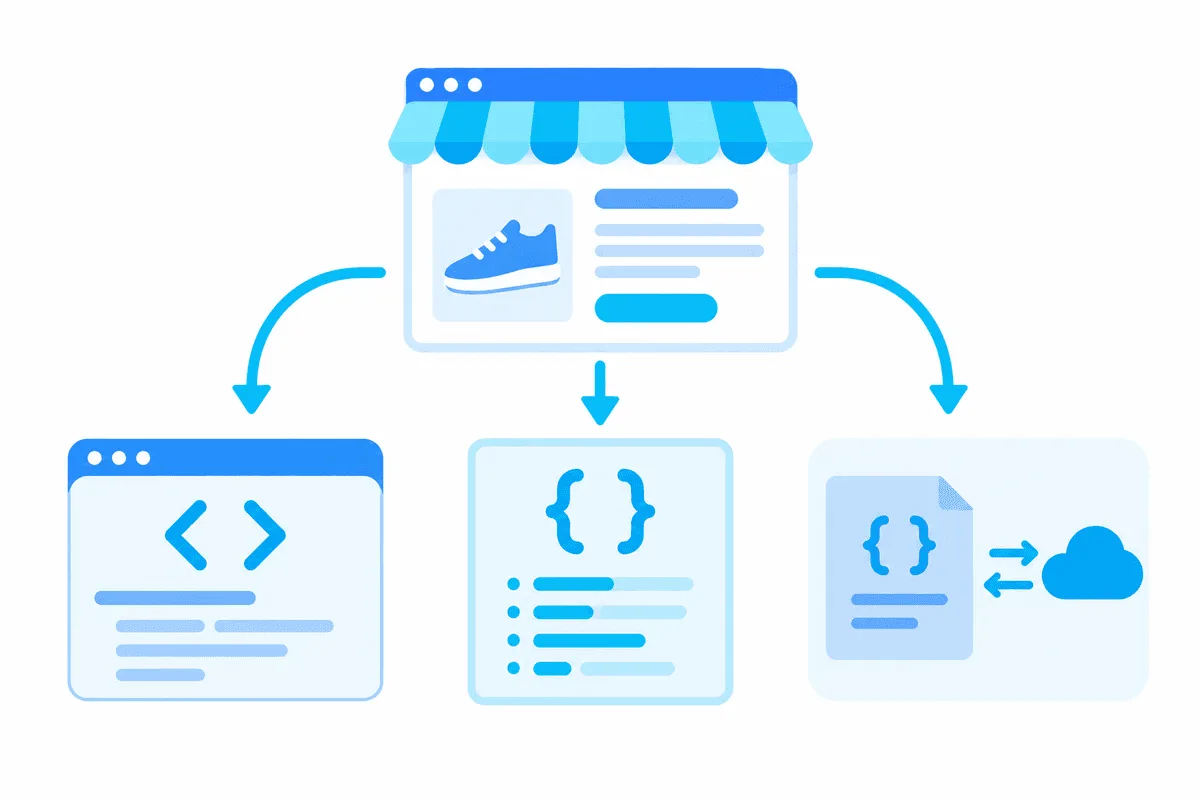
When no API fits, open the product page with DevTools (F12) and find out where the price actually comes from.
| Source | How to spot it | Tooling | Speed | Fragility |
|---|---|---|---|---|
| Structured data in HTML | <script type="application/ld+json"> block with a Product object | HTTP client + JSON parser | High | Low: the format is standardised |
| Internal JSON endpoint | Network tab, filter Fetch/XHR, a response with prices | HTTP client | Highest | Medium: paths and parameters change |
| Rendered HTML | Price visible in the page source | HTTP client + HTML parser | High | High: CSS classes change often |
| Client-side rendering only | Price absent from the source, appears after scripts run | Headless browser | Low | Medium |
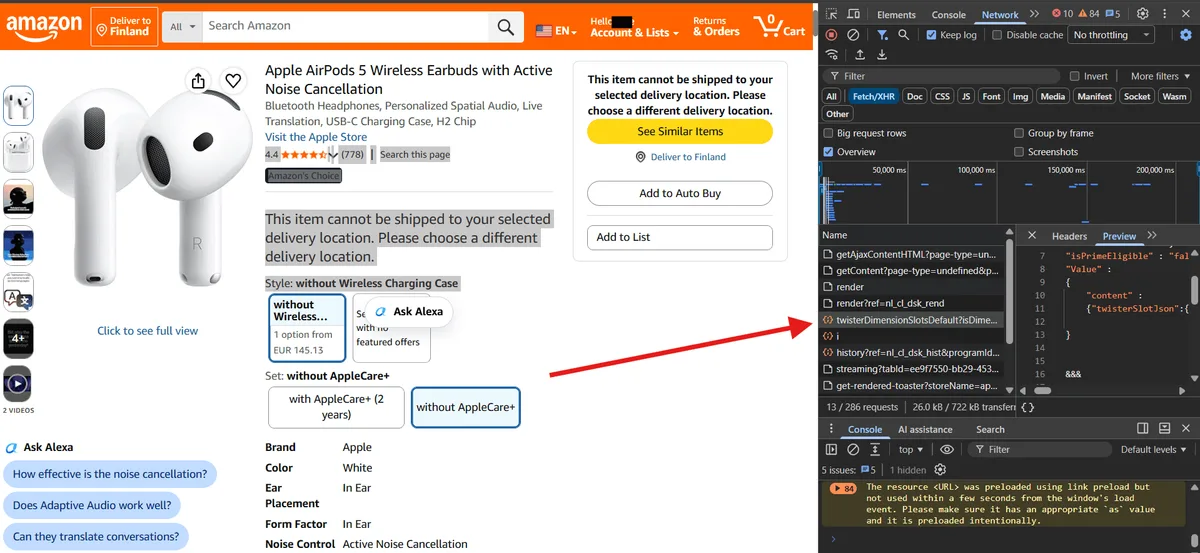
Many stores embed schema.org Product markup for search engines, and that block often holds the name, price, currency and availability in a clean form. Internal endpoints are even richer, but they are not a public contract: treat them as an unstable source, request them at a calm pace and expect changes. Reach for Puppeteer or Playwright only when nothing else works: rendering every card in a real browser multiplies CPU time and bandwidth.
Where Marketplaces Trip Up Simple Scripts
Prices Depend on Location
The same item can show different prices, delivery dates and stock depending on the delivery city or warehouse. Marketplaces read the region from a cookie, a URL parameter or the visitor's IP address. Set the region explicitly, use an exit IP from the same city or country, and save the region alongside each price. Without that field, two observations of one product cannot be compared.
Variants and Several Sellers on One Card
One card may unite sizes and colours, each with its own price and stock, and several sellers offering the same product. Decide in advance what a record is: usually one SKU from one seller at one moment in one region.
Personalised and Logged-in Prices
Member discounts, coupons and personalised offers appear only for signed-in shoppers. For market analysis, collect as an anonymous visitor so that numbers are reproducible.
Anti-bot Protection
Big retailers throttle bursts, reply with 429 or 403, insert script challenges or puzzles, and cross-check the address against device traits and click patterns. The signals involved are listed in our explainer on how websites detect bots lists the signals. The practical answer is not trickery but moderation: realistic pace, consistent headers and an IP that matches the region you claim.
Python Example: JSON Endpoint, Proxy, Retries and CSV
The skeleton below reads product data from a JSON endpoint through a proxy, waits between requests, slows down on 429 and saves rows to CSV. The URL and fields are placeholders: replace them with what you found in the Network tab.
import csv, random, time
from datetime import datetime, timezone
import requests

EXIT_NODE = "http://user-7f3k:s3cret@203.0.113.15:8000"
SHIP_TO = "berlin"
LISTING_API = "https://shop.example/api/catalog"

wire = requests.Session()
wire.proxies.update(http=EXIT_NODE, https=EXIT_NODE)
wire.headers["Accept"] = "application/json"
wire.headers["Accept-Language"] = "de-DE,de;q=0.9"
wire.cookies.set("delivery_region", SHIP_TO)

def pull(cat, pg, budget=4):
    for n in range(budget):
        r = wire.get(LISTING_API, params={"category": cat, "page": pg}, timeout=20)
        if r.ok:
            return r.json()
        if r.status_code not in (429, 503):
            r.raise_for_status()
        time.sleep(int(r.headers.get("Retry-After", 4 * 2 ** n)))
    raise RuntimeError("listing page %s still failing" % pg)

def flatten(entry):
    tag = entry["price"]
    return {
        "sku": entry["id"], "title": entry["name"],
        "amount": tag["current"], "ccy": tag["currency"],
        "available": entry.get("stock", 0) > 0, "region": SHIP_TO,
        "observed": datetime.now(timezone.utc).strftime("%Y-%m-%dT%H:%M:%SZ"),
    }

ledger, pg = [], 1
while pg <= 5:
    body = pull("laptops", pg)
    ledger += [flatten(e) for e in body.get("products", [])]
    if not body.get("has_next"):
        break
    pg += 1
    time.sleep(2 + random.random() * 3)

if ledger:
    with open("offers.csv", "w", newline="", encoding="utf-8") as fh:
        sheet = csv.DictWriter(fh, fieldnames=ledger[0].keys())
        sheet.writeheader()
        sheet.writerows(ledger)
Points worth copying into any store scraper: the session keeps cookies and one region for the whole run, the Retry-After header is respected, and every row carries region and timestamp. For larger volumes, store rows in a database and keep products and price observations in separate tables.
Proxy Type and Rotation Schedule by Task
| Task | Proxy type | Rotation | Pace |
|---|---|---|---|
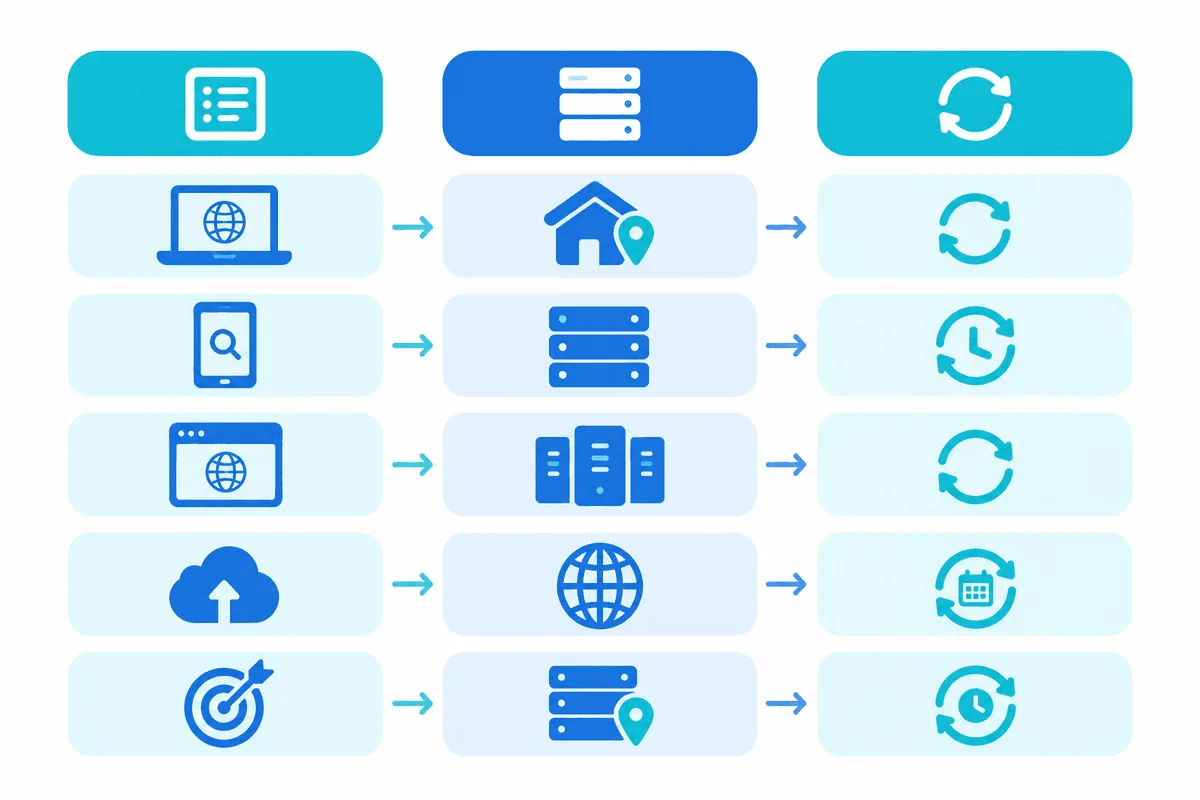
| Crawling categories and search results | Rotating residential or datacenter pool | New IP every request or every few pages | Spread over hours, low concurrency |
| Once-a-day pass over a known list of items | Residential, targeted to the city | Sticky session of 5–10 minutes per batch | One pass per day or per shift |
| Comparing prices across regions | Residential in each target city | One sticky IP per region per run | Same time window for all regions |
| Checking delivery terms with a cart | Static or long sticky session | No rotation during the session | Single flow per region |
Datacenter IPs are cheap and fast and work on many smaller stores. Large marketplaces tend to trust residential and mobile addresses more, so for them a rotating proxy pool with country and city targeting is the usual base. Whatever you pick, pair each IP with its own cookies and region setting, and do not let one session jump between countries.
Common Problems and Fixes
- Empty or missing prices. The price is rendered by JavaScript or loaded from a separate endpoint. Locate that call in DevTools, or render just those particular pages in a browser.
- Wrong currency or region. The exit IP and the region cookie disagree. Align them and store the region with each record.
- Sudden 403 or 429 responses. Rate too high or too regular. Lower concurrency, add random pauses and respect
Retry-After. - Selectors break after redesign. Prefer JSON-LD or JSON endpoints over CSS classes and add a validation step that alerts when a field comes back empty.
More cases are collected in the article on scraping errors.
Guides for Specific Marketplaces
Each large platform has its own catalogue structure and limits. We have separate walkthroughs for Wildberries scraping, Ozon scraping and proxies for AliExpress. For ongoing competitor tracking, see how our customers set up price monitoring.
E-commerce Scraping FAQ
Is it legal to scrape prices from online stores?
Collecting publicly visible prices is widely practised for market research, but the rules depend on the country, the site's terms and the type of data. Avoid personal data and content behind logins, respect robots.txt and rate limits, and ask a lawyer for large commercial projects.
Do I need proxies for e-commerce scraping?
A handful of pages per day works without them. They become useful once you need figures as seen from particular regions, or once the volume outgrows what one connection can request at a considerate pace.
Which proxies work best for marketplaces?
The biggest platforms tend to accept home and mobile addresses picked by city with the least friction. Small independent shops and lenient JSON endpoints are usually fine with cheaper server addresses.
How often should I rotate IPs?
Crawls of category listings can switch address on each call or after a few pages. Anything tied to cookies, like a chosen delivery city or a basket, should keep a single sticky address until the session ends.
Should I use Python or a headless browser?
Start with an HTTP client in Python or Node.js and parse JSON or HTML. Switch to a headless browser only for pages where data appears after scripts run, since it is many times heavier.
Where can I get marketplace data without scraping?
Check seller APIs for your own listings, affiliate APIs for public catalog data and product feeds from brands. They are more stable than any scraper and come with clear usage rules.