Zapier and Make With Proxies: Where the Setting Lives and How to Use It


There is no global switch in Zapier or Make that pushes an entire workflow through an intermediary, yet single HTTP calls can be rerouted on both platforms. Make supports it natively: inside the HTTP app, the Make a request module carries a Proxy setting among its advanced options, and the server details live in a reusable keychain. Zapier lacks any equivalent, so people either write a short Python action in Code by Zapier that talks to the intermediary, or point the Zap at a tiny forwarding service they run themselves.
Typical articles on the topic stick to Zapier and frequently recommend a browser extension, which is useless for automations executed in Zapier's cloud. This guide puts the two services next to each other: situations where an intermediary pays off, the precise spot for it in Make, a ready Python action for Zapier, options for a permanent or changing exit, a way to confirm the exit IP and a list of the usual failures.
Proxies for automation
Static and rotating proxies for HTTP calls from Zapier, Make and your own scripts
Why a Relay in Chrome Leaves Zaps Unchanged
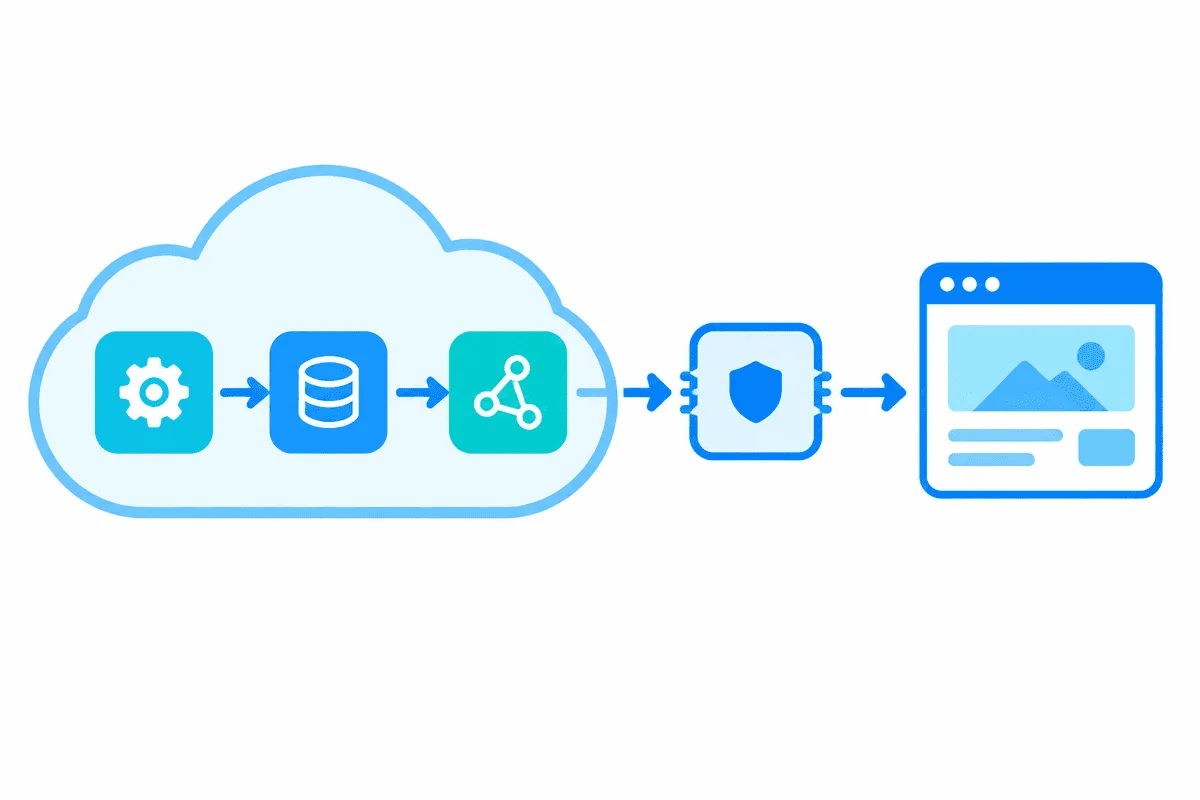
Your Zaps and Make scenarios run on servers owned by those companies. Whenever a step downloads a page or hits an API, the packets depart from that hosting, never from the computer you are sitting at. A relay configured in Chrome merely changes the route your editor tab takes. For the remote service to notice a different IP, the relay must be bound to the call the platform sends, which matches the way any proxy server works: it stands between the client that sends a request and the site that answers it.
When a Proxy Is Worth Adding
- An allowlisted partner endpoint. Plenty of B2B APIs reject traffic from unknown IPs. Standard plans of hosted automation tools come with no guaranteed outbound address, whereas a static relay hands you a single IP to give the partner.
- Answers that vary by country. Pricing, stock and search rankings frequently differ by location. When you monitor your own market, a call from the matching region shows what shoppers there are offered.
- Distributing a modest load. Should a scheduled scenario read public pages of one website, several IPs share the work instead of one address doing it all. Follow that website's terms and robots file, and keep the pace gentle.
- Company network policy. Certain security departments insist that traffic to internal systems enters through one approved gateway.
Steps that use a built-in connector to Google Sheets, Slack, a CRM or similar SaaS gain nothing from a relay, because those services trust OAuth tokens rather than IPs.
Make: Built-In Proxy in the HTTP App
Step 1. Add the HTTP Module
Hit the round add button in the scenario editor, type HTTP into the search box and pick Make a request. Older scenarios may still contain the legacy HTTP modules, for which Make's docs mention a version drop-down; everything below refers to the up-to-date module.
Step 2. Fill In the Request
Fill URL, method, headers and body exactly as you would without an intermediary. A plain GET aimed at a what-is-my-IP endpoint is all you need for a first trial.
Step 3. Open Advanced Settings and Create a Proxy Keychain
Tick Show advanced settings to reveal the extra options. Next to Proxy there is a Create a keychain link; the window it opens asks for four values:
- Host – the proxy hostname or IP.
- Port – the number your provider issued.
- Username and Password – leave blank for IP-allowlisted access.
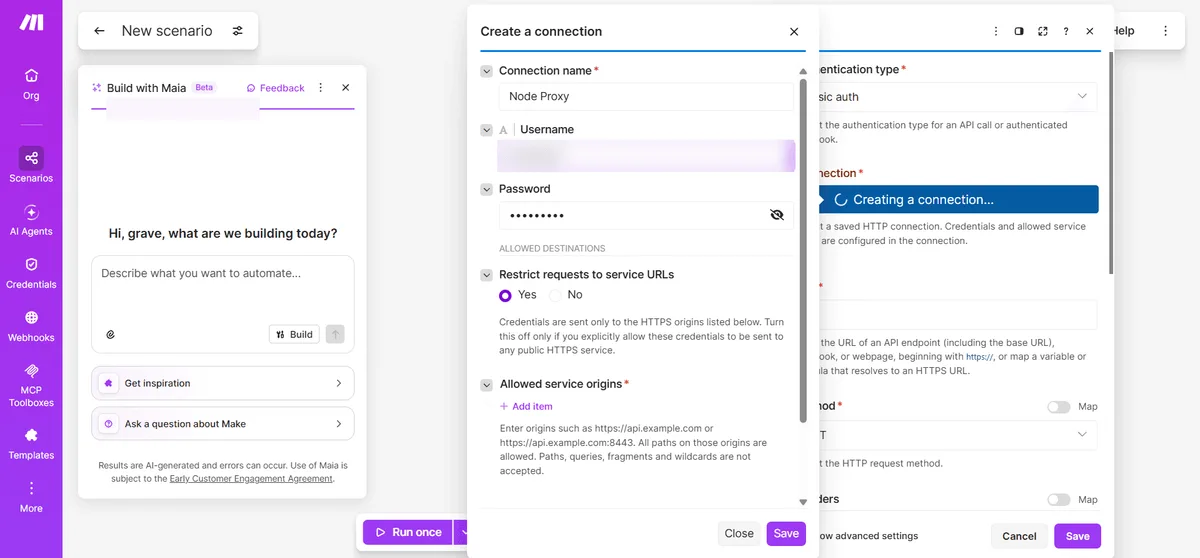
Because a keychain is saved once and then selected wherever needed, a second or third HTTP module can reuse that entry without retyping anything. Supported protocols are not spelled out in Make's docs, so feed it an HTTP port; a port that only speaks SOCKS5 might fail.
Step 4. Set Timeout and Error Handling
Timeout in that block takes any value between 1 and 300 seconds; add a little headroom when the intermediary is far away. Switch Return error if HTTP request fails on when the rest of the scenario must stop after a 4xx or 5xx reply.
Step 5. Run Once and Inspect the Output
Press Run once and open the bubble above the module. Status code and response body appear there, and if you queried an IP-echo endpoint, the body must show the intermediary's exit address instead of a Make server.
Zapier: Proxy Through a Code Step
The Webhooks action lets you set a URL, payload, headers and a basic-auth pair, and nothing about intermediaries; that basic-auth pair goes to the API you call, not to a relay. So the practical path is a Python action from Code by Zapier (Run Python).
Step 1. Add the Code Action
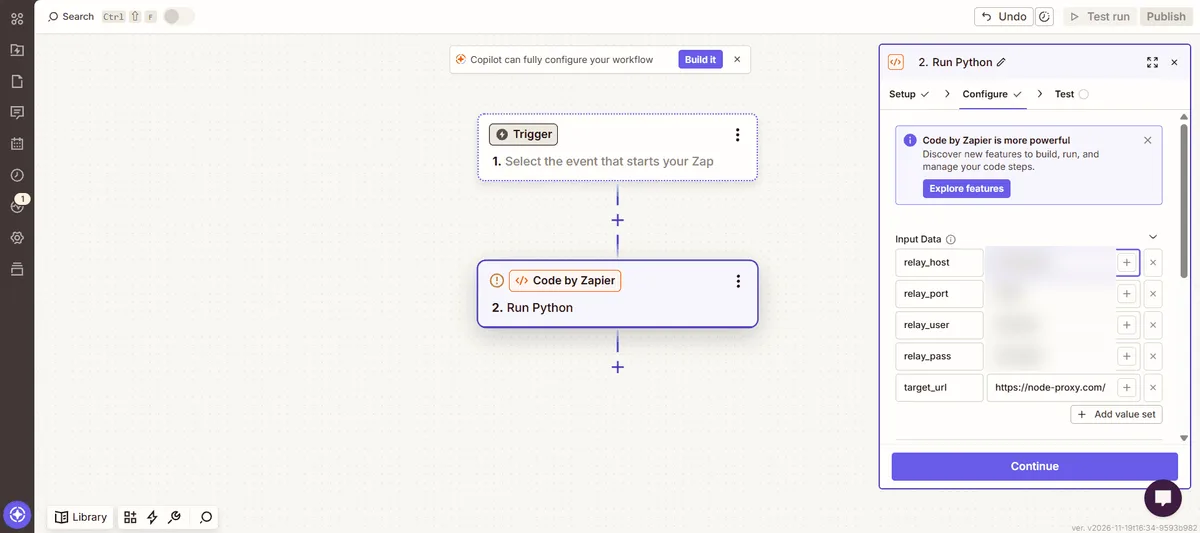
Below the trigger, insert a new action, search for Code by Zapier and select the Run Python event.
Step 2. Map Input Data
Under Input Data add keys like relay_host, relay_port, relay_user, relay_pass and target_url. With the secrets kept in these fields, the script stays short and a password change never requires touching code.
Step 3. Paste the Script
import requests

relay = "http://{0}:{1}@{2}:{3}".format(
    input_data["relay_user"], input_data["relay_pass"],
    input_data["relay_host"], input_data["relay_port"])

reply = requests.get(
    input_data["target_url"],
    proxies={"http": relay, "https": relay},
    timeout=20,
)

output = {"status": reply.status_code, "body": reply.text[:4000]}
Both dictionary keys hold one and the same relay URL: encrypted traffic is carried inside an HTTP CONNECT tunnel. Out of the box, requests cannot speak SOCKS, hence the HTTP port. Trimming body keeps the Zap history from filling up with huge pages.
Step 4. Check the Time Limits
How long a code action may run is tied to your subscription. When this was written, Zapier's help listed a single second on the free tier and far more generous ceilings on paid tiers. A round trip via a distant relay can easily exceed one second, so free accounts may see the action abort. Set timeout below whatever ceiling applies to you.
Step 5. Test the Step
Run Test step and look at status and body. Aim target_url at an IP-echo endpoint for the first run, check the exit address, and only afterwards replace it with the URL you actually need.
Zapier and Make Compared
| Aspect | Make | Zapier |
|---|---|---|
| Relay setting out of the box | Present in Make a request | Absent |
| Storage for relay secrets | Keychain | Code step inputs, or your own forwarder |
| Programming needed | None | A few lines of Python or JavaScript |
| Time allowed per call | 1 to 300 seconds | Depends on plan, about a second on free |
| Scope of the relay | Only that module | Only that code action |
On either platform, the very next module that contacts some other app leaves directly again; the relay is never inherited.
Fixed or Rotating Exit

Let the job decide. An allowlisted endpoint expects one unchanging IP on every run, which is what our static proxies are designed for. When the goal is gathering public information from lots of pages, rotating proxies assign a fresh IP for each call or each session. Providers often toggle between these behaviours via tags inside the login, so switching modes means editing just the username saved in the keychain or input field.
For scheduled checks a handy approach is to tie a session tag to each execution: every call within that execution exits from one IP, and the following execution gets another. Our guide to price monitoring describes how teams organise such schedules.
When a Self-Hosted Relay Is Better
Dozens of calls per run, retry logic, cookies that must survive between steps or a SOCKS5-only provider all strain a short code action. Many teams therefore run a lightweight forwarder on their own server: the automation fires a webhook, the forwarder performs the relayed requests and hands back tidy results. n8n on your own hosting is one ready-made candidate, and our walkthrough of n8n with a proxy lists where its relay options sit.
How to Confirm Which IP the Target Sees
- Send the first request to an endpoint that echoes the visitor's IP as text or JSON.
- Match that value against your provider's panel; in rotating mode, two runs should give two different results.
- Move on to the production URL once the values agree. If you are unsure whether the proxy itself responds, our proxy checker answers that in a few seconds.
Common Errors
407 Proxy Authentication Required. Either the login pair is off, or symbols like @ or : inside the password corrupt the relay URL. Escape them in Python using urllib.parse.quote.
Zapier aborts on time. Either your plan's ceiling was hit or the relay answers slowly. Reduce timeout, choose a nearer exit or hand the job to a forwarder.
Refused or reset connections. Usually a SOCKS5 port where HTTP is expected, or a mistyped port number.
A 403 page or a captcha comes back. The relay is doing its job; the website dislikes scripted traffic at this pace or from this kind of IP. Space the calls out, double-check that the site permits this sort of collection, or move to a residential exit.
The echo still returns a Make address. You created the keychain but forgot to choose it in this module's Proxy setting.
Zapier and Make proxy FAQ
Does Zapier have built-in proxy settings?
No such setting exists. Neither webhooks nor the regular app integrations accept relay details, so the options are a Python or JavaScript code action or a forwarding service under your control.
Where is the proxy option in Make?
It sits inside Make a request from the HTTP app: reveal the advanced options, then attach a keychain holding the relay host, port and, when required, the login pair.
Can I use a SOCKS5 proxy in Zapier or Make?
Count on HTTP ports. Without an add-on package, Python requests in Zapier cannot talk SOCKS, and Make's documentation is silent on SOCKS for its relay keychain.
Does the proxy apply to the whole Zap or scenario?
Just the single step that holds the setting. Every remaining action keeps leaving straight from the vendor's servers.
Why does my Code by Zapier step time out with a proxy?
Each subscription caps how long code may run, and the free tier gives roughly one second. Upgrade, pick a relay nearer to the target or let a forwarding service do the work.