n8n Proxy Setup: HTTP Request Node, Global Variables and a Scraping Workflow

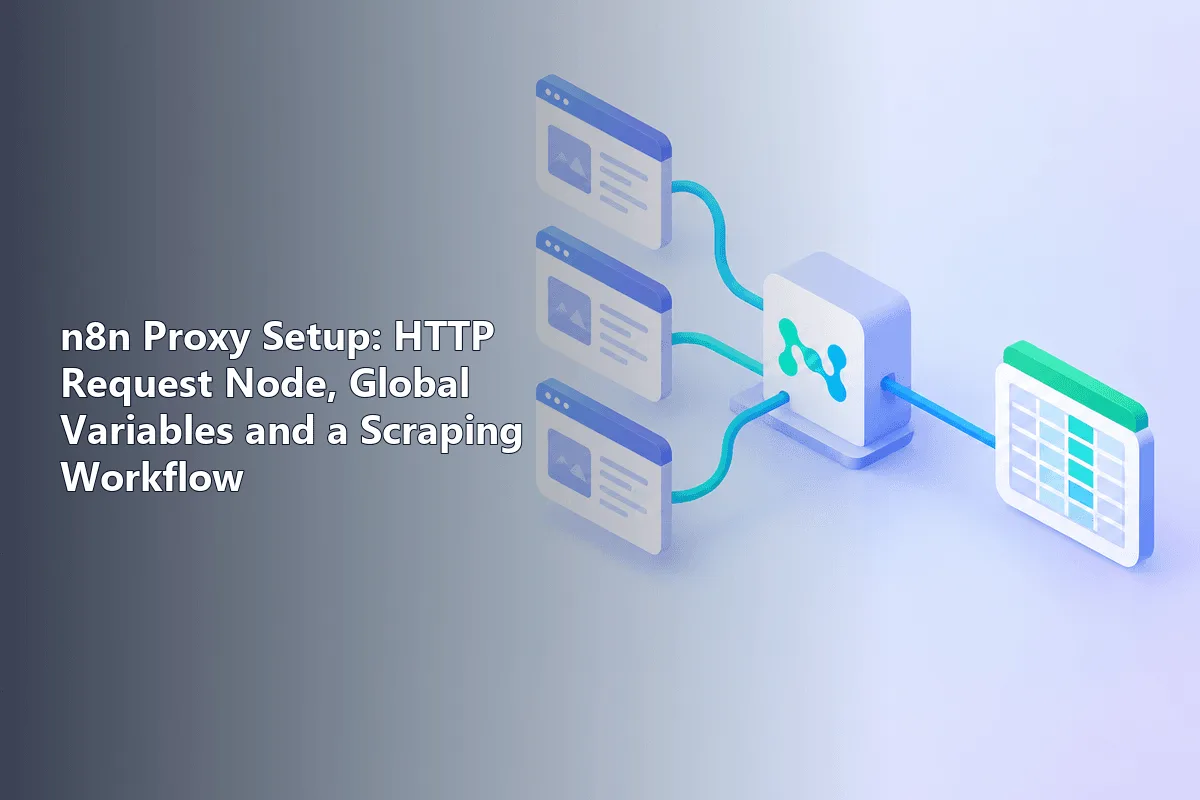
n8n gives you two levers: a Proxy entry among the options of every outgoing web call, and environment variables such as HTTPS_PROXY that a server you operate yourself applies by default. If both are set, whatever is typed into the individual call takes priority. That lets you keep one shared exit for everything and swap it only on the few calls that must appear from another address.
Plenty of write-ups praise n8n's flexibility without showing a single setting. Here the focus is hands-on: the exact spot of the proxy field and the string it wants, how the server-wide variables behave inside Docker, and a small but sturdy scraping pipeline that paces itself, retries sensibly and changes IPs, instead of collapsing on the first refused page.
Rotating proxies
Rotating residential proxies for n8n scraping workflows
Do You Actually Need One?
Calls to official APIs (CRM, chat apps, spreadsheets, payment systems) almost never do: those services identify you by a token, so the caller's IP is irrelevant. A proxy starts paying off when a flow:
- downloads ordinary public pages on a timer (product cards, listings, vacancies, headlines) and runs into per-address request caps;
- has to see a page the way someone in a particular country or city sees it, for instance local search results or a regional catalogue;
- lives inside an office network whose outbound traffic is forced through a corporate gateway;
- talks to a partner endpoint that admits only allow-listed addresses while your server's IP is not fixed.
Whenever third-party sites are involved, read their terms and robots.txt, limit yourself to openly published data and keep the tempo modest. Extra addresses spread the load; they do not turn heavy crawling into acceptable behaviour. Our introduction to web scraping sets out the ground rules, and a separate piece on choosing proxies for scraping weighs the exit types against each other.
Option 1. A Proxy on a Single HTTP Request Node
Step 1. Reveal the Options Menu
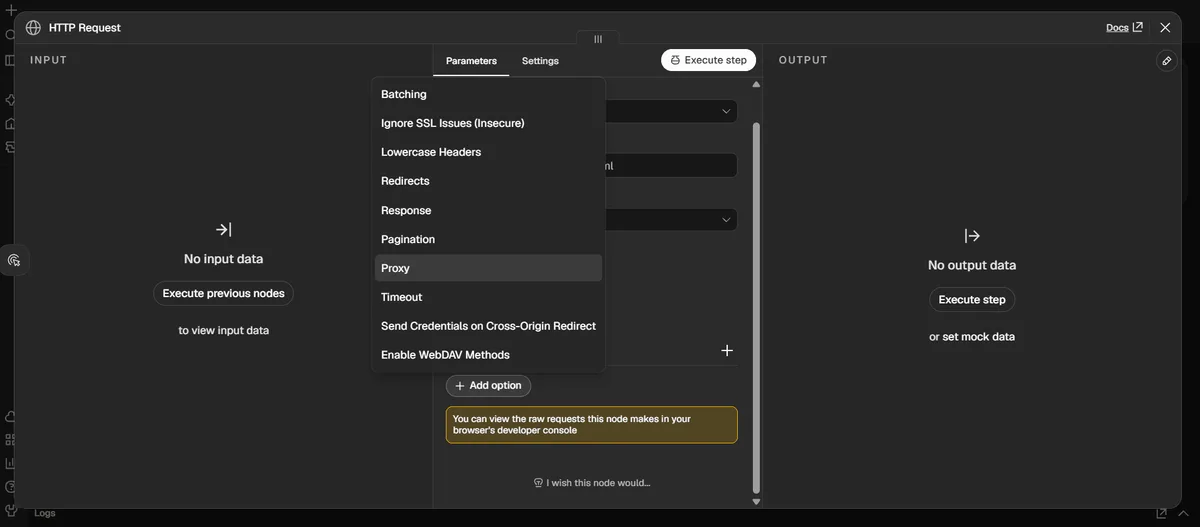
Put an HTTP Request step on the canvas, pick the method and paste the target address. Underneath you will find an Options block whose Add Option button opens roughly a dozen extra switches; the one we are after is called Proxy.
Step 2. Type the Proxy as a URL
Pick Proxy and write one complete string: protocol prefix, then optional account name and secret, then host and port, e.g. http://user-7f3k:s3cret@203.0.113.15:8000. Official docs call this an HTTP proxy field, so request the HTTP endpoint from your vendor; nothing in the documentation promises SOCKS5 here. Characters like @ or : inside the secret must be percent-encoded.
Step 3. Cap the Waiting Time
Still under Options, add Timeout, measured in milliseconds. Every extra hop adds latency, and a ceiling of roughly 20 to 30 seconds keeps one sluggish page from freezing the entire execution.
Step 4. Let the Node Try Again
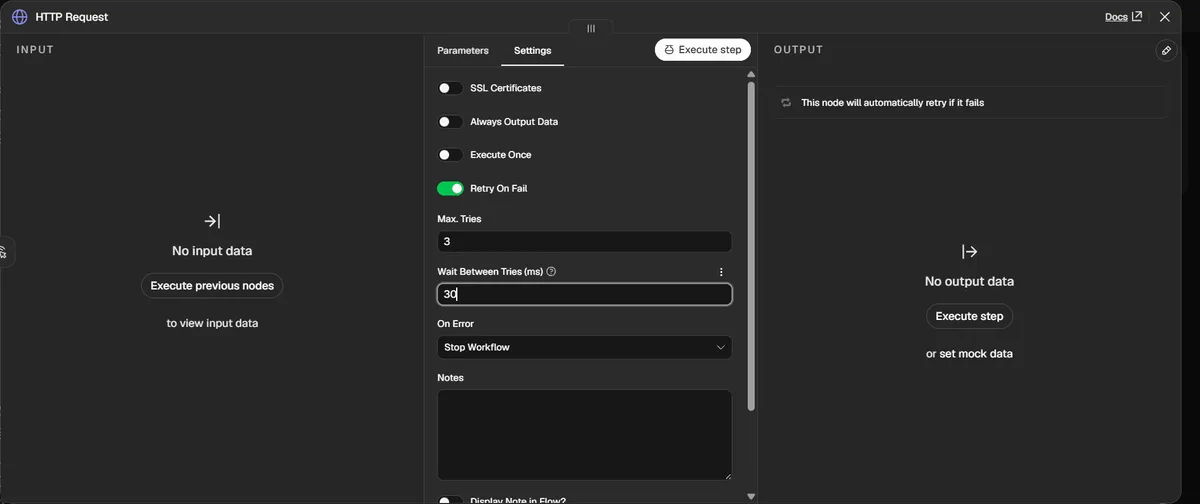
Open the second tab of this step, Settings, flip on Retry On Fail and decide how many attempts to allow and how long to pause between them. Behind a rotating pool, the second attempt usually leaves from a different address, which quietly cures most isolated refusals.
Option 2. One Default Proxy for a Self-Hosted Server
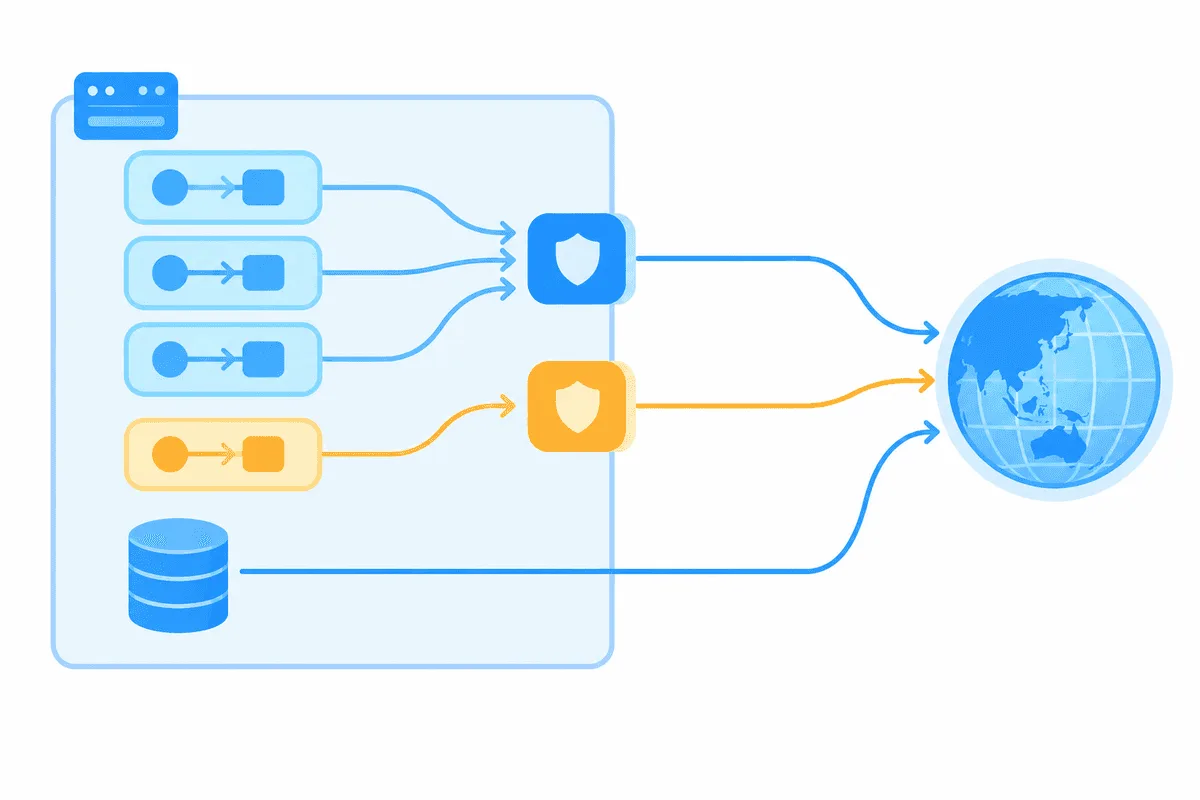
Four names are recognised. One variable handles unencrypted traffic, a second one handles encrypted traffic, a third acts as fallback for both, and NO_PROXY holds the exceptions that must go out directly. Under the hood the documentation points to the proxy-from-env package, where a lowercase variable beats its uppercase twin if somebody defines both. A minimal Compose service for this looks as follows:
services:
  automation:
    image: docker.n8n.io/n8nio/n8n
    environment:
      - HTTPS_PROXY=http://user-7f3k:s3cret@203.0.113.15:8000
      - HTTP_PROXY=http://user-7f3k:s3cret@203.0.113.15:8000
      - NO_PROXY=localhost,127.0.0.1,postgres,api.internal.example
Two warnings apply here. Write every internal hostname, from Postgres and Redis to your private microservices, into the exceptions list; forget one and the automation will knock on it through the relay and fail. Also remember that an instance-wide exit drags every connector through the proxy, including ones whose partners expect your server's permanent address. Many teams therefore prefer per-step settings. The hosted Cloud edition offers no access to environment variables whatsoever, leaving the per-step entry as the single choice there.
Building a Scraper From n8n Nodes
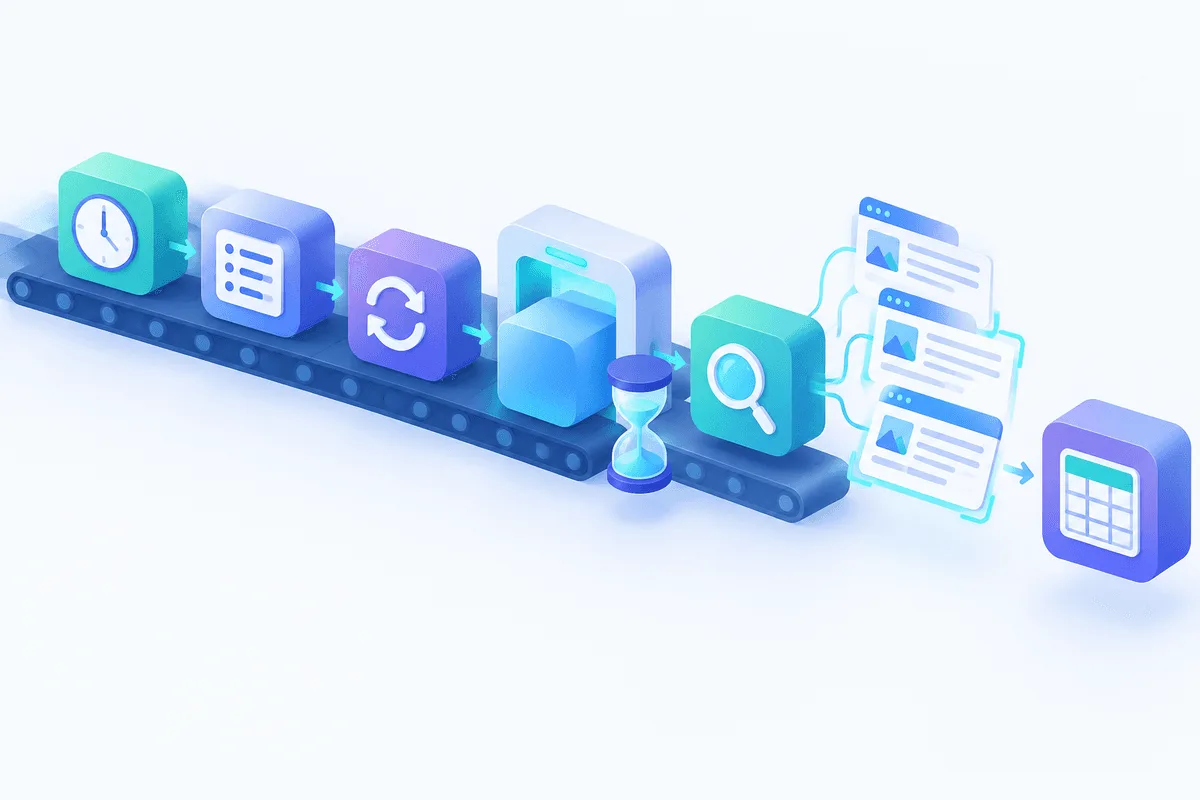
A lean chain for tracking prices is shown below; adapt links and selectors to the shop you monitor.
| Node | Role in the chain | Settings that matter |
|---|---|---|
| Schedule Trigger | Starts each run | e.g. four times a day |
| Code | Emits the pages to visit | one item per address |
| Loop Over Items | Feeds pages in small portions | 5 to 10 per portion |
| HTTP Request | Downloads markup via the proxy | Proxy, Timeout, Retry On Fail, Text output |
| HTML | Picks values out of the markup | Extract HTML Content with CSS selectors |
| Edit Fields | Tidies the values | strip spaces, cast price to number |
| Wait | Puts gaps between portions | a few seconds |
| Spreadsheet or SQL storage | Keeps the results | one new row for each page |
Supplying the Links
A tiny script step converts a hard-coded list into individual items, which makes every later step simpler:
const pages = [
  'https://shop.example.com/item/1001',
  'https://shop.example.com/item/1002',
  'https://shop.example.com/item/1003',
];
return pages.map(link => ({ json: { link } }));
The HTTP Request URL then becomes the expression {{ $json.link }}.
Reading Values From the Markup
In the HTML step choose the extraction operation, name the property that holds the downloaded markup and then describe every value you need: what to call it, which CSS selector finds it and whether you want its text, its inner markup or one attribute. If a shop injects prices with client-side scripts, these values come back blank; such pages call for a headless-browser service or the site's own data feed.
Keeping a Calm Tempo
You can throttle in two ways. The built-in Batching option sends a fixed number of entries at once and then sleeps for the interval you specify; alternatively a dedicated pause step sits inside the loop. Spreading calls over time beats collecting more addresses; our guide on avoiding blocks while scraping explains why.
Changing IPs Between Requests
Two patterns cover nearly every case.
A provider-side rotating gateway. Vendors of rotating proxies hand you one host and port; behind it the outgoing address changes on each call or each session. One string goes into the Proxy field and the switching happens remotely. For chains that open a listing and then its second page, ask for a sticky session so neighbouring calls keep one address.
A list you manage yourself. With a handful of fixed endpoints, a short script step can stamp one onto every item, and the Proxy entry then reads it through an expression:
const exits = [
  'http://user-7f3k:s3cret@203.0.113.15:8000',
  'http://user-7f3k:s3cret@203.0.113.16:8000',
];
return $input.all().map((entry, n) => ({
  json: { ...entry.json, exitUrl: exits[n % exits.length] },
}));
After that, Proxy becomes {{ $json.exitUrl }}. Confirm that your n8n build evaluates expressions in this field; if it does not, branch the flow and hard-code one proxy per branch. The reasoning behind address changes is covered in our article on IP rotation.
Confirming the Exit Address
Before aiming the chain at a real shop, run the request step once against an echo service such as https://httpbin.org/ip with the proxy filled in. What comes back should be the relay's address, not your server's. Against a rotating gateway, fire it twice in a row: getting two distinct answers proves the pool rotates, provided you did not ask the vendor to pin a session.
Typical Failures and Their Causes
Error 407. Authentication failed at the relay: a typo in the credentials or an unescaped symbol such as a hash or slash in the secret.
ECONNREFUSED or every call timing out. Host or port is wrong, or the field points at a port that only speaks SOCKS5. Get the HTTP endpoint from your vendor.
Internal integrations died after HTTPS_PROXY appeared. List the database, cache and private service hosts in NO_PROXY.
A 403 or a captcha page instead of markup. The site dislikes the request pattern, not merely the address. Slow down, send believable headers and try residential proxies rather than datacenter exits.
Blank extracted values. Scripts render the data, or the page layout moved. Look at the raw markup before touching selectors.
n8n proxy FAQ
Where is the proxy option in n8n?
Open any web request step, expand its Options, click Add Option and pick Proxy. Self-hosted installations can additionally define a default for all steps with environment variables.
Is SOCKS5 supported?
Official material only talks about HTTP relays for this option. Requesting an HTTP endpoint from the vendor is the safe route, since SOCKS5 is not listed.
Where do the username and password go?
They are embedded in the relay URL itself: account name, colon, secret, then the at sign right before the host. Escape any unusual symbols in the secret with percent-encoding.
Can I use a proxy on n8n Cloud?
Yes, by filling the Proxy entry in each request step. The hosted service keeps environment variables locked, so an instance-wide default is possible only when you run n8n on your own machine.
What is the easiest way to rotate IPs in an n8n scraper?
A rotating gateway is simplest, because the vendor swaps addresses for you. If you own a fixed pool instead, a script step can hand out pool members round-robin and an expression feeds them to the request.