PhantomBuster Proxy Setup: Pools, Per-Phantom Settings and Safe Pace

PhantomBuster takes proxies through proxy pools: you create a pool in the account menu, add one or more HTTP servers to it, and then pick that pool inside the Advanced settings of each Phantom. From then on the automation reaches LinkedIn, Instagram or any other site from the proxy address instead of a shared PhantomBuster cloud machine.
Below you will find where those menus sit, which input format the pool expects, how to pair a proxy with a single account, how to confirm the setting works and why a calm launch schedule matters more than the proxy itself. Every recommendation assumes real accounts that you own and automation kept inside each platform's rules.
Proxies for automation
Static and residential proxies with login and password for PhantomBuster pools
Why PhantomBuster Needs a Proxy at All
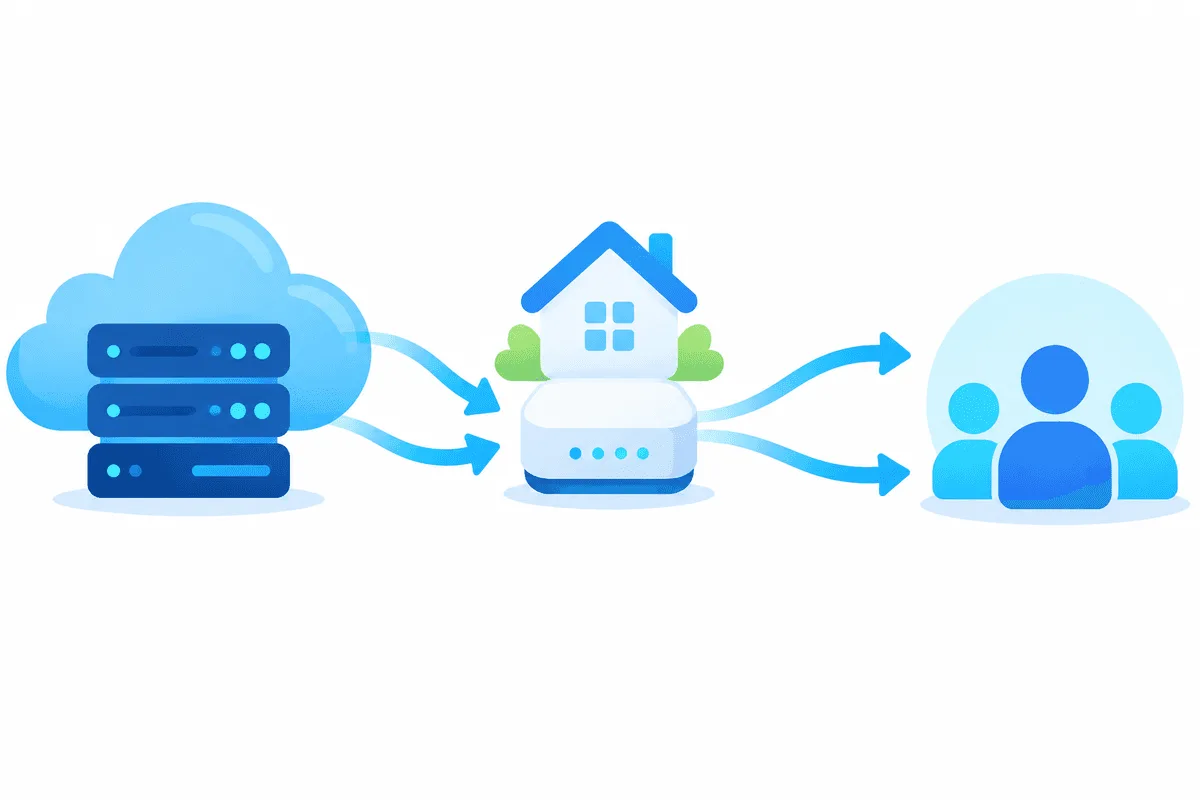
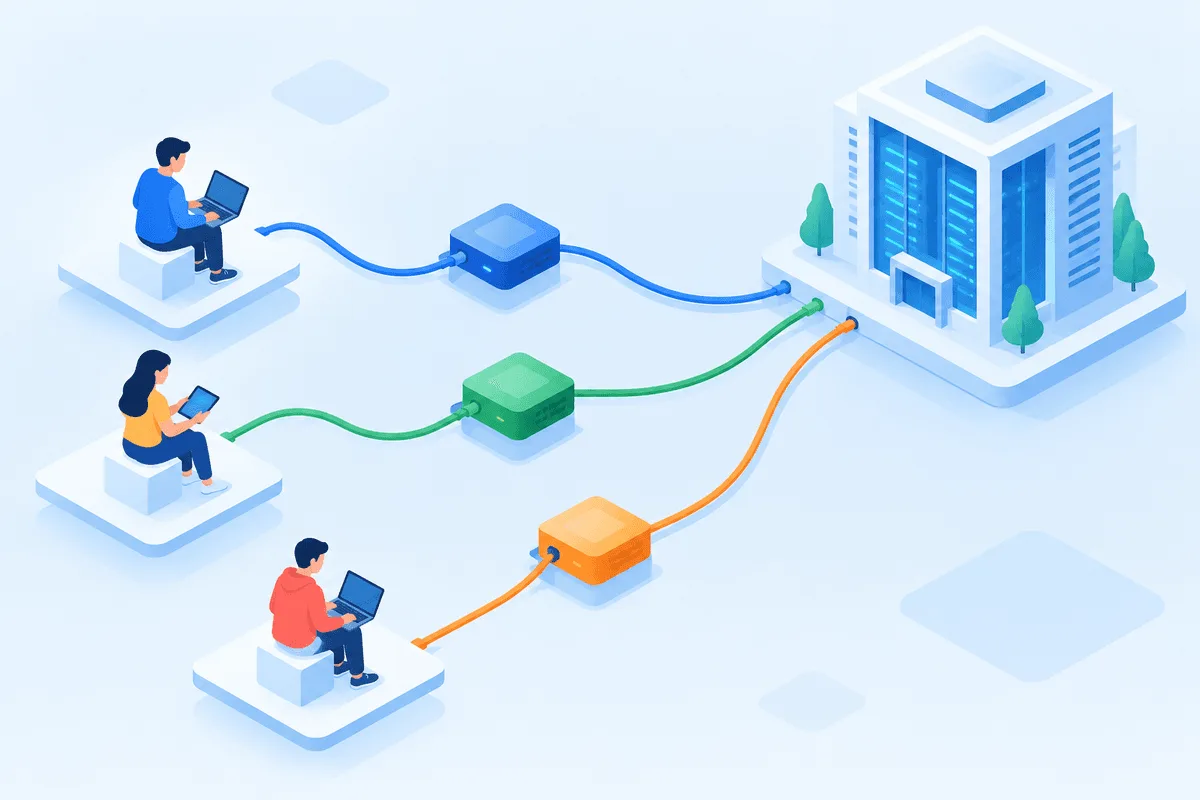
Phantoms do not run on your laptop. They execute on PhantomBuster's cloud servers, and they act on your behalf by reusing the session cookie of your account. Without a proxy, LinkedIn sees your manual activity coming from a home connection in, say, Lisbon, and then automated visits arriving from a datacenter in another country a few minutes later. That mismatch is one of the signals that make a platform ask for re-login or a security check.
A proxy closes the gap: the Phantom borrows an address that sits near your real location and stays the same from one launch to the next. It is a consistency tool, not an invisibility cloak. Proxies do not raise any platform limits, and they do not make prohibited automation acceptable.
What to Prepare
- A PhantomBuster account with at least one Phantom you plan to run.
- HTTP proxy details: host, port, username and password. Users of PhantomBuster and vendor guides consistently report HTTP support only, so a SOCKS5-only port will not connect here.
- One address per account. A dedicated static IP or a sticky residential session tied to one country or city works best. Our residential proxies let you pin the exit to the region where the account owner normally works.
Step-by-Step Setup
Step 1. Open the Proxies Section
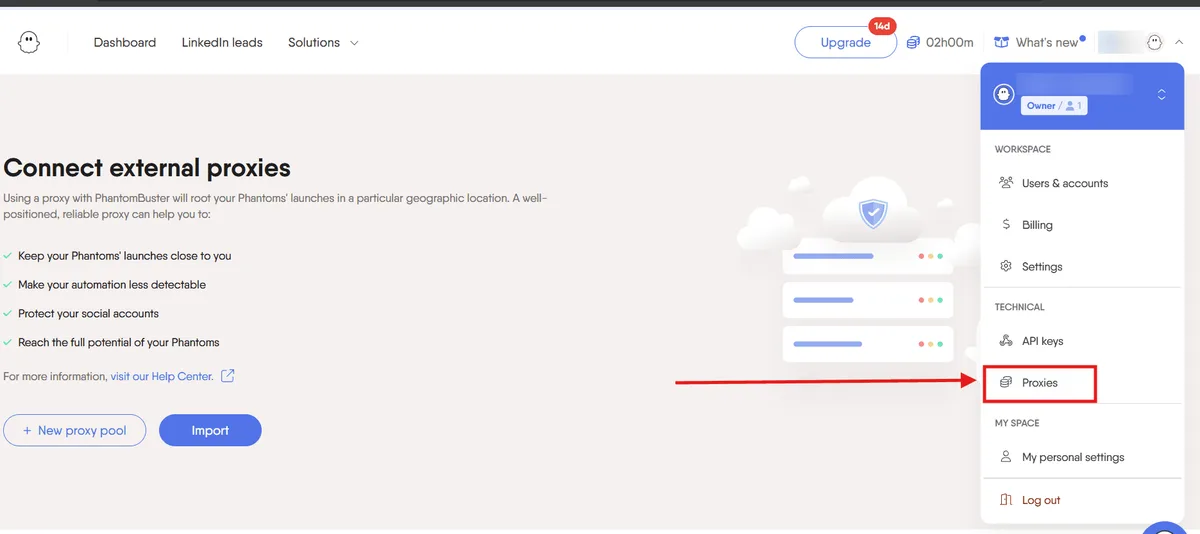
Sign in and click your profile name or the menu next to it in the upper-right corner. Choose Proxies in the drop-down list. Some guides call the same place Settings → Proxies; the section looks identical either way.
Step 2. Create a Pool
Press New proxy pool (in some interface versions simply New pool) and give it a clear name, for example li-anna-lisbon. Naming a pool after the account and city it serves saves confusion when you have several clients.
Step 3. Add the Server
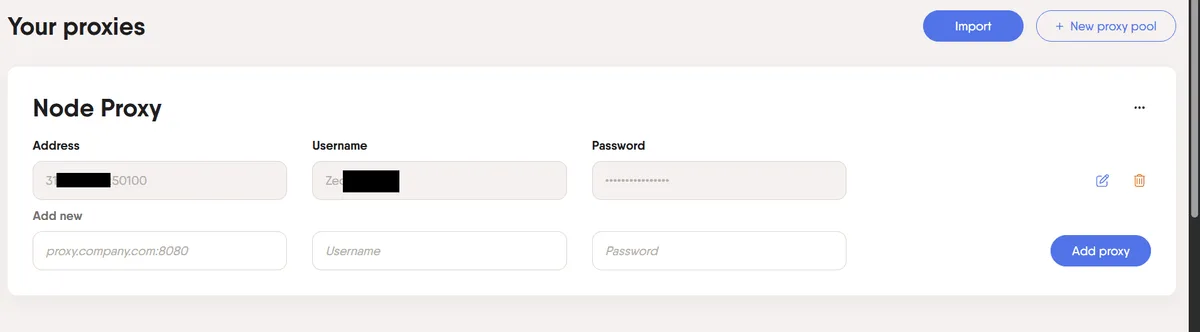
Fill in the proxy fields and click Add proxy. Depending on the layout, PhantomBuster asks either for separate fields or for one line. When it is one line, the colon-separated form is used:
gw.example-proxy.net:10500:anna-lis:Wq7pZ3The order is host, port, username, password. Paste without spaces at the start or end. Repeat for additional servers only if this pool should serve rotation, which is rarely what a logged-in account needs.
Step 4. Attach the Pool to a Phantom
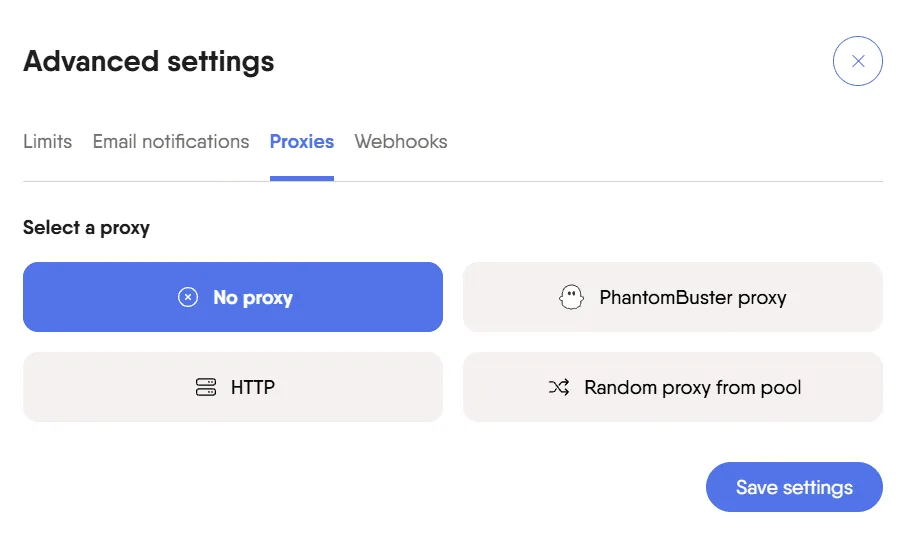
Open the Phantom, go to its setup, and expand Advanced settings (sometimes behind a Show advanced settings link or in the left-hand menu). Find the Proxies block and choose your pool. Two modes are usually offered:
- Random proxy from pool picks any address in the pool on each launch;
- a specific proxy keeps the same address every time.
For anything that logs into an account, pick the specific one. Random mode fits only scraping of public pages where no login is involved. Click Save.
Step 5. Repeat for Every Phantom That Uses the Account
Proxy settings live per Phantom, not per account. If one LinkedIn profile is used by a profile visitor, a search export and a message sender, set the same pool in all three. One Phantom left on the default cloud address undoes the consistency of the others.
Checking That the Proxy Works
- Before attaching the pool, test the server in our free proxy checker: it shows whether the host answers and which country the exit IP belongs to.
- Launch the Phantom once with a small input, for example five URLs.
- Open the run log. A clean run without
ECONNREFUSED,407or timeout lines means the pool connects. A407points to wrong credentials; timeouts usually mean a wrong port or an unsupported protocol.
One Account, One Address: Building the Map
Agencies and sales teams often run several real accounts, each belonging to a separate employee or client. Keep a simple map so nobody shares an exit IP by accident:
| Account owner | Pool name | Exit location | Phantoms using it |
|---|---|---|---|
| Sales rep, Lisbon | li-anna-lisbon | Portugal, Lisbon | Profile Scraper, Search Export |
| Client B, Berlin | li-clientb-berlin | Germany, Berlin | Profile Visitor |
| Brand page manager | ig-brand-milan | Italy, Milan | Follower Collector |
Separating accounts this way mirrors how the people would work without automation. For legitimate reasons to manage several profiles and the rules that apply, see our guide on multiple accounts for business.
Safe Automation Pace on LinkedIn
LinkedIn does not publish exact numbers, and its User Agreement restricts bots and automated access. Any automation therefore carries risk for the account owner, and the only reasonable strategy is to stay well below the level of a busy human. PhantomBuster's own blog describes its figures as cautious estimates rather than official caps; those estimates start around 10–20 invitations and 20–40 profile views per day for a new setup.
Practical rules that keep a Phantom closer to normal behaviour:
- Warm up. Run small batches for the first week and grow only if nothing unusual happens.
- Work hours only. Schedule launches during the account owner's business day in their own time zone, which also matches the proxy location.
- Fewer launches, smaller inputs. Two short runs a day look calmer than one long burst.
- Personal, relevant outreach. Low acceptance rates hurt an account faster than any IP issue. Do not send mass templated invitations or unsolicited bulk messages.
- Stop on warnings. A captcha, a forced logout or a restriction notice means pausing everything and reviewing the setup. A different proxy is not the answer to a restriction.
Similar logic applies to Instagram and other networks; our overview of proxies for SMM covers the wider picture.

Common Problems
The Phantom fails right after launch. Check that the port is an HTTP one. A port intended for SOCKS5 makes the request hang until timeout.
407 Proxy Authentication Required. The username or password in the pool is wrong or has a trailing space. Re-add the line.
LinkedIn asks for a new login after every run. The session cookie was created from one location and is now used from another. Log in manually once while connected through the same region, refresh the cookie in PhantomBuster and keep a fixed proxy.
Results stop arriving after a few days. Rotating exit addresses change too often for an account session. Switch to a sticky session or a static IP; the difference is explained in sticky vs rotating proxies.
Which Proxy Type Fits
For account-based Phantoms, a static address that stays yours for weeks fits best, and LinkedIn proxies in the account owner's country keep the location story consistent. Residential sticky sessions work as well when a static IP is not available in the right city. Rotating pools belong to Phantoms that read public pages without any login.
PhantomBuster proxy FAQ
Does PhantomBuster support SOCKS5 proxies?
Guides from PhantomBuster users and proxy vendors agree that the pools accept HTTP proxies. Use the HTTP port and credentials of your provider; a SOCKS5-only endpoint will not connect.
Do I need a proxy for every Phantom?
You need it for every Phantom that works with a logged-in account. Settings are stored per Phantom, so assign the same pool to all automations that share one account.
Will a proxy stop LinkedIn from restricting my account?
No. A proxy only keeps the connection location consistent. Restrictions come mostly from volume, low acceptance and patterns that break the platform terms, so pace and relevance matter far more.
Should I use random proxy from pool mode?
Only for public scraping without login. For accounts, choose a specific proxy so the address does not change between launches.
Can I put several accounts on one proxy?
Technically yes, but several people's accounts appearing from one address looks odd to the platform. Give each real account its own address.