How to Adapt a Website to the User’s Location: Geotargeting Guide


Geotargeting helps show the user a more relevant version of a website depending on their country, region, or city. In practice, this may mean a different currency, local delivery terms, regional promotions, separate page versions, different contact details, or special offers. To adapt a website to the user's location, detect the region by IP address or via the browser Geolocation API, show the matching content, and always let visitors change the region manually. But the very idea of location-based personalization is useful only when it is implemented without unnecessary complexity and without conflicts with SEO.
The main question is not whether a website needs geotargeting, but exactly how to implement it. To do that, it is important to understand the difference between the two main approaches: determining location by IP and via the browser’s Geolocation API. Each method has its own accuracy, its own limitations, and its own use cases.
One Project. Multiple GEOs.
Use residential and datacenter proxies to manage accounts across different locations.
Why a Website Needs Geotargeting
Content adapted to the user’s region makes the website more relevant in a specific context. It is easier for a visitor to navigate if they immediately see a familiar currency, local ordering terms, available payment methods, regional contact details, or page versions tailored specifically to their market.
This affects more than convenience alone. When a website takes the audience’s actual location into account, the number of unnecessary actions decreases, the path to the target action becomes simpler, and there are fewer reasons to abandon the site. For a business, this means clearer communication, higher engagement, and more stable conversion. For international and multi-regional projects, one more factor is added: localization of content and structure helps the site perform better in search and more accurately meet the requirements of specific countries.
At the same time, geotargeting should not be treated as a goal in itself. It is effective only when embedded in the overall localization logic: language, page structure, price formats, legal terms, user scenarios, and search intent across different regions should work in coordination.
Two Ways to Determine the User’s Location
IP-Based Geotargeting
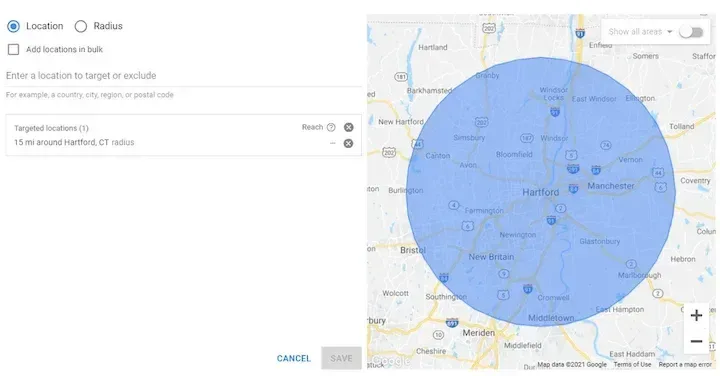
Determining location by IP is based on matching the user’s IP address with a geographic database. Such databases link IP address ranges to specific countries, regions, and, in some cases, cities. This approach has been used for a long time and remains the most common way to provide basic geo-personalization.
Its key advantage is that it works instantly without user involvement. A website can determine the presumed region even before the page fully loads and immediately show the required version of the content: currency, language, local promotions, regional contacts, or a different page.
That is why IP geotargeting is well suited to tasks where automatic adjustment is important without requiring additional steps from the visitor. It is convenient for websites for which country- or region-level detection is sufficient, as well as for projects where it is important to implement a solution quickly without complex development.
However, this method has limitations in terms of accuracy. At the country level, it usually works reliably, but at the city level, reliability depends on the database provider and the specifics of the user’s network. In addition, automatic detection does not always reflect the real user scenario: a person may be in one country but want to use another language version of the website.
Learn how IP geolocation works and what data can be used to determine a user’s location in our article IP Geolocation: How It Works, Accuracy, and Uses.
Browser Geolocation API
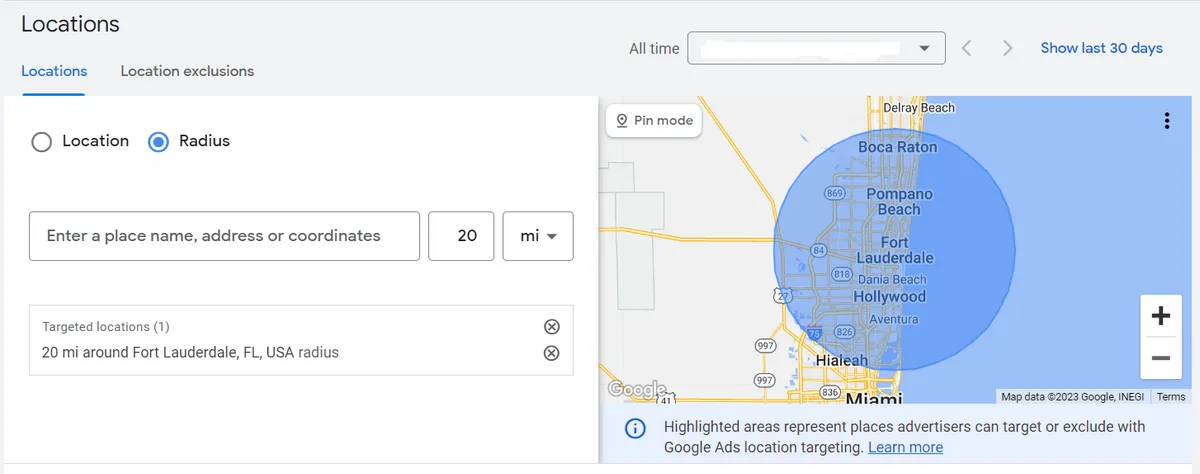
The second approach is to use the Geolocation API. In this case, the browser asks the user for permission to access their location, after which it can determine the coordinates much more accurately by taking into account GPS, Wi-Fi, cellular towers, and other device signals.
This approach is needed where the user’s precise location matters, not just the country or region. It is suitable for finding nearby locations, local services, delivery, service booking, displaying events nearby, and other scenarios where actual geography at a given moment is important.
The main limitation is that this method does not work without the user’s consent. In addition, it is not suitable for instantly replacing content before the page loads, because it is triggered only after the user enters the website and requires separate interaction. Therefore, the Geolocation API does not replace IP detection but addresses a different class of tasks.
Which Approach to Choose
If a website needs to automatically show the correct currency, a local promotion, a regional page version, or basic content for the required country, IP-based geotargeting is usually sufficient. It works immediately, does not require additional permissions, and is well suited to most marketing and content scenarios.
If, however, the business depends on the user’s precise location—for example, when selecting the nearest store, delivering by coordinates, providing a regional service within a city, or offering hyperlocal deals—IP alone is no longer enough. In such cases, the Geolocation API is required.
In practice, the best result is often achieved not by choosing one method, but by combining them. First, the website uses IP detection to show generally appropriate content without delay. Then, if the user allows access to geolocation, the interface refines the data and adjusts the experience more precisely. This scenario helps maintain a balance between speed, convenience, and accuracy.
When to Change Page Elements and When to Create Separate Versions
Not all geotargeting requires a separate website structure. If the differences between regions are minimal, it is possible to limit the implementation to replacing individual page elements. This is suitable for short blocks: a phone number, address, currency, a short text, a local banner, or a notification.
This option is easier to maintain when the number of changes is small. It makes it possible to avoid creating duplicate pages and to scale regional differences more quickly within a single template. But it also has limitations: SEO is more difficult to manage, large amounts of content are not always convenient to handle, and some CMSs make it harder to edit the required fragments.
If the differences between regions are substantial, it is better to use separate pages or full regional versions of the website. This is especially important for catalogs, storefronts, large landing pages, content with different commercial logic, local terms, or independent SEO strategies by country. In such a model, the user lands directly on the page intended for them, while search engines receive separate URLs, a clear structure, and explicit regional relevance.
For long-term growth, this option usually has the advantage. It requires more maintenance, but it provides more control over content, structure, metadata, and local promotion.
Geotargeting and Localization Are Not the Same Thing
Showing different content based on location is not enough if the website itself is not adapted to the region. Geotargeting determines who sees what. Localization determines how well the website itself matches the expectations of the audience in a particular country.
Translation is only one part of localization. Full adaptation includes tone of communication, familiar price and date formats, checkout flows, form specifics, legal texts, local images, page structure, and the keywords users actually use to search for the product in their region.
A website may be translated and still remain unconvincing to the local audience. Conversely, even if geotargeting is in place, it will not work effectively if the user lands on a page with alien wording, unsuitable UX, and an irrelevant offer. That is why geo-personalization works best when embedded in a localization strategy rather than used separately.
What Is Important to Consider During Implementation
If precise geolocation through the browser is used, the user needs to be clearly told why the website needs access to their location. Without this, the likelihood of consent decreases, and the request itself is perceived as an unnecessary obstacle.
If the user does not confirm their precise location, a fallback scenario should be in place. Usually, this is IP-based content or the ability to manually choose the required region.
Caching must also be taken into account. If a page is served from a shared cache, different users may see the same regional version regardless of their actual location. This is especially critical for WordPress and other CMSs with aggressive caching. In such cases, exceptions, dynamic loading of individual blocks, or an architecture in which geotargeting does not conflict with performance have to be thought through in advance.
Testing should not be overlooked either. Geotargeting needs to be checked on different devices, in different countries, with different browser language settings, and in scenarios where the user wants to select the region manually. To view the site from another country, use a proxy with the required GEO and confirm its location with our free proxy checker; we describe the process in the article on how to check proxy geolocation.
Why You Cannot Rely Only on Automatic Detection
Automation is convenient, but it does not always reflect the user’s actual intent. A person may be in one country while looking for information for another market. They may use an English-language interface but prefer European prices. Even correctly determined location does not guarantee that the selected version of the website will be optimal for them.
That is why good geotargeting almost always assumes user control. A country, language, or region switcher should be visible and accessible. The selected option should preferably be saved in a cookie or session so that the person does not have to repeat the same actions again.
Rigid redirects without a choice and without the option to cancel are one of the most common mistakes.
The Role of Geotargeting in SEO
If a website operates across several countries or regions, geotargeting alone does not solve search promotion tasks. For SEO, what matters more is not simply showing different content, but building a full regional structure. Checking regional search results is a separate task for which SEO proxies are used.
This means separate URLs for the required languages and markets, localized metadata, adapted texts, and pages that match search intent in a specific country. The same query may mean different things in different regions, and users may use different wording even within the same language.
If a website is limited to dynamically replacing text within a single page, search engines receive fewer signals for accurate regional ranking. Therefore, with a serious international strategy, it is better to build separate local pages or sections and use geotargeting as a supplementary tool for personalization and traffic routing.
Common Website Geotargeting Mistakes
One of the most common mistakes is replacing localization with simple translation. Formally, the text may be translated, but this does not yet mean that it takes cultural context, familiar formats, and audience expectations into account.
The second mistake is trying to serve all markets with the same website without a clear regional logic. This leads to an overloaded interface, generic wording, and weak relevance for each specific group of users.
The third problem is the absence of a clear manual region selection option. When a website imposes the automatically detected version too aggressively, it worsens UX and increases bounce rates.
Another typical mistake is underestimating the technical side: caching, hardcoded strings, poor scalability of language versions, lack of testing, and poorly designed redirect logic. Even a good geotargeting idea quickly loses value if the implementation breaks the layout, confuses the user, or interferes with indexing.
How to Approach Implementation in Practice
If the task is limited to basic personalization by country or region, it is reasonable to start with IP geotargeting. It covers most standard scenarios: local currency, regional offers, local contacts, and different versions of pages or directions within the website.
If the project needs a deeper regional strategy, it is worth thinking through the structure of localized pages, routing rules, preservation of user choice, and SEO requirements from the start. In that case, geotargeting becomes part of the overall system rather than a separate function.
If the user’s precise geography matters, IP detection is better used as the first layer, and the Geolocation API as a refining mechanism for individual scenarios. This makes it possible not to delay entry to the website while still obtaining accurate data where they are genuinely needed.
Website Geotargeting FAQ
What is website geotargeting?
Website geotargeting is showing visitors a version of the site that matches their country, region or city, for example a local currency, language, prices, contacts or a separate regional page.
What is the difference between IP geolocation and the Geolocation API?
IP geolocation estimates the location from the visitor's IP address instantly and without permission, usually accurately at the country level. The Geolocation API asks the user for permission and returns precise coordinates from GPS, Wi-Fi and cellular signals.
Is it bad for SEO to redirect users by location?
Forced redirects without a choice can hurt both users and indexing. It is better to use separate URLs for regions and languages, offer a visible region switcher and remember the user's choice.
How can I test how my website looks in another country?
Open the site through a proxy server with an IP address in the target country and check prices, language, content and redirects as a local visitor would see them.
Conclusion
Geotargeting works best not as a separate effect, but as part of a well-thought-out website localization strategy. If a fast and automatic scenario is needed without user involvement, IP-based detection usually becomes the foundation. If precise real-time geography is required, the Geolocation API is added. If the website is developing across several markets, personalization should rely not only on location, but also on the local content structure and SEO.
A successful strategy begins with a simple question: what exactly should change depending on the region, and how deeply. For some projects, it is enough to replace the price, contact details, and banner. Others require separate pages, regional store versions, and an independent search strategy. The more precisely this logic is defined at the start, the easier it is to implement geotargeting without unnecessary complexity and without losing the quality of the user experience.
To check how users from other countries and regions see your website, you can use a proxy server with the required geolocation. Node Proxy offers residential proxies in dozens of countries; see the full list of proxy locations.