Multiple Shopify Stores: Rules, Organizations and Where Proxies Fit

Yes, Shopify lets one person or company own several stores. Every new store is opened from the same Shopify account, gets its own plan and its own bill, and you hop between them with the store switcher in the admin. Nothing about that requires hiding one store from another: running several shops openly is a normal, supported way to work.
The questions that actually cause trouble sit around the edges. When is a second store better than one store with several markets? How should an agency keep twenty client stores apart? Which payment settings belong to which business? And what role, if any, do proxies play? Below we go through Shopify's own model of accounts, stores and organizations, a setup routine for a second shop, the narrow cases where a proxy is genuinely useful, and the line you should not cross after a suspension.
Proxies for storefront checks
Residential IPs by country to see your Shopify storefront as local shoppers do
What Shopify Allows
Shopify's help center describes a simple hierarchy. Creating a store creates a Shopify account, and that single account ties together every store and organization you own or have user access to. You do not need a new email address or a fresh identity for each shop.
A few practical consequences follow from this:
- Each store is billed on its own. Plans, apps and transaction fees are managed per store in Settings > Plan and Settings > Billing.
- Switching is built in. The store switcher in the admin top bar lists every shop your account can open.
- Ownership is explicit. Settings > General shows the store owner and lets you transfer ownership or group the store into an organization.
- Organizations exist for groups of stores. On Shopify Plus, or once you create an organization, Settings > Organization shows the stores it contains and lets you manage users across them.
Shopify Plus merchants have historically been able to add extra stores for new regions or brands under their contract. The number of such stores and their pricing change from time to time, so confirm the current terms with Shopify before planning around them.
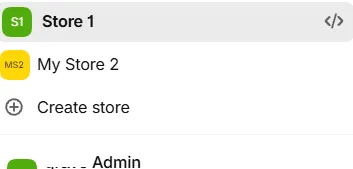
Account, Store and Organization at a Glance
| Level | What it is | What you manage there |
|---|---|---|
| Shopify account | Your personal sign-in identity | Security, connected stores, two-step verification |
| Store | One storefront with its own catalogue and checkout | Products, orders, payments, plan, staff |
| Organization | A container for several stores of one business | Users and permissions across stores, store list |
| Collaborator access | A partner or agency working inside a client store | Only the sections the store owner approves |
Collaborator access deserves a special mention. Agencies and freelancers who build stores for clients usually join through the Shopify Partner program and request access to each client's store, so the client remains the owner, sees who works inside the admin and can withdraw access at any moment. That is far cleaner than sharing a staff login.
Good Reasons to Run Several Stores
Separate stores make sense when the businesses behind them really are separate or need different checkout rules:
- Different brands. A cosmetics label and a pet-food label rarely share an audience, a theme or a returns policy.
- Different legal entities. A company in Germany and a sister company in the United States may need distinct invoices, taxes and payouts.
- Wholesale versus retail. Some merchants keep a trade-only shop with its own price lists and approval flow.
- Client work. An agency manages dozens of stores, each owned by a different client.
- Development and testing. Partners can create development stores for themes and apps without a paid plan.
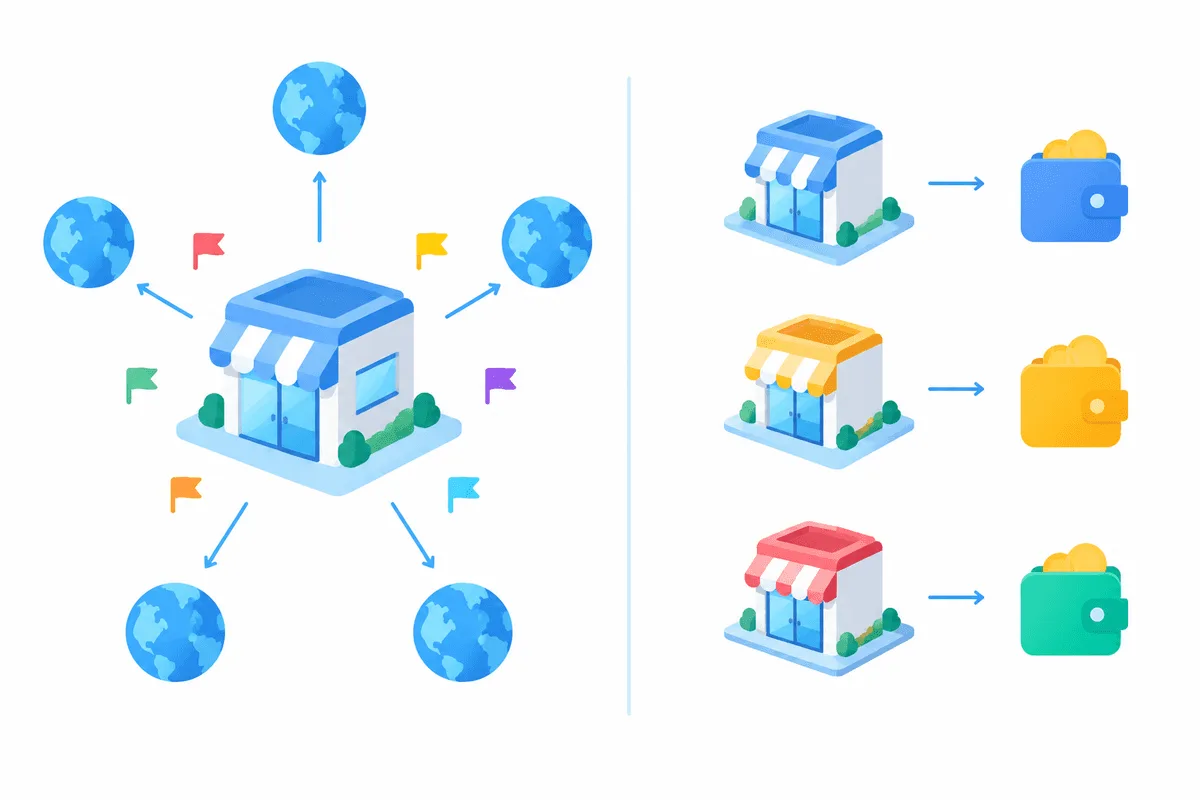
If the only difference is language, currency or country, a second store is often extra work for no gain. Shopify Markets lets a single store sell to several countries with localised prices, domains and languages.
One Store With Markets or Several Stores?
| Criterion | One store with Markets | Several stores |
|---|---|---|
| Catalogue | Shared, with per-market availability | Fully independent |
| Admin effort | One set of apps and settings | Each store configured separately |
| Prices and currency | Per market inside one store | Any structure you like |
| Legal entity and payouts | One business behind the store | Can differ store by store |
| Analytics | One report with market filters | Separate reports, combined manually |
| Best fit | One brand selling abroad | Distinct brands, entities or clients |
The rule of thumb: start with Markets, and split into separate stores when the brand, the company or the checkout logic genuinely diverges.
Opening a Second Store Step by Step
Step 1. Create the store from your account
Open the store switcher and choose the option to create a new store, or start from the Shopify sign-up page while signed in. The new shop appears next to your existing one.
Step 2. Enter the real business details
Fill in the legal name, address and tax data of the business that will actually run this store. If it is the same company, use the same details; if it is a different entity, use that entity's data. Accurate information is part of Shopify's terms and is checked during payment setup.
Step 3. Set up payments for this store
Shopify Payments is configured per store, together with identity and bank details for payouts. Requirements differ by country, so read the current help article for your region before reusing a bank account across stores.
Step 4. Invite people with the right access
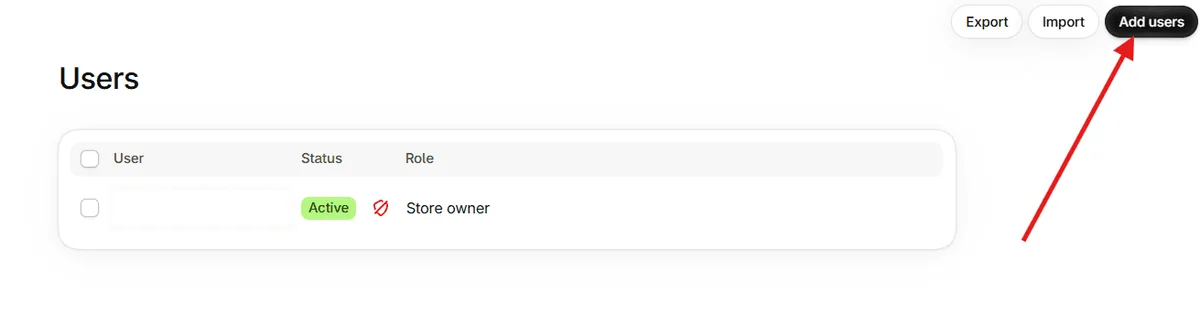
Add staff with only the permissions they need, and let agencies join as collaborators. Avoid shared logins: every person should sign in with their own Shopify account and two-step verification.
Step 5. Group stores into an organization
When you have several stores of one business, put them into an organization so that users and permissions are handled in one place.
Where Proxies Help and Where They Do Not
Shopify does not ask you to use a proxy, and connecting to two of your own stores from the same office is perfectly normal. Proxies come into the picture for tasks around the stores rather than for the stores themselves.
Checking the storefront from abroad. Markets show different prices, currencies and shipping options depending on the visitor's country. To see what a shopper in Poland or Japan sees, open the storefront through an address in that country with a matching language and time zone. Residential proxies with country targeting are handy here because many sites treat datacenter visitors differently.
Researching competitors. Public product pages, prices and promotions of other brands are often collected for analysis. Our overview of proxies in market analytics covers request pacing and data quality for that kind of work.
Agency workspaces. When one team handles many clients, each client is usually given its own browser profile so that cookies, open sessions and extensions do not mix. Some agencies also pin each profile to a fixed exit address, which keeps sign-in history consistent and makes security alerts easier to interpret. How profiles and addresses pair up is explained in our piece on multi-accounting with browser profiles, and the setup guides for specific tools are collected in the antidetect browser hub.
What a proxy will not do. It does not separate businesses in the eyes of Shopify or a payment provider. Risk teams look at identity documents, bank accounts, tax numbers, product types and order patterns, not just at an IP address. Using addresses to make one person look like several unrelated merchants contradicts the requirement to give accurate information.
If a Store Is Suspended
A suspension or a frozen payout is stressful, but the way forward is the same in nearly every case: read the notice carefully, fix the cause, and talk to Shopify Support or the payments team through the admin. Typical causes include restricted products, unclear refund policies, mismatched business details and chargeback spikes.
Opening a fresh store under another name to carry on the same business while a review is pending is a different matter. It breaches the terms you accepted, and because identity and bank data are shared, it is usually linked back quickly, which tends to make the original case worse. Proxies do not change that outcome, and we do not recommend them for it.
Common Mistakes With Several Stores
- Sharing one staff login across people. It hides who did what and weakens security; use individual accounts.
- Copying payment settings between unrelated entities. Each business should be paid out to its own account under its own details.
- Duplicating a store instead of using Markets. Two copies of one catalogue double the work of every price change.
- Logging into client stores from free public proxies. Such addresses are often abused, can trigger verification, and expose sessions; read why free proxies are risky.
- Jumping between countries in one session. A sudden switch of location in an admin session can look like account takeover and prompt extra checks.
Multiple Shopify Stores FAQ
Can I have multiple Shopify stores on one account?
Yes. A single Shopify account can own or access several stores, and you switch between them with the store switcher in the admin. Each store keeps its own plan, settings and orders.
Do I pay separately for each Shopify store?
In general, yes: plans and billing are managed per store. Shopify Plus contracts have included additional stores, so check current terms if you are on that plan.
Do I need a proxy to run several Shopify stores?
No. Shopify supports several stores from one account and one location. Proxies are useful only for side tasks such as checking storefronts in other countries or keeping agency client profiles separated.
Is it better to use Shopify Markets or separate stores?
Use Markets when one brand sells to several countries. Choose separate stores when brands, legal entities, payouts or checkout rules really differ.
Can I open a new store if my Shopify store was suspended?
Opening another store to continue the same business during or after a suspension breaks Shopify's terms. Resolve the notice with Shopify Support instead and fix the issue that caused it.