How to Log In to Telegram Without Your Phone Number: Recovery Options and Cloud Number Solutions


Telegram uses a mobile phone number to identify accounts, which can become inconvenient when you lose access to your SIM card, travel abroad, or manage multiple accounts. However, a lost or unreachable number does not automatically lock you out of Telegram.
Often a device that is still signed in, or a passkey you set up earlier, is enough to get back in. And if a second account needs its own number, cloud number services are one option.
This guide explains the available options and how to manage Telegram accounts more reliably.
1. Is a Phone Number Required for Telegram?
Every new Telegram account has to be registered with a phone number, and the app relies on it as an important part of its login and account recovery process.
However, you do not necessarily need to have your SIM card in your hand every time you use Telegram. Once logged in, you can access the same account from multiple devices, and Telegram may deliver a login code to an existing active session instead of sending an SMS.
There are several situations to distinguish:
- You are already logged in: You may continue using Telegram on that device without receiving another SMS code.
- You have an active session on another device: You may receive a login code through Telegram on that device.
- You have lost access to your number: A passkey or an existing session may help, if configured beforehand.
- You want to create another account: You will need another supported mobile number.
Logging in while your SIM card is somewhere else is not the same as registering with no number at all.
2. Ways to Access Telegram When You Cannot Receive SMS
Before looking for a new number, check whether you can recover access through an existing login method.
Method 1: Use an Existing Telegram Session
If Telegram is still logged in on your computer, tablet, or another phone, open that device first.
When you try to log in on a new device, Telegram may send the verification code to its verified service chat on an existing session rather than by SMS.
What to do:
- Open Telegram on a device where your account is still active.
- Start the login process on the new device.
- Check the verified Telegram service chat for the login code.
- Enter the code on the new device.
Keep at least one trusted session active when possible. Avoid logging out of your only working device before confirming that you can access your account through another method.
Method 2: Use a Passkey
Telegram supports passkeys, which allow users to log in using a device PIN, fingerprint, or facial recognition instead of an SMS code.
A passkey must be created in advance from an account that is already accessible. It is therefore useful for preventing future login problems, but it cannot help if you never set one up and have already lost access to every active session.
You can manage passkeys in Telegram's Settings → Privacy and Security → Passkeys section.
Method 3: Recover Access to Your Original Number
If neither an active session nor a passkey is available, recovering your original phone number may be the most reliable route.
Contact your mobile carrier to ask whether it can:
- Replace a lost or damaged SIM card.
- Restore a deactivated number, if still available.
- Transfer your number to a replacement SIM or supported eSIM.
Once you regain access, use the number to log in and review your active sessions and security settings.
According to Telegram's own FAQ, recovery depends on either the number or a device that is still signed in. See the Telegram FAQ for its current guidance.
3. Getting Another Number for Telegram
When the old number is gone for good, or a second account is planned, a different mobile number is the way forward.
A suitable number should be:
- Capable of getting the codes Telegram sends.
- Yours to keep, so you can sign in and restore access later.
- Reliable enough for long-term account use.
- Allowed for the country you register from.
Not every online number works with Telegram. Some temporary or shared numbers may have already been used, may be blocked, or may stop receiving messages after a short period.
For accounts that matter, avoid relying on disposable numbers. Losing access to the number later can make account recovery difficult.
4. What Are Cloud Numbers?
With a cloud number, you read texts and manage the line in a web dashboard instead of keeping a SIM card in the phone you carry.
Providers usually split their catalogue into two kinds:
- Non-VoIP numbers: Numbers associated with mobile or physical SIM infrastructure.
- VoIP numbers: Numbers that operate through internet-based voice services.
Whether a given app accepts such a line differs from case to case. A seller may promise that a number works for SMS codes, and Telegram may still reject it.
Before paying, find out three things: will the codes actually arrive, how long the number stays yours, and can you come back to it when Telegram asks for a code months later.
5. Managing Cloud Numbers and Multiple Telegram Accounts
For users who operate separate personal, business, or regional accounts, keeping numbers and login environments organized is important.
DuoPlus Cloud Numbers offers both SIM-based (Non-VoIP) and internet-based (VoIP) numbers. Its platform also provides a centralized interface for managing numbers and viewing received SMS messages.
That saves you from swapping SIM cards every time a code is due. Still, which numbers are in stock and which ones Telegram takes is decided case by case.
A cloud number and a cloud phone are easy to mix up, so here is the split:
| Tool | Main function |
|---|---|
| Cloud Number | Gives you a number that can get texts, within the limits of its type |
| Cloud Phone | Runs a remote Android device where mobile apps live |
A cloud phone has no SIM of its own and cannot take texts by itself. When Telegram asks for a code, pair it with a number service that works.
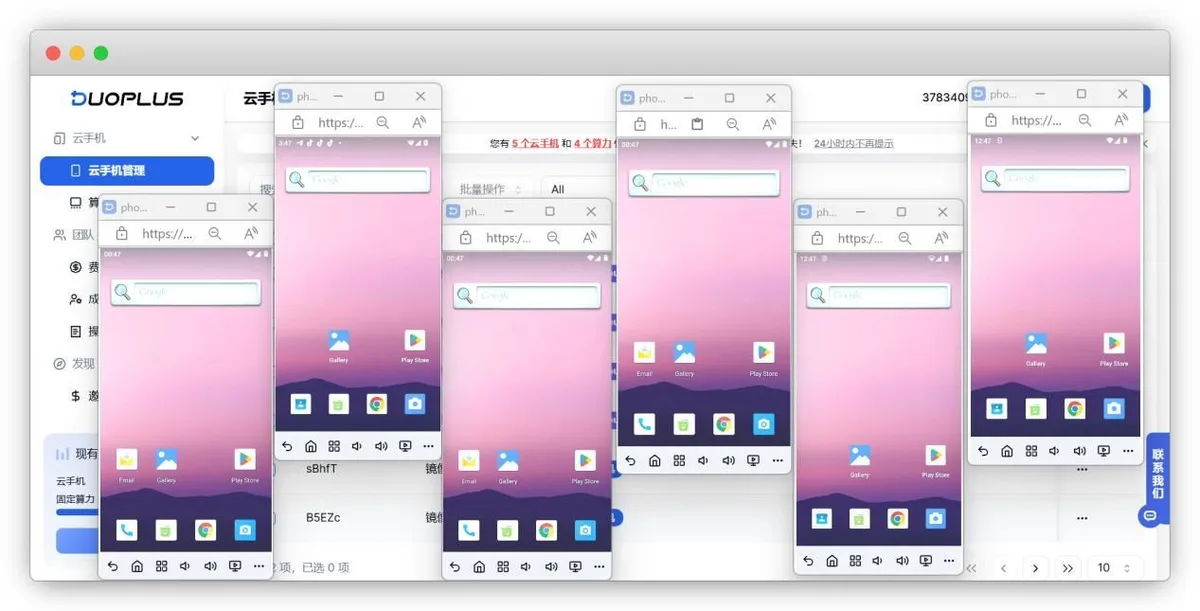
One way to combine them: the code lands on a cloud number, while Telegram runs inside a DuoPlus Cloud Phone as its own Android environment. This setup can help keep different account activities organized without maintaining multiple physical phones.
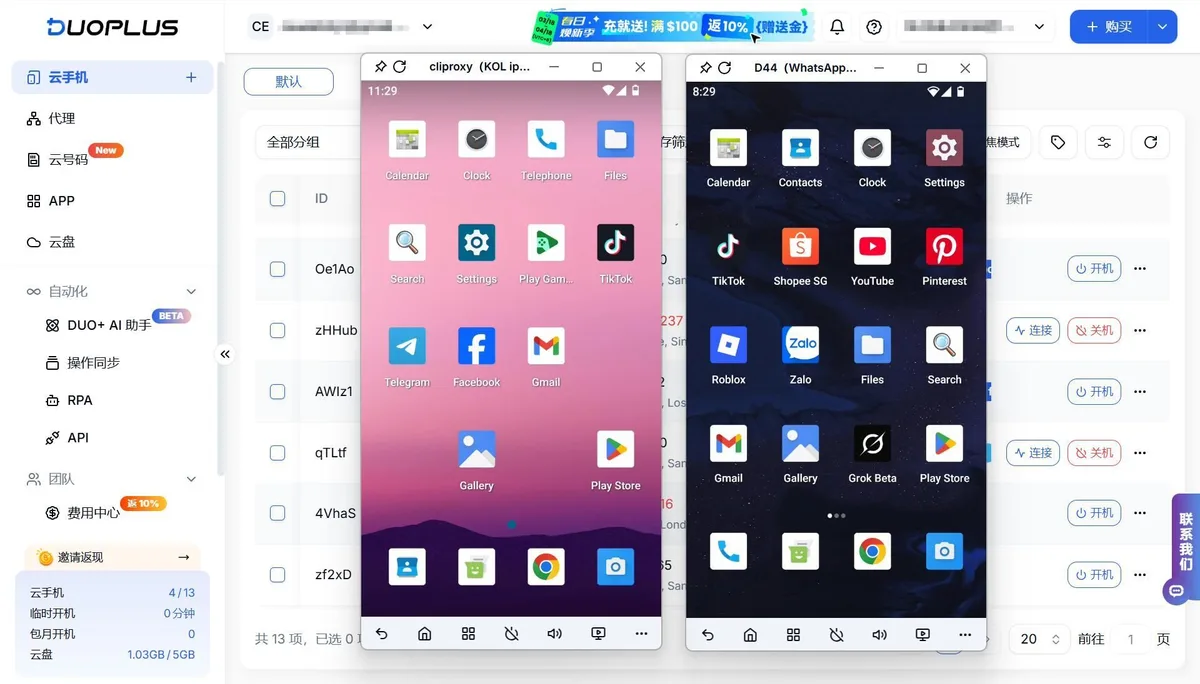
When managing accounts across different regions, network configuration also matters. Some users combine cloud phone environments with proxy services such as Node Proxy to access region-specific network resources.
Node Proxy allows you to select GEO proxies. The proxy location should be consistent with the account's normal usage where possible; changing locations frequently may trigger additional security checks.
6. Protecting Your Telegram Account
Convenient login methods are useful, but account security should remain a priority.
Consider these practices:
- Enable Two-Step Verification. Add an additional password so that an SMS or Telegram login code alone is not sufficient.
- Set a recovery email. This can help you recover your Two-Step Verification password if you forget it.
- Create a passkey. It provides another way to log in without relying on an SMS code.
- Keep the linked number alive. Top it up and make sure texts still reach it.
- Check the list of sessions. End any session on a device you do not own or have stopped using.
- Never share login codes. Telegram login codes should not be shared with anyone, including people claiming to provide technical support.
You can also adjust who is allowed to see your phone number under Settings → Privacy and Security → Phone Number. Remember that people who already have your number saved in their contacts may still know it.
7. Common Login Problems
If you cannot receive a Telegram verification code, check the following:
| Problem | What to check |
|---|---|
| No SMS received | Confirm the number format and check whether your carrier can receive the message |
| Code sent to Telegram | Check the verified Telegram service chat on an existing session |
| Number not accepted | Confirm that it is a supported mobile number and not blocked or previously restricted |
| Passkey unavailable | Check whether you created one before losing access |
| Two-Step Verification password forgotten | Use the recovery email configured for the account, if available |
If these steps do not work, consult Telegram's official support and FAQ rather than repeatedly requesting codes or relying on unverified recovery services.
Conclusion
You do not always need immediate access to your SIM card to log in to Telegram. An existing session or a previously configured passkey may provide an alternative, while recovering your original number remains important for long-term account security.
For users managing multiple accounts, cloud numbers can simplify SMS access, while cloud phones provide separate environments for running mobile apps. Knowing which tool does what, and picking numbers you will still control later, keeps several Telegram accounts manageable.
Telegram Login FAQ
Can I log in to Telegram without receiving an SMS?
Yes, if Telegram is still open on another device: the login code is often sent to the service chat there. A passkey created in advance also lets you sign in without SMS.
Can I create a Telegram account without a phone number?
No. Registration needs a mobile number that can receive the verification message, and that number stays important for later recovery.
What should I do if I lost my SIM card?
Ask your carrier to replace the SIM or move the number to an eSIM, then log in and review active sessions and security settings.
Do cloud numbers work with Telegram?
Some do and some do not. Acceptance depends on the number type and Telegram checks, so choose a number you can keep and access again later.
How do I keep my Telegram account safe?
Turn on Two-Step Verification, add a recovery email, create a passkey, review active sessions and never share login codes with anyone.