Shadowsocks: How It Works, How to Set It Up and Which Client to Pick

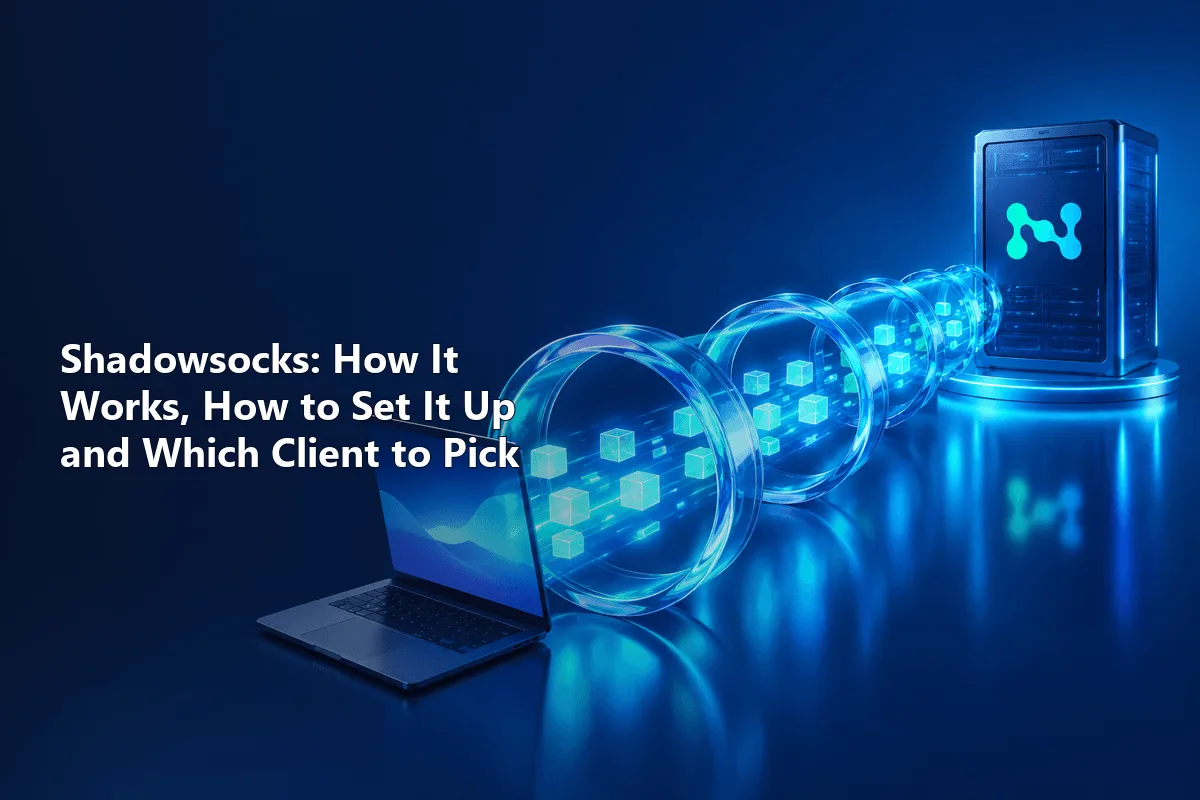
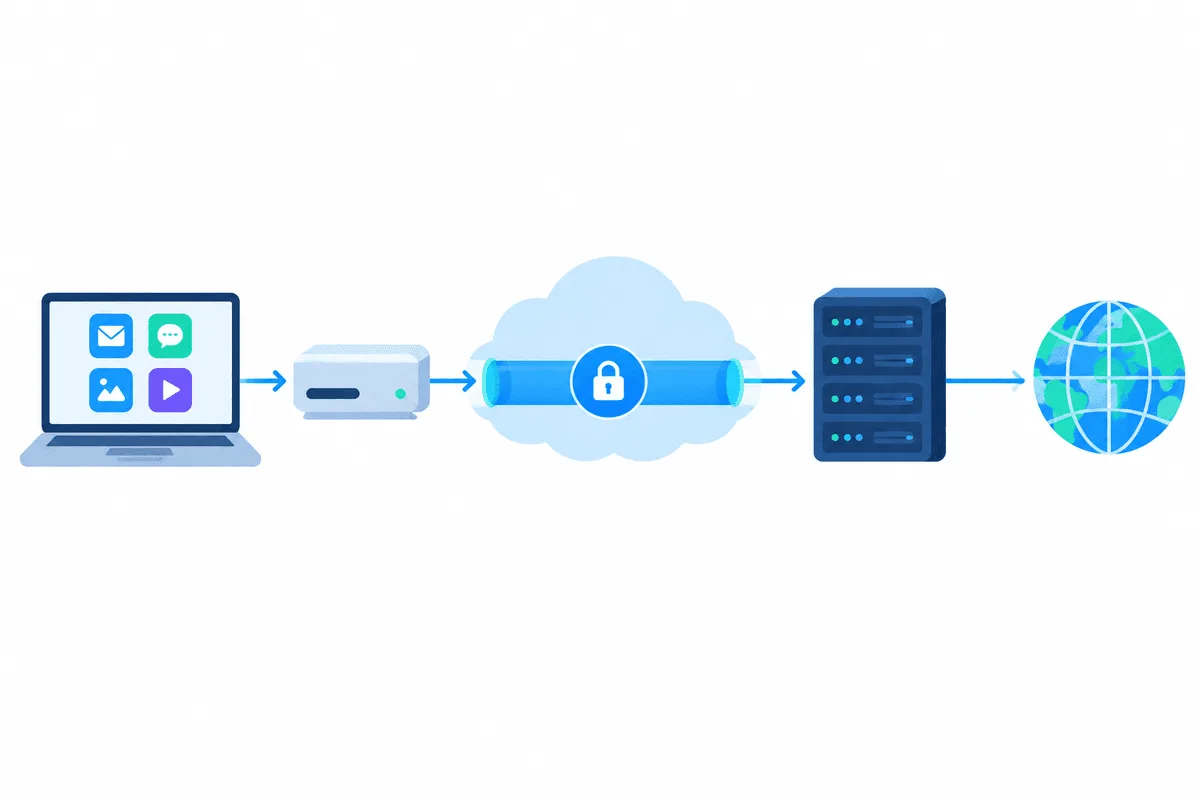
Shadowsocks is an encrypted proxy protocol built around SOCKS5: a local client accepts connections from your apps, wraps them with a shared password and an AEAD cipher, and hands them to a remote Shadowsocks server, which opens the real connection to the website. To start, you need four values from a server (address, port, password, encryption method) or one ss:// link, a client for your OS, and a minute to point your apps or system at that client.
Most guides stop at a list of apps. Below you will also find what actually separates Shadowsocks from an ordinary SOCKS5 proxy, which clients are still alive in 2026 and which have stalled, how to configure Windows, Android and Linux step by step, and how to fix the silent failures that a mismatched cipher causes.
A note before you begin: in some countries, tools that can bypass network filtering are restricted or regulated. Check the rules that apply where you live and on the network you use (employer, school, provider). This article explains the technology and is not legal advice.
SOCKS5 proxies
SOCKS5 proxies with a login and password for any client and country
Shadowsocks vs a Regular SOCKS5 Proxy
A SOCKS5 proxy simply relays TCP (and sometimes UDP) traffic; the handshake and the login are visible to anyone watching the line between you and the server. Shadowsocks keeps the convenient SOCKS5 interface on your machine but encrypts everything that leaves it.
| Shadowsocks | Plain SOCKS5 proxy | |
|---|---|---|
| Traffic between you and the server | Encrypted with AEAD (AES-GCM or ChaCha20-Poly1305) | Not encrypted by the protocol itself |
| Authentication | One shared key per server or user | Username and password, or IP whitelist |
| What you run locally | A client that exposes a local SOCKS5 or HTTP port | Nothing; apps connect straight to the server |
| App support | Only through a Shadowsocks-capable client | Built into browsers, Telegram, scrapers, antidetect tools |
| Typical use | Private tunnel to your own or a trusted server | Changing the exit IP and location for apps and scripts |
| Exit address | The IP of the Shadowsocks server, usually a VPS | Whatever the provider offers: datacenter, residential, ISP |
In practice the two solve different problems. Shadowsocks protects the leg from your device to the server; a commercial SOCKS5 proxy gives you a choice of exit IPs and countries. Modern clients can combine them, which we cover further down.
What You Need From the Server
Whoever runs the server (you, your company or a provider) gives you:
- Server: IP address or hostname.
- Port: any TCP port the server listens on, often a high number.
- Password: a shared secret. For AEAD-2022 ciphers it must be a Base64 key of an exact length, generated with a tool such as
ssservice genkey. - Method (cipher): must match the server exactly.
Often everything comes as one SIP002 link of the form ss:// followed by the Base64-encoded method and password, then @host:port and an optional #name. Most clients import such a link from the clipboard or a QR code.
Which Cipher to Choose
| Family | Method names | Status |
|---|---|---|
| AEAD | aes-256-gcm, aes-128-gcm, chacha20-ietf-poly1305 | Widely supported, safe default |
| AEAD-2022 (SIP022) | 2022-blake3-aes-128-gcm, 2022-blake3-aes-256-gcm, 2022-blake3-chacha20-poly1305 | Newer, resists replay; needs a recent client and synced clocks |
| Stream (legacy) | aes-256-cfb, rc4-md5 and similar | Outdated and weak; avoid |
On phones and older CPUs without AES acceleration, chacha20-ietf-poly1305 is usually faster; on modern desktops AES-GCM is fine.
Shadowsocks Clients by Platform
| Platform | Client | Notes |
|---|---|---|
| Windows | v2rayN | Actively developed, also handles VLESS, Trojan, SOCKS5 |
| Windows, macOS, Linux | Clash Verge Rev (Mihomo core) | Rule-based routing, subscriptions |
| Windows | shadowsocks-windows | Last release 4.4.1.0 in February 2022; no AEAD-2022, fine only for basic AEAD servers |
| macOS | ShadowsocksX-NG | Lightweight menu bar app; last release 1.10.3 in October 2024 |
| Linux, any OS from terminal | shadowsocks-rust (sslocal) | Reference implementation, release 1.25.0 in August 2026 |
| Android | shadowsocks-android, v2rayNG | The first is the official app; the second supports many protocols |
| iPhone, iPad | Shadowrocket, Outline | Shadowrocket is paid; Outline imports ss:// access keys |
For the multi-protocol clients we have dedicated walkthroughs: v2rayN on Windows, Clash and Shadowrocket on iPhone.
Setup on Windows With v2rayN
Step 1. Install and Launch
Download the current v2rayN build from its GitHub releases page (the package with the bundled core is the simplest choice) and unpack it to a folder of your own. Start v2rayN.exe.
Step 2. Add the Server
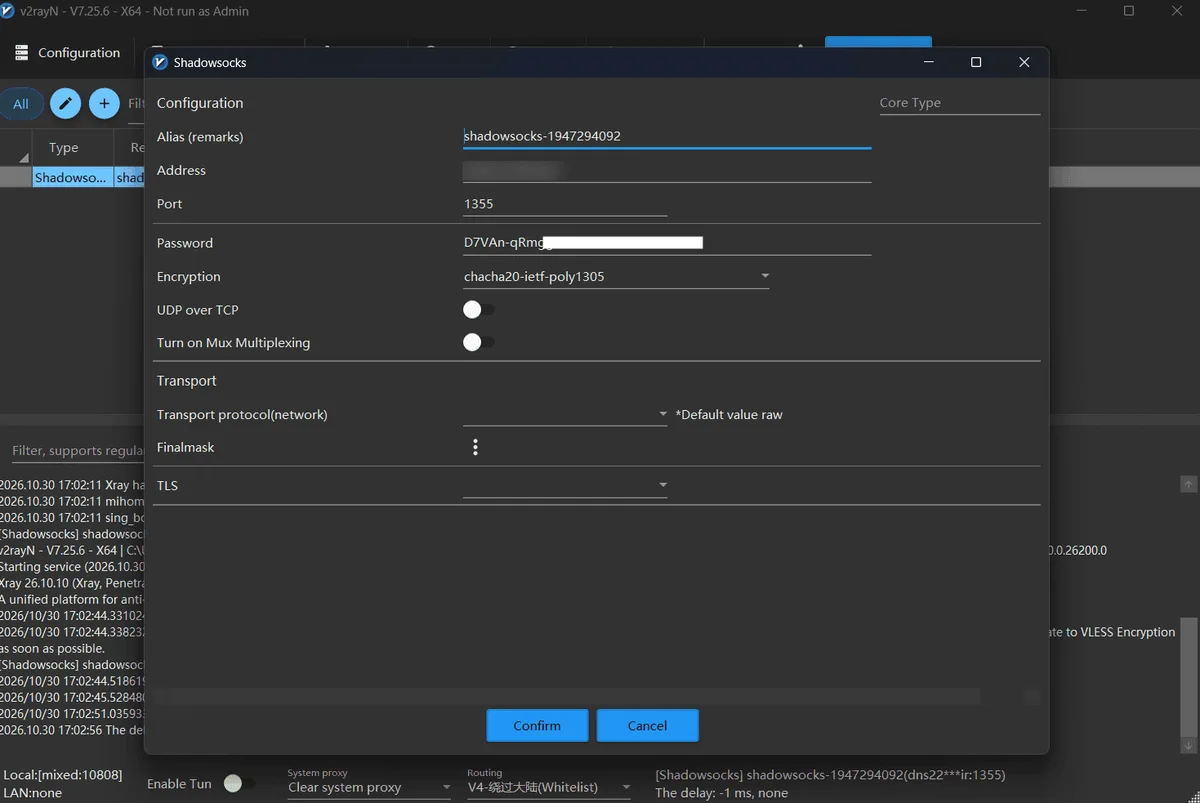
If you have an ss:// link, copy it and use the import-from-clipboard command in the Servers menu (or press Ctrl+V in the server list). Otherwise pick the option to add a Shadowsocks server and fill in address, port, password and encryption method by hand.
Step 3. Activate and Route Traffic
Select the server and set it as active. At the bottom of the window, switch the system proxy mode so that Windows sends browser traffic to v2rayN's local port. Apps that ignore the system proxy can be pointed at the same local SOCKS5 port manually.
Setup on Android With shadowsocks-android
- Install Shadowsocks from Google Play or the project's GitHub releases.
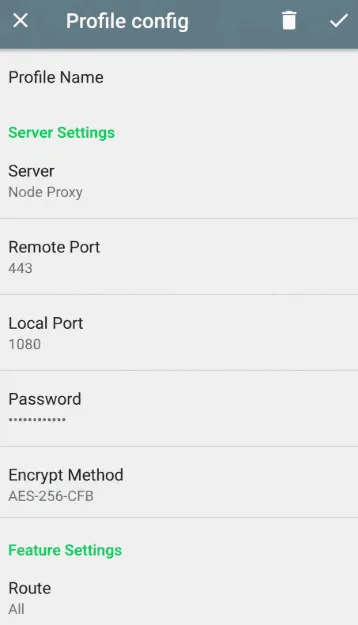
- Tap the plus icon and choose scanning a QR code, importing from the clipboard or manual settings.
- For manual entry fill in Server, Remote Port, Password and Encrypt Method. Under Route you can exclude local or regional addresses.
- Go back and tap the round connect button, then allow the VPN request. A key icon in the status bar means the tunnel is up.
Setup on Linux or From the Command Line
The shadowsocks-rust package ships sslocal. Save a config such as ~/ss-home.json:
{
  "server": "198.51.100.40",
  "server_port": 24871,
  "method": "chacha20-ietf-poly1305",
  "password": "replace-with-your-shared-secret",
  "local_address": "127.0.0.1",
  "local_port": 1086
}
Start it and test through the local port:
sslocal -c ~/ss-home.json
curl --socks5-hostname 127.0.0.1:1086 https://ifconfig.me
The --socks5-hostname flag makes curl resolve names on the far side, so DNS lookups do not leak to your local resolver. If an app speaks only HTTP proxies, run a second local listener with --protocol http.
Running Your Own Server in Brief
On a VPS, install shadowsocks-rust, generate a key with ssservice genkey -m "2022-blake3-aes-256-gcm", put the same method and key in a server config and start ssserver. Open the chosen port in the firewall for TCP (and UDP if clients need UDP relay), and keep the system clock synced with NTP, since AEAD-2022 rejects packets with a large time skew. Remember that the exit IP will be the VPS's datacenter address.
Combining Shadowsocks With a Proxy Exit
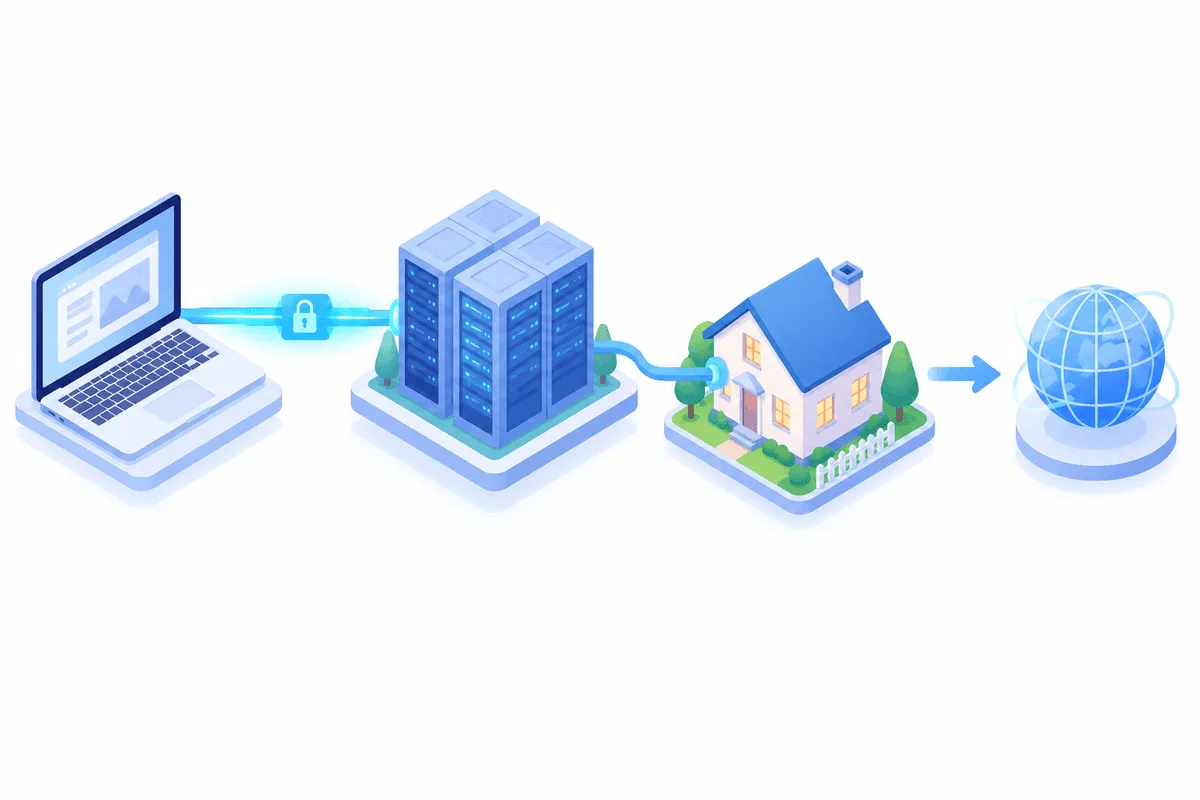
Rule-based clients (Clash, sing-box, v2rayN with routing rules) can chain outbounds: traffic first travels through your encrypted Shadowsocks tunnel, then leaves via another proxy. People use this when the server's datacenter IP is the wrong fit for a task, for example regional price checks that need a home-broadband address. In that case the second hop is an ordinary SOCKS5 proxy with a username and password, and the final IP the site sees is that proxy's address.
If you do not need the encrypted first leg at all, skip Shadowsocks and point the app at the SOCKS5 server directly; our comparison of SOCKS5 and HTTP helps pick the protocol.
Checking That It Works
- Open an IP lookup page in the browser that uses the client: it should show the server's address and country.
- Run a DNS leak test; if it shows your home provider's resolvers, enable remote DNS or the client's DNS settings.
- In the client log, look for a successful handshake when you open a page.
Common Problems
Connects, but no pages load. The classic cause is a cipher or password mismatch: Shadowsocks servers drop wrong traffic silently instead of returning an error. Compare the method name character by character.
AEAD-2022 server rejects everything. Check that the key is valid Base64 of the right length and that your device clock is accurate.
Works in the browser, not in apps. System proxy mode covers browsers only. Use the client's TUN or VPN mode, or set the local SOCKS5 port in the app.
Voice calls or games fail. UDP relay must be enabled both on the server and in the client.
Slow on a phone. Switch to chacha20-ietf-poly1305 if the server allows it.
Shadowsocks FAQ
Is Shadowsocks a VPN?
Not exactly. It is an encrypted proxy that works per connection, while a VPN usually tunnels the whole network interface. Many mobile clients, however, use the system VPN slot to capture all traffic, so in practice they feel similar.
Is Shadowsocks legal?
The protocol itself is open-source software, but some countries restrict tools that can bypass network filtering. Check the regulations where you are and the policies of your network; this is not legal advice.
Which encryption method should I use?
Pick 2022-blake3-aes-256-gcm when both client and server support AEAD-2022, otherwise aes-256-gcm or chacha20-ietf-poly1305. Avoid legacy stream ciphers such as rc4-md5.
Can I add an ordinary SOCKS5 proxy to a Shadowsocks client?
The original Shadowsocks apps only speak their own protocol. Multi-protocol clients such as v2rayN, Clash or Shadowrocket accept SOCKS5 servers too and can even chain them behind a Shadowsocks tunnel.
What is the difference between Shadowsocks and V2Ray?
Shadowsocks is a single lightweight protocol. V2Ray and Xray are platforms that support several protocols, Shadowsocks among them, plus transports and routing rules.