Multiple Google and Gmail Accounts: Creating, Switching and Avoiding Verification Loops

Owning more than one Google identity is perfectly legitimate: plenty of people keep a private Gmail, a job mailbox, one for a side project and a few tied to client work. The line Google draws is around scale and intent. Bulk sign-ups, scripted registration and fresh logins made to slip past a quota or a ban are what get removed. Stay on the right side of that line and three practical questions remain: set each identity up so it can be recovered, hop between them without cookies bleeding across, and sign in in a way that does not make Google demand proof every other day.
Below you will find what the rules actually say, which kinds of Google identities exist, how to move between them on a laptop and a phone, how to wall off work from private life, and what sits behind the annoying cycle of repeated security prompts.
Static proxies for client profiles
One fixed IP per browser profile for agencies managing client Google accounts
What Google Allows
- Several identities per person are expected. Google's help center documents being logged in to more than one at once and flipping between them.
- Recovery data is not optional in practice. A working phone and a backup address are the keys you will need if access is ever blocked.
- A phone number covers only so many sign-ups. Google caps how often one number can confirm new registrations. Past that cap the form rejects it as overused, and the suggested remedy is simply a different number of your own.
- Scripts and mass registration are off the table. Google's terms ban automated access and abuse, and identities built for spam, fake reviews or getting around a suspension are deleted.
When a team needs a stack of mailboxes, Google Workspace is the designed answer: an admin issues addresses on the company domain and governs them from one console.
Kinds of Google Identities
| Kind | Address | Good fit for |
|---|---|---|
| Consumer account with Gmail | name@gmail.com | Private life, a solo freelancer |
| Google account on a non-Gmail address | A mailbox you already have elsewhere | YouTube, Drive or Ads without another inbox |
| Workspace seat | name@yourcompany.com | Staff of a company that wants central control |
| Supervised child profile via Family Link | Gmail overseen by a parent | Children below the local age of digital consent |
Setting Up an Extra Identity
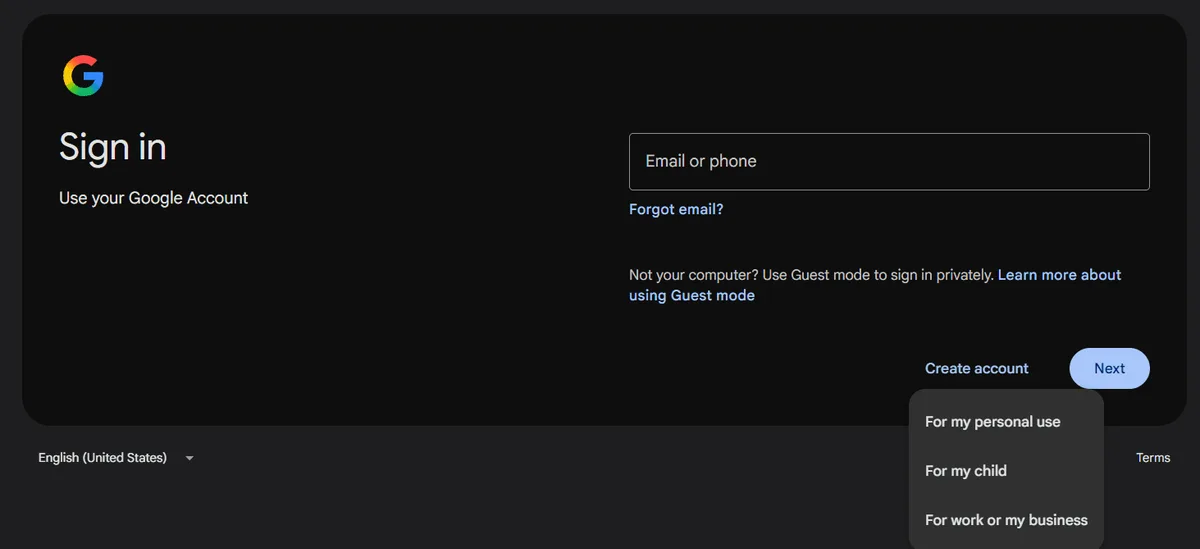
Step 1. Begin at the Google Sign-In Screen
On the sign-in screen look for Create account; Google then asks what the profile is for, offering private use, a child or a business. Choosing the business path smooths later steps such as opening a Business Profile.
Step 2. Decide on a Gmail Address or an Existing One
A new Gmail address is the default suggestion, yet a link lets you register with a mailbox you already own instead. That route fits nicely when a customer hands you an address on their domain and all you need is entry to Google's tools.
Step 3. Fill In Recovery Options
Give a phone you actually carry and a backup mailbox, preferably another of your own. Disposable numbers are a trap: when Google later wants confirmation and the number is dead, the identity may be gone for good.
Step 4. Switch On 2-Step Verification Right Away
Register a passkey or an authenticator app on day one. Strong sign-in factors give Google more certainty that the owner is at the keyboard, and such profiles get challenged noticeably less.
Moving Between Identities
Inside a Single Browser Window
Your profile picture sits in the upper right of Gmail and of every other Google service. Open it, pick Add another account and sign in; from then on that little menu doubles as a switcher. Keep in mind which login came first in the session, because Google treats it as the primary one, and any product lacking multi-login support will quietly load that primary identity.
Through Separate Chrome Profiles
For a hard split, give each role its own Chrome profile: private, employer, one per customer. Cookies, bookmarks, add-ons and history stay sealed inside each, so a customer's ad campaign never shares a window with your weekend playlists.
On Android and iPhone
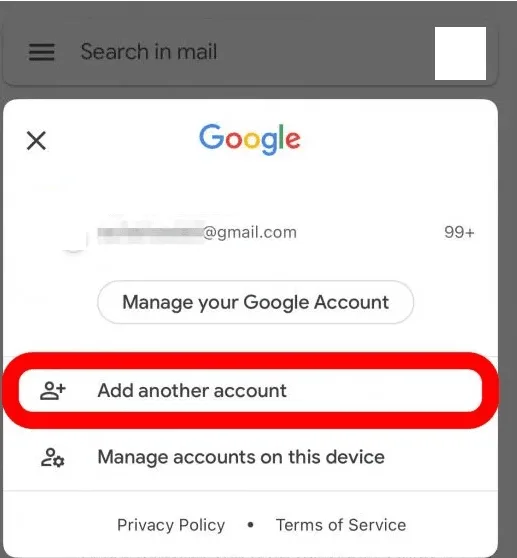
Inside the Gmail mobile app, the round profile picture opens a sheet where new logins are added with Add another account. Flicking across that picture jumps to the next mailbox, and the All inboxes folder merges messages from every connected address into a single feed. Android phones also keep a system-level list of signed-in Google identities in the accounts section of Settings, whose exact name varies by manufacturer.
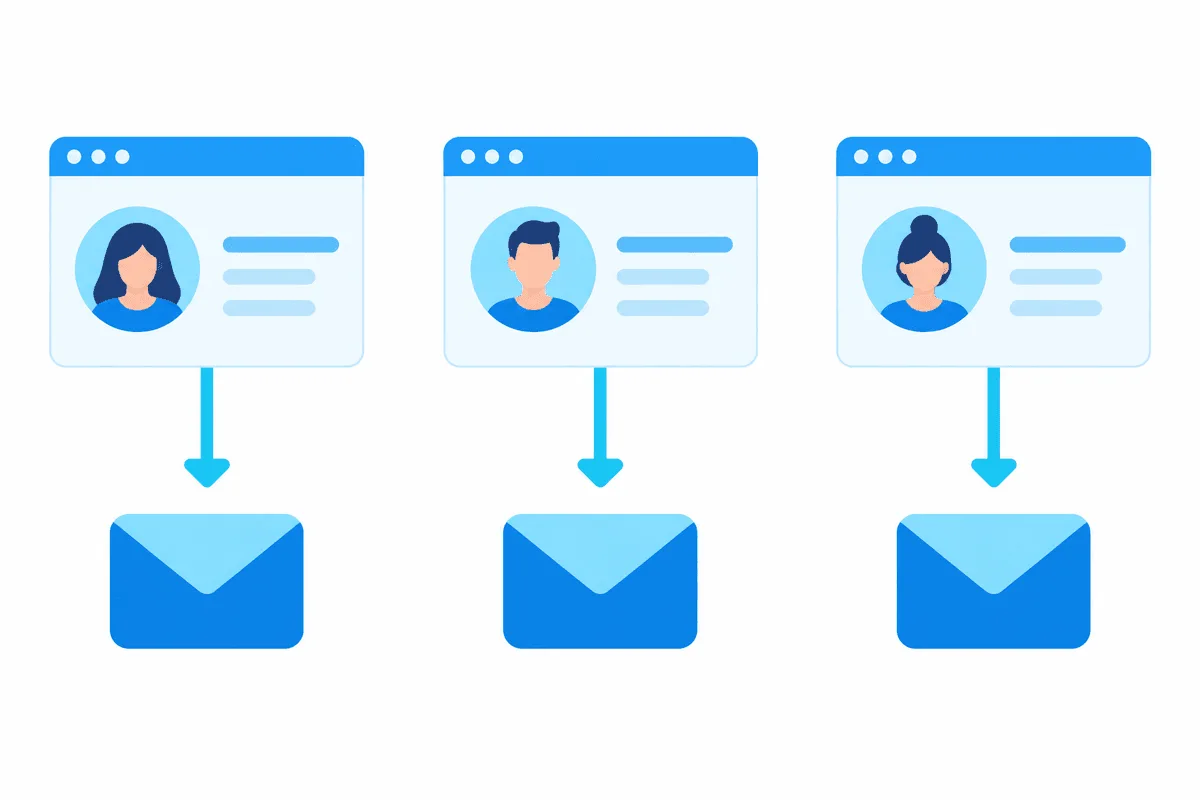
Keeping Several Mailboxes Under Control
- Prefer forwarding to fetching. During 2026 Google is retiring POP collection and Gmailify in web Gmail and points users to automatic forwarding from the other mailbox.
- Reply under a second address. The Accounts and Import tab in Gmail settings lets you register another address you own and pick it from the sender drop-down.
- Hand over access, not the password. That same tab has Grant access to your account, which allows an assistant to handle your mail while your credentials stay private.
- Label by origin. A rule that tags every message forwarded from a particular address keeps a merged inbox easy to scan.
- Make identities look different. A distinct avatar or theme colour per profile is the cheapest insurance against answering a client from your private address.
Why Google Keeps Demanding Proof
Repeated challenges mean Google's risk engine is short of evidence that you are you. Common triggers:
- Unknown hardware in an unknown place. A borrowed laptop on airport Wi-Fi resembles a hijack attempt.
- Teleporting sessions. Morning activity in Berlin followed by a login from Singapore an hour later stands out. VPNs and proxies that hop between exit countries produce exactly that pattern.
- Crowded or tainted addresses. Café hotspots and free proxies serve huge numbers of people, a few of them abusive.
- Wiped cookies. Each time the browser forgets the session, the device looks brand new again.
- No recovery data. Without a phone or backup address Google has fewer ways to settle its doubts.
What breaks the cycle: return to hardware and a network you have used before, leave that profile's cookies alone, register a passkey plus recovery options, and after a failed attempt let a day pass rather than hammering the form. Google's recovery questionnaire also tends to succeed more often when filled in from a familiar machine and place.

Where Proxies Fit and Where They Do Not
Someone juggling a private and a job mailbox has no use for a proxy. The legitimate niche is narrower:
- Agencies running Google logins for customers may want every customer profile to originate in that customer's region, so ad previews, local search and the Business Profile show the right market. Our SEO proxies page describes that workflow.
- Remote teams that reach a company tool and should appear from the same steady office address they would use on site.
- Regional QA of the Google sign-in flow inside your own product.
The principle: one fixed IP per browser profile, reused daily, located where the identity lives. Rotating addresses do the reverse and set off the prompts described above. Static proxies hold a single address for the whole rental term. Gmail-specific configuration is covered in our Gmail proxy guide, and for many customer profiles inside a dedicated browser see the antidetect browser proxy setup hub.
Off limits: mass registration, bringing back profiles that Google has already shut down, or disguising a cluster of related logins as strangers so they can dodge quotas. Each of these violates Google's policies, and the usual outcome is that the whole connected group gets disabled at once. For the wider business picture, see our piece on multi-accounting with browser profiles.
Separation Methods Side by Side
| Approach | How isolated | Setup effort | Suits |
|---|---|---|---|
| Several logins in one browser | Weak, cookies are shared | Zero | One private plus one job mailbox |
| A Chrome profile per role | Solid | Small | Freelancers wearing several hats |
| Different browsers | Solid | Small | Two or three identities |
| Antidetect profiles with static proxies | Strong | Moderate | Agencies with many customer logins |
| Google Workspace | Admin-managed | Moderate | Companies and teams |

Multiple Google Accounts FAQ
Is it allowed to have multiple Google accounts?
Yes, Google expects people to hold more than one and builds switching into its products. What it forbids is mass sign-ups, scripted registration and new logins made to sidestep a ban.
How many Gmail accounts can one phone number verify?
Google keeps that figure private. Once a number has hit its quota, the registration form refuses it with an overuse warning, and the only clean fix is a different number registered to you.
How do I switch between Google accounts quickly?
Open the avatar menu at the upper right and choose the mailbox you need; any login not yet listed can be added there too. When roles must never mix, a dedicated Chrome profile per identity is the cleaner route.
Why does Google keep asking me to verify my account?
Most often the cause is unfamiliar hardware, a location that keeps changing or an IP shared by many strangers. Use a known device and network, keep cookies, and register a passkey plus recovery options.
Do I need a proxy for several Gmail accounts?
A private plus a job mailbox work fine without one. Agencies handling customer logins tied to foreign markets benefit from a fixed address for each browser profile, whereas constantly changing IPs only multiply the security prompts.
Can I read all my Gmail accounts in one inbox?
On a phone, the All inboxes folder in the Gmail app gathers mail from every connected login. In a desktop browser, have the other mailboxes forward to your main one, as Google is phasing out POP collection on the web.