Proxies for Twitch: How to Choose One and Set It Up

A proxy for Twitch is useful when you watch from a network that will not load the site, when you travel, when a chat bot or moderation tool needs a fixed outbound IP, or when a marketer wants to see the platform as viewers in another country do. For streaming itself a proxy usually hurts more than it helps, and it is no way to inflate viewers, followers or chat activity: Twitch treats that as fraud and bans for it.
Below you will find where Twitch does not work, how a proxy affects latency and buffering, which proxy type fits viewing, bots and research, and how to set it up in a browser and on a phone.
Proxies for Twitch
Static and residential IPs for stable viewing, chat bots and regional research
What a Proxy Can and Cannot Do on Twitch
Reasonable tasks:
- Watching from a network that breaks the site, for example a hotel or campus Wi-Fi that throttles video CDNs, where you are allowed to use Twitch but the route is poor.
- Travel: keeping the same sign-in location for your account while on the road, which reduces email verification prompts.
- Chat bots and moderation tools running on a server that must leave the network from one address.
- Market and ad research: checking which categories, streams and ads appear for viewers in a particular country.
- Testing your own channel or extension from different regions before a launch.
Things a proxy should not be used for: view bots, follow bots, chat spam, extra accounts to get around a channel or platform ban, and buying subscriptions at another country's local price. Twitch's Community Guidelines prohibit artificial engagement and ban evasion, and the company has taken viewbot sellers to court.
Where Twitch Is Not Available
- China. Twitch has been blocked there since 2018.
- South Korea. Twitch shut down its service in the country in February 2024, citing network costs.
- Restricted networks. Schools, offices and some public Wi-Fi block streaming sites by policy. If the block is an employer or school rule, follow it rather than routing around it.
Country rules also change, so if Twitch suddenly stops loading, check the news before you blame your setup.
How a Proxy Affects Latency and Buffering
Every extra hop adds distance. On Twitch this shows up as a bigger delay between the streamer and you, slower start of playback and, with a weak proxy, quality dropping to 480p or lower.
Three rules keep it under control:
- Pick a proxy close to you or close to the region you actually need. Twitch serves video from servers near the viewer's IP, so a proxy on another continent pulls video from that continent's servers.
- Check bandwidth, not only ping. A typical 1080p stream runs at up to about 6 Mbit/s, which is roughly 2.5 to 3 GB per hour. A crowded shared proxy cannot sustain that.
- Avoid rotating IPs. A changing address resets the session in the middle of a broadcast and can log you out.
Traffic volume also matters for cost: if your plan is billed per gigabyte, an evening of Source quality adds up quickly, so lower the quality for monitoring tasks.
Streaming to Twitch Through a Proxy
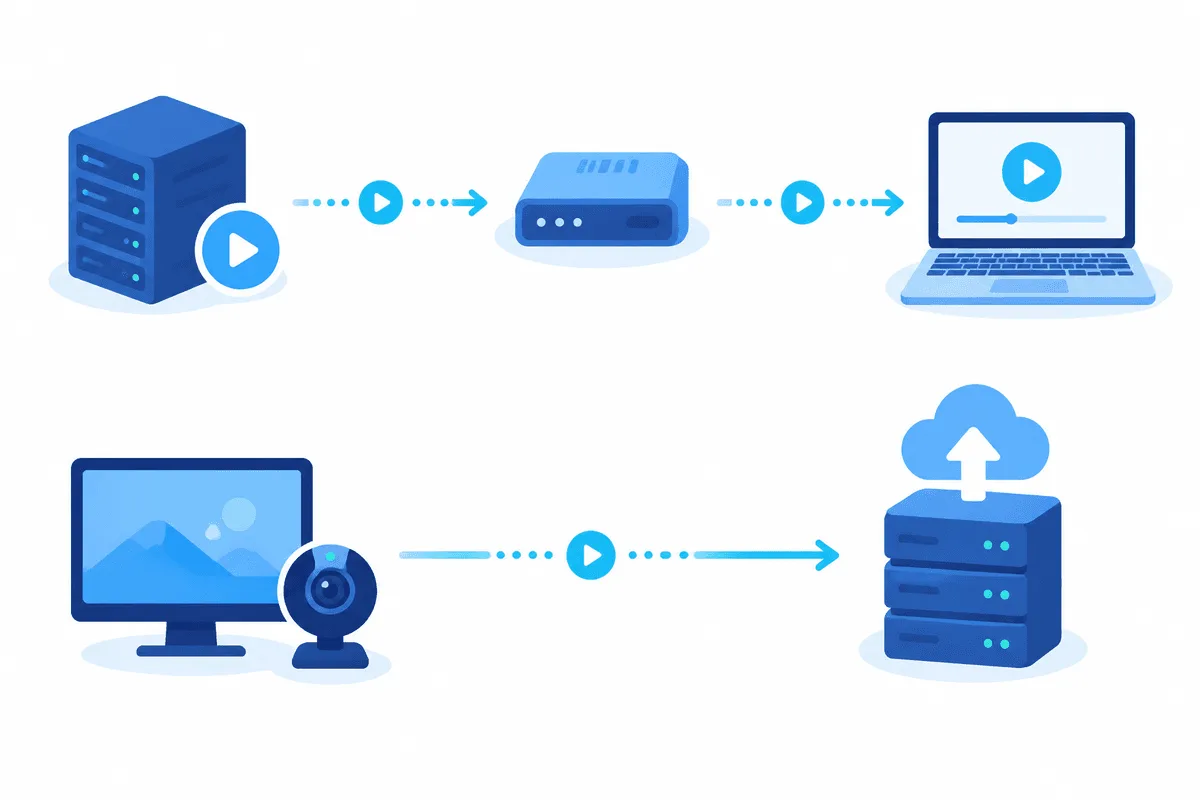
For broadcasters a proxy is rarely worth it. OBS Studio and most encoders have no field for a proxy in their streaming output, and Twitch's ingest servers are already placed so that the encoder picks a nearby one automatically. Routing a live upload through an extra server adds latency and raises the chance of dropped frames.
If your connection to the ingest server is unstable, fix the route first: use a wired connection, test a different ingest, lower the bitrate and talk to your ISP. Network questions in gaming more broadly, including whether IPv6 changes anything, are covered in our article on IPv4 and IPv6 in gaming.
Choosing a Proxy Type for Twitch
| Task | Proxy type | Why |
|---|---|---|
| Watching while travelling or on a poor network | Static ISP or datacenter near you | Stable IP, low latency, enough bandwidth |
| Chat bot or moderation tool on a server | Static datacenter with SOCKS5 or HTTP | Fixed address for logs and allowlists |
| Regional research of categories and ads | Residential with country selection | Looks like a real viewer from that market |
| Testing your channel from several regions | Residential, sticky session per region | Same IP for the whole test |
For research in the US, our overview of American proxies explains how U.S. addresses work and what they suit, and residential proxies cover most other countries. Ready configurations for the platform are collected on our Twitch proxies page.
Skip free proxies: they are shared by hundreds of users, cannot hold a video stream and often appear on Twitch's lists of suspicious addresses, which brings CAPTCHAs and extra sign-in checks.
Setting Up a Proxy for Twitch in a Browser
Step 1. Prepare a Separate Profile
Create a new browser profile for Twitch. Cookies and the sign-in session stay inside it, and the proxy will not affect your other tabs.
Step 2. Add the Proxy
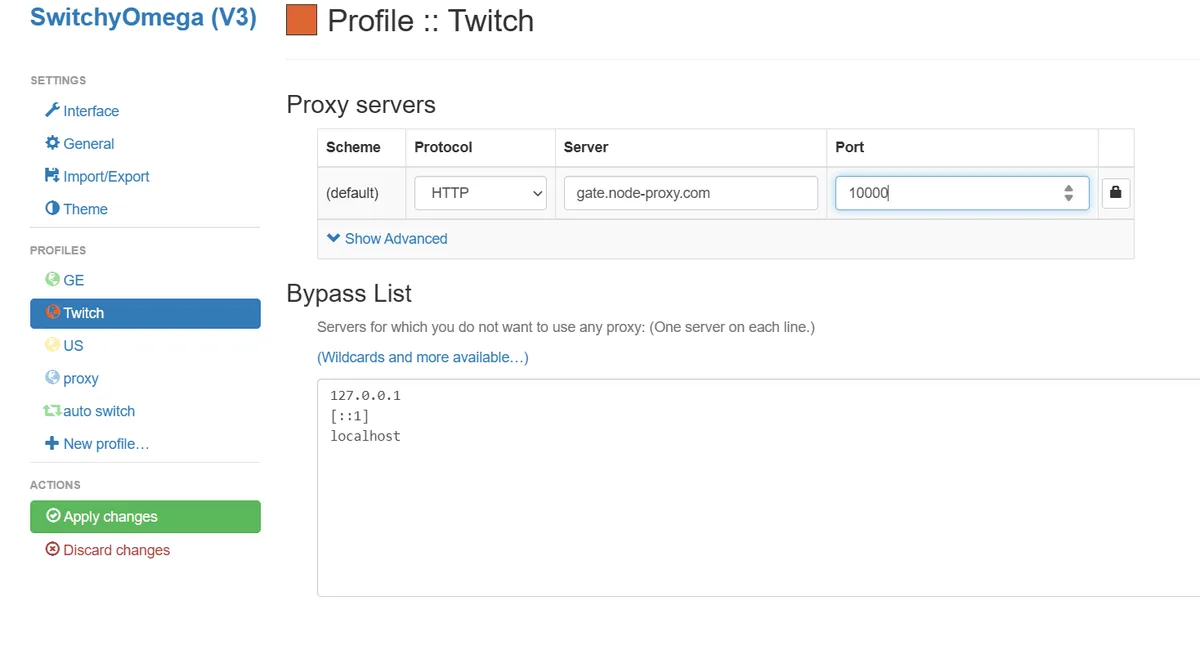
Install a proxy extension, create a profile with the protocol, host, port, login and password from your provider and enable it for that browser profile. A system-wide proxy also works but sends all your traffic through the server.
Step 3. Check the IP Before Opening Twitch
Load an IP lookup page and confirm the address and country. Make sure WebRTC does not reveal your real IP. Our guide on checking proxy geolocation shows why location databases sometimes disagree.
Step 4. Open Twitch and Test Playback
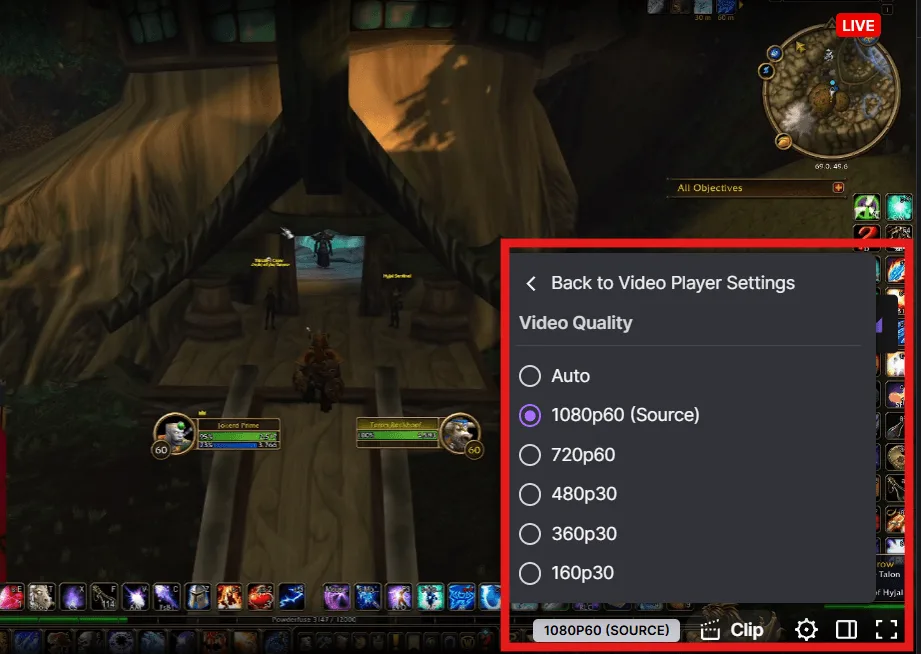
Sign in, start a stream and open the quality menu. If Source or 1080p plays without buffering for a few minutes, the proxy has enough bandwidth.
Setting Up a Proxy on a Phone or Console
On iPhone open Settings → Wi-Fi, tap the network, choose Configure Proxy → Manual and enter the server, port and credentials. On Android the same option sits in the advanced settings of the Wi-Fi network, but it supports only HTTP proxies without a password on most phones, so a proxy app is often the easier choice. The Twitch app then uses the proxy while you stay on that Wi-Fi.
For consoles there is no proxy field inside the Twitch app itself; the system network settings of PlayStation accept an HTTP proxy for the whole console, which we describe in the PS4 and PS5 proxy guide.
Common Problems
Endless buffering or quality stuck at 360p. The proxy is too far away or overloaded. Switch to a closer static server.
Network error during playback. Users often report this with VPNs, proxies and ad blockers at the same time. Disable extensions that modify Twitch pages and test again.
Twitch keeps sending sign-in codes by email. The location changed. Use the same IP every time for this account.
Chat connects but video does not. The proxy blocks or throttles video CDN traffic. Ask the provider whether streaming traffic is allowed on your plan.
Streams look the same in every country. Your account language and saved settings influence recommendations. Test regional views in a fresh profile without signing in.
Twitch Proxy FAQ
Is it allowed to watch Twitch through a proxy?
Twitch does not forbid proxies as such, but its rules ban fake engagement and ban evasion. Watching your own account from a hotel network or while travelling is a normal use; inflating viewers is not.
Can a proxy make Twitch less laggy?
Only when your own route to Twitch is bad and the proxy sits close to you on a better network. In most cases a proxy adds delay, so use it when there is a clear network reason.
Should I stream to Twitch through a proxy?
Generally no. Encoders like OBS have no proxy setting for output, and an extra hop increases latency and dropped frames. Fix the connection to the ingest server instead.
Which proxy is best for Twitch?
For viewing and bots, a static ISP or datacenter proxy near you. For regional research, residential proxies with country selection and a sticky session.
How much traffic does Twitch use through a proxy?
A 1080p stream at around 6 Mbit/s uses about 2.5 to 3 GB per hour. Lower the quality when you only need to monitor a stream.