Proxies for WhatsApp: How to Choose One and Set It Up

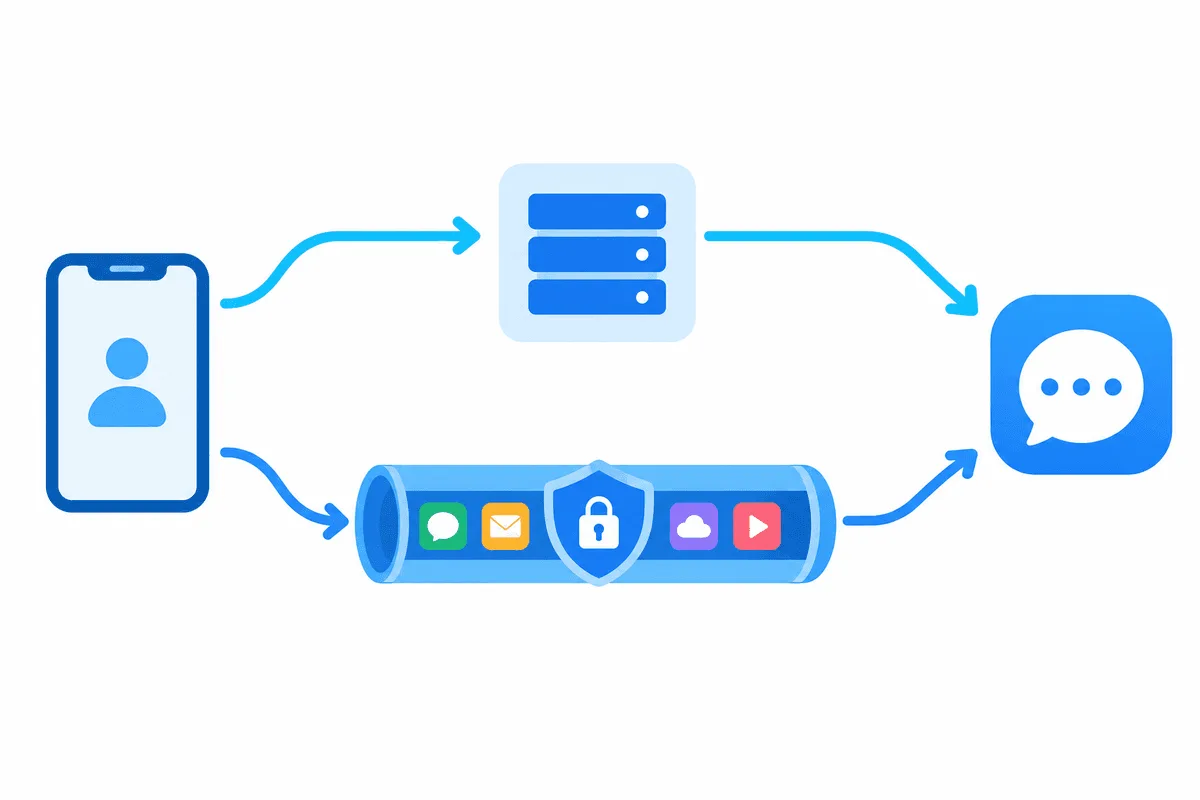
WhatsApp accepts a proxy along two unrelated paths. Path one is an in-app switch that speaks solely to dedicated WhatsApp relays; path two is any ordinary SOCKS5 or HTTP gateway that the phone or computer itself sends traffic through, configured by the operating system or a tunnelling utility. The server you hold decides the path, and confusing the two explains most failed attempts.
Rival tutorials tend to screenshot one menu and call it done. This piece goes further: what the native feature really expects, why a paid gateway with credentials refuses to fit there, how to steer WhatsApp on Android, iOS, the browser edition and the Windows or Mac client, and which limitations survive around calls and number verification.
SOCKS5 proxies for WhatsApp
Static SOCKS5 addresses with a login and password for phones and desktops
Two Flavours of WhatsApp Proxy
Meta shipped relay support at the start of 2023, aiming at people cut off by national shutdowns. Its scope is deliberately small.
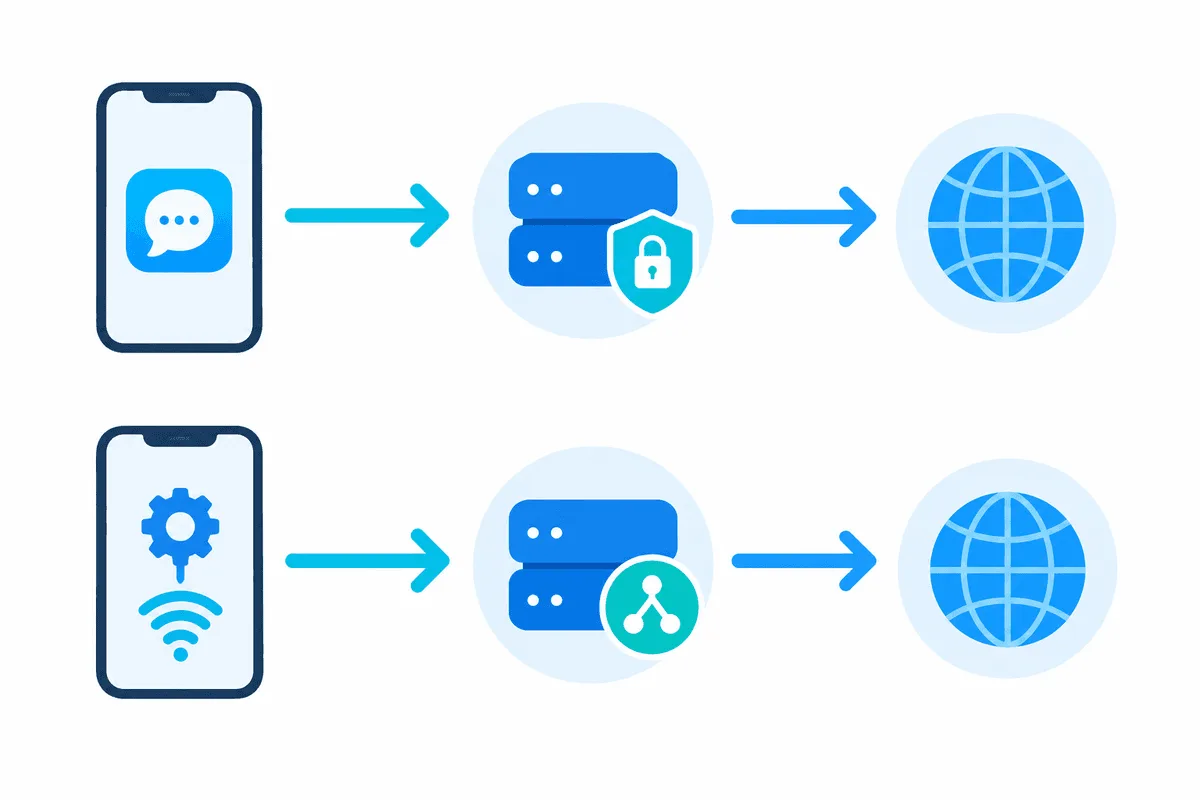
| Native WhatsApp relay | OS-level SOCKS5 / HTTP gateway | |
|---|---|---|
| Kind of machine on the other end | Box running Meta's published relay code, typically a volunteer VPS | Standard gateway, e.g. one rented from a provider |
| Where you type it | In the messenger itself, under its storage section | Wi-Fi panel, tunnelling utility or desktop network preferences |
| Credentials | Nowhere to enter them | Accepted by apps and most clients |
| Coverage | The messenger alone | Entire handset or picked apps |
| Usual motive | Getting through when the service is blocked | Fixed exit address for work or trips |
Rule of thumb: a provider handing you four values (gateway, port number, account name, secret) sold you a conventional proxy. It goes into device-level routing, never into the messenger's relay box. Encryption is unaffected either way; chats are sealed on the handset, so any intermediary just shuffles ciphertext it has no key for.
Situations Where Routing Helps
- Filtered networks. Certain corporate, hotel or university hotspots drop messenger ports. Stick to places where using a gateway is permitted.
- Shaky connectivity abroad. An exit parked in your home country smooths the link and trims security prompts while you hop from hotel Wi-Fi to roaming.
- Support desks. Agents answering customers via the browser edition from several countries get one predictable address per seat, which keeps access logs readable.
No gateway legitimises bulk outreach, extra profiles or anything else Meta's terms forbid. Spam and automation get numbers banned whatever the IP. High-volume business messaging belongs on the official WhatsApp Business Platform.
Picking a Gateway
For OS-level routing, go with SOCKS5. It moves more traffic types than HTTP, and plenty of tunnelling utilities relay UDP across it when the server cooperates, which voice calls depend on. Our SOCKS5 proxies ship with credentials and slot into the utilities listed further down. A static address located where your SIM is registered is the safest baseline; hopping IPs just multiply verification requests. Available countries appear on our WhatsApp proxy page. Unfamiliar with the protocol? Start with what a SOCKS5 proxy is.
Skip free public lists. They choke under load, vanish within hours and nobody can tell you who operates them.
Configuring the Native Relay
This route only makes sense with the address of a genuine WhatsApp relay, for instance one you launched yourself using Meta's open-source relay package.
Step 1. Get the Current Build
Releases older than early 2023 lack the menu entirely, so install updates through Google Play or the App Store first.
Step 2. Find the Relay Screen
- Android: three-dot icon → Settings, then Storage and data, then Proxy.
- iPhone: bottom tab Settings, then Storage and Data, then Proxy.
Step 3. Supply the Relay
Flip Use proxy on, press Set proxy, and key in the relay's hostname or numeric address. The two port boxes, for chat and for media, matter only when whoever runs the relay specified custom values; untouched defaults suit most relays. Confirm with Save.
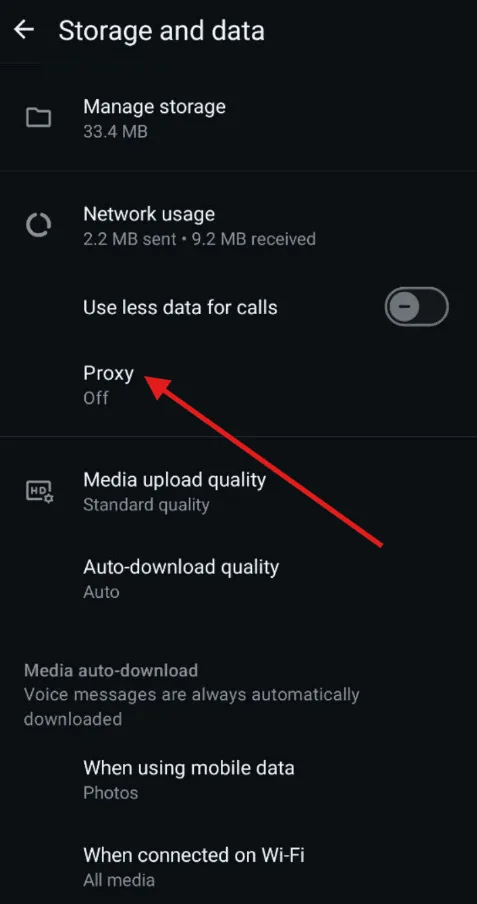
A green tick beside the entry signals a successful handshake. A grey one means the relay is offline or itself blocked, so look for a different one.
Sending WhatsApp Through SOCKS5 on a Phone
Android
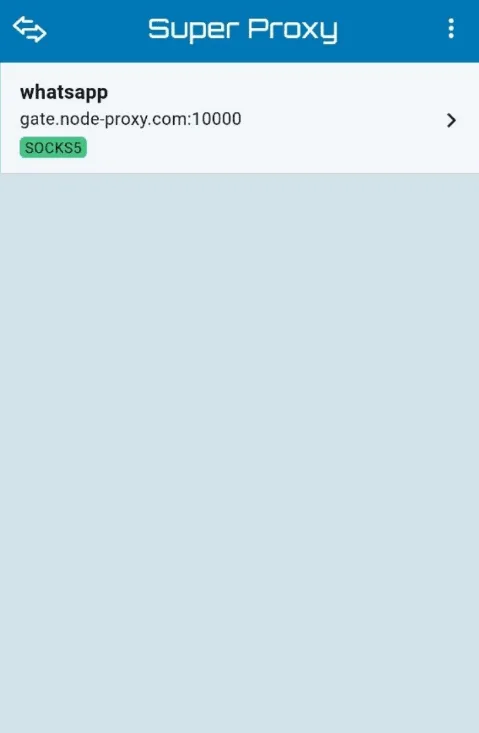
Android's per-hotspot field handles HTTP only, has no password box and is ignored on cellular data. Tunnelling utilities such as Super Proxy or SocksDroid avoid all three gaps: they raise a local VPN interface and hand packets to your SOCKS5 gateway along with credentials.
- Install the utility and build a profile containing gateway, port, account name and secret.
- In its app picker, tick WhatsApp alone or leave the entire phone selected.
- Start the tunnel and approve Android's VPN prompt.
Full screenshots sit in our Android proxy guide.
iPhone
iOS keeps an HTTP gateway setting per hotspot: Settings → Wi-Fi → (i) → Configure Proxy → Manual, with optional authentication. SOCKS5 and cellular coverage require a rule-driven client like Shadowrocket. Both are walked through in our iPhone proxy guide.
Browser Edition and Computer Clients
Because WhatsApp Web lives inside a browser tab, it inherits whatever route that browser uses; an add-on or a dedicated profile is the neatest way to give it one. The Windows and Mac clients offer no gateway menu. They generally obey OS-wide proxy preferences, and when a particular build does not, Proxifier or a comparable rule tool can force the executable through your server. Keep in mind that a linked computer depends on the handset, which must be online during the initial sync.
Verifying the Route
- On that same device and path, load an IP lookup page; country and address should equal the gateway.
- Message yourself or a coworker. Two grey ticks confirm delivery to Meta's servers.
- Place a brief voice call. Chats flowing while the call hangs on connecting means UDP is not getting through.
Troubleshooting and Limits
- Stuck on connecting. A typo in host or port, or a conventional gateway pasted into the relay screen. Move those values into a tunnelling utility.
- Calls break, chats survive. HTTP gateways and many SOCKS5 chains carry TCP alone. Pair a UDP-capable SOCKS5 server with a UDP-capable client, or settle for text.
- No verification SMS. Codes arrive over the cellular network rather than through any proxy. Look at signal strength and number formatting.
- Recurring security notices. Your exit keeps changing or jumping between countries. Lock in a static address.
- Photos refuse to load via a relay. Its media port is shut. Ask the relay operator which port to use.
To compare with a messenger offering a far richer gateway menu, open our walkthrough on proxies in Telegram.
WhatsApp Proxy FAQ
Can a SOCKS5 proxy with credentials go into WhatsApp itself?
It cannot. The native screen recognises only WhatsApp relays and has nowhere to put an account name or secret, so such gateways belong in a tunnelling utility or device settings.
Will a proxy weaken WhatsApp encryption?
No. Content is sealed on your handset and opened only by the recipient, so the intermediary merely forwards ciphertext.
Are voice and video calls possible over a proxy?
Yes, provided every link handles UDP, for example a SOCKS5 server with UDP relay plus a client forwarding it. Over HTTP gateways, calls typically fail while chatting continues.
Could WhatsApp ban a number for using a proxy?
A gateway on its own breaks no rule. Bans follow spam, automation and unofficial clients, whereas a constantly shifting IP merely adds verification steps.
How is the WhatsApp proxy switched off?
Return to the storage section, open Proxy and disable Use proxy. For OS-level routing, stop the tunnelling utility or reset the Wi-Fi proxy option to None.