What Wi-Fi Proxy Is and How It Works


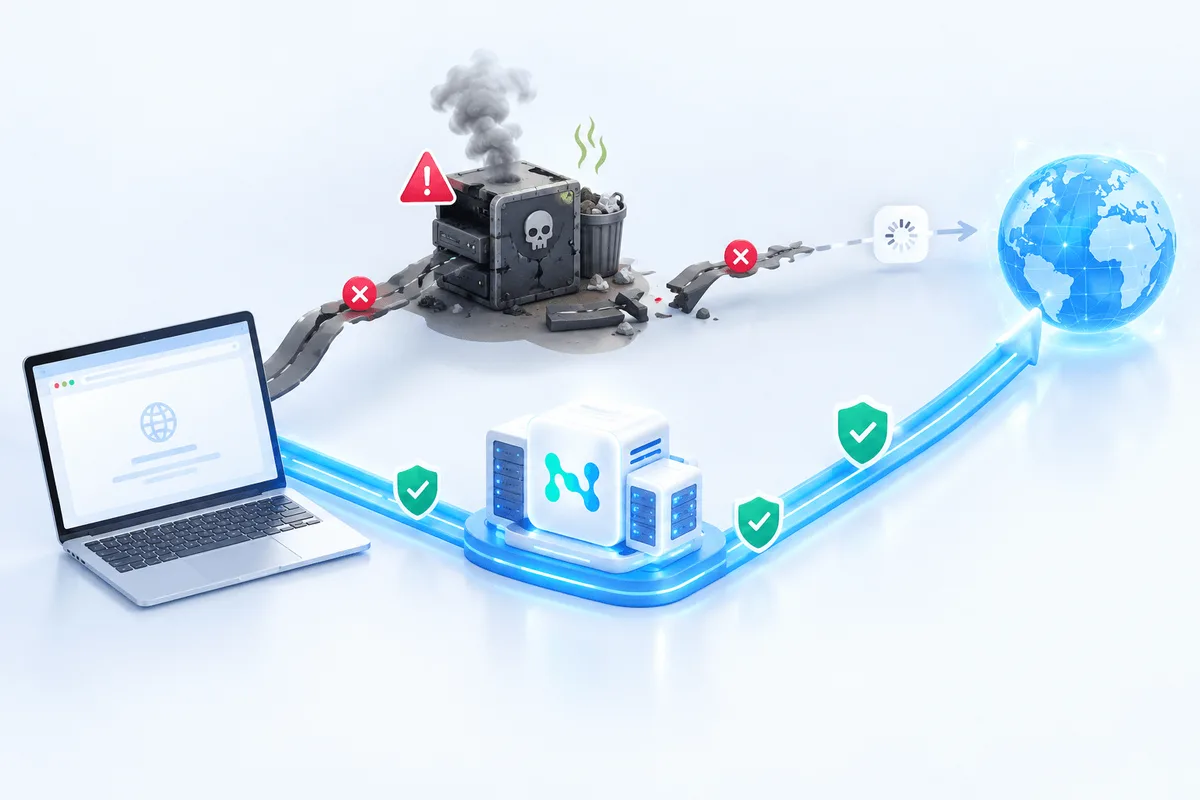
A Wi-Fi proxy is an intermediary server between a device and the internet. When such settings are enabled on a smartphone, laptop, or tablet, requests to websites and online services do not go directly, but pass through a separate node. It first receives the traffic, then forwards it onward and sends the response back to the device.
This approach is used in different scenarios: for managing access within a network, changing network routes, increasing control over the connection, working with region-specific content, as well as for certain testing and automation tasks. At the same time, it is important to understand that a proxy is not a separate type of Wi-Fi connection, but a method of processing internet traffic within an already existing network.
How a Wi-Fi Proxy Works
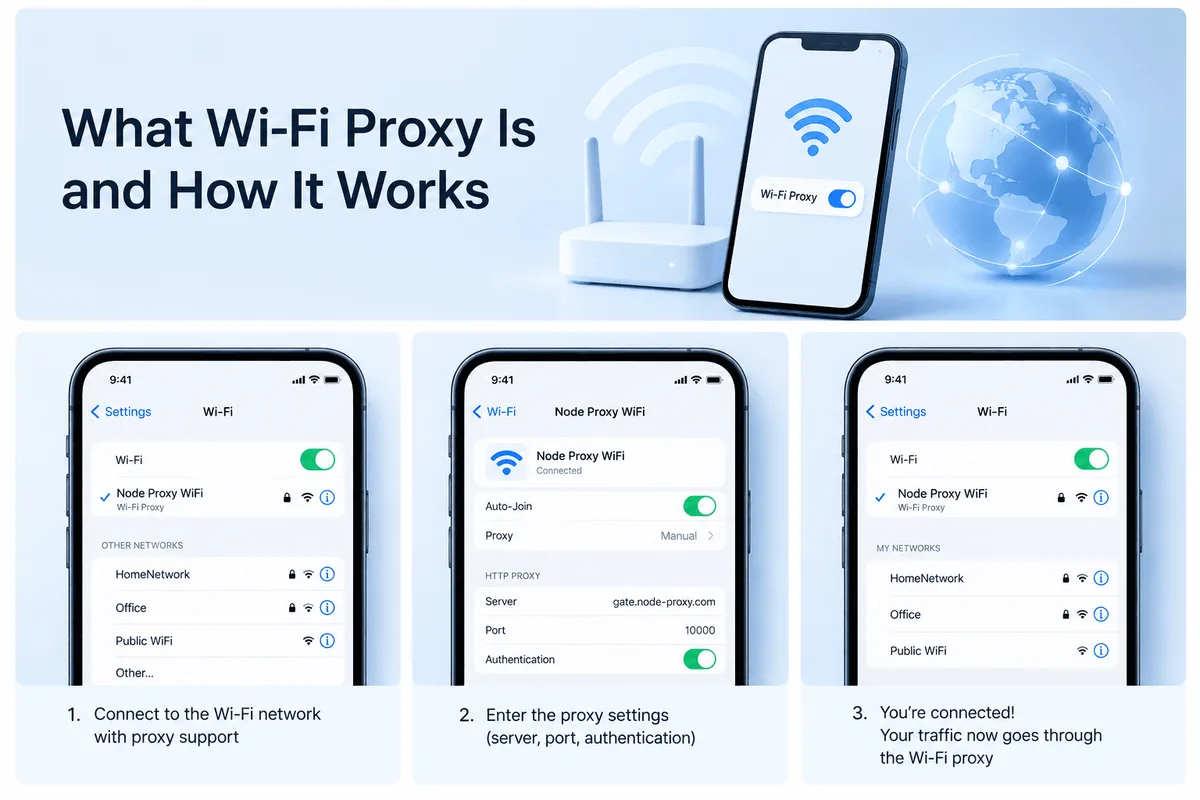
The operating principle is quite simple. A user opens a website or application, after which the device sends the request not to the final resource, but to the proxy server. The proxy receives the request, processes it, and then contacts the required website on its own behalf. The response returns the same way: first to the proxy, then to the user’s device.
As a result, the external resource sees the proxy server’s address rather than the original network parameters of the device. That is why proxies are often used where it is necessary to change the method of internet access, configure access centrally, or use a specific network entry point.
One Service. Two Proxy Approaches.
Residential IPs and datacenter IPv4 — choose what you need.
What Proxies Are Used for in Wi-Fi Networks
Access to Region-Specific Content
Some websites, media services, and online platforms display different content depending on the connection region. A proxy helps route requests through a server in the required location so that users can access the versions of websites and services available in a selected country or region.
Additional Traffic Control
In organizations, proxies are often used for centralized internet access configuration. This makes it possible to define rules for network access, restrict certain resources, monitor load, and control what data passes through the infrastructure and by which routes.
Reducing the Risk of IP-Based Blocking
If an external service restricts access from a specific address, a proxy helps use a different connection route. This is especially relevant for technical tasks that require sending a large number of similar requests, testing website behavior, or maintaining stable access to resources.
Caching and Resource Savings
Some proxies can store copies of frequently requested pages and files. When a user accesses the same resource again, some of the data may load faster due to caching. This approach is useful in corporate and educational networks where many users visit the same websites.
Access Filtering
Proxies are also used as a network policy tool. In schools, offices, and other organizations, they can be used to restrict access to unwanted websites, assign traffic priorities, and maintain unified network usage rules.
Main Types of Wi-Fi Proxies
Proxies differ in purpose, level of control, routing method, and the nature of their IP addresses. The choice depends on the task, connection stability requirements, and operating conditions.
HTTP Proxy
This type works primarily with web traffic. It is suitable for opening websites, browser-based work, and tasks related to HTTP and HTTPS. It is one of the most common options for regular internet access.
SOCKS Proxy
This type of proxy is more versatile because it can transmit not only web traffic but also other types of network requests. It is used where more flexible connection routing is required.
Shared Proxy
In this case, one IP address can be used by several users. Such solutions are usually cheaper, but they may be inferior in terms of stability, speed, and predictability of operation.
Public Proxy
These are open servers that are accessible to many users. They are usually chosen because of their availability, but this option often has limitations in connection quality, speed, and reliability.
We discussed how public proxy servers work in a related article.
SSL or HTTPS Proxy
This type is focused on secure transmission of web traffic. It is used where it is important for data to be transmitted over an encrypted channel between the client and the server.
Residential Proxy
In this case, requests are routed through IP addresses associated with real user devices or home networks. Such proxies are often used for tasks where traffic naturalness and stable interaction with external platforms are especially important.
Mobile Proxy
Here, IP addresses from mobile networks are used. This format is useful in scenarios involving mobile applications, mobile service results, and checking how resources function under a cellular operator connection.
Rotating Proxy
With this type, the IP address changes at certain intervals or after a specific number of requests. It is suitable for technical processes where it is important to reduce the load on a single address and distribute requests evenly.
When a Wi-Fi Proxy Is Actually Useful
In practice, a proxy is most often needed in several situations.
First, when connecting to public or unfamiliar networks, where it is necessary to structure the path of data transmission more carefully and limit the device’s direct access to the internet.
Second, when working while traveling, when it is necessary to open services in the configuration in which they are available for a specific region.
Third, in a corporate environment, where centralized access rules, resource filtering, logging, and network load optimization are important.
Fourth, in testing, development, and analytical tasks, when it is necessary to check how a website, application, or service behaves from different connection points.
How to Set Up a Wi-Fi Proxy
The procedure depends on the operating system, but the logic is similar everywhere: you need to open the settings of the current network, find the proxy section, and manually specify the server address and port. If the provider or network administrator has issued credentials, they will also need to be entered.
Windows
In Windows, the settings are usually located in the Network & Internet section. Then you need to open the proxy block, enable server usage, and specify the address and port. After saving the parameters, it is advisable to check the connection in a browser.
macOS
In macOS, the necessary parameters are located in the system network settings. After selecting the active Wi-Fi connection, you need to go to advanced settings, open the proxy section, and select the appropriate type, for example HTTP, HTTPS, or SOCKS. Then the server details are entered and the changes are applied.
iPhone and iPad
In iOS, proxy settings are available within the parameters of a specific Wi-Fi network. You need to open the properties of the active connection, find the HTTP Proxy section, select manual mode, and enter the address and port.
Android
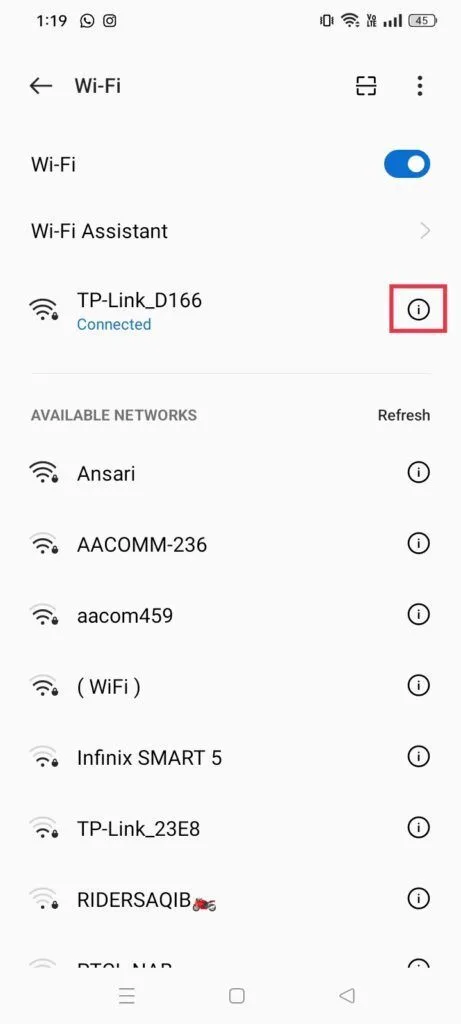
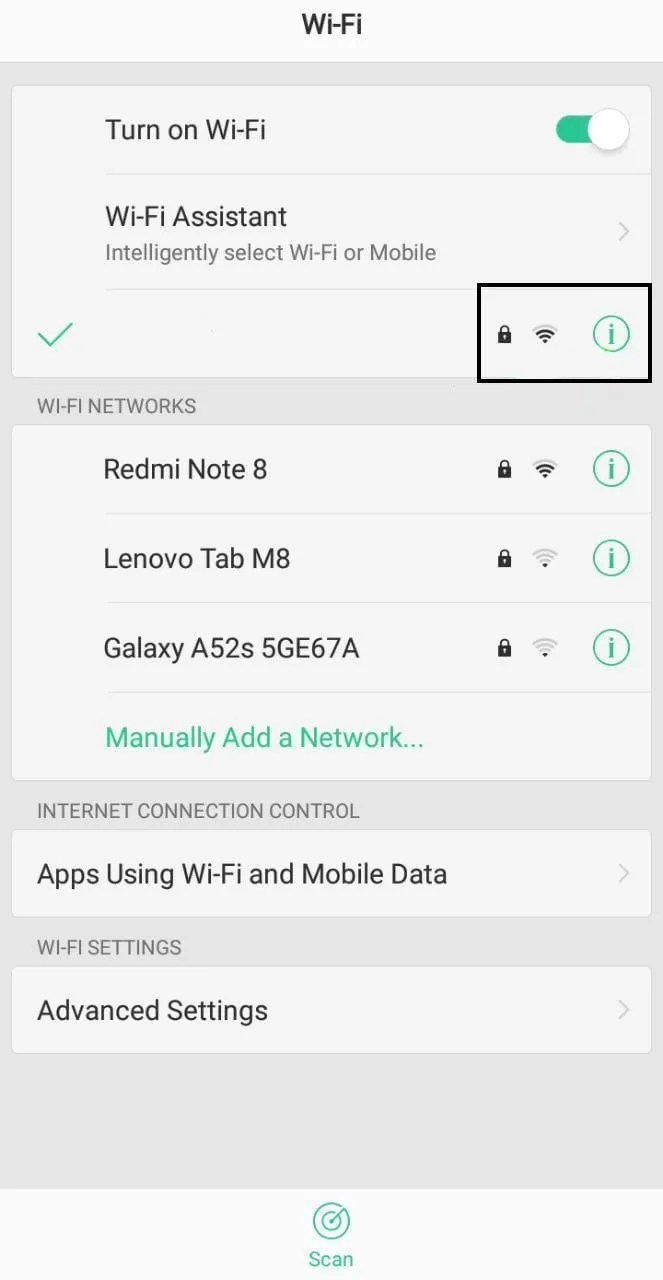
On Android, the proxy is usually configured in the properties of the selected Wi-Fi network. After going to the advanced settings, you need to enable manual configuration and enter the server details.
How to Check Whether the Proxy Is Working
Check whether the internet exit address has changed after enabling the proxy. If, after applying the settings, the external IP differs from the previous one, then the traffic is indeed going through an intermediary server.
Additionally, you can check whether websites open correctly, how quickly services respond, and whether pages load properly. If some resources stop opening or the connection becomes unstable, the reason is usually either an error in the parameters or the characteristics of the proxy server itself.
Common Problems and Their Causes
The Connection Is Not Established
Most often, the problem occurs because the server address or port has been entered incorrectly. Sometimes the reason is that the network itself is unstable, and this can easily be checked by temporarily disabling the proxy.
Authorization Error
If the server requires a username and password, any inaccuracies in these details will lead to a connection failure. It is also worth considering the validity period of the issued credentials if they are time-limited.
Low Speed
Speed may drop because of an overloaded server, a shared IP, a remote data center, or poor quality of the Wi-Fi network itself. In such cases, switching the server or moving to another type of proxy helps.
Websites Do Not Open Fully
Sometimes individual resources restrict requests from certain addresses or respond unusually to proxied traffic. In that case, choosing another server, another location, or another type of proxy helps.
The Settings Are Saved but Not Applied
This sometimes happens after changing network parameters on mobile devices and computers. Usually, the problem is resolved by reconnecting to Wi-Fi, restarting the browser, or rebooting the device.
How to Choose the Right Option
The choice depends on the specific task.
For regular website use, an HTTP proxy is usually sufficient. For more varied traffic, SOCKS is needed. For tasks where a natural network environment matters, residential or mobile solutions are usually chosen. If the load consists of a large number of repeated requests, it makes more sense to look toward rotating proxies. In a corporate environment, manageability, access control, caching, and support for the required protocols are more important.
Conclusion
A Wi-Fi proxy is a traffic routing tool that helps build a more flexible internet access scheme. It can be used for working with region-specific content, network filtering, caching, testing, and traffic distribution. At the same time, its effectiveness depends not only on the type of proxy itself, but also on correct configuration, server quality, and how well the selected solution matches the task.