Proxies for LinkedIn: How to Choose and Set Up a Stable IP for Your Team

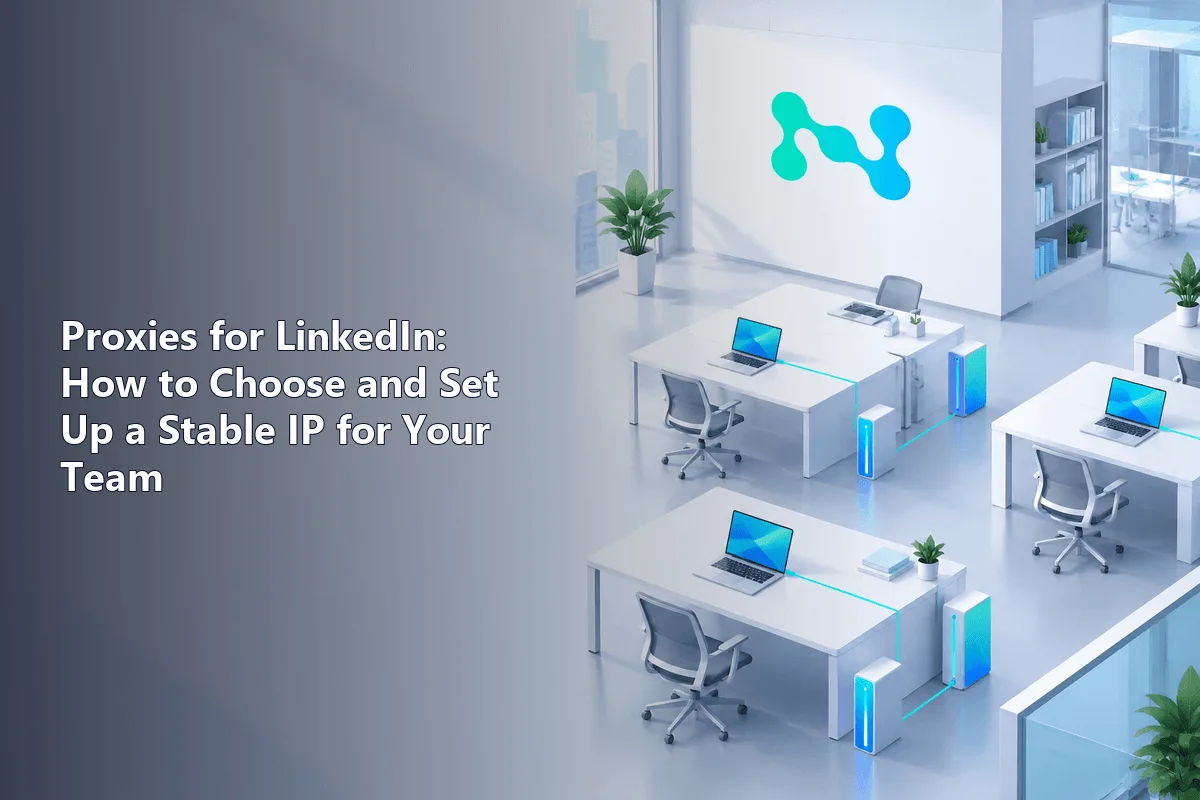
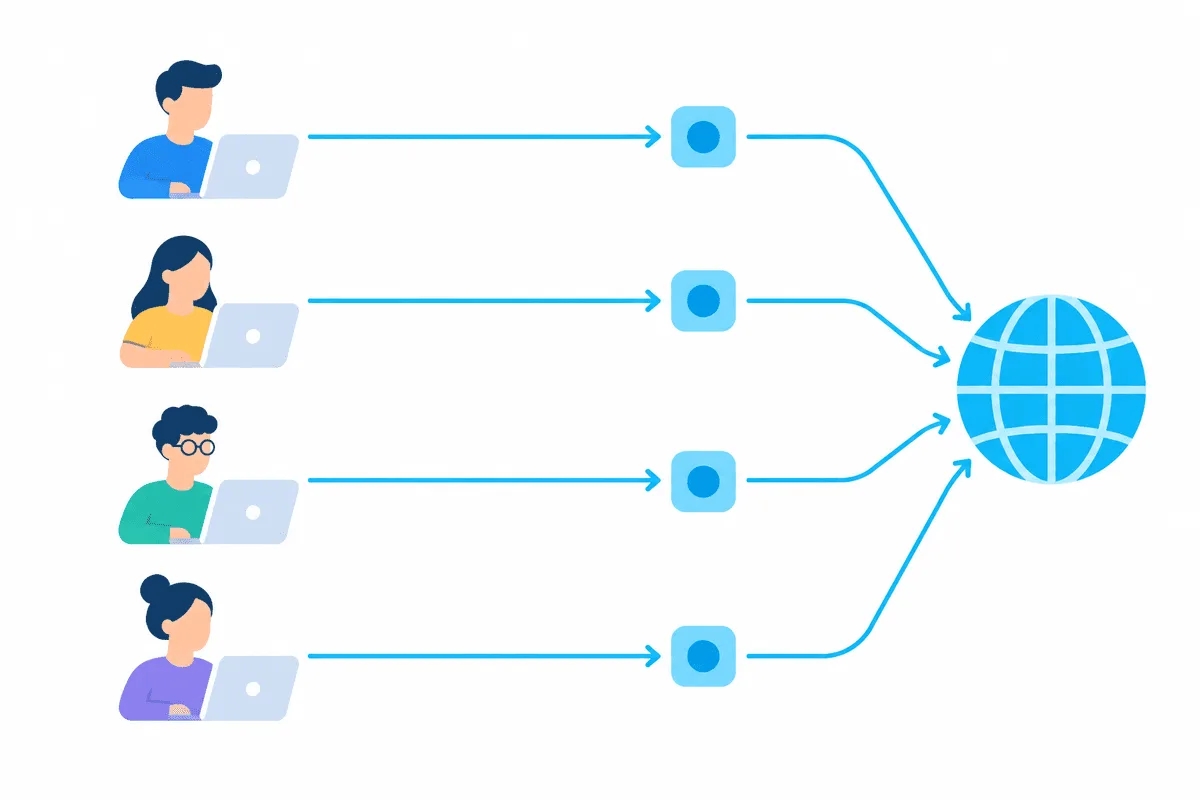
A proxy for LinkedIn is useful in one situation above all: when a person's own account would otherwise sign in from an address that jumps around or does not match where they work. Sales reps on shared cloud desktops, recruiters who travel, and teams behind a single corporate gateway all benefit from giving each account one steady IP in the member's real country. The right choice is a static address, one per person, set up in that person's browser and left alone.
What a proxy does not do is make anything acceptable that LinkedIn's rules forbid. The User Agreement allows one account per person under a real name, bans sharing logins and prohibits bots and scraping. This guide stays inside those rules: why sign-in location matters, which proxy type fits, how to configure it for a team, how to check it, and which practices get accounts restricted regardless of the IP.
Static proxies
One fixed IP per team member in their own country, for steady sign-ins
What LinkedIn's Rules Say
Before choosing any network setup, it helps to know the lines LinkedIn draws in its User Agreement:
- One account, real name. Each member may hold a single account in their own name, and you may not create a profile for anyone except yourself.
- No account sharing. Using someone else's account, including by sharing a password or copying cookies, is prohibited.
- No unauthorised automation. Bots and other automated methods of access that LinkedIn has not approved are banned, and so is scraping profiles or other data.
Proxies are not mentioned in the agreement either way. In practice that means a proxy is a neutral network tool: using it to give a real member a consistent connection is ordinary, while using it to run extra profiles or hide automation breaks the rules no matter how clean the address is. Practical advice for brands that juggle several platforms is collected in our guide to managing multiple business accounts.
Why Sign-In Location Matters
LinkedIn, like most large platforms, watches for signs that an account has changed hands. A sign-in from an unfamiliar country, a new device and an address that IP databases mark as hosting can each prompt an email verification code or a security check. Several of those at once, repeated every day, look like a compromised account.
Teams create this pattern without meaning to:
- Cloud desktops and VDI. Everyone on a virtual desktop farm exits through the same few datacenter addresses, so dozens of members appear to sign in from one server.
- Corporate gateways that change. Large firms route traffic through regional gateways, and an employee may surface in a different country from one week to the next.
- Travel. A recruiter at a conference abroad signs in from hotel Wi-Fi in one city and from an airport in another.
None of this is wrongdoing, but it produces exactly the noise security systems are built to question. A dedicated stable IP per member removes it.
Which Proxy Type to Choose
| Type | Fit for LinkedIn | Why |
|---|---|---|
| Static ISP | Best | Fixed address that IP databases treat as a provider connection |
| Static datacenter IPv4 | Acceptable | Fixed, cheaper, but classed as hosting, which may add verification prompts |
| Rotating residential | Poor | The address changes, which is precisely what you are trying to avoid |
| Free or public proxies | Avoid | Shared with strangers, often already flagged, and they can read your traffic |
Two rules matter more than the type. First, pick the exit in the country where the member actually lives and works, so the profile location and the connection agree. Second, never put two members on the same IP. Shared addresses tie accounts together in the platform's eyes, and if one of them is restricted, the others inherit the suspicion.
Our static proxies keep the same address for the whole rental and come in ISP and server IPv4 variants. For an overview of LinkedIn-related plans, see the LinkedIn proxies page.
How to Set Up a Proxy for a LinkedIn Team
The steps below assume each member works in a desktop browser. Keep a simple sheet that maps every member to their IP so nobody swaps addresses later.
Step 1. Assign one IP per member
Buy one static IP per person in that person's country. Record the host, port, login and password in your password manager, not in a shared chat.
Step 2. Create a separate browser profile
In Chrome or Edge, create a dedicated profile named after the member. Profiles keep cookies and extensions apart, so LinkedIn sessions do not mix with personal browsing or with colleagues on the same machine.
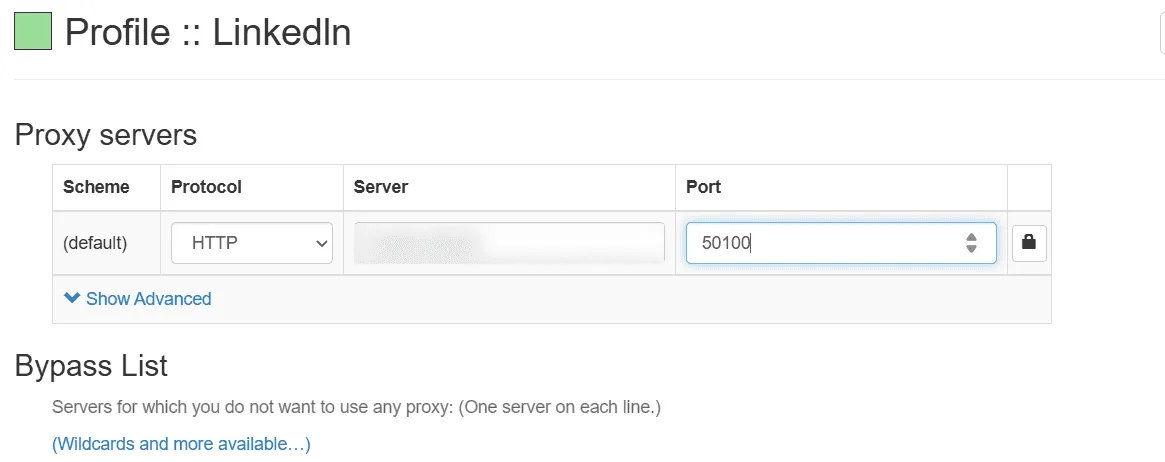
Step 3. Attach the proxy to that profile
Install a proxy manager extension in the profile and add the address there. Our guide to SwitchyOmega walks through the fields. Enter the address in the format host:port, then the login and password when the browser asks.
Step 4. Check the connection
Open our proxy checker in the same profile. Confirm that the IP matches the one you assigned and that the country and city are where the member works. Also check the browser's time zone and language, since a mismatch between those and the IP location is an easy signal to read.
Step 5. Sign in and secure the account
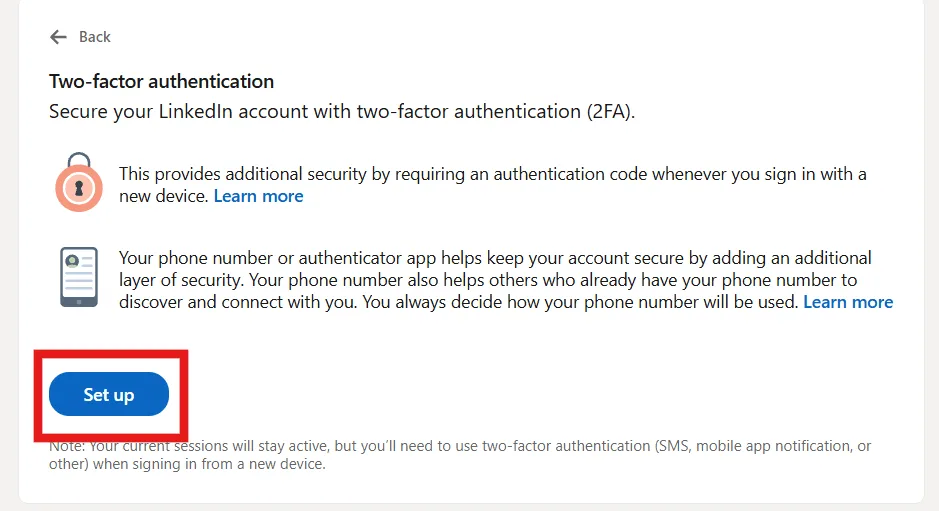
Sign in once, complete any verification LinkedIn asks for, and turn on two-step verification in the account's security settings. After that, use only this profile for this account.
The LinkedIn mobile app can keep running on the member's phone through mobile data. Real people use both a phone and a laptop, so this is normal and does not need a proxy.
Practices That Get Accounts Restricted
A clean IP will not save an account from these:
- Sending far more connection requests than usual, especially to strangers. LinkedIn caps weekly invitations and does not publish a fixed figure, so treat any warning as a hard stop.
- Running browser extensions or cloud tools that send messages, visit profiles or collect data automatically.
- Creating extra profiles, team accounts or personas.
- Letting an agency or colleague log into a member's personal account. Company Pages have admin roles for exactly this purpose.
If you manage brand presence across several networks, the article on SMM proxies describes how social teams organise access.

Troubleshooting
- Verification code on every sign-in. The address probably changes or is shared. Check that the profile uses the assigned IP and that no other member has the same one.
- Pages load slowly or partly. Try the SOCKS5 port instead of HTTP, or choose an exit closer to the member.
- Location in the profile differs from the IP. Replace the IP with one in the right country rather than editing the profile to match.
- Account restricted anyway. Follow LinkedIn's own appeal steps. Changing the IP after a restriction does not resolve it and may make things worse.
LinkedIn Proxies FAQ
Do I need a proxy for LinkedIn?
Most individual members do not. A proxy helps when sign-ins would otherwise come from shared, changing or mismatched addresses, for example on cloud desktops, behind shifting corporate gateways or during frequent travel.
Which proxy is best for LinkedIn?
A static ISP address in the member's own country, assigned to one person only. A static datacenter IP also works but may lead to more verification prompts.
Can I run several LinkedIn accounts with proxies?
No. LinkedIn permits one account per person in their real name, and a proxy does not change that. Teams should give each employee their own account and use Company Page roles for shared work.
Will LinkedIn ban me for using a proxy?
The agreement does not forbid proxies as such; restrictions come from rule breaks such as automation, fake profiles or shared logins. A stable, unshared address simply avoids looking like a hijacked account.
Should I use rotating proxies for LinkedIn?
No. Rotation changes the address between sessions or even requests, which is the opposite of what an account needs. Keep one fixed IP per member.