Ozon Data Collection: How to Scrape Products, Prices, and Assortment with Residential Proxies
 ·October 8, 2026·5 min read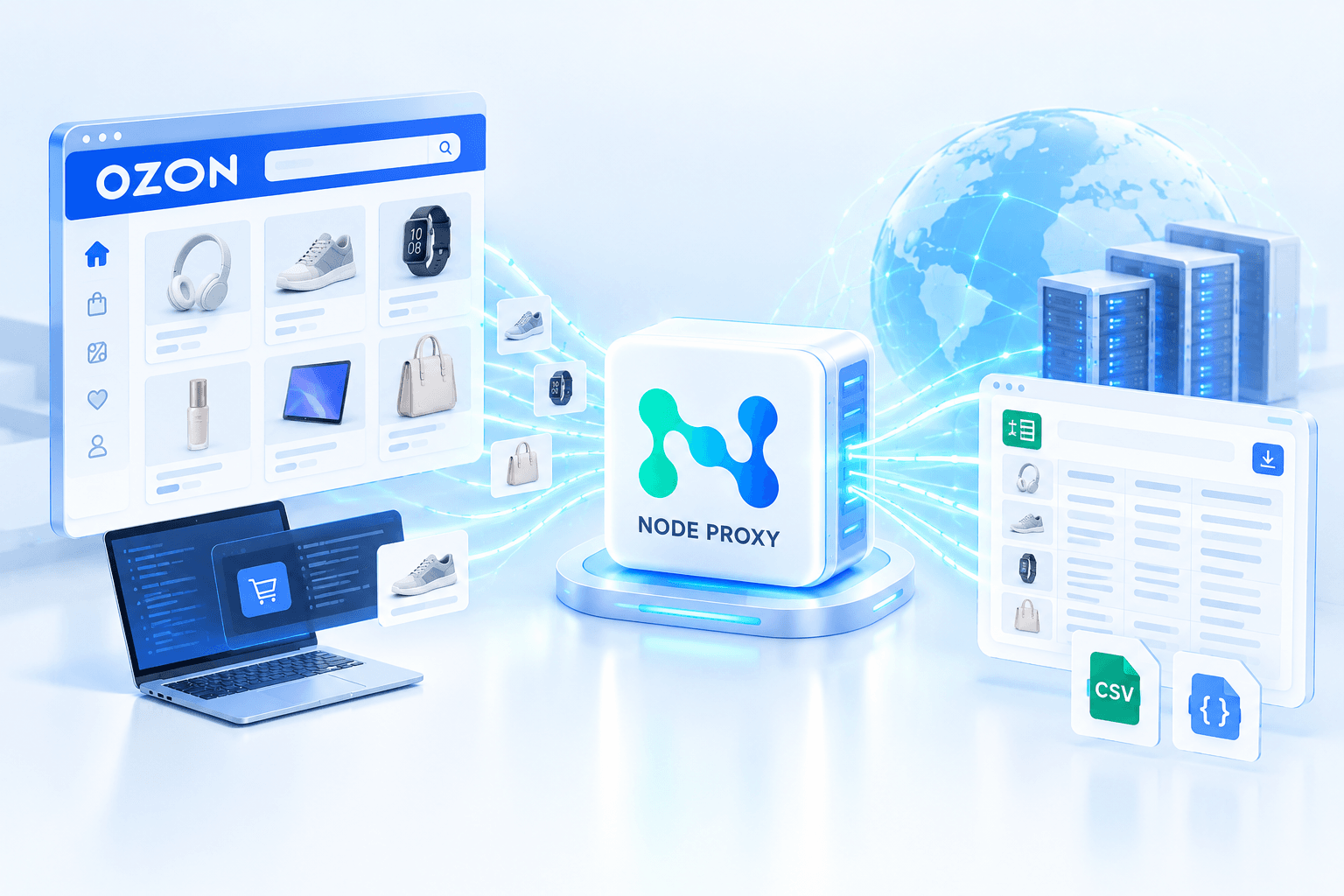
Ozon is a large marketplace with a huge amount of constantly changing data: prices, product listings, stock levels, specifications, ratings, reviews, and search results. This information can be used by sellers, brands, and analysts to monitor competitors, analyze the market, track prices, and research product assortments.
Manually checking this information makes it difficult to collect a significant amount of data: the catalog is constantly updated, while the same product can appear in different categories and search positions. That is why automated data collection, or web scraping, is used for regular monitoring.
With this approach, a program automatically accesses Ozon pages or available interfaces, retrieves the required data, and saves it in a structured format. Node Proxy residential proxies can be used as part of the network infrastructure for such a process, especially when a large number of requests are involved or connections need to be separated by region.
What Data Can Be Collected from Ozon
The type of information collected depends on which pages the scraper processes and what data is available at the time of the request.
For catalog analysis, the following data is commonly collected:
- product name;
- product page URL;
- SKU or another identifier;
- price;
- previous price and discount information;
- product specifications;
- category;
- seller;
- rating;
- number of reviews;
- stock availability;
- product variations;
- data displayed in search results;
- delivery information, if available on the collected page;
- images and links to them.
For competitor analysis, price, availability, assortment, and product position in search results are especially important.
For example, a task might involve collecting data from 500 product pages in a specific category every hour, saving the results to a database, and comparing them with the previous run. If the price changes, the program records the change, and the analytics system can then build a price history.
Your Data Collection Setup
Residential IPs, flexible rotation, and GEO selection for your needs.
How Ozon Data Collection Works
The process can be divided into several stages.
1. Determine What Data Needs to Be Collected
First, the task needs to be defined. For example, you may need to monitor competitor prices or regularly collect the assortment of a particular category.
This also determines the structure of the future scraper.
If the goal is price monitoring, it may be enough to collect the product ID, name, price, and time of the check. For a more detailed analysis, you can additionally save specifications, rating, number of reviews, seller information, and other available parameters.
It is important to determine in advance which fields are actually needed. The more information is extracted from each page, the greater the traffic volume and processing time.
2. Create a List of Products or Search Queries
The next step is to determine which pages the program will visit.
There are several common options:
- a predefined list of product URLs;
- a list of SKUs or identifiers;
- Ozon categories;
- search results for specific keywords;
- seller pages;
- a set of queries for regular monitoring.
For example, a store can create a list of 1,000 competitor products and run checks several times a day.
Another option is to collect search results for specific queries and track which products appear in the results and in which positions.
3. The Scraper Sends Requests
Once the task has been created, the program starts accessing the required pages.
If requests are sent directly from a single IP address, all traffic is concentrated at one connection point. This may be acceptable for a small volume, but when collecting data regularly at scale, the network side needs to be organized separately.
This is where proxies come in.
Why Use Residential Proxies for Data Collection
A residential proxy acts as an intermediary between the program and the website.
Instead of sending a request directly from the original IP address, the scraper routes it through a proxy. The target website receives the request through an IP from the residential proxy pool.
Node Proxy's residential proxies is IP addresses associated with user connections and Internet service providers. This type of proxy allows you to select a GEO and distribute requests between addresses from the residential pool.
For data collection, this is primarily important from the perspective of network traffic management. A proxy does not perform the scraping itself or extract information from a page — it is responsible for the connection route.
How Residential Proxies Help with Large-Scale Data Collection
Suppose a scraper needs to regularly check several thousand product pages.
If the entire process is built around a single IP, all requests go through the same exit point. As the number of requests increases, this becomes a less flexible setup.
A residential proxy network allows requests to be distributed between different IP addresses. With a rotating mode, the address can change according to a predefined rule — for example, after a certain period of time or with a new request/session.
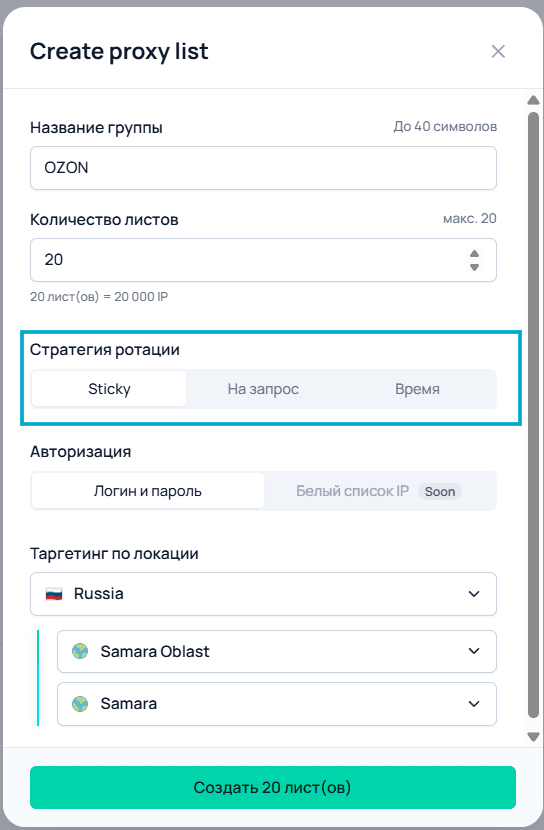
Node Proxy supports different rotation scenarios, including time-based rotation and keeping an IP address for the duration of a session. The appropriate mode depends on how the scraper is designed and whether it needs to maintain a single network session.
At the same time, rotation should not be considered a way to bypass any restrictions imposed by a website. Request frequency, concurrency, and repeated requests should match the logic of the specific project, and automated data collection should be organized in accordance with the rules of the resource being used.
How to Choose a Proxy Mode for Ozon Scraping
Different scenarios may require different proxy modes.
Rotating Proxies
Rotating mode is suitable for a large number of independent requests when there is no need to keep the same IP address for an extended period.
For example, a scraper may sequentially retrieve information from a large number of product pages:
Product 1 → request → result
Product 2 → request → result
Product 3 → request → result
and so on.
In this scenario, continuously using the same IP is not necessarily required. Rotation allows requests to be distributed between available addresses.
This is generally a logical option to consider for large-scale catalog monitoring, price tracking, and search-result monitoring. Node Proxy also describes rotation as a suitable approach for collecting large volumes of pages and regularly monitoring dynamic data.
Sticky Sessions
Sometimes changing the IP address after every request is undesirable.
For example, if a scraper performs a sequence of actions within a single session, it may be more convenient to keep the same address for a certain period. This is where sticky mode can be used.
This is particularly relevant for scenarios where maintaining network continuity between multiple requests is important.
Therefore, when developing a scraper, it is worth determining in advance whether the requests are independent or form part of a single session.
How to Connect Node Proxy to a Scraper
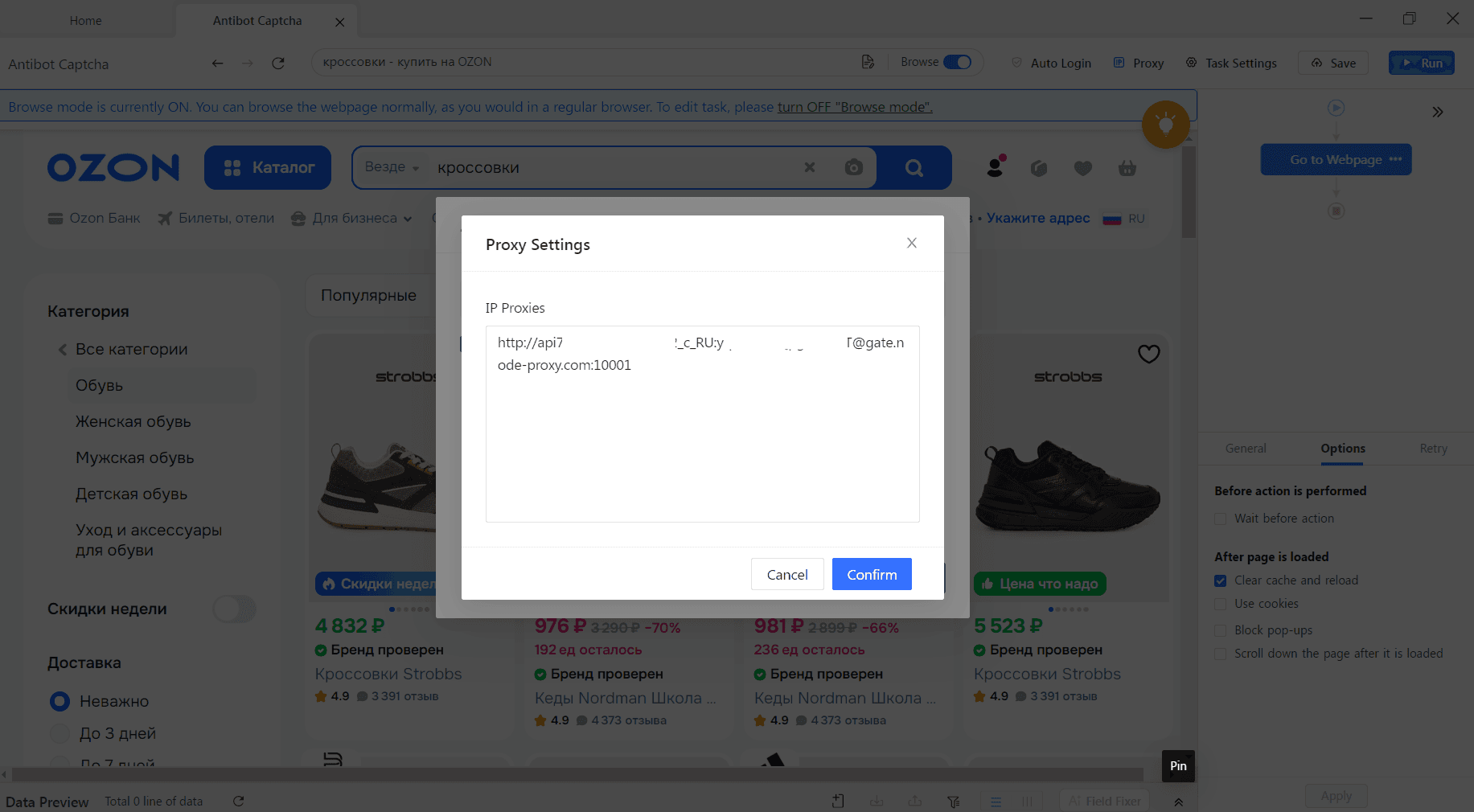
After choosing the proxy type, you need to obtain the connection parameters.
Depending on the connection format, these may include:
- IP address or host;
- port;
- username;
- password;
- connection protocol.
Node Proxy supports HTTP and SOCKS5 connections. The specific connection method depends on the scraper being used: you need to select a protocol supported by the application or library.
The connection details are then entered into the settings of the HTTP client, browser automation tool, or dedicated scraper.
If the application supports proxies directly, there may be no need for a separate program to manage the connection.
How the Scraper Works
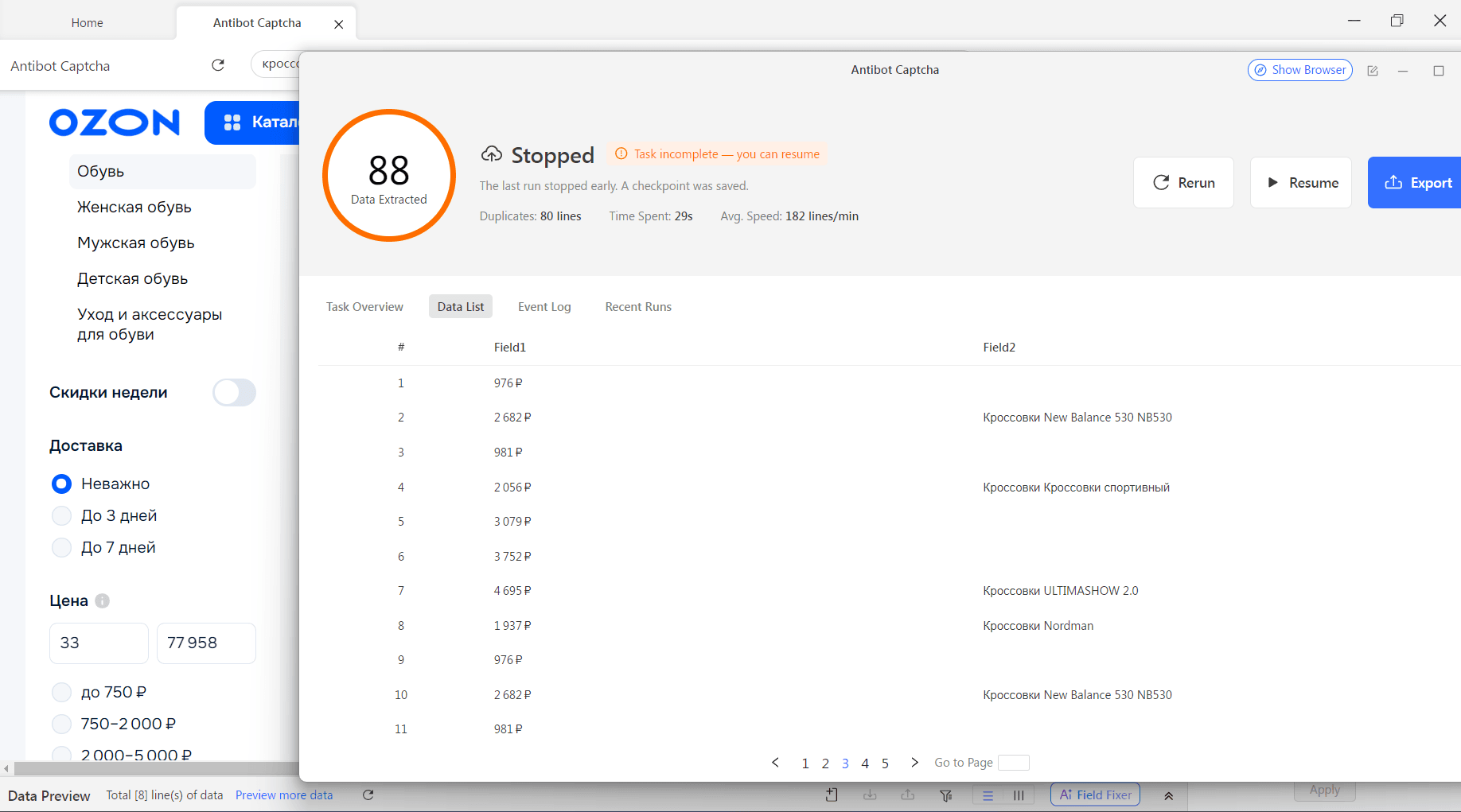
At the logic level, the program performs a series of consecutive steps.
- Receives a list of URLs or search queries.
- Selects a proxy for the next request.
- Sends an HTTP request.
- Receives a response from Ozon.
- Checks that the response was received correctly.
- Extracts the required fields.
- Converts the data into a consistent format.
- Saves the result to CSV, JSON, a database, or another storage system.
- Moves on to the next item.
- Repeats the check after a specified interval.
During the next run, the data can be compared with the previous record. If the price has changed from 2,490 RUB to 2,290 RUB, the system records the change.
Over time, this creates a history that can be used for further analysis.
What to Do with the Collected Data
Collecting the data is only the first part of the process. Raw results need to be converted into a consistent format.
For example, a scraper may receive a price as a text string, while the database should store it as a numeric value. Dates, ratings, review counts, and other fields can be processed in the same way.
After cleaning the data, you can:
- compare competitor prices;
- build a price history;
- track products appearing and disappearing;
- analyze product assortments;
- monitor search results;
- identify products with rapidly changing metrics;
- generate reports;
- transfer data to BI systems or custom analytics tools.
Ozon API or Page Scraping?
Before developing a scraper, it is worth determining whether collecting data directly from pages is actually necessary.
Ozon provides a Seller API. Its documentation includes methods for working with products, prices, stock levels, specifications, and seller analytics. For example, the API can retrieve product information by identifiers, while separate methods are available for obtaining prices and stock information.
However, this does not mean that the API automatically replaces the collection of public data from the website. The Seller API is primarily intended for sellers to work with their own data and requires the appropriate authorization.
Therefore, the choice depends on the task.
API makes sense when you need to obtain data from your own store through the Ozon interface provided for this purpose.
Page scraping can be used for tasks involving publicly displayed information, such as monitoring product pages, catalogs, or search results.
Residential proxies operate at the network level. They can be used together with a page scraper, but they do not replace an API and do not extract data themselves.
Why GEO Matters
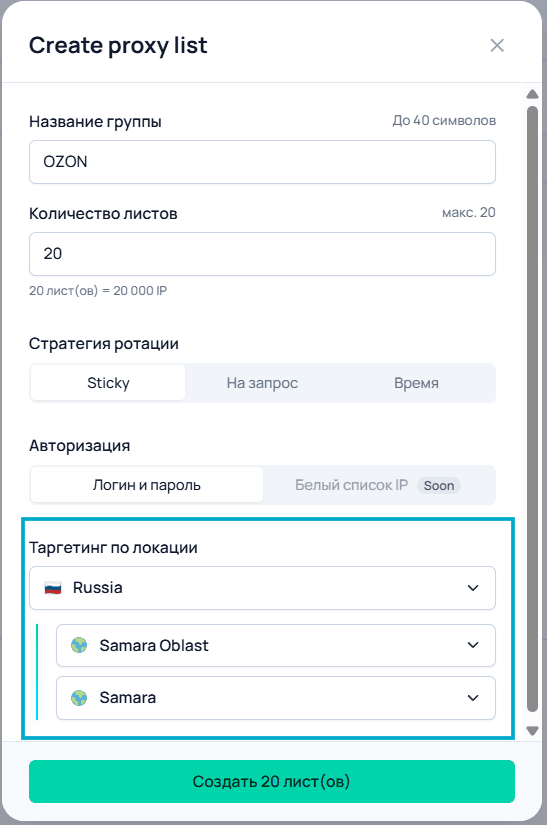
For some analytical tasks, not only the IP address itself but also its geographic association is important.
If a project analyzes regional search results or the availability of specific content, requests should be made from the relevant region. Residential proxies allow you to select a GEO and route connections through IP addresses associated with the required location.
For example, a specific scenario may use a pool of IP addresses from one region, while another scenario can use a different GEO.
At the same time, it is advisable to verify the proxy's actual geolocation separately before starting large-scale collection. Different services may determine an IP's location differently, so for critical tasks it is better not to rely solely on the stated location.
How to Organize Stable Data Collection
A good scraper is not simply a program that sends as many requests as possible. The entire infrastructure around it is important.
It is worth considering:
Request rate control. Avoid creating unnecessary load. The interval between requests and the number of parallel tasks should be selected based on the specific scenario.
Retries. A temporary connection error should not cause the entire task to fail. The scraper can retry the request after a delay.
Response validation. Receiving an HTTP response does not necessarily mean that the required data was actually obtained.
Logging. It is useful to store information about errors, response times, URLs, and processing status.
Historical data storage. For price and assortment monitoring, storing only the latest value is not enough.
Proxy monitoring. If a particular IP is unstable, it can be temporarily removed from the active pool.
Concurrency limits. Increasing the number of simultaneous requests does not always result in a proportional increase in speed.
Example Project Architecture
For regular monitoring, the following system can be used:
1. Scheduler
Starts data collection according to a schedule — for example, several times a day.
2. Task list
Stores the URLs, SKUs, search queries, or categories that need to be checked.
3. Scraper
Sends requests and extracts the required fields.
4. Proxy Manager
Routes requests through Node Proxy and selects an appropriate IP according to the configured mode.
5. Data Processor
Cleans and normalizes the collected information.
6. Database
Stores current values and historical changes.
7. Analytics
Displays changes in prices, assortment, ratings, and other metrics.
As a result, you get not just a script for downloading pages, but a complete monitoring system.
What Node Proxy Residential Proxies Provide in This Setup
In the context of data collection, the main purpose of Node Proxy is to provide network infrastructure for the scraper.
Residential proxies allow you to:
- select a GEO;
- use a pool of residential IP addresses;
- distribute requests between addresses;
- use rotation;
- choose sticky scenarios when an IP needs to be preserved;
- connect proxies to applications and tools that support HTTP or SOCKS5.
Node Proxy's residential proxies is suitable for collecting public data, monitoring prices, analyzing catalogs, and other tasks involving a large number of repeated requests to web resources.
At the same time, a proxy is only one component of the system. The quality of the final result also depends on the scraper itself, request structure, error handling, request speed, data storage, and the accuracy of data extraction.
Conclusion
Ozon data collection can be organized as a sequential process: determine the required metrics, create a list of pages or queries, retrieve the data, extract the necessary fields, clean the results, and save them for further analysis.
For small tasks, a simple script and direct requests may be sufficient. Regularly monitoring a large number of product pages requires more infrastructure, including a scheduler, scraper, storage system, error handling, and proxy management.
In this architecture, Node Proxy residential proxies are responsible for the network layer. They allow you to select a GEO, distribute requests between residential IP addresses, and configure rotation or IP persistence depending on the scenario. This makes them one of the tools that can be used to build a scalable system for collecting public data from Ozon.
When automating data collection, it is important to take the platform's rules into account, avoid creating excessive load, and collect only data whose use is permitted for the specific task.