How to Access the US Version of TikTok via Node Proxy


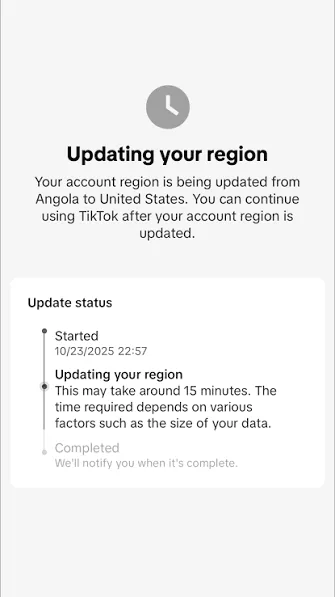
TikTok shows users content based on the connection region. Therefore, the recommendation feed, available features, local trends, TikTok Shop offers, and advertising mechanics may differ depending on the country. If the task involves analyzing the U.S. market, working with content for a U.S. audience, or checking the platform’s local features, a connection through a U.S. IP address will be required. To access US TikTok, connect through a proxy with a U.S. IP in your browser or in a separate browser profile.
For this purpose, Node Proxy U.S. proxies are used. This approach makes it possible to configure a connection through the selected region and work with TikTok as if the connection were being made from the required location. How U.S. IP addresses work and what other tasks they solve is covered in our article on U.S. proxy servers.
How Node Proxy Works for TikTok
When a user opens TikTok directly, the platform determines the region based on connection parameters, including the IP address. Based on this data, TikTok selects local content, recommendations, and available features.
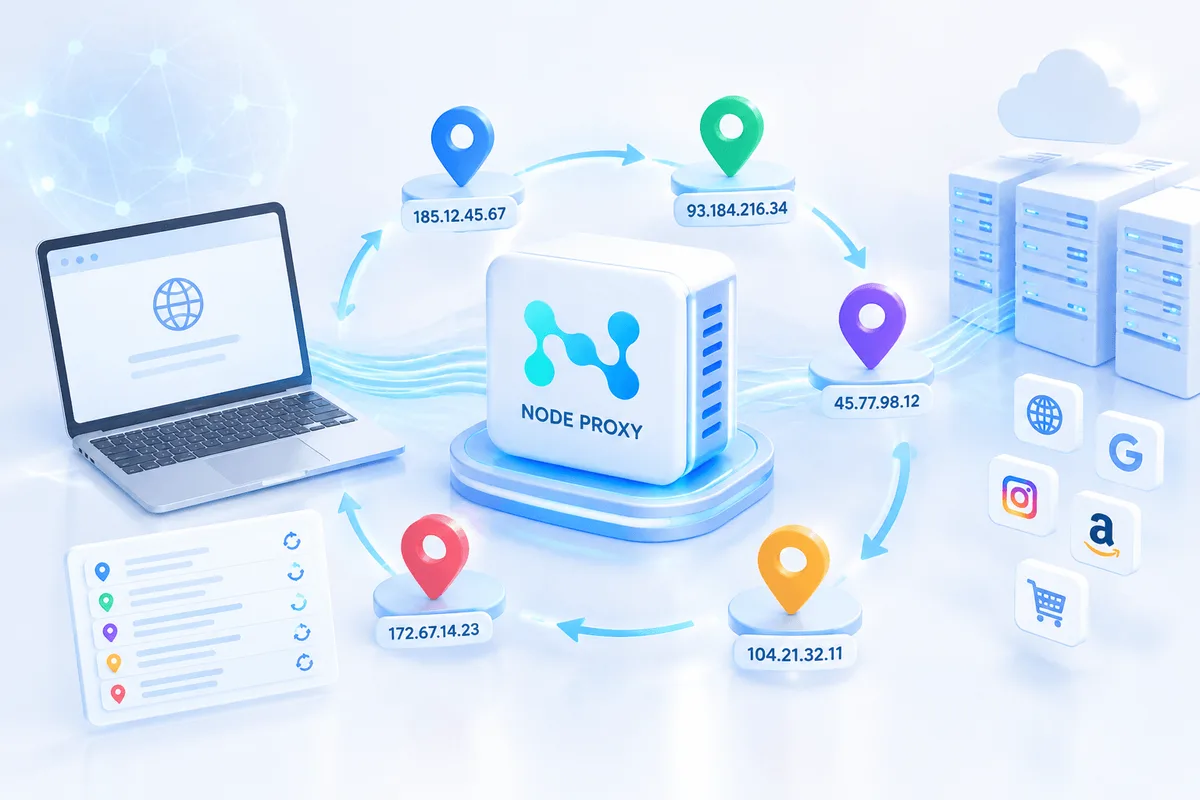
When using Node Proxy, the request first passes through an intermediate server in the selected country. If a U.S. IP address is selected, TikTok perceives the connection as American and may show the corresponding version of the platform: the local For You feed, regional trends, TikTok Shop offers, and other content aimed at the United States. More use cases are covered on our TikTok proxies page.
Residential Proxies for Social Media
Use IPs from the locations you need for managing your accounts.
What Matters When Choosing a Proxy for US TikTok
For working with TikTok, it is better to choose proxies with precise geo-targeting. Ideally, it should be possible to specify not only the country, but also a particular city or state. This is especially useful if you need to test content, advertising, or commercial features in a specific U.S. region.
The following also matter:
- session stability;
- cleanliness of IP addresses;
- a large pool of available addresses;
- support for the required protocol;
- the ability to assign a separate IP to a specific profile;
- a clear control panel.
For TikTok, mobile or residential IP addresses are more commonly chosen because they are better suited for working with social platforms and help maintain a more natural connection structure.
Method 1. Setting Up Node Proxy in a Regular Browser
The most basic option is to add a proxy in the system settings or browser settings. This method is suitable if you need to work with one account and do not require complex configuration of separate profiles.
First, you need to obtain the connection details:
- host;
- port;
- username;
- password.
After that, you can proceed with the setup.
Google Chrome does not have a separate full-fledged section for manually adding a proxy: the browser uses the system connection settings. Therefore, the setup is performed through the system menu. A detailed walkthrough is available in our guide to setting up a proxy in Google Chrome.
Procedure:
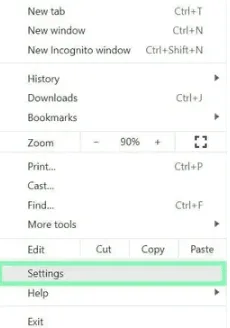
1. Open Chrome settings.
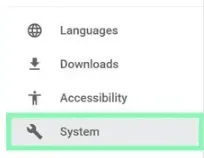
2. Go to the System section.
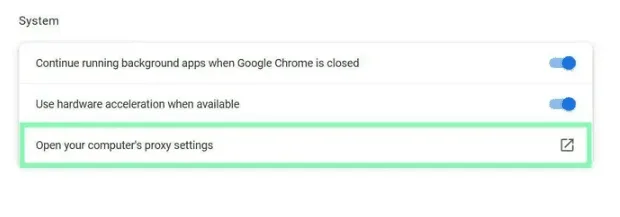
3. Select Open your computer’s proxy settings.
4. Enable the use of a proxy server.
5. Enter the host and port.
6. Save the settings.
7. Restart the browser.
8. When prompted for authorization, enter the username and password.
After that, Chrome will use the selected connection. If the proxy is configured for the United States, TikTok will receive requests from a U.S. IP address.
This method is fairly straightforward, but it has a limitation: the settings are applied at the system or browser level. If you need to work with several accounts, test different regions, or separate work scenarios, it is more convenient to use browser profiles.
Method 2. Setting Up a Proxy in a Separate Browser Profile
For more orderly work with TikTok, it is more convenient to use a browser that supports separate profiles. In each profile, you can set your own proxy, region, connection parameters, and working environment.
This approach is useful if you need to:
- separate several accounts;
- assign a separate IP address to each account;
- avoid mixing cookies, history, and session parameters;
- test different regional scenarios;
- work with TikTok content and commercial features in separate areas.
The general setup logic is as follows:
1. Create a new browser profile.
2. Open the connection settings section.
3. Add the Node Proxy details: host, port, username, and password.
4. Select the required protocol.
5. Check the connection.
6. Save the profile.
7. Launch TikTok inside this profile.
If the connection is active, the profile will work through the selected U.S. IP address. For each TikTok account, it is better to use a separate profile and a separate proxy. This helps keep the work organized and prevents different tasks from being mixed in one environment.
Method 3. Using a Browser with Built-in Proxies
Some browsers designed for working with profiles allow proxies to be connected directly inside the interface. In this case, there is no need to separately copy long lists, manually transfer parameters, or configure the system connection.
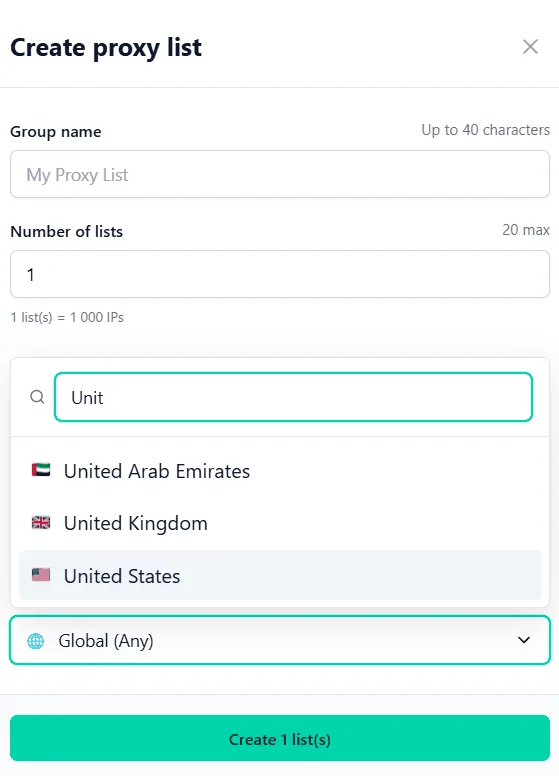
The user selects the country, connection type, and launches the profile. If the United States is available for selection, it is enough to specify the required location and wait for a successful connection status.
This option is convenient for those who do not want to configure the connection manually. It is also suitable for team work, testing regional content, and managing multiple profiles.
How to Distribute Proxies Between Accounts
If several TikTok accounts are used, they should not be launched through the same IP address. For each account, it is better to create a separate browser profile and assign a separate proxy to it.
This makes it easier to control the working environment:
- one account — one profile;
- one profile — one IP address;
- one region — one work scenario;
- separate cookies and settings for each task.
This approach reduces the risk of confusion and makes work more predictable. It is especially important when testing content, analyzing recommendations, checking TikTok Shop, or managing several areas for different audience segments.
Practical Recommendations
Before starting work, check that the IP address really belongs to the United States. This can be done with our free proxy checker, which shows the proxy's exit IP and location. If the region is detected incorrectly, TikTok may show the wrong content segment.
It is also advisable to avoid frequent IP address changes within one account. It is better to use a stable session and not switch between different cities unless necessary. For long-term work, fixed or long-duration sessions are preferable.
If TikTok does not load correctly, check:
- whether the proxy is active;
- whether the host and port have been entered correctly;
- whether the username and password match;
- whether the selected protocol is supported;
- whether the system connection settings conflict with each other;
- whether an old browser cache is being used.
Sometimes it helps to create a new profile, clear cookies, or choose another IP address from the same region.
US TikTok Proxy FAQ
How do I access US TikTok with a proxy?
Get a proxy with a U.S. IP address, add it to your system settings or to a separate browser profile, restart the browser and open TikTok. The platform will then see the connection as American.
Which proxy is best for US TikTok?
Residential or mobile proxies with U.S. geolocation are usually chosen, because their IP addresses look like regular users and suit social platforms better than datacenter IPs.
Can I use one proxy for several TikTok accounts?
It is better not to. Use one browser profile and one IP address per account so that cookies, sessions and network parameters do not mix.
Why does TikTok still show content from my region?
Check that the proxy is active and that its IP is really located in the United States. Clearing the browser cache and cookies or creating a new profile also helps.
Conclusion
To access the U.S. segment of TikTok, you need a proxy with geolocation in the United States. It can be configured in a regular browser through system settings, connected to a separate browser profile, or used through a tool with built-in proxy support.
For one-time work, basic setup in Chrome is sufficient. For regular work, content analysis, regional testing, and managing multiple accounts, it is better to use separate profiles: this makes it easier to separate sessions, assign IP addresses, and maintain a stable working structure.