Canvas Fingerprinting Explained: Check Your Canvas Hash and Cut Tracking

With canvas fingerprinting, a site asks the browser to paint a small test image off screen, pulls the pixel data back out and condenses it into a hash of a few dozen characters. GPUs, graphics drivers, operating systems and font rasterisers each leave tiny marks on that image, so your machine keeps producing one hash while most other machines produce another. The result behaves like an ID that needs no cookies and leaves nothing on the disk.
Most explanations stop at that definition. Here we go further: you will see the exact browser calls a fingerprinting script relies on, a small script to check your own canvas hash, how privacy browsers and antidetect profiles handle canvas, and why the canvas value has to agree with your IP address, time zone and the rest of the profile.
Proxies that match your profile
Residential proxies by country and city to keep IP, time zone and language in line with your browser profile
How a Canvas Fingerprint Is Produced
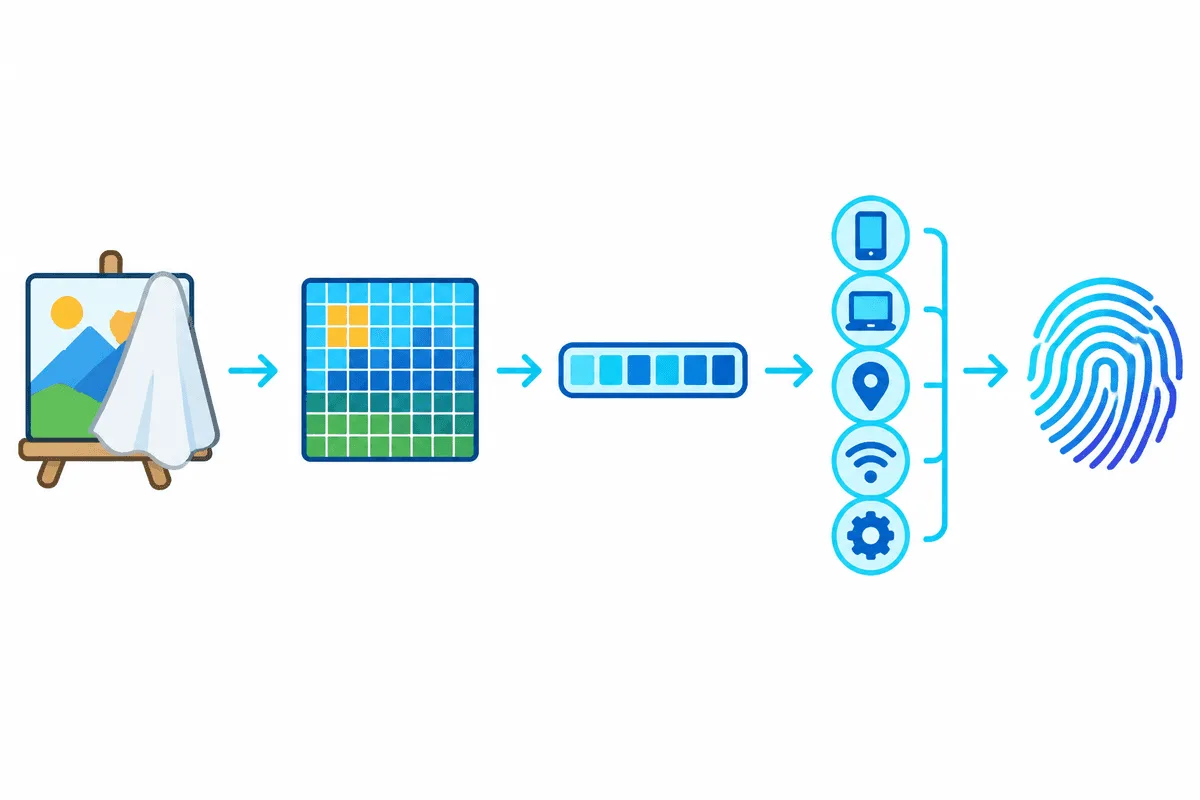
Browsers ship the canvas element so that pages can draw charts, run games and edit photos. A fingerprinting script borrows it as a measuring instrument that records how one specific combination of hardware and software paints pixels. The process takes a few milliseconds and the visitor never sees the drawing.
- The script creates a canvas that is not attached to the page, or one sized a few pixels and hidden.
- It writes a test string with an unusual mix of characters, often in two fonts and colours with partial transparency, and adds curves, gradients or emoji.
- It reads the result with
toDataURL()orgetImageData(), which return the image as encoded data or as raw pixel values. - It hashes that output and sends the short hash to a server, usually together with dozens of other browser traits.
Why the Same Drawing Gives Different Pixels
Two laptops given identical instructions still produce slightly different images. The differences come from anti-aliasing at the edges of letters, sub-pixel font smoothing, the installed font versions, colour blending in the GPU, and driver-level rounding. On screen these changes are invisible; in a pixel array they change a few values, and any change produces a completely different hash.
Nothing changes in the hash until something changes in the stack: new hardware, an OS upgrade, another browser release or a different font set. A browser update or a new graphics driver can change it, which is why trackers rarely rely on canvas alone and pair it with WebGL, audio and screen data.
Canvas Next to WebGL and Audio
Canvas is part of a rendering group of signals. WebGL exposes the graphics vendor and renderer strings and can render 3D scenes for hashing in the same way. The audio API can process a test signal and hash the output. Together these values describe the device more precisely than any single one of them. The wider picture, with network, header and behaviour layers, is covered in our guide to browser fingerprinting.
Who Uses Canvas Fingerprinting and Why
Canvas hashes appear in two very different settings.
- Advertising and analytics. Recognising a returning visitor after cookies were cleared or blocked. In the EU this kind of tracking generally falls under ePrivacy consent rules and GDPR, the same as cookies.
- Security and fraud prevention. Banks, payment pages, marketplaces and anti-bot systems compare the device in a new session with devices seen before. A login from a known canvas hash is a weaker risk signal than one from a device never seen. Our article on how websites detect bots explains how such signals are combined with IP reputation and behaviour.
For the second group, an unusual or inconsistent canvas value is not neutral. A value that jumps around between visits, or one that does not fit the graphics card the browser reports, may count as a warning sign in its own right.
How to Check Your Canvas Fingerprint
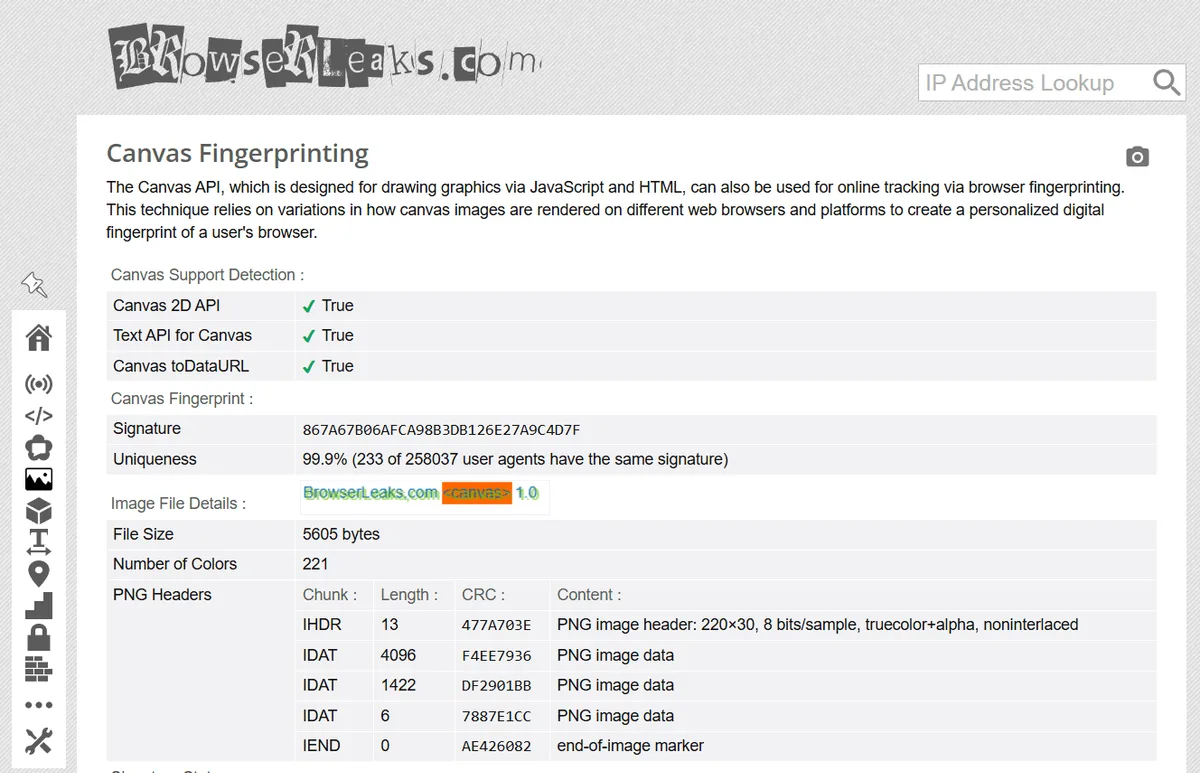
A handful of free testers reveal your canvas signature and how rare it is:
- BrowserLeaks gives canvas its own test page: you see the drawn image, its signature and a rough count of matching signatures in its database.
- AmIUnique puts canvas into a long table of traits and shows, for each one, what percentage of its visitors match you.
- CreepJS tries to detect whether the canvas output was tampered with, which is useful when you test a protected browser.
- Cover Your Tracks by the EFF estimates overall uniqueness, including canvas, and checks tracker blocking.
A Quick Self-Test in the Console
To see the mechanism with your own eyes, open the developer console on any page and run a short script. It draws a test scene, takes a SHA-256 hash of the image data and prints the first characters.
async function canvasProbe() {
  const board = document.createElement("canvas");
  board.width = 240;
  board.height = 60;
  const pen = board.getContext("2d");
  pen.textBaseline = "top";
  pen.font = "16px Arial";
  pen.fillStyle = "#f60";
  pen.fillRect(100, 5, 80, 30);
  pen.fillStyle = "rgba(20, 90, 160, 0.7)";
  pen.fillText("Probe ÅßΩ 😊 0.1", 4, 12);
  const pixels = new TextEncoder().encode(board.toDataURL());
  const digest = await crypto.subtle.digest("SHA-256", pixels);
  return [...new Uint8Array(digest)].slice(0, 8)
    .map(b => b.toString(16).padStart(2, "0")).join("");
}
canvasProbe().then(id => console.log("canvas id:", id));
Run it twice in the same browser: the result should match. Run it in another browser on the same computer, or on a different computer, and it will probably differ. If it changes on every run, your browser adds noise to canvas reads.
What Changes the Canvas Hash and What Does Not
People often expect a VPN or a fresh IP to reset tracking. Canvas is computed on your device, so the network has no effect on it. The table sums up what each common measure actually does.
| Measure | Effect on canvas | Side effects |
|---|---|---|
| Clearing cookies, incognito window | None, the hash is recalculated identically | None |
| Proxy or VPN | None, only IP and visible location change | Network layer changes, which matters for consistency |
| Brave (default shields) | Adds small random changes per site and session | Sites see a value that varies between sessions |
| Firefox fingerprinting protection | Strict mode and private windows add canvas protections; the older resistFingerprinting setting blocks or blanks reads | Some sites may misbehave in Strict mode |
| Tor Browser | Returns a blank image unless you allow canvas reads for a site | Same output for everyone, which is the goal |
| Safari Advanced Fingerprinting Protection | Adds noise to canvas readback | Only in Safari on Apple devices |
| Canvas blocker extensions | Block or randomise reads | The extension itself can be detectable |
| Profile in an antidetect browser | Swaps in one invented value that stays fixed for that profile | Works only if the other profile values agree with it |
Browser defaults and option names change between versions, so check the current documentation of your browser before relying on a specific setting.
Blocking, Noise or a Stable Substitute
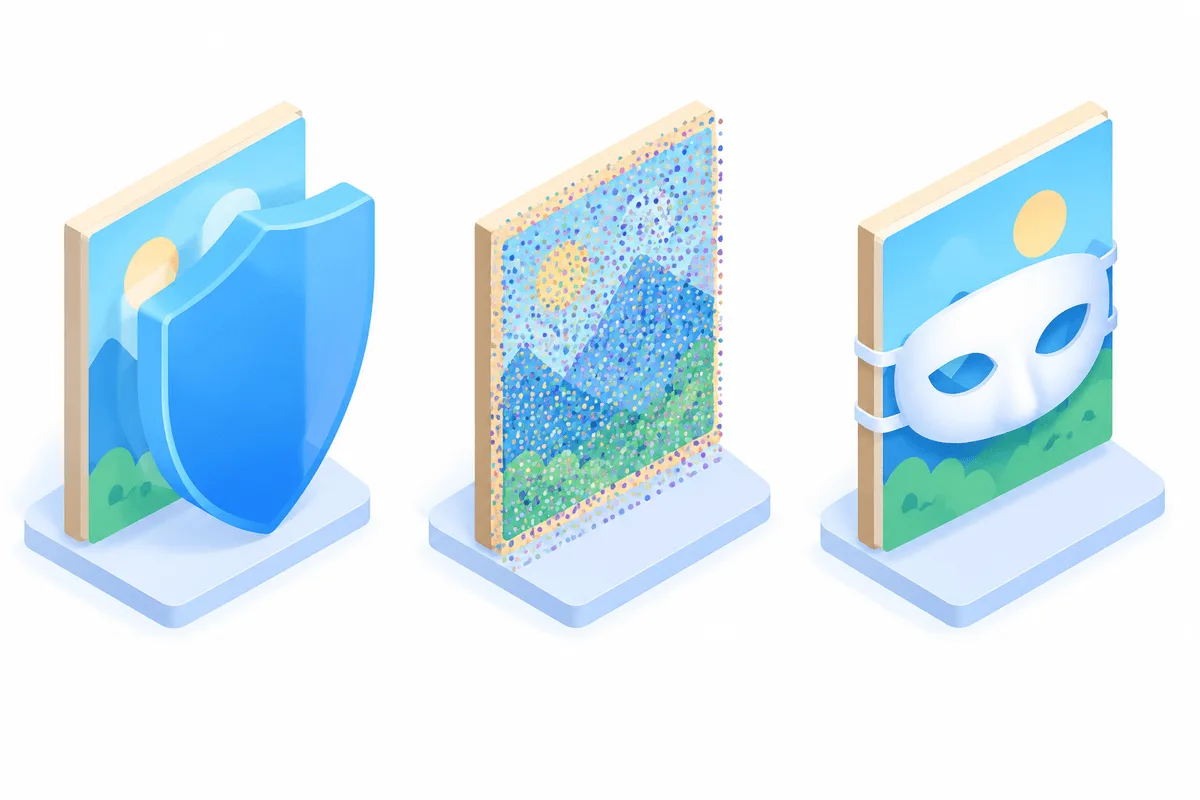
There are three technical approaches. Blocking returns nothing or a blank image, which defeats tracking but is unusual and therefore visible. Noise adds tiny random changes per site or per session, so hashes do not match across sites, but a detector can notice that the output varies. A stable substitute keeps one plausible value per profile, which is what antidetect browsers aim for: the hash stays the same within a profile and differs between profiles.
Canvas, IP and the Rest of the Profile
A canvas value never travels alone. Anti-fraud systems read it next to the WebGL renderer, the operating system in the User-Agent, screen size, fonts, time zone, language and, on the server side, the IP address. What gets attention is contradiction: a canvas typical of a Mac paired with a Windows User-Agent, or a profile configured for Paris that connects from an address in another country with a different clock.
So the job of a proxy in a fingerprinting context is not to hide canvas. It is to make the network layer tell the same story as the device layer. When a profile is set up for a specific country and city, residential proxies from that location keep IP geolocation, time zone and language aligned with the rest of the fingerprint.

Practical Checklist for Separate Profiles
Teams that legitimately run several work profiles, for example an agency managing client pages, can use this order:
- Pick one canvas strategy per profile and keep it: a stable substitute value, not new noise on every launch.
- Make WebGL vendor and renderer plausible for the operating system the profile claims.
- Set time zone and language to match the proxy location.
- Use one dedicated IP or one sticky session per profile instead of sharing addresses.
- Retest each profile in BrowserLeaks and CreepJS after any change.
Platform rules still apply: separate profiles help keep genuinely separate accounts apart, but they do not change what a service allows. Setup guides for popular tools are collected in our antidetect browser proxy setup hub, and general privacy habits are in the internet security checklist.
Common Mistakes
- Random noise on every page load. It stops cross-site matching but makes the browser look modified. For long-lived profiles a stable value is usually less conspicuous.
- Faking canvas while leaving WebGL untouched. The pair contradicts itself and draws attention.
- Stacking extensions. Each extra blocker adds rare traits and can make the fingerprint more unique, not less.
- Ignoring the network layer. A perfect canvas setup still fails the consistency check if the IP sits in another country from the time zone.
Canvas Fingerprinting FAQ
What is canvas fingerprinting in simple terms?
It is a way to recognise a device by the way it renders graphics. The page paints an invisible test image, hashes the pixel data, and since rendering varies from machine to machine, the same hash later points to the same device even with cookies cleared.
Can a proxy or VPN change my canvas fingerprint?
No. The drawing happens locally in your browser, while a proxy or VPN only swaps the IP address and the location sites infer from it. That is useful for keeping the network side in line with the profile, yet the canvas signature does not move.
Is canvas fingerprinting legal?
It depends on the purpose and jurisdiction. In the EU, using it to track visitors generally requires consent like cookies do, while fraud prevention may rely on other legal grounds. Many sites list it in their privacy or cookie policy.
Does incognito mode block canvas fingerprinting?
Mostly not. Private mode only skips saving cookies and history, and the test image renders exactly as before. Some browsers, Firefox and Safari among them, switch on extra protections in private mode that may alter or blur the canvas output.
Is randomising canvas better than blocking it?
Both have trade-offs. Blocking is the most private but is easy to spot, randomising breaks cross-site matching but shows that values vary, and a stable substitute per profile looks the most natural for long-lived accounts.
How do antidetect browsers handle canvas?
They assign each profile its own canvas value and keep it stable between sessions, together with matching WebGL, fonts and screen data. The result depends on how consistent the whole profile is, including the proxy location.