Browser Fingerprinting: What It Is, What It Collects and How to Reduce It

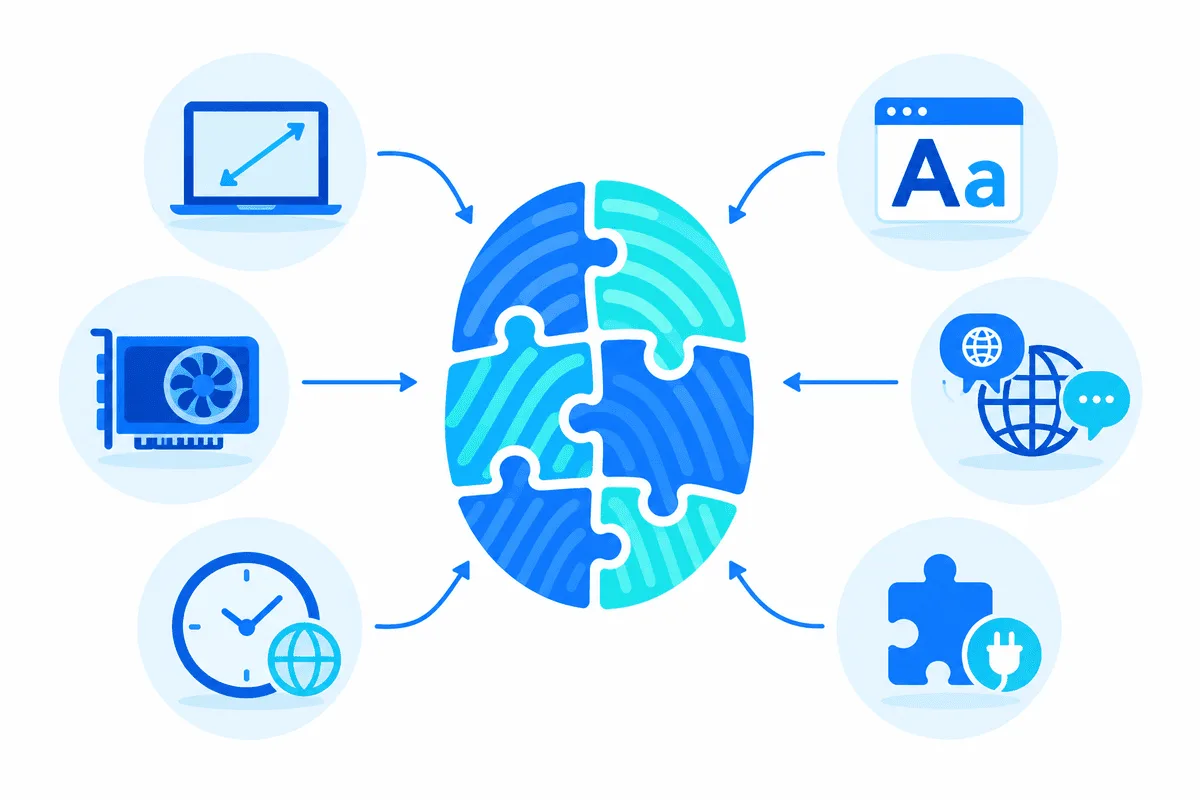
Browser fingerprinting is a way of recognising a device by combining dozens of small technical traits (screen size, fonts, graphics card output, time zone, language, network details) into one identifier, without storing anything on the device. Unlike cookies, there is nothing to delete: the fingerprint is recalculated from scratch on every visit, and if the combination is rare enough, it points back to you.
This guide goes beyond the definition. It lists the actual parameters sites read, splits them by layer, shows how to test your own browser, and explains honestly what a proxy, a privacy browser or an antidetect profile can and cannot change.
Proxies that match your profile
Residential proxies by country and city to keep IP, time zone and language consistent
How Fingerprinting Differs From Cookies
A cookie is a label the site hands you and later asks you to show again. A fingerprint is more like a description the site writes down from what it observes: height, clothing, accent. You can refuse labels, but you cannot stop being observed while you browse.
That is why fingerprinting is used in two quite different ways:
- Tracking and advertising, recognising the same visitor across sessions and sites even after cookies are cleared.
- Security and fraud prevention, where banks, shops and anti-bot systems compare a login attempt with the devices they have seen before. Our article on how websites detect bots shows how fingerprints sit next to IP reputation and behaviour signals in those systems.
What a Fingerprint Is Made Of
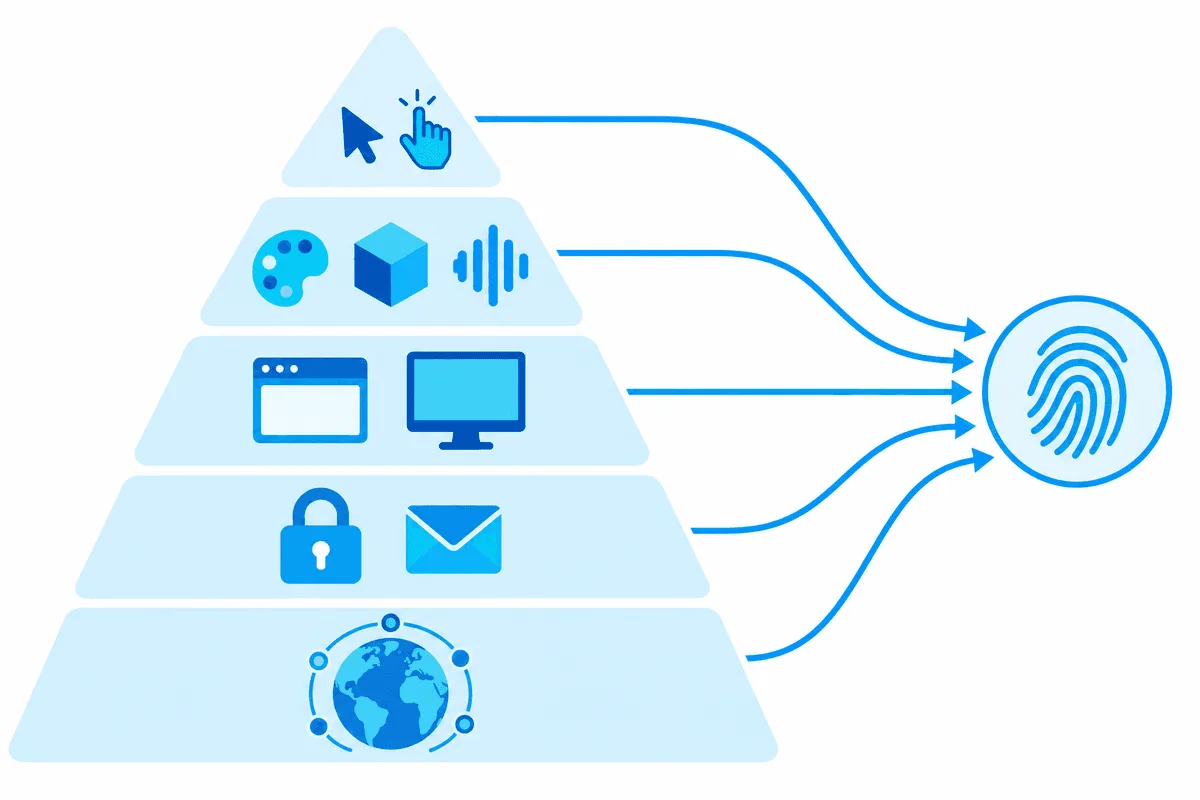
No single value identifies you. Uniqueness comes from the combination, and from contradictions between values. Here is what typical scripts and servers collect, grouped by where the data comes from.
| Layer | Parameters | Readable without JavaScript |
|---|---|---|
| Network | IP address, ASN and provider type, geolocation, DNS resolver, WebRTC local and public candidates | IP yes, WebRTC no |
| TLS and transport | Order of cipher suites and extensions in the TLS ClientHello (JA3, JA4 hashes), HTTP/2 settings, TCP/IP traits like TTL and window size | Yes |
| HTTP headers | User-Agent, Client Hints (Sec-CH-UA, platform, mobile), Accept-Language, header order | Yes |
| Browser environment | navigator properties, installed plugins, hardwareConcurrency, deviceMemory, do-not-track flags, automation markers such as navigator.webdriver | No |
| Screen | Resolution, available area, colour depth, pixel ratio, window size | No |
| Locale | Time zone, language list, date and number formatting | Partly |
| Rendering | Canvas image hash, WebGL vendor and renderer, WebGL parameters, AudioContext output | No |
| Fonts and media | Detectable system fonts, speech synthesis voices, media device counts | No |
| Behaviour | Mouse paths, typing rhythm, scroll patterns, timing between actions | No |
Why Canvas and WebGL Matter So Much
When a script draws hidden text and shapes on a canvas and reads back the pixels, tiny differences in GPU, drivers, font rendering and anti-aliasing produce a different hash on different machines. WebGL adds the graphics card vendor and model string. These values are stable for months, hard to fake convincingly and do not depend on cookies, so they carry a lot of identifying power.
The Network Layer Is Part of the Fingerprint
Many people think of fingerprinting as purely a JavaScript matter. In practice the server also reads the TLS handshake and the IP address before any script runs. If the browser claims to be Chrome on Windows but the TLS handshake looks like a Python library, or the IP belongs to a hosting provider while the time zone says Tokyo, the mismatch itself becomes a signal.
How to Check Your Own Fingerprint
Several free testers show what your browser reveals. Use two or three, because each one measures differently:
- Cover Your Tracks (by the EFF) estimates how unique your browser is among recent visitors and whether tracker blocking works.
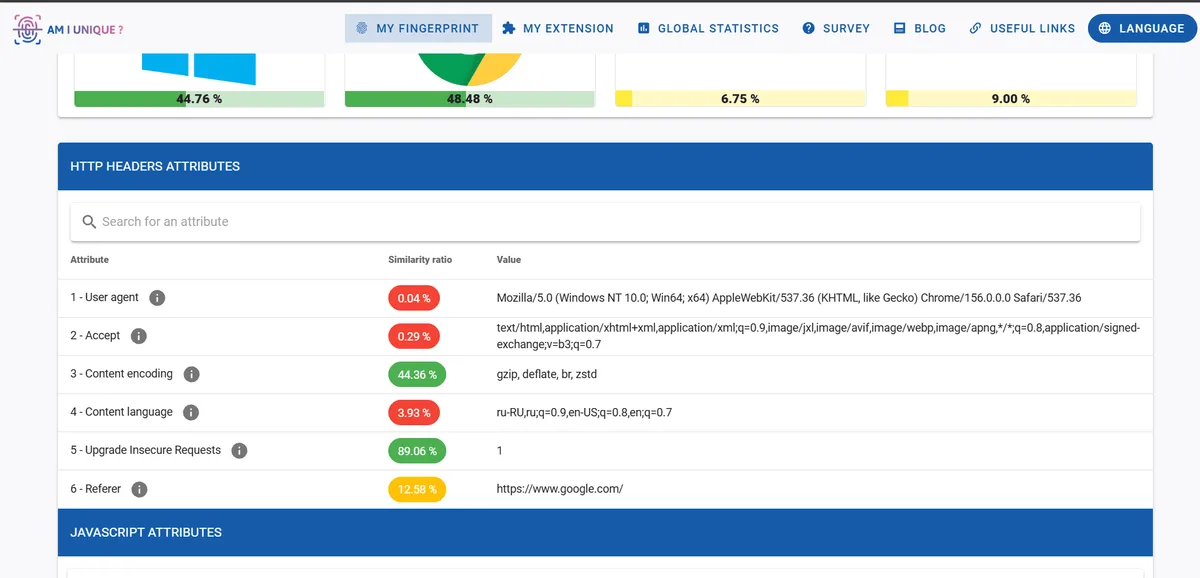
- AmIUnique shows each attribute with the share of visitors who have the same value, which makes rare values easy to spot.
- BrowserLeaks has separate pages for WebRTC, canvas, WebGL, fonts, TLS and more, so you can test one layer at a time.
- CreepJS is an open-source tester that tries to detect lies, for instance values that were spoofed inconsistently.
Run the tests in your normal browser, then in a private window, then with your proxy or VPN enabled, and compare. Note which values change and which stay identical: the stable ones are what links your sessions together.
What Actually Changes Your Fingerprint
Here is a realistic view of the common tools. The key point is that each tool covers its own layer, and none of them covers all of them.
| Tool | What it changes | What it leaves as is |
|---|---|---|
| Clearing cookies, private window | Stored identifiers | Practically the whole fingerprint |
| Proxy or VPN | IP address, provider, geolocation as seen by sites | Canvas, WebGL, fonts, screen, TLS of the browser itself |
| Tor Browser | Makes all users look alike: standard window sizes, fixed fonts, uniform values | Requires the Tor network, many sites limit Tor exits |
| Firefox fingerprinting protection | Reduces or normalises screen, fonts, hardware details (stronger in Strict mode and private windows) | Some sites break, protection level depends on settings |
| Brave | Randomises canvas, WebGL and audio output per site and session | Network layer, unless you add a proxy |
| Safari 26 and later | Advanced Fingerprinting Protection is on for all browsing by default | Only for Safari on Apple devices |
| Privacy extensions | Block known tracking scripts | May add rare traits and make you more unique |
| Antidetect browsers | A separate, consistent set of values per profile, plus a proxy per profile | Quality varies, inconsistent profiles are easy to spot |
So a proxy alone does not hide a fingerprint. What it does is make the network layer match the story the rest of the profile tells. A browser that says Berlin and German language through an address in the same region is coherent; the same browser exiting from a data centre in another continent is not. When the scenario needs an address that looks like a home connection, residential proxies with the right country and city keep IP, time zone and language in agreement. Read more about how location is derived from an address in our piece on IP geolocation.
Two Strategies: Blend In or Randomise
There are only two working approaches, and mixing them tends to fail.
- Blend in. Look like a large crowd: popular browser, default settings, standard window size, no exotic extensions. Tor Browser and Safari follow this idea. It works because the fingerprint, while still computed, is shared by many people.
- Randomise. Change rendering outputs so they differ every session or every site, as Brave does. Tracking across sessions becomes harder, but a site can still see that the values are randomised.
Hand-made spoofing (an extension that fakes the User-Agent but leaves the rest untouched) usually does neither. It creates a contradiction, which is rarer and therefore more identifying than the original fingerprint.
Practical Steps for Privacy
- Keep your browser updated and avoid unusual configurations.
- Turn on the built-in protection: Strict tracking protection in Firefox, Advanced Fingerprinting Protection in Safari, default shields in Brave.
- Use one or two well-known blockers instead of a long list of niche extensions.
- Check WebRTC: if a tester shows your real public IP while a proxy is on, enable the WebRTC protection option of your browser or extension.
- Align time zone and language with the location of your proxy or VPN, otherwise the mismatch stands out.
- Separate identities by profiles, not just by windows: work and personal browsing in different browser profiles or different browsers.
- Retest after every change with the tools above. More general habits are collected in our internet security checklist.
Fingerprints and Multiple Browser Profiles
Agencies, QA teams and marketers who legitimately manage several client accounts often use antidetect browsers, which keep each profile's cookies, fingerprint values and proxy separate. Each platform has its own rules on multiple accounts, so check them before you start; a technical tool does not change what the terms allow. If you go this way, consistency matters more than any single setting, and our list of mistakes when using proxies with an antidetect browser covers the typical slip-ups, such as a profile time zone that contradicts the proxy country. Setup guides for each tool are gathered in the antidetect browser proxy setup hub.
Browser Fingerprinting FAQ
Is browser fingerprinting legal?
It depends on the purpose and jurisdiction. In the EU, regulators treat fingerprinting for tracking as access to device information that generally requires consent under ePrivacy rules and GDPR, while fraud prevention may rely on other legal grounds.
Does incognito mode stop fingerprinting?
No. Private windows only skip saving cookies and history, while screen, fonts, canvas output and other traits stay the same. Firefox and Safari do apply some extra fingerprinting protection in private windows, but it is not complete.
Can a VPN or proxy hide my fingerprint?
Only the network part of it. A proxy or VPN changes the IP address, provider and visible location, but canvas, WebGL, fonts and screen values still come from your device.
What is the most identifying part of a fingerprint?
Usually the combination of canvas and WebGL output with fonts and screen parameters, because these values are stable and differ widely between machines. The IP address adds a lot too, but it changes more often.
Do antidetect browsers make you anonymous?
No. They separate profiles from each other and keep values consistent within each profile, which is useful for managing several accounts. They do not make you anonymous to the services you use, and all activity still has to follow each platform's rules.