Charles Proxy: What It Is and How to Use It to Debug Your Own Traffic

Charles Proxy is a desktop sniffer that wedges itself between a program and the network and keeps a transcript of each HTTP and HTTPS exchange flowing past. Developers and testers reach for it when they want proof of what their own sites, phone builds and backend scripts really transmit, when a reply needs tweaking without a redeploy, or when the app has to be tried on a sluggish line.
What follows is the complete daily loop: making Charles notice browser calls, opening HTTPS with SSL Proxying, hooking up a handset over Wi-Fi, sending Charles itself out via an upstream proxy, and the bundled utilities that shave hours off QA. All of it presumes you look only at software and hardware that belongs to you or that you have written permission to examine.
Residential proxies
Residential exits in many countries for checking how your own service looks to visitors abroad
Where Charles Sits in the Request Path
Under the hood Charles is an explicit forward proxy living on your workstation. A client is told to use it deliberately, which is the opposite of a gateway that catches packets behind the user's back; our piece on transparent and explicit proxies unpacks that difference. Every call lands in Charles first, gets logged, and only then continues to the genuine server, while the answer retraces the same route.
Sitting in the middle gives it three powers:
- each call reveals its headers, cookies, query parameters, JSON payload and timing breakdown;
- a call can be frozen in flight and altered on the way out or on the way back;
- a remote resource can be replaced by a file from your disk, and bandwidth can be squeezed to imitate 3G.
The program is built on Java and runs on macOS, Windows and Linux. Licences are sold, a 30-day evaluation is available, and an unlicensed copy also caps how long one session lasts, which is why regular users end up buying. Version 5.x is the line being shipped as this is written.
First Launch and the First Captured Calls
- Grab the installer matching your OS from the vendor's site and start Charles.
- During that first run the Mac and Windows builds propose to take over the system proxy. Say yes. From then on the matching entry in the Proxy menu (macOS Proxy or Windows Proxy) carries a tick, and any browser obeying OS settings starts streaming into Charles.
- Visit a couple of pages in Chrome or Edge. Within seconds the left pane fills with domain names.
Out of the box the listening port is 8888. Firefox is the odd one out with private network preferences: tell it to reuse the OS configuration, or type 127.0.0.1 with port 8888 into its manual fields.
Structure Versus Sequence
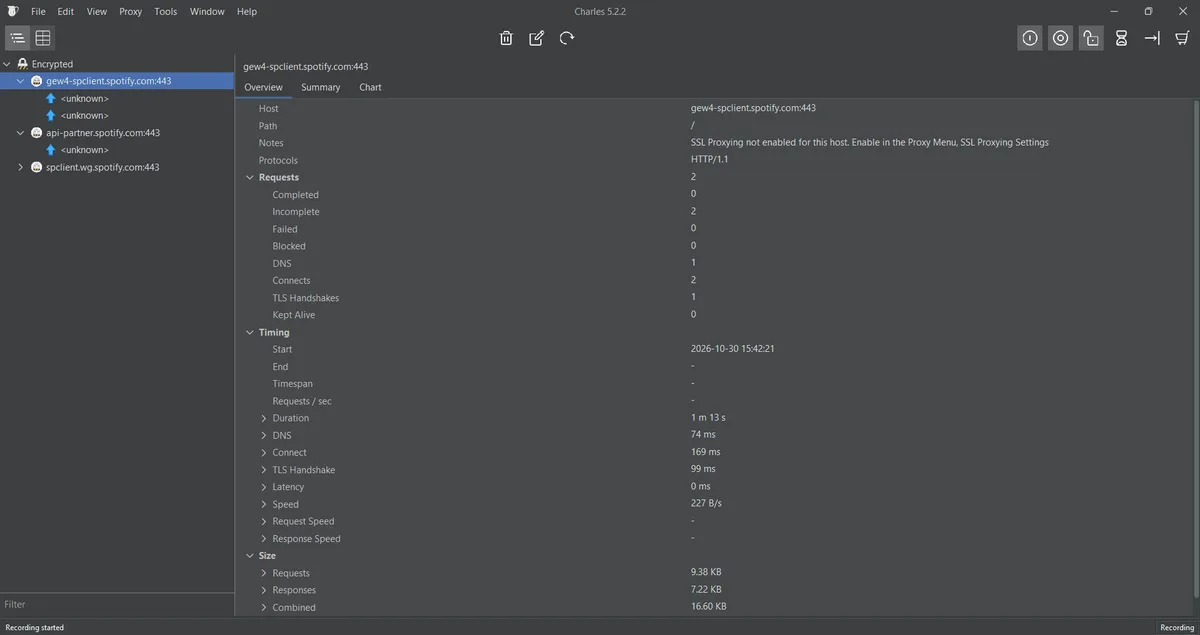
A pair of tabs decides the layout. Structure arranges traffic as a tree of domains and folders, ideal for gathering everything one backend produced. Sequence keeps strict chronological order, which suits replaying a user's path click after click. Typing into the filter field beneath Sequence trims the table to a single domain, and choosing Focus in a host's right-click menu shoves everything else into a bucket named Other Hosts.
Pick a call and the right side reveals Overview with status, durations and byte counts, Contents with the raw exchange plus JSON and image viewers, and Summary, handy for a page that pulls dozens of assets.
Decrypting HTTPS With SSL Proxying
Until you configure it, every encrypted session appears in Charles as a bare CONNECT entry, and its body stays opaque. Reading it requires two things: Charles has to terminate TLS for the hosts you pick, and your machine has to accept the substitute certificates that Charles mints on the fly.
Step 1. Make Your System Accept the Charles CA
- macOS: open the Help menu, hover over its SSL Proxying submenu and click the item that installs the root. The file goes straight to the Keychain app. Double-click the new Charles item there, unfold the Trust block and change the top drop-down to Always Trust; the Mac will want your admin password to save it.
- Windows: that very menu item starts the certificate import wizard. Do not let it place the file on its own; point it manually at the store for trusted root authorities.
- Firefox: this browser keeps a private list of authorities. Route Firefox through Charles first, then load
chls.pro/ssl, and when the import prompt opens, tick the box that lets the new authority vouch for sites.
Charles creates a fresh root for every installation, so trusting yours gives nobody else with a copy of Charles a way into your traffic. Delete it from the trust list anyway once the debugging job is finished.
Step 2. Pick the Hosts Charles Should Open
Domains to decrypt are managed in SSL Proxying Settings, an entry of the Proxy menu. Keep the master switch enabled and type each target into the Include grid. Listing an exact host plus port 443 keeps the session clean; a wildcard * opens every site you visit, floods the list and makes pages load slower. There is also a shortcut: in the Structure tree, right-click a host and choose Enable SSL Proxying from its context menu.
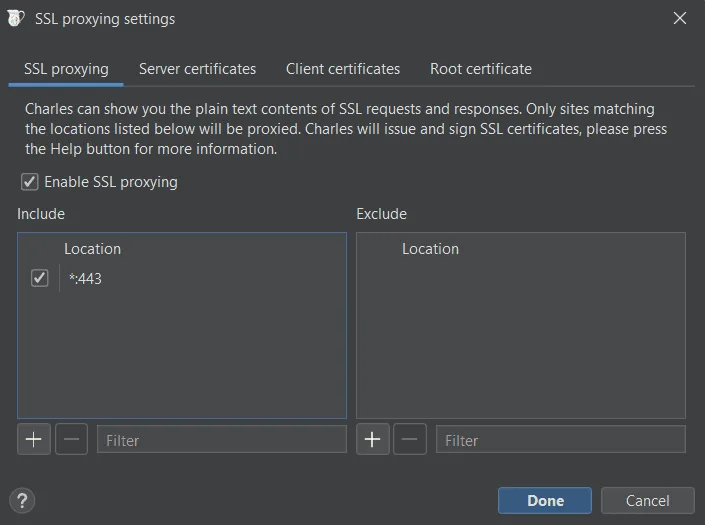
Step 3. Verify Decryption
Refresh the tab. Entries for that host now carry a padlock and expose full paths, headers and bodies. A certificate warning from the browser at this point means the root landed in the wrong store or the browser has not been restarted yet.
Capturing Traffic From a Phone
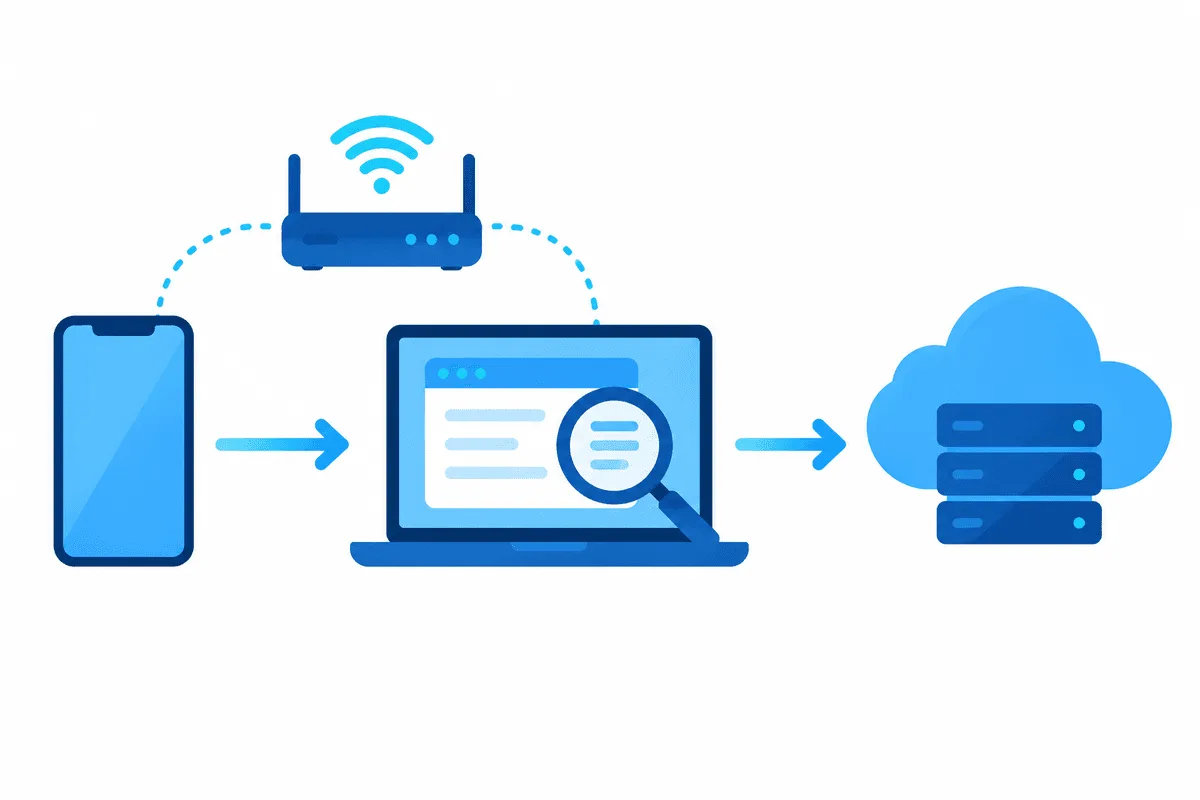
Watching a mobile build talk to its API is the main reason many teams keep a Charles licence. Before starting, connect the handset and the computer to one wireless network.
- Back on the laptop, revisit that Help submenu; one of its entries is dedicated to handsets and remote browsers, so click it. A small window appears with the LAN address of this machine and the port number you will need.
- On the handset, go into the settings of the current Wi-Fi network, change its proxy mode to Manual, type the LAN address and set port
8888. - Open any page on the handset. A dialog on the laptop wants to know whether this newcomer may connect; press Allow.
- Still on the handset, visit
chls.pro/ssland accept the download: iOS saves it as a configuration profile, Android as a certificate you add in the security settings.
Hunting for the Wi-Fi proxy boxes on a particular OS? Screens are pictured in our iPhone setup guide and in the Android counterpart.
iPhone and iPad
Installing the profile (it shows up under VPN & Device Management in the General section of Settings) is only half the job on Apple devices. iOS also asks for an explicit trust switch, hidden deeper in General, under About, at the very bottom: the certificate trust page, where the Charles root gets its own toggle. Leave that toggle off and both Safari and your app will keep refusing the decrypted sessions.
Android
From Android 7 onward, an app ignores certificates the user installed unless it says otherwise. Chrome on the phone might cooperate with the Charles root, yet the build you are debugging stays deaf to it until a network security config explicitly invites user certificates in:
<!-- res/xml/debug_net_rules.xml -->
<network-security-config>
    <debug-overrides>
        <trust-anchors>
            <certificates src="user" />
            <certificates src="system" />
        </trust-anchors>
    </debug-overrides>
</network-security-config>
Hook that file up in the manifest's application element through android:networkSecurityConfig="@xml/debug_net_rules". Whatever sits inside debug-overrides affects debuggable variants only, so the store release still validates certificates the strict way. Third-party apps, and any app that pins its certificate, will keep rejecting Charles, which is precisely how it should be.
Sending Charles Out Through an Upstream Proxy
Now and then the workstation itself must leave the building via a second hop: an office gateway, say, or an exit abroad when you want to see how your own shop localises prices, banners or catalogue for shoppers in that region. Charles builds a chain for this, so the app speaks to Charles and Charles in turn speaks to the outer proxy.
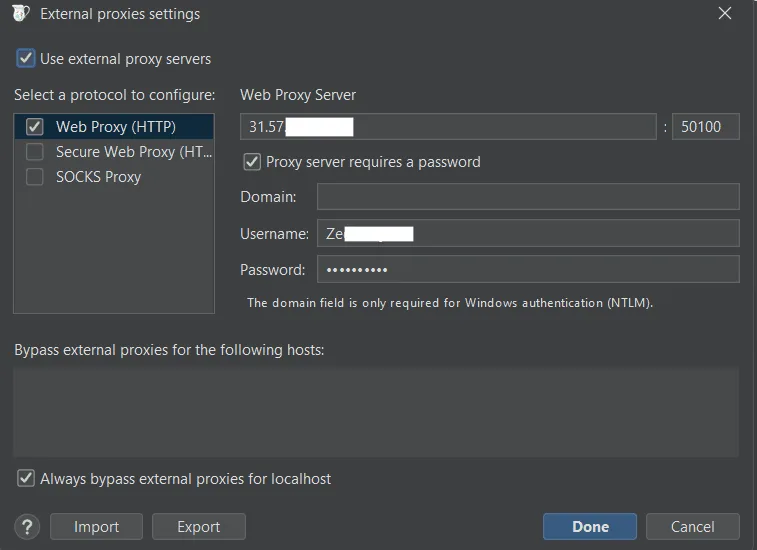
- Open the Proxy menu; the chaining dialog is called External Proxy Settings.
- Tick the master box, Use external proxy servers, at its top.
- In the left column tick whichever kinds apply, from Web Proxy (HTTP) and Secure Web Proxy (HTTPS) to SOCKS Proxy. Every kind stores its own server and port, so repeat the details for each ticked line.
- Paste in the outer server's address and port. Where a login is required, enable Proxy server requires a password and supply both credentials; Charles speaks Basic as well as NTLM.
- List LAN and intranet names in the bypass area so they skip the chain.
Note the division of labour: the two web entries carry HTTP and HTTPS calls, whereas the SOCKS entry is reserved for everything else, port forwarding included. Unsure which kind your provider handed you? Our comparison of SOCKS5 and HTTP proxies sorts that out. For regional checks an address from a home broadband network looks far more like a real visitor than a hosting range, so QA teams tend to choose residential proxies where country and city can be selected.
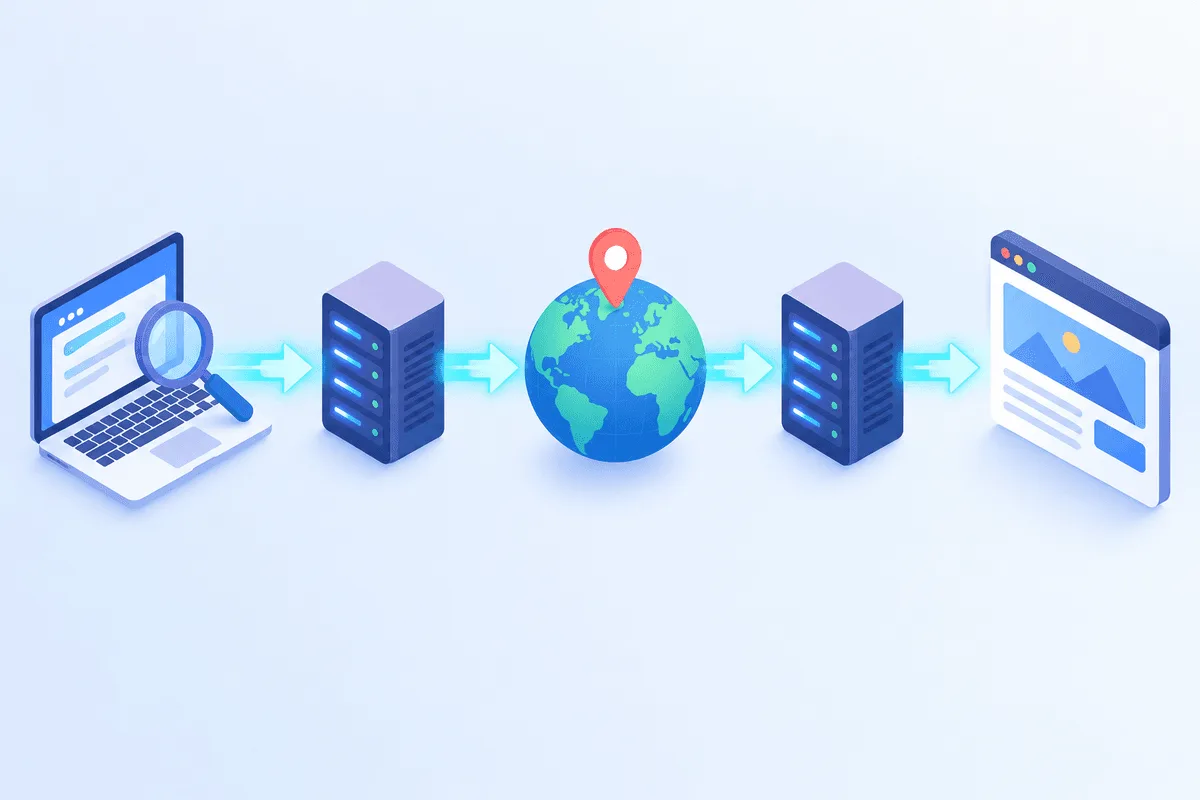
Once saved, load any what-is-my-IP page with Charles in the loop. It should report the outer exit, never your office or household connection.
Built-In Helpers for QA Work
You will find them in the Tools and Proxy menus; each one acts solely on traffic that already passes through Charles.
| Helper | What it alters | When it pays off |
|---|---|---|
| Throttle Settings | Caps throughput and adds latency, globally or per domain | Watching spinners, timeouts and retry logic on a poor cellular link |
| Breakpoints | Holds a request or a reply so you can rewrite it by hand | Seeing how the client copes with an odd status or a missing field |
| Map Local | Answers from a file on disk instead of the server | Trying tomorrow's JSON shape before backend work lands |
| Map Remote | Redirects calls aimed at one origin toward another | Letting a release build hit your staging environment |
| Rewrite | Rules that edit headers, bodies and addresses | Stamping a diagnostic header onto every call |
| Repeat / Repeat Advanced | Fires a recorded call again, singly or in bulk | Reproducing a defect, gentle load on an endpoint you own |
| No Caching / Block Cookies | Removes cache directives or cookies | Imitating a brand-new visitor |
Captures can be stored in Charles's own .chls format or exported to HAR, which browser devtools and plenty of analysers open, so teammates get the very same picture you had.
Troubleshooting
The session stays empty. The OS proxy toggle is off (look at macOS Proxy or Windows Proxy in the Proxy menu), the browser runs its own network settings, or a VPN app has hijacked the routing table.
Encrypted hosts appear as bare tunnels labelled unknown. Either that domain is missing from the Include table or SSL Proxying is disabled as a whole.
The browser or app throws certificate warnings. The root sits on the device without being trusted (the iOS toggle, the Keychain setting, the wrong Windows store), or the application pins its own certificate.
The handset loses connectivity after configuration. The laptop picked up a new LAN address, a firewall is shutting port 8888, or someone clicked away the device prompt. Review Access Control Settings in the Proxy menu and the OS firewall rules.
The outer proxy returns 407 or simply stalls. Re-enter the credentials in the external proxy window and make sure the port belongs to the protocol you ticked. Before suspecting Charles, run the same server through our proxy checker to see whether it responds at all.
Charles Versus Other Debugging Proxies
| Tool | Platforms | How it is sold | Where it shines |
|---|---|---|---|
| Charles | macOS, Windows, Linux | One-off licence, evaluation period | Long-proven interface, bandwidth throttling, Map Local, phone onboarding help |
| Fiddler Everywhere | macOS, Windows, Linux | Subscription | Modern interface, sharing captures with colleagues |
| mitmproxy | macOS, Windows, Linux | Free, open source | Python add-ons, console and browser front ends |
| Proxyman | macOS, Windows, Linux | Free tier plus paid plans | Feels native on a Mac, fast iOS onboarding |
| HTTP Toolkit | macOS, Windows, Linux | Free tier plus paid plans | Targeted capture of single apps or terminals |
Pricing and features drift over time, so confirm details on each vendor's site. People who would rather write scripts than click usually settle on mitmproxy; for visual work on mobile builds the shortlist tends to be Charles or Proxyman.
Charles Proxy FAQ
Is Charles Proxy free?
No. It is a commercial product with a 30-day evaluation, and an unlicensed copy also restricts how long each session may run. Continued use after that requires buying a licence.
Why does Charles show unknown instead of HTTPS content?
Decryption is switched off for that host. Put the host on the Include list of the SSL Proxying settings, confirm that your device fully trusts the Charles root, then refresh.
Can Charles capture traffic from any app on my phone?
Just the ones prepared to trust its root. For modern Android versions this means debug builds you compile yourself with a network security config; pinned apps turn it down deliberately.
What port does Charles use?
Port 8888 for the HTTP proxy unless you change it. The value is editable in the Proxy Settings window when some other program already holds that port.
Can Charles work through another proxy?
Yes. The External Proxy Settings window chains Charles to an outer HTTP, HTTPS or SOCKS server, with Basic or NTLM login and an exclusion list for local names.
Is it legal to use Charles Proxy?
Inspecting your own apps, devices and test accounts is routine engineering work. Capturing someone else's traffic without consent breaks the law in most countries, so keep Charles on systems you are entitled to test.