How to Choose the Right Proxy IP for Making Money Online


The short answer is simple: choose the proxy that keeps each authorized account in a stable, believable network environment. A valuable social account, store, wallet workspace, affiliate dashboard, or advertising account usually benefits from a consistent IP with the right location and a clean history. Rapid rotation is useful for some research and verification tasks, but frequent IP changes can damage account continuity.
A proxy is only one part of the setup. Platforms can also evaluate cookies, browser fingerprints, time zone, language, login patterns, and account behavior. A strong proxy paired with a shared browser profile still creates avoidable risk. This is why online operators often combine a suitable proxy with isolated browser profiles in MostLogin.
What a Proxy IP Is
A proxy server sits between your device and a website. Instead of sending a request directly from your local connection, your browser sends it through the proxy. The destination website sees the proxy's public IP address as the network source of that request. This type of service is commonly called a forward proxy.
A proxy can change the public IP address and apparent network location of a browser session. It does not automatically change browser fingerprints, cookies, local storage, wallet activity, payment details, or behavior. It also does not grant permission to create accounts or access offers that a platform restricts.
Why Proxy Quality Matters
An IP address is part of an account's operating context. Platforms may consider its country, city, network owner, connection type, reputation, and recent use. Sudden changes can trigger login challenges or reviews, especially when an account normally uses one region and then appears from a distant location within a short period.
Location consistency helps the network route match the account's real operating region and profile settings. Session stability reduces unexpected logouts, interrupted checkouts, failed uploads, and repeated verification prompts. IP reputation matters because heavily abused or previously blocked addresses can create problems before the operator starts work.
Account separation also helps unrelated clients, stores, brands, or campaigns avoid accidental use of the same public IP. Performance matters as well, particularly for media uploads, advertising dashboards, e-commerce operations, and mobile-first applications.
MostLogin's guide to same-IP multi-account risk explains how network signals interact with fingerprints, cookies, and session data. The important point is consistency across the full profile, not the IP address alone.
The Main Proxy Types
Residential proxies use IP addresses associated with consumer internet connections. They are commonly suited to account management, regional browsing, and localized research. Their main tradeoff is that they usually cost more per GB and the quality can vary between providers.
Static residential or ISP proxies provide stable ISP-routed addresses designed for longer sessions. They are a good fit for high-value accounts, stores, affiliate dashboards, and advertising managers. Compared with other options, they can have a higher cost and a smaller available pool.
Mobile proxies use IP addresses associated with mobile carrier networks. They can be useful for mobile-first social platforms, application testing, and mobile advertising verification. However, they are generally more expensive and may sometimes be slower or less predictable.
Datacenter proxies use IP addresses hosted in cloud or data center networks. They can work well for low-risk automation, APIs, internal tools, and speed-sensitive public tasks. Their main limitation is that some platforms can classify them more easily as non-consumer traffic.
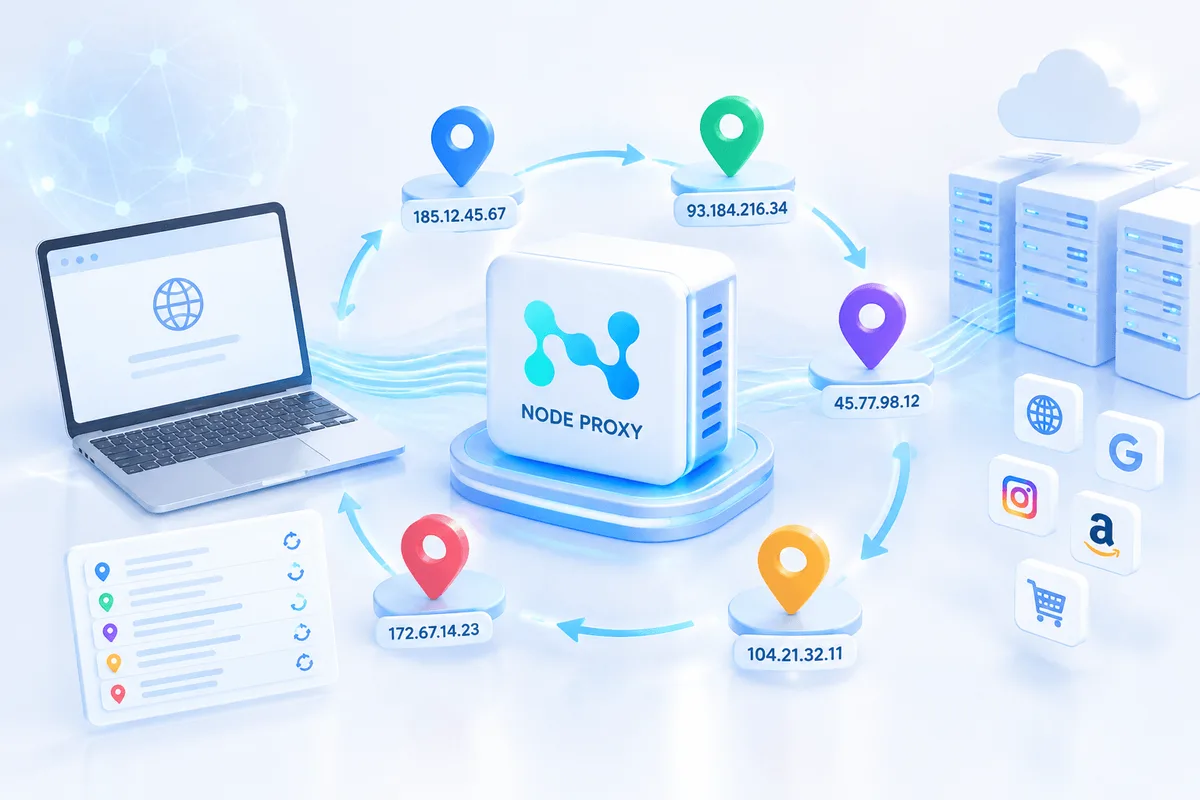
Rotating proxies change the exit IP on a schedule or after a request. They are useful for authorized research, price checks, SERP work, and advertising verification. However, they are generally a poor fit for account logins when rotation interrupts session continuity.
Sticky-session proxies keep one residential or mobile exit stable for a defined period. They can be useful for account workflows that require continuity without using a permanently static IP. The session can still expire or change unexpectedly.
How to Evaluate a Proxy Provider
Confirm How the IPs Are Sourced
Ask whether residential and mobile IPs are obtained with informed consent and whether the provider publishes acceptable-use, privacy, and sourcing policies. A large pool is less important than transparent sourcing and reliable control over the addresses you receive.
Match the Location to the Real Business Context
Choose the country first, then narrow to state or city only when the workflow genuinely requires it. The proxy location should normally agree with the profile's time zone, language, business region, and typical login history. Avoid manufacturing a location that conflicts with account records or platform eligibility rules.
Check Reputation Before Login
Test the IP before opening a valuable account. Review whether the address is reachable, whether geolocation databases agree on its location, whether DNS and WebRTC reveal an unintended route, and whether the connection appears on obvious abuse lists.
No checker can guarantee acceptance by a platform, but basic testing can filter out clearly unsuitable addresses. Services such as IP-Score and BrowserScan can be useful when evaluating an IP and the browser environment before starting an important session.
Choose the Right Session Model
Use a static or long sticky session for account dashboards. Use rotation for authorized tasks that request many independent public pages. If a provider rotates in the middle of a login, checkout, wallet connection, or campaign edit, the account may see an unexplained location or network change.
Measure Performance With Your Own Workflow
Run a small test before buying volume. Measure connection success, median latency, session duration, upload performance, and failure rate on the actual sites you use. Vendor-wide uptime numbers rarely predict performance for one platform, country, or carrier.
Review Controls and Support
Useful controls include country and city targeting, sticky-session duration, rotation on demand, HTTP or SOCKS5 support, credential management, usage limits, and clear logs. Responsive support matters when a working IP suddenly changes location or drops during a business-critical session.
For one example of the available market options, Node Proxy lists residential, mobile, datacenter, rotating, and static proxy products with published pricing. Its residential proxies can be considered when a workflow requires an IP associated with a residential network and a stable regional connection. Treat network size, stability, and session-duration figures as provider claims, and verify them with a small trial against your own target platforms before committing.
How to Select a Proxy by Use Case
For social media accounts, a static residential or long-sticky residential proxy is a suitable starting point, while mobile proxies can be considered for mobile-first workflows. Keep a stable region and IP for each important account. Avoid frequent country changes, shared low-quality IPs, and mid-session rotation.
For e-commerce accounts, a dedicated static residential or ISP proxy is generally the preferred starting point. Long-lived sessions should remain aligned with the store's approved operating region. Avoid switching networks during payouts, listings, orders, or verification.
For Web3 wallets and roles, consider a stable residential or ISP proxy, with mobile proxies used only when the dApp or task is genuinely mobile-first. Keep separate legitimate operational contexts and make network changes auditable. Do not use proxies to misrepresent independent people or hide on-chain relationships.
For affiliate marketing, static residential or ISP proxies are suitable for dashboards, while rotating residential proxies can be used for permitted geo testing. Keep each approved network or client account stable. Avoid self-referrals, duplicate accounts, or location claims that breach program terms.
For digital advertising, static residential or ISP proxies are suitable for ad managers, while mobile or residential proxies can be used for authorized ad verification. Separate clients and markets while retaining consistent administrative sessions. Avoid sharing one IP across unrelated clients or using rotation inside advertising account sessions.
Proxy Setup for Different Account Types
Managing Social Media Accounts
For brand, agency, localization, or customer-support accounts, continuity usually matters more than rotation. Start with a static residential or ISP proxy in the account's normal operating region. A long-sticky residential proxy can also work if the provider maintains the same exit long enough for the daily session.
Mobile proxies make sense when the work depends on a mobile carrier context or a native app, but they should not be selected only because they are more expensive.
Assign one stable network route to each important authorized account or clearly related account group. Keep the browser language and time zone consistent with that route. If a team manages many profiles, use a documented naming convention and test each proxy before the first login. We cover the wider approach in our guide to multi-accounting.
Managing E-commerce Accounts
Seller accounts contain orders, payouts, tax details, and customer messages, so predictable access is the priority. A dedicated static residential or ISP proxy is usually the strongest starting point for an approved store.
Keep it in the business's real operating region and do not rotate during sensitive actions such as payout changes, identity verification, listing updates, or customer-service work.
Separate stores by legal entity, brand, region, or client according to the marketplace's rules. A proxy does not make prohibited duplicate seller accounts acceptable. It provides a controlled network route for stores the team is authorized to operate.
Managing Web3 Wallets and Operational Roles
Web3 users may maintain separate wallets for treasury, daily transactions, testing, different chains, or team roles. A stable residential or ISP proxy can keep the off-chain browser environment consistent. Mobile proxies are useful only when a campaign or dApp genuinely depends on a mobile environment. Typical network setups for this work are described on our proxies for crypto and DeFi page.
The proxy does not conceal blockchain evidence. Funding paths, consolidation addresses, transaction timing, contract calls, and asset flows remain visible on-chain. Airdrop rules may also prohibit Sybil behavior or restrict an allocation to one person. Multiple IPs do not create additional eligible participants.
Review MostLogin's Web3 airdrop operations guide for a clearer separation between legitimate wallet organization and prohibited multi-claim activity.
Managing Affiliate Marketing Accounts
Affiliate teams often work across networks, brands, clients, and regional campaigns. Use a static residential or ISP proxy for each approved dashboard that requires a persistent login.
For permitted offer checks, localized landing-page QA, or market research, rotating residential proxies can provide broader geographic coverage without disrupting the main account session.
Keep client accounts and campaign cookies in separate profiles. Follow each network's rules on account ownership, traffic sources, self-referrals, incentives, and regional eligibility. A different IP does not make a restricted promotion or duplicate account compliant.
Managing Digital Advertising Accounts
Advertising teams need two different proxy strategies. Ad manager accounts benefit from stable residential or ISP addresses because operators need reliable access to billing, audiences, creatives, and reporting.
Ad verification and authorized geo-preview work may use residential or mobile proxies in the markets being checked.
Separate client environments, limit team access, and document who owns each account. Avoid switching countries during campaign edits or payment changes. If a native mobile app is essential to the workflow, a dedicated cloud phone environment may be more appropriate than forcing every task through a desktop browser profile.
How to Pair a Proxy With MostLogin
MostLogin supports profile-level proxy configuration so each browser environment can retain its own cookies, local storage, fingerprint settings, and network route. The setup should preserve a coherent account history rather than change identity signals without a business reason.
- Create or open the browser profile assigned to the authorized account, store, wallet workspace, campaign, or client.
- Add the proxy using the provider's host, port, username, password, and supported HTTP, HTTPS, or SOCKS5 protocol.
- Test the connection before login and confirm the detected country or region.
- Align the profile's time zone and language with the operating context and proxy location where appropriate.
- Keep the account inside the same profile and avoid undocumented proxy changes.
- Record failures, replacement dates, and the reason for any network change.
The MostLogin proxy setup guide covers manual entry, API-extracted proxies, tags, connection tests, and team access settings. For larger profile fleets, the random proxy assignment tutorial explains how to distribute existing proxies in bulk.
Use random assignment only within a prepared pool whose type, location, and purpose already match the selected profiles.
Proxy Selection Checklist
Before choosing a proxy, make sure the account is owned by your organization or that you have explicit permission to manage it. Check that the provider explains acceptable use and how residential or mobile IPs are sourced.
The proxy type should match the task: stable for accounts and rotating for permitted public-data or verification work. The country and city should match the real business context and profile settings, while the session duration should be long enough to complete the entire workflow.
Before login, check the IP's connection, location, DNS, and WebRTC behavior. Make sure latency and upload performance are acceptable on the actual platform. Avoid sharing an address across unrelated high-value accounts without a documented reason.
Finally, check whether the provider offers replacement options, usage controls, and support appropriate for the value of the account. Your workflow should always follow platform rules, campaign terms, privacy requirements, and applicable law.
Common Proxy Selection Mistakes
One common mistake is buying only on price. Cheap traffic can become expensive when unstable sessions waste operator time or expose important accounts to repeated checks.
Another mistake is rotating every account session. Rotation is a collection feature, not a universal safety feature. Stable accounts usually need stable routes.
Ignoring location mismatches is another source of unnecessary problems. An IP in one country combined with a distant time zone, language, and account history creates an avoidable contradiction.
Using one proxy for every account can connect unrelated clients or projects and turn one proxy failure into a wider operational incident.
It is also a mistake to treat a proxy as complete isolation. A proxy changes network routing. It does not separate cookies, fingerprints, storage, wallets, or team access.
Finally, skipping a pilot test can lead to problems because a provider may perform well overall but poorly on the exact platform, region, and session length your work requires.
Frequently Asked Questions
Is a residential proxy always better than a datacenter proxy?
No. Residential and ISP proxies are often a better fit for persistent consumer-platform accounts, while datacenter proxies can be faster and more economical for APIs, internal tools, and authorized public tasks. Choose according to the target platform, session requirements, and risk of interruption.
Should every account have a different proxy?
Important unrelated accounts should usually have separate, documented network routes when platform rules and the business structure support that separation. Closely related accounts may share infrastructure in some authorized workflows, but the decision should be deliberate rather than accidental.
Are rotating proxies safer for account management?
Usually not. Rotation can be useful for authorized research, ad verification, and public-page collection. For logged-in account management, a static or long-sticky session normally creates a more consistent history.
Can a proxy prevent account suspension?
No. A proxy can provide a suitable network route, but platforms also evaluate browser data, account behavior, payments, ownership information, content, and policy compliance. No provider or browser can guarantee that an account will never be reviewed or suspended.
Does a proxy hide Web3 wallet links?
No. A proxy affects off-chain network traffic. Blockchain transactions and fund flows remain public. Use separate wallets for legitimate security, accounting, testing, or team purposes, and follow each campaign's eligibility rules.
Build a Stable Network Identity for Every Authorized Profile
The right proxy is the one that fits the account's real job. Use stable residential or ISP routes for valuable, persistent accounts. Consider mobile proxies for genuine mobile-first workflows. Reserve rotation for tasks that benefit from many authorized public requests, such as regional verification or research.
Node Proxy can be one option for workflows that require residential, mobile, datacenter, rotating, or static proxy infrastructure. As with any provider, test the actual connection against the platforms and regions relevant to your work before scaling. A quick first check is the free proxy checker, which shows whether a proxy is alive, its exit IP and its location.
MostLogin connects that network choice to a separate browser environment, helping teams keep proxy settings, cookies, sessions, and fingerprint-related configuration organized by profile. Explore MostLogin's antidetect browser features and build each account workflow around stability, clear ownership, and platform compliance.