Proxies for Rank Tracking and SERP Monitoring: Geo Accuracy, Pacing and Setup

Rank tracking needs proxies for two reasons: search engines show different results in different cities, and they throttle anyone who sends hundreds of queries from one address. A proxy with the right location lets your tracker see the page a local searcher sees, and a pool of addresses spreads the load so checks finish without endless captchas.
Most articles on this topic simply list rank tracker software. This one explains what makes a position check accurate, how to plan request pacing, which proxy type suits which engine, and how to plug proxies into a self-hosted tracker, a desktop SEO tool or your own script. Position checks are one of the most routine jobs for proxies in a company, next to price monitoring and ad verification; our overview of proxies in business lists the others.
Proxies for SERP monitoring
Residential proxies with country and city targeting for accurate position checks
Why Rankings Depend on Where You Check From
Search results are local by design. A query like plumber or buy sofa returns different businesses in Chicago and in Denver, and the map pack changes with every neighbourhood. Even non-local queries shift between countries because of language, regional domains and legal removals.
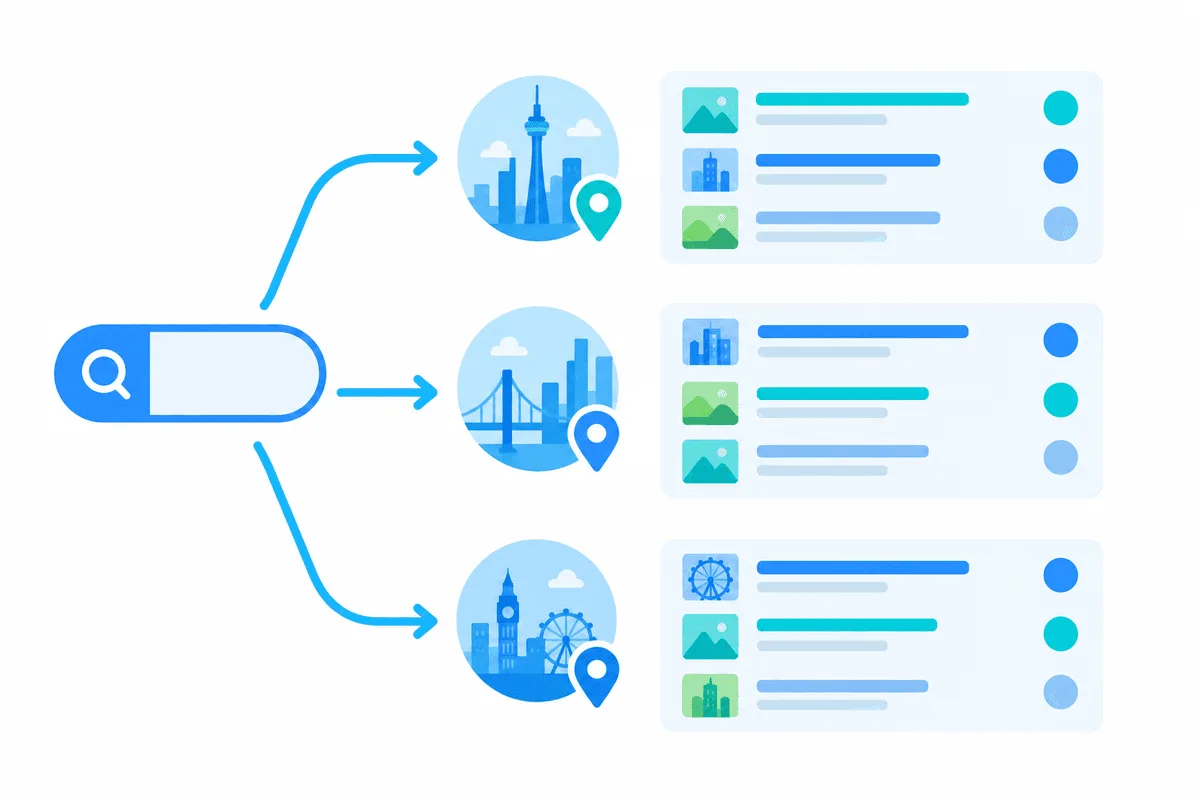
Several signals tell the engine where you are:
- The IP address, mapped to a country and often to a city through geolocation databases.
- URL parameters: Google reads
glfor country andhlfor interface language and accepts an encoded location inuule; Yandex useslrwith a numeric region ID. - Account and history, if you are signed in. Rank trackers avoid this by sending clean, cookie-free requests.
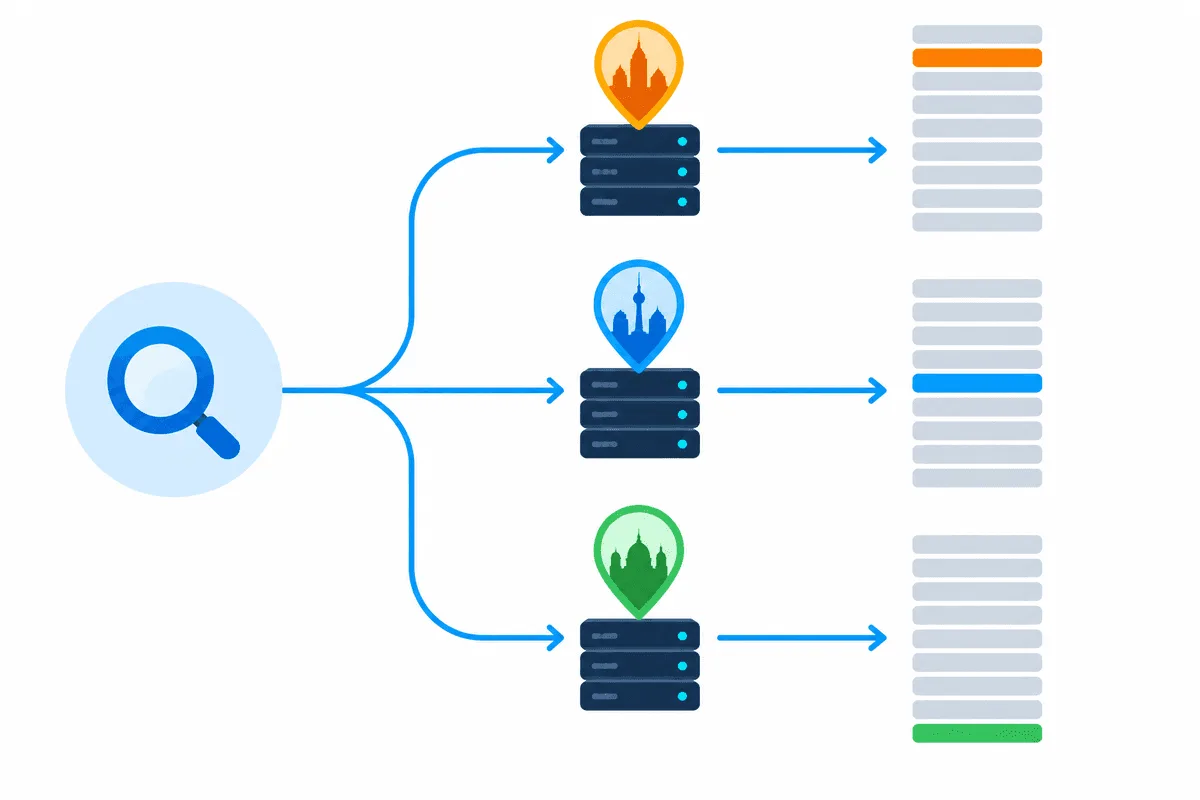
Parameters alone are not always enough. When the IP points to another country, results can still be mixed, and some features such as local packs follow the IP more than the parameter. The reliable approach is to combine a correct parameter with an exit address in the same country, and ideally the same city. How geolocation databases assign a city to an IP is explained in our article on IP geolocation.
How Many Requests a Rank Check Really Costs
Before choosing a proxy plan, estimate the traffic:
| Input | Example |
|---|---|
| Keywords | 500 |
| Locations | 4 cities |
| Search engines | Google and Yandex |
| Depth | Top 100 |
| Frequency | Daily |
Depth multiplies everything. In September 2025 Google stopped honouring the num=100 parameter that let tools fetch a hundred results on one page, so a top-100 check now takes up to ten page requests. With the example above, 500 × 4 × 2 engines × 10 pages gives up to 40,000 requests per day. Limiting depth to the top 20 or top 30 for most keywords cuts that by two thirds or more, and most teams act only on the first three pages anyway.
Request Pacing: Fewer Captchas, Fewer Lost Checks
Engines watch the rhythm of queries from each address. A sensible starting setup for self-hosted tracking:
- One query per IP every 30–90 seconds, randomised, rather than a steady stream.
- Few parallel threads per address. Increase concurrency by adding IPs, not by speeding up each one.
- Rotate the exit on each query or every few queries; keep one IP only for the pages of a single query.
- Spread checks over the day instead of starting everything at midnight.
- Back off on captcha. When an IP gets a challenge, retire it for a while and retry the keyword through another one.
These numbers are starting points, not limits published by any engine. Watch the share of captchas and adjust.
Which Proxies Work for SERP Monitoring
| Exit type | Where it shines | Catch |
|---|---|---|
| Rotating residential | The bulk of position checks, local SERPs, large Google batches | Billed by traffic; pages with heavy results cost more |
| Mobile | Mobile SERPs, strict engines, small high-value keyword sets | Fewer cities to choose from, higher cost per GB |
| Static datacenter | Low-volume checks, internal QA, engines that tolerate them | Ranges are well known and get captchas faster on Google |
| Static residential (ISP) | Long sessions, dashboards that must stay logged in | Fixed location per IP, so you need one per city |
For most teams, residential proxies that can be pinned to a country and city are where most teams start, since queries then come from ordinary home lines and a single pool spans dozens of markets. If you are still deciding between holding one address and changing it per request, our comparison of sticky and rotating proxies breaks down both modes.
Setting Up Proxies in Rank Tracking Tools
Serposcope
Serposcope is a free, open-source rank tracker you run on your own server. The GitHub repository is archived, so expect no new features, but the latest builds still run and are widely used for small projects. Proxies go into the proxy section of its admin panel, one per line, in HTTP or SOCKS form, and the networking options set pauses and thread counts:
http#203.0.113.21#8000#user-7f3k#secret
socks#203.0.113.22#1080
Set the pause between queries to tens of seconds and keep threads low. When Google changes its result layout, an archived parser may stop reading some features, so compare a few positions manually from time to time.
Desktop SEO tools
Keyword and SERP tools for Windows, such as Key Collector, keep proxy lists in their network settings, usually with a choice of HTTP or SOCKS5, login and password, and options for how many threads use each address. Check the current documentation of your version, since menu names change between releases. The same pacing rules apply: low thread count per IP and pauses between queries.
Your own script or a SERP API
When you build your own checker, send each query with explicit location parameters and route it through a city-matched exit:
import requests

exit_gw = "http://user-7f3k-city-denver:secret@gw.example-proxy.net:8000"  # placeholder
params = {"q": "emergency plumber", "gl": "us", "hl": "en"}

serp = requests.get("https://www.google.com/search", params=params,
                    proxies={"http": exit_gw, "https": exit_gw}, timeout=30)
# parse serp.text for your domain and record position, city, date
Google's terms restrict automated querying, and its result markup changes often. That is why plenty of SEO teams pay for ready SERP data via an API, or take an official route when an engine offers one, such as Yandex's paid search API in Yandex Cloud, while proxies stay in the toolkit for cross-checks, spot audits of single cities and engines that offer no API at all. Our page on SERP data collection shows both approaches.
Checking That the Location Is Right
- Open an IP lookup through the proxy and confirm the country and city.
- Run one local query manually through the same exit and look at the map pack: the businesses should be in the expected city.
- Compare a few positions with what a colleague in that region sees.
- Store the exit city with every result so that a drop caused by a mismatched IP is not mistaken for a ranking loss.
The wider set of SEO tasks that need proxies, from competitor audits to ad checks, is covered in our guide to SEO proxies.
Common Mistakes
- Tracking from the office IP. Results are personalised to your location and quickly hit captchas.
- Country-level IPs for city keywords. Local packs and organic results differ between cities of the same country.
- One IP, many threads. It gets flagged within minutes; spread the load instead.
- Daily top-100 for every keyword. Expensive and rarely needed; reserve deep checks for weekly runs.
- Free proxy lists. Shared, slow and already flagged by search engines.
Rank Tracking Proxies FAQ
Do I need proxies for rank tracking?
For a handful of keywords checked manually, no. For daily checks of hundreds of keywords or several locations, yes: without them you will see personalised results and run into captchas quickly.
Which proxy type is best for SERP monitoring?
For the majority of projects, rotating home IPs filtered down to the city level do the job. Mobile proxies help for mobile results and strict engines, while datacenter IPs fit low-volume or internal checks.
Can I track rankings in different cities?
Yes. Combine two things: an exit address located in that city and the engine's own location parameters in the request. Skip either one and the local pack may show a different area.
How many proxies does a rank tracker need?
It depends on keyword count, locations, depth and frequency. Estimate daily requests, divide by a safe rate per IP of roughly one query a minute, and add a reserve for retries.
Is Serposcope still working?
Development has stopped and the code repository is now read-only, yet the last released builds keep working. Check positions manually from time to time, since search layout changes may break parts of its parser.