SOCKS5 vs MTProto in Telegram: Which Proxy Should You Use

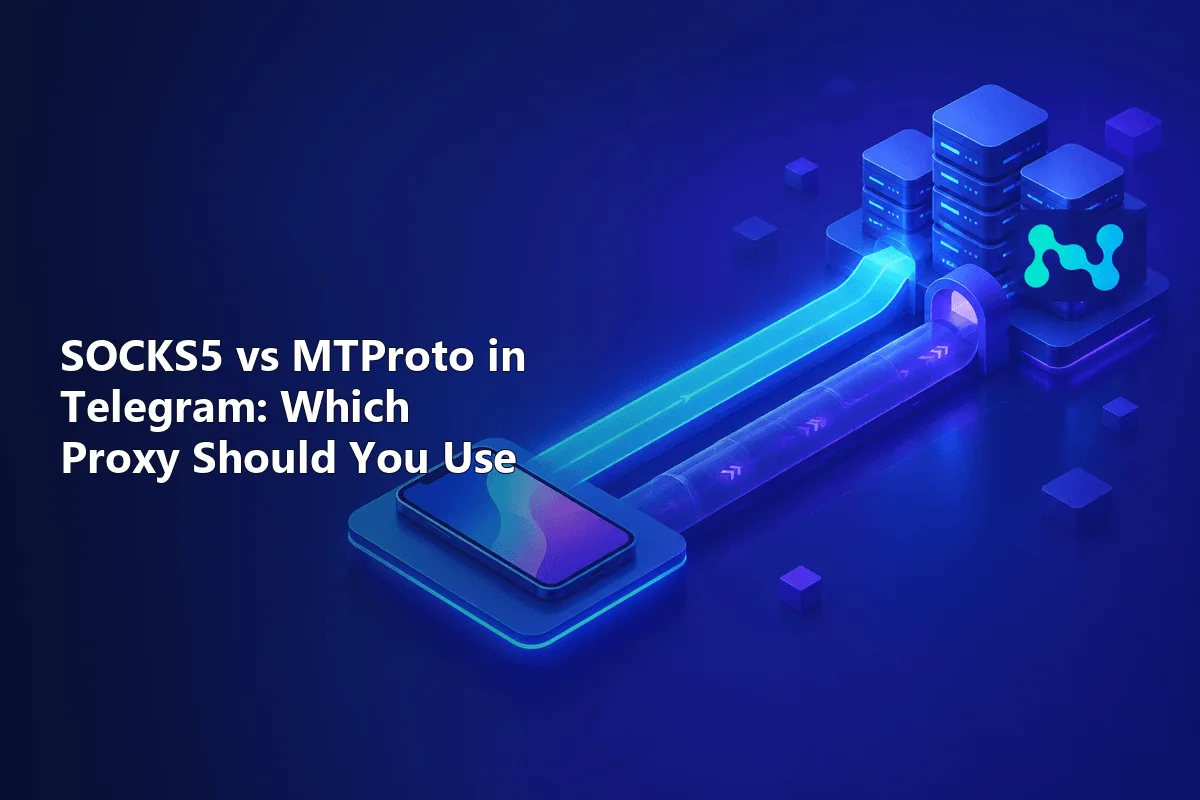
Short verdict first. When the messenger is the only thing you need to unblock and the local network actively filters it, MTProto tends to win: its stream is disguised, and joining takes one tap on a link. SOCKS5 pulls ahead once a browser or another program has to share the server, once you want a private IP guarded by a login, or once voice calls must travel the same route. Every official client understands both, so nothing needs installing and the decision rests on the job itself.
What follows weighs them on five practical points: visibility to network filters, speed, calls, credentials and setup. A closing checklist maps typical situations to the better option. If you want the inner mechanics of the Telegram-only relay first, read our explainer on what an MTProto proxy is.
SOCKS5 proxies for Telegram
Private SOCKS5 proxies with a fixed IP that work in Telegram and your browser
Five Differences at a Glance
| SOCKS5 | MTProto | |
|---|---|---|
| Programs that can use it | Telegram plus anything else that speaks SOCKS5 | Telegram alone |
| What you receive | Host, port, optional login and password | Host, port, secret |
| Recognisable on the wire | Yes, its handshake is unencrypted | Masked; ee secrets mimic HTTPS |
| Who protects message content | Telegram's built-in encryption | Telegram's built-in encryption |
| Calls via the relay | Workable if UDP forwarding exists | Never |
| Share link prefix | t.me/socks?server=… | t.me/proxy?server=… |
| Usual origin | A paid plan with a dedicated IP | Free lists or a self-hosted VPS |
Two Protocols, Two Design Goals
SOCKS5 was created decades ago as a neutral courier for any TCP program. Telegram greets the server, presents a username and password if asked, and names the data center it wants. From then on the courier forwards packets without looking at them. Because it is indifferent to content, one SOCKS5 account can carry chats, web pages and game traffic side by side. The protocol is unpacked in detail in our article on SOCKS5 proxies.
MTProto proxy was designed by the messenger's team for a single purpose. Access is granted by a shared secret rather than an account, and that secret scrambles the stream from byte one. Feed it a web request and nothing happens, since it understands only one client.
Detection and Blocking
This is the sharpest contrast. The SOCKS5 greeting is plain text, so equipment sitting between your device and the relay can read the destination field and see a well-known Telegram range. Networks that filter the messenger find such sessions trivially. The login and password are also exposed during that greeting, although chat content remains sealed.
An MTProto relay removes those clues. A dd secret randomises packet lengths, and an ee secret makes the opening exchange resemble a TLS visit to some harmless website. On networks that hunt for the messenger, this masking is what keeps the link alive. Keep in mind that neither option adds secrecy to the chats: the client already encrypts everything on its way to Telegram's servers, whichever relay is used.
Speed in Practice
Strictly by design, SOCKS5 is the leaner of the two: a brief greeting, then raw forwarding. MTProto spends a sliver of processor time on scrambling. Neither overhead is noticeable on a phone or laptop. Real-world latency is decided elsewhere:
- kilometres between you and the relay, and between the relay and the data center;
- the crowd sharing that server;
- the bandwidth the operator pays for.
A packed free MTProto server answering in 300 ms will feel sluggish next to a private SOCKS5 box one country away, yet the reverse happens too. The proxy list in the app prints a ping beside every saved entry, so test two candidates instead of trusting labels.
What Happens to Calls
Calls trip up many users. Messages can flow smoothly through an MTProto relay while every call hangs on "Connecting", because that relay type never carries call traffic and the app falls back to a direct path.
SOCKS5 leaves the door open. In the desktop client's proxy window there is a Use proxy for calls checkbox; once ticked, voice packets head for your SOCKS5 server too. That only helps when the server can forward UDP datagrams, and a good share of SOCKS5 offerings forward TCP exclusively, so confirm it with the seller. Our piece on UDP proxies explains why that distinction matters.
Credentials and Who Is in Charge
A paid SOCKS5 plan hands you a login, a password and an address reserved for you during the rental. Two benefits follow: nobody swaps the IP without warning, and you decide its country. The messenger lists the relay's IP among your active sessions, so a steady address pays off for work accounts and frequent travellers.
With MTProto, control stays with the relay's owner. On a free server you cannot pick the exit country, you do not know what is logged, and the owner may pin a sponsored channel above your chats. Hosting your own relay fixes that, at the price of looking after a VPS.
Adding Each Type in the App
Both types share one proxy list. Desktop users reach it via Settings → Advanced → Connection type; phone users via Settings → Data and Storage → Proxy. Press Add proxy, choose a protocol and complete the form. Only the computer version also accepts HTTP; mobile builds stick to two options.
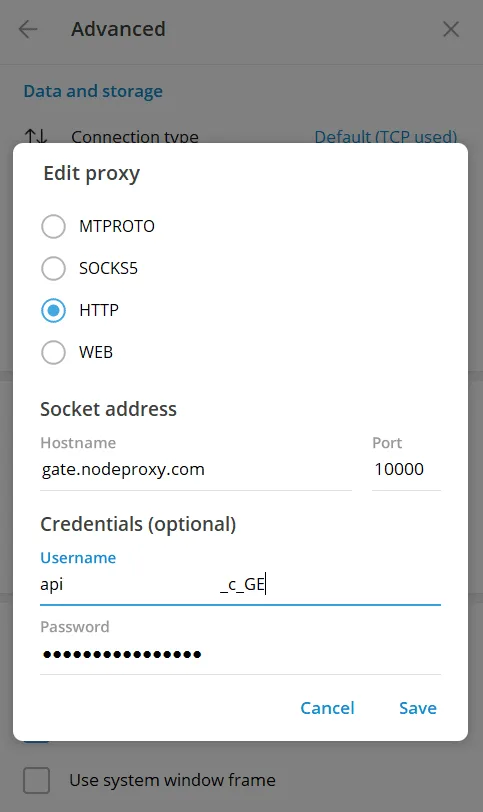
The bottom of the form is the sole difference: a SOCKS5 entry wants a username and password, an MTProto entry wants the secret. Each protocol has its own share link that pre-fills everything when tapped:
https://t.me/socks?server=203.0.113.58&port=1080&user=user-7f3k&pass=s3cretP4ss
https://t.me/proxy?server=203.0.113.58&port=443&secret=ee4a7c...
Each step for desktop, Android and iPhone is walked through in our guide on adding a proxy in Telegram.
Matching the Protocol to the Situation
MTProto makes sense if:
- the messenger is the single app that needs a detour;
- your provider or office network actively cuts Telegram and an ordinary relay dies within minutes;
- a one-tap link matters more to you than choosing the exit country.
SOCKS5 makes sense if:
- a browser, a scraper or another tool must share the server;
- work accounts call for a stable IP in a country you pick;
- calls should follow the same route;
- you would rather pay a provider with support than chase public lists.
For that second group, private SOCKS5 proxies with authorization drop straight into the app. Plans picked out for chats and channels are gathered on our page with proxies for Telegram. Plenty of people keep one entry of each kind saved and flip between them as networks change.
SOCKS5 vs MTProto FAQ
Is MTProto faster than SOCKS5 in Telegram?
Not inherently. Both protocols add negligible overhead, so speed comes down to server load and distance. Compare the ping values the app shows beside each saved entry.
Is SOCKS5 safe for Telegram if it has no encryption?
Chat content is encrypted by the messenger itself, so the relay sees only ciphertext. What SOCKS5 leaves visible is the destination of the session and the proxy login exchanged in the greeting.
Can one SOCKS5 account serve Telegram and a browser together?
It can. A SOCKS5 server accepts parallel sessions from many programs, so the same host, port and credentials work in the messenger and in your browser or operating system.
Why do calls fail when I use an MTProto proxy?
That relay type does not carry call traffic, so the app tries a direct path instead. If your network blocks it, move to a SOCKS5 server with UDP forwarding and tick the option that sends calls through the proxy.
Does Telegram on a phone support HTTP proxies?
Mobile builds offer only SOCKS5 and MTProto. HTTP entries are accepted by the computer version on Windows, macOS and Linux.