Proxies for Discord: How to Choose One and Set It Up

Discord ships without any gateway option of its own, so traffic has to be steered from the outside: OS-wide preferences or a Chromium launch switch for the desktop client, an add-on for the browser edition, or a tunnelling utility on phones. Text channels survive behind nearly any intermediary, whereas voice and video demand a SOCKS5 path that also relays UDP, and that requirement is where most attempts fall apart.
Typical tutorials either collect unblocking tricks or end after one screenshot. What follows covers each workable route on Windows, macOS, Android and iOS, explains why audio misbehaves while chat keeps flowing, and shows how teams handling several Discord identities can keep them apart without crossing the platform's rules.
SOCKS5 proxies for Discord
Static SOCKS5 addresses for chat, file uploads and voice channels
Reasons to Put Discord Behind a Gateway
- Filtered connections. Schools, workplaces and public hotspots frequently cut Discord off. A gateway can restore access where use is permitted; where the network owner says no, that decision stands.
- Community and brand staff. Moderators of an official server, or an agency representing a client, may sit in different countries. Giving each seat a fixed exit keeps sign-ins unsurprising.
- Trips abroad. Appearing from your usual country while travelling means fewer security emails and confirmation prompts.
- Keeping work apart from personal use. Every identity lives in its own browser profile behind its own address, so cookies and sessions never overlap.
Two Traffic Families and What Each Gateway Carries
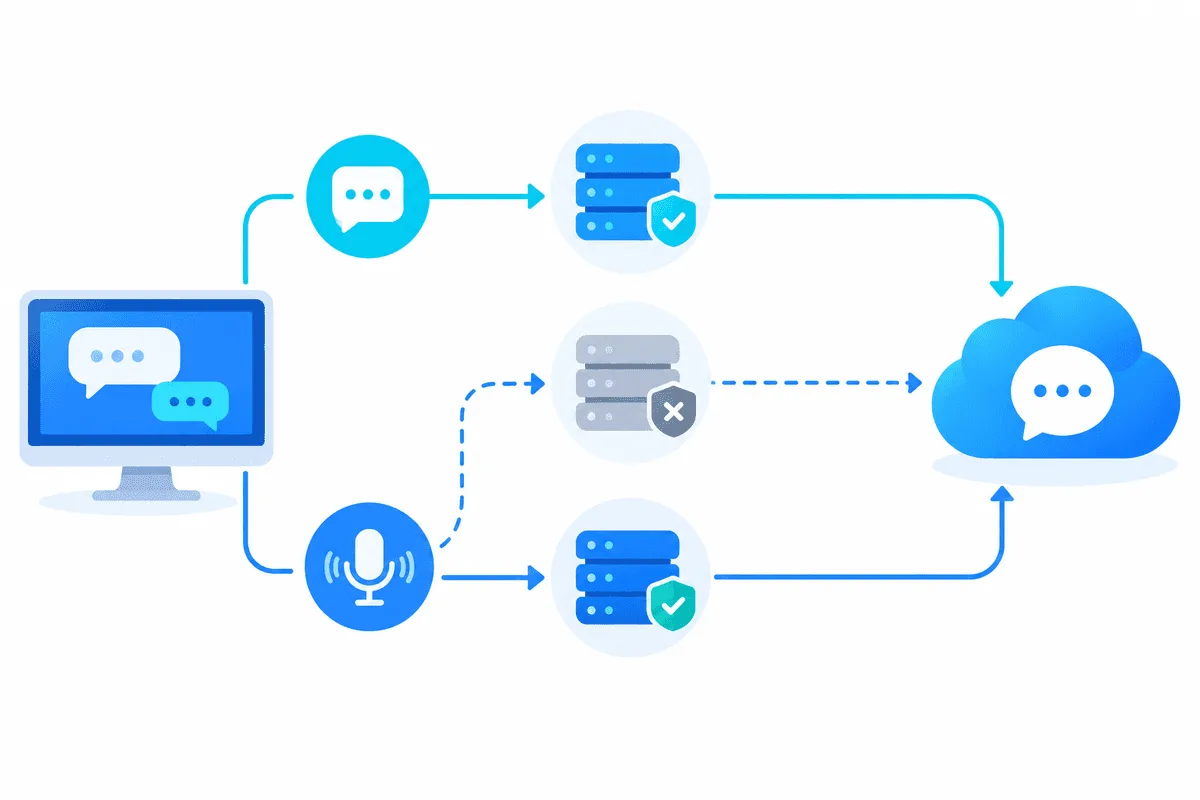
Discord mixes two kinds of data. Chat messages, REST calls, attachments and the gateway websocket ride over TCP and HTTPS, which HTTP and SOCKS5 intermediaries both handle. Voice rooms, calls, screen sharing and Go Live push real-time media over UDP. HTTP gateways have no way to transport UDP; SOCKS5 can, though only when the remote server and the local client both implement UDP forwarding.
| Discord feature | Transport | HTTP gateway | SOCKS5, TCP only | SOCKS5 with UDP relay |
|---|---|---|---|---|
| Messages, guilds, DMs | TCP / HTTPS | Fine | Fine | Fine |
| Pictures and attachments | TCP / HTTPS | Fine | Fine | Fine |
| Audio, camera, Go Live | UDP | Hangs on RTC Connecting | Hangs or leaks direct | Fine when the client forwards UDP |
Hence SOCKS5 proxies are the common pick for Discord users, provided the server relays UDP. A fuller explanation of datagram relaying lives in our piece on UDP proxies.
Which Address Type Fits
Discord keeps its risk scoring private, yet logins from crowded hosting blocks hit phone verification noticeably more often. For everyday use, a static residential or ISP address inside your own country behaves best. Datacenter exits are acceptable for brief experiments with the browser edition. Rotating pools force repeated login confirmations, so bind one IP to each identity and leave it there.
Routing the Desktop Client
Option 1. OS-Wide Gateway (Windows and macOS)
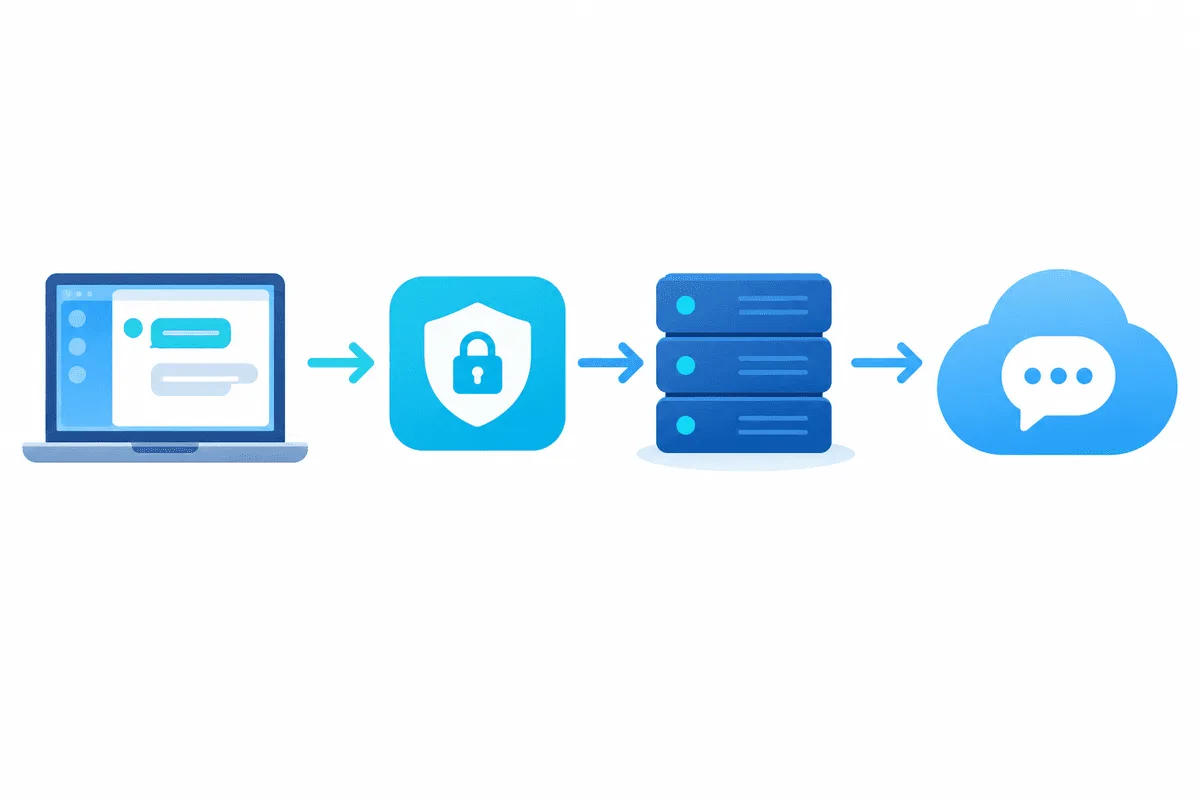
Being an Electron app, the desktop client honours the operating system's gateway preferences for its HTTP traffic.
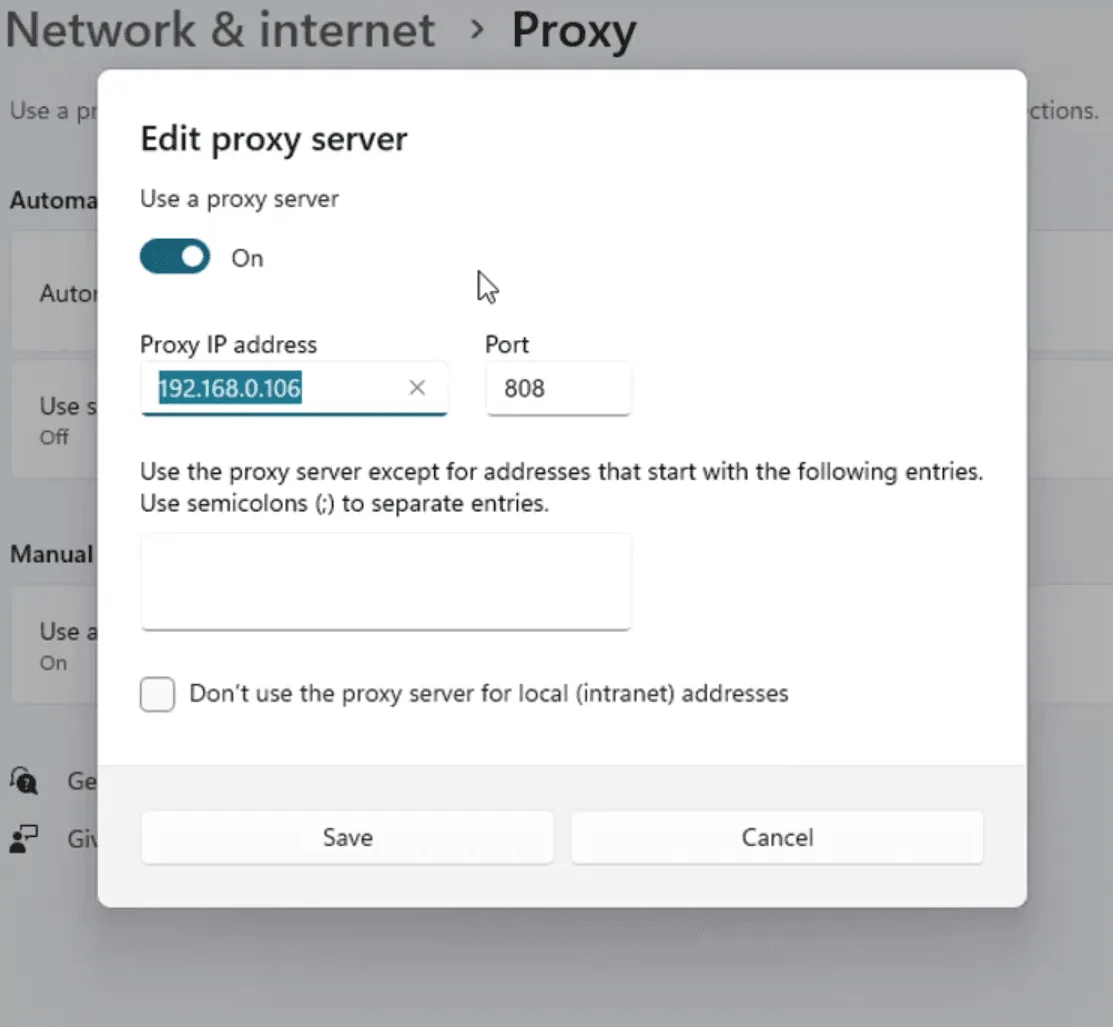
- Windows 11: inside the Settings app pick the network category, open its Proxy page, press Set up beside the manual option, flip the toggle, type the gateway with its port and confirm.
- macOS: in System Settings choose the active interface, press Details, open the Proxies tab and tick both the HTTPS and the HTTP web gateway entries, filling in your server each time.
- Exit Discord completely via the tray icon or menu bar, then reopen it.
Downsides: every program obeying system preferences now detours through that server, Windows may ask for credentials in a pop-up Discord never displays, and audio still travels outside the tunnel.
Option 2. A Launch Switch Just for Discord
Electron understands Chromium's gateway switch. On Windows, extend the target field of the Discord shortcut so it reads:
Update.exe --processStart Discord.exe --process-start-args "--proxy-server=socks5://203.0.113.40:1080"Only Discord is affected afterwards. The switch has no slot for an account name or secret, so either whitelist your machine's IP in the provider panel or aim the switch at a local forwarder that injects credentials. Major self-updates sometimes rewrite the shortcut, so glance at it after big releases.
Option 3. Proxifier or a Comparable Rule Engine
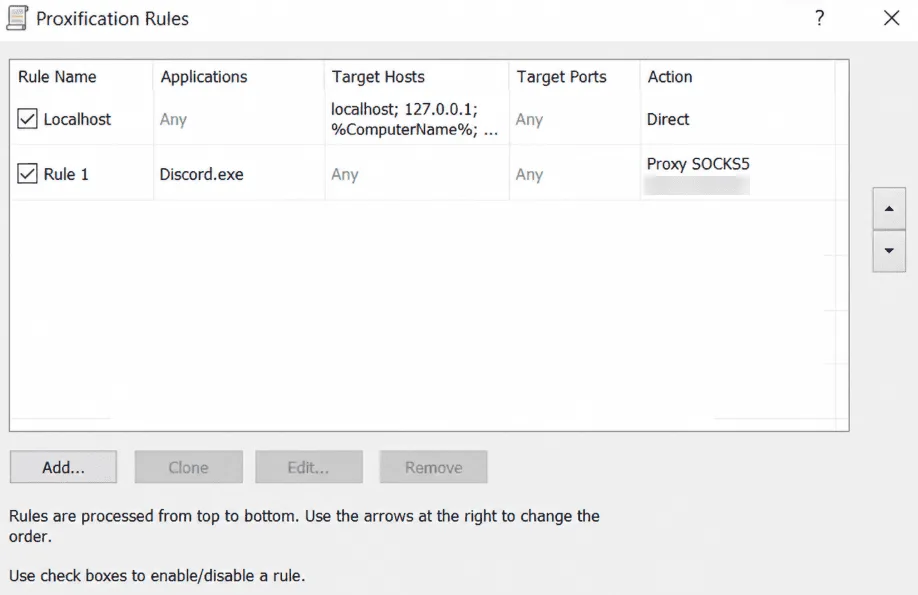
Proxifier intercepts chosen executables and hands their connections to SOCKS5 or HTTP servers with authentication. Add a server entry, write a rule matching Discord.exe (the Discord app bundle on a Mac) and select that entry as the action. Newer Windows editions of Proxifier are able to push UDP across SOCKS5 as well; audio succeeds only if your server also accepts UDP, so join a voice room for a test before counting on it.
The Browser Edition
Discord's web app runs in any current browser, which makes it the simplest target. Spin up a fresh browser profile, install a gateway add-on holding your server details and credentials, and sign in there. Browser audio relies on WebRTC, and WebRTC may sidestep the add-on and connect directly, so if the route itself matters, treat the web edition as a text-only tool.
Phones: Android and iPhone
- Android. The per-hotspot gateway box takes HTTP without a password and only on that network. A tunnelling utility like Super Proxy copes with SOCKS5, credentials and cellular data; our Super Proxy guide has every screen.
- iPhone. Enter an HTTP gateway with authentication under the Wi-Fi network's info page, or rely on Shadowrocket for SOCKS5 and LTE coverage, as shown in our Shadowrocket walkthrough.
Handling Several Discord Identities Within the Rules
Owning more than one account is allowed, and both desktop and mobile apps have a built-in switcher holding up to five (tap your avatar, then choose Switch Accounts). The rules target something else: alternates created to dodge a ban, spam, inflated member counts and self-bots. Automation is permitted only through the official bot API.
Teams with a legitimate need for several identities should:
- Isolate each identity in a separate browser profile or app instance with its own cookie store.
- Assign every identity a persistent IP, ideally in the country where its owner actually works.
- Turn on two-factor protection and keep backup codes away from the shared workstation.
- Avoid signing everything in simultaneously from a brand-new address; let sessions settle one at a time.
Proper profile isolation is explained in our overview of multi-accounting with browser profiles.
Fixing Typical Failures
- Audio stuck on RTC Connecting. Datagrams are not crossing the gateway. Get SOCKS5 with UDP relay plus a client that forwards it, or exempt voice from the tunnel.
- Splash screen spins forever. The desktop client cannot reach your server. Recheck gateway, port and whitelist status.
- SMS confirmation at every login. The address has a poor history or keeps rotating. Move to a static residential exit.
- Browser fine, desktop client not. Discord launched before you changed system preferences, or an update erased the launch switch.
The same exercise in another messenger is covered in our walkthrough on proxies in Telegram.
Discord Proxy FAQ
Is there a proxy option inside Discord settings?
There is none. Routing happens outside the app: through OS preferences, a launch switch, a rule engine like Proxifier or a tunnelling utility on mobile.
Why does voice chat fail behind my gateway?
Audio travels over UDP, which HTTP intermediaries cannot move. You need SOCKS5 with UDP relay and a local client forwarding datagrams to it.
Is a Discord account at risk just for using a gateway?
Routing traffic is not itself a violation. Restrictions come from spam, self-bots and ban evasion, while an unfamiliar IP typically triggers nothing worse than extra verification.
How many identities fit in the Discord account switcher?
Up to five. Each still signs in separately, and community guidelines apply to all of them.
What gateway suits Discord best?
A static SOCKS5 exit on a residential or ISP address in your own country handles chat, uploads and, given UDP relay, audio. Rotating pools lead to constant login checks.